TV Viewing Distance I Tested in 3 Real Rooms (Chart)
Find your TV viewing distance: sit ~1.2–2x the screen diagonal (THX 40° / SMPTE 30°), with a two-way size chart, how to measure, plus 4K and gaming tips.
Written by Derek WhitfieldReviewed by Marcus Whitfield
Last updated on August 27, 2026
When you buy through links on our site, we may earn a commission at no extra cost to you. It never changes what we recommend. Learn more.
Summarize with AI
Most guides hand you one number and call it settled. Then you move the couch, glance at a 75-inch screen that suddenly feels enormous, and realize the number was never the whole story.
The right TV viewing distance is not a single magic figure at all. It is a comfortable range you choose, and where you land inside it depends on your screen, your room, and what you actually watch.
I measured the same 65-inch 4K set in three real rooms over a week to find where that range holds and where it breaks.
TV Viewing Distance: The Short Version
The best TV viewing distance puts the screen across 30 to 40 degrees of your field of view, which works out to roughly 1.2 to 2 times the screen's diagonal.
Sit near 1.2x for an immersive, cinematic picture (the THX 40 degree target) or near 2x for relaxed everyday watching (the SMPTE 30 degree target).
For a 65-inch TV, that is about 6.5 to 9 feet. It is a range you pick, not a fixed point.
The Quick Answer: How Far to Sit From Your TV
The best TV viewing distance is where the screen fills 30 to 40 degrees of your field of view, which lands around 1.2 to 2 times the screen's diagonal.
Sit near 1.2 times the diagonal for the immersive THX 40 degree angle, or near 2 times for the relaxed SMPTE 30 degree angle that suits daily viewing.
For a 65-inch TV that means roughly 6.5 to 9 feet. The closer end feels cinematic.
The farther end feels easy on the eyes over a long evening.
That gap between immersive and comfortable is the whole point. Treat the answer as a band you slide within, not a line you have to hit.
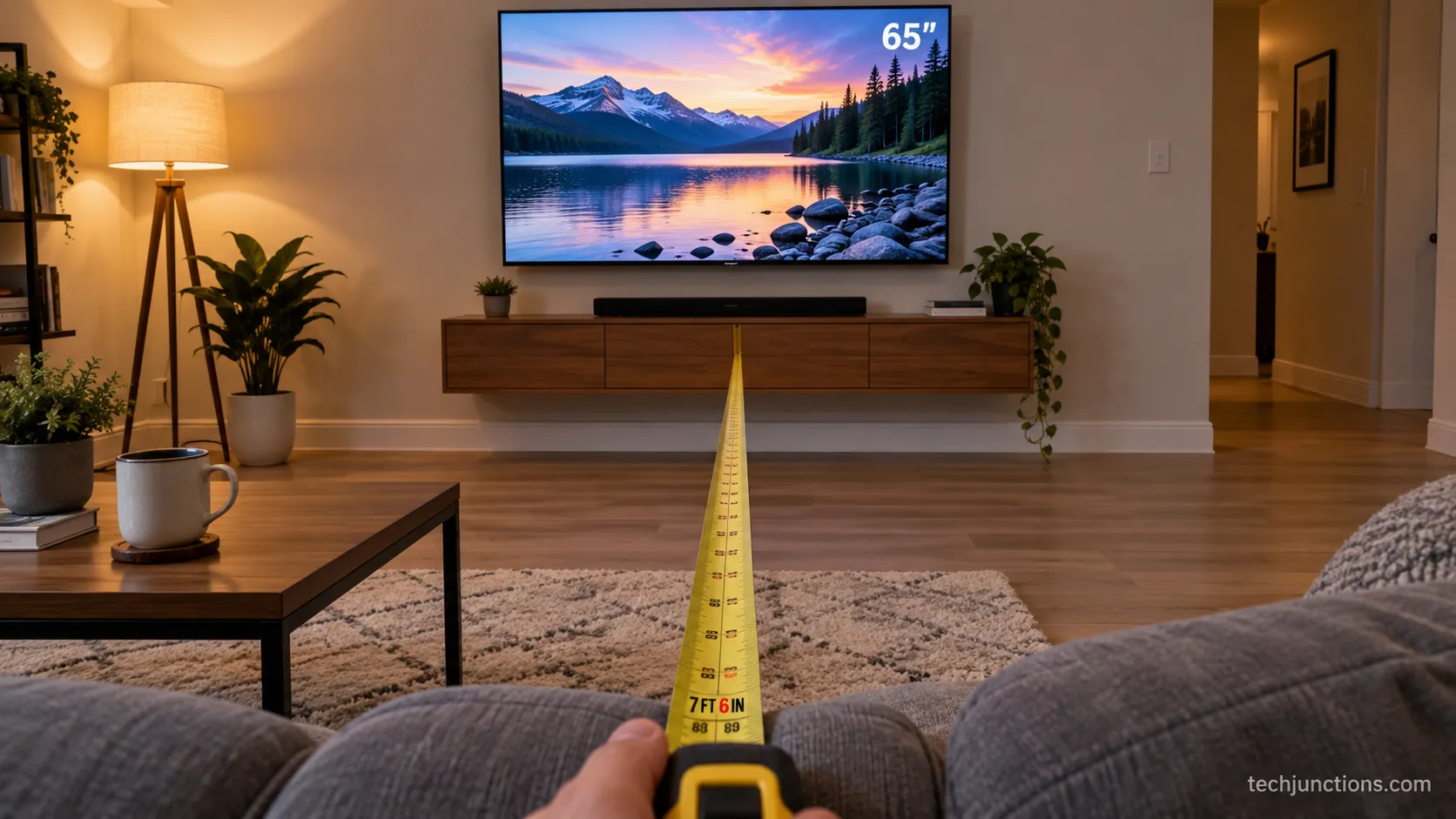
In my own living room, I settled at 7 feet 6 inches from the 65-inch panel. That is a little back from the pure immersive figure because I watch as much news and sport as film, and the closer seat felt intense for a two hour broadcast.
A dedicated cinema room would pull me forward. Home theater guides like the one from Seatcraft put the immersion sweet spot at 36 to 40 degrees, which matches where the picture started to wrap around me.
How to Measure Your TV Viewing Distance
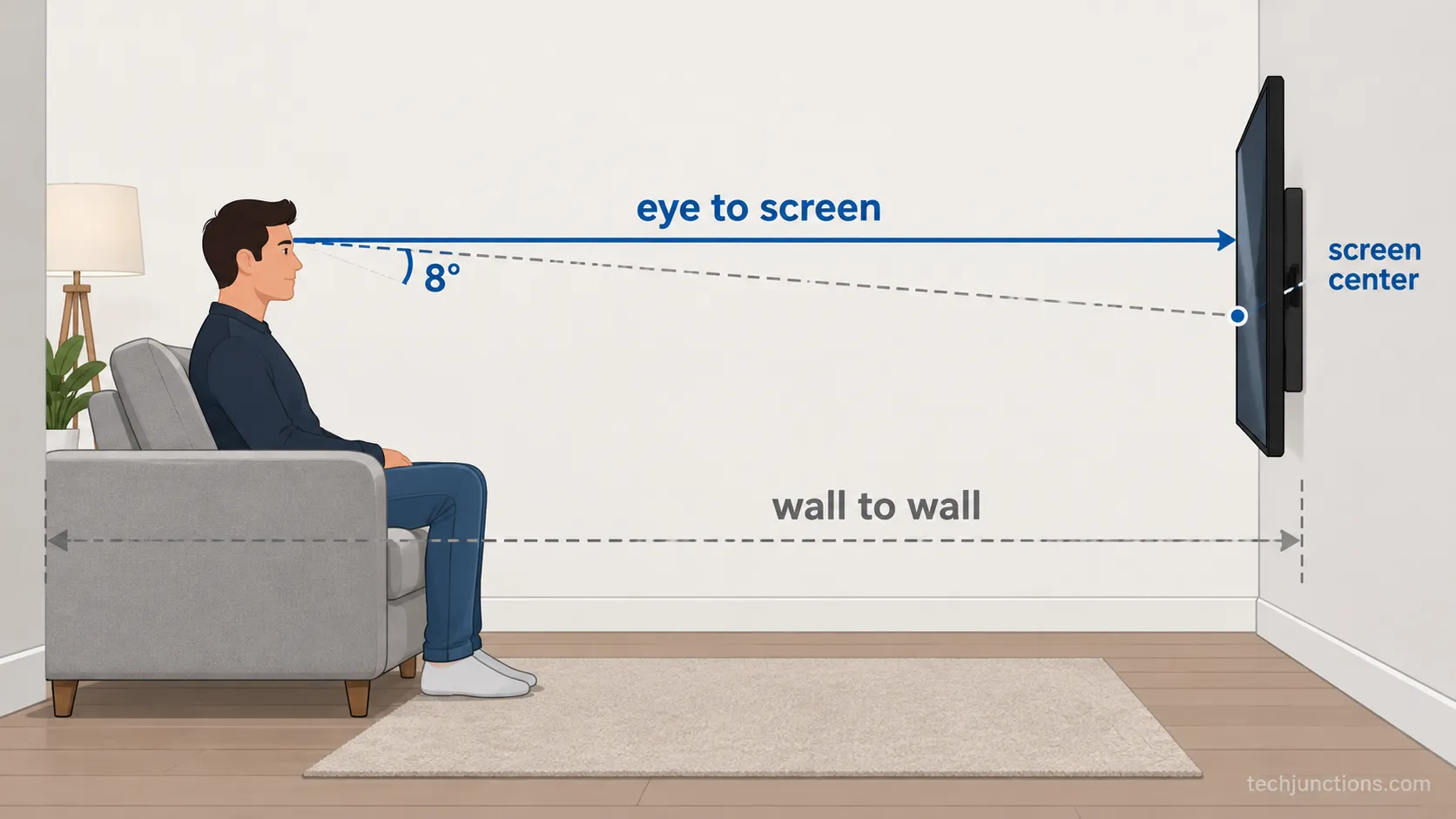
To measure your TV viewing distance, run a tape from where your eyes sit to the face of the screen, not to the back wall.
Record it in inches and in feet, because sofa depth means your seat is a small range rather than a single point.
That one number is what every size chart below actually uses. According to THX guidance, you can also work it backward: multiply your seating distance in inches by 0.835 to get the ideal diagonal for an immersive setup.
Measuring first is the step almost every guide skips.
Here is the method I use on every install:
Sit where you normally watch, then have someone run a tape from the bridge of your nose to the center of the screen.
Record two readings, one leaning forward on the front cushion and one settled back, so you capture the real range.
Note the number in both feet and inches, since charts and calculators mix the two.
To size a future TV instead, measure the empty wall gap to your seat and multiply the seating inches by 0.835 for the diagonal.
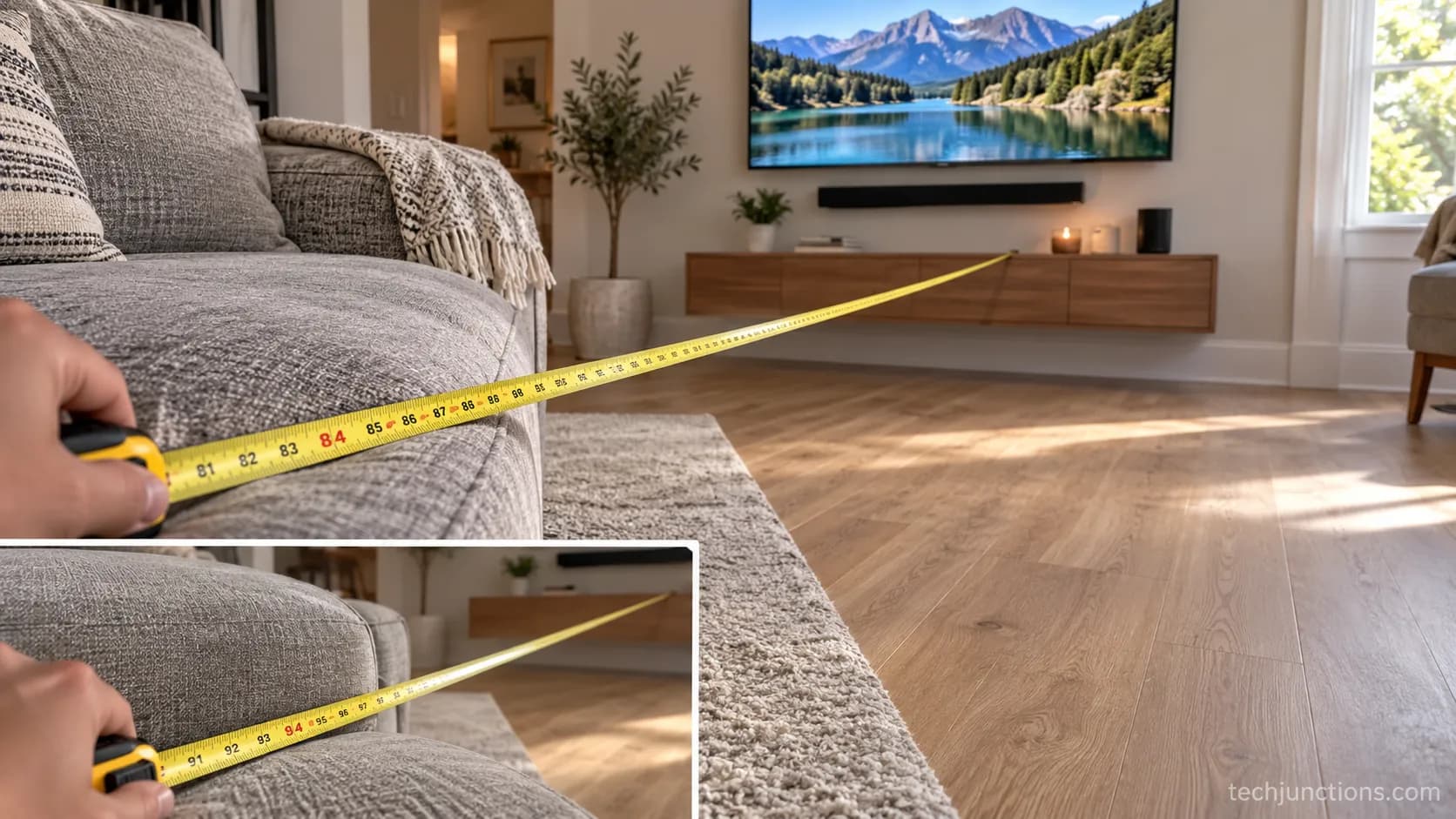
The sofa-depth gap surprised me more than I expected. On my own three-seater the front cushion read 84 inches to the screen and leaning back read 94 inches, a swing of nearly a foot that nudged the recommended size up by half a class.
Seating distance is one axis, and how high the screen sits is a separate one worth measuring the right mount height for.
If you work in centimetres, the readings convert cleanly for a metric height and distance setup.
Once you know the diagonal you are aiming at, it helps to confirm the exact panel footprint.
The width and height by screen size tell you whether an 85-inch set will actually clear your console before you buy it.
The TV Size-to-Distance Chart (Both Directions)
For a quick size-to-distance match, a 55-inch TV suits about 5.5 to 7.5 feet, a 65-inch about 6.5 to 9 feet, a 75-inch about 7.5 to 10.5 feet, and an 85-inch about 8.5 to 12 feet. The shorter figure is the immersive THX 40 degree distance near 1.2 times the diagonal.
The longer figure is the relaxed SMPTE 30 degree distance near 2 times, a spread the Valerion screen-size guide frames as roughly 1.2 to 1.5 times screen width for immersion versus 2 times width for comfort. Read it backward to size a TV for a fixed seat instead.
Here is the two-way chart. The immersive column is where film and gaming feel enveloping, and the comfortable column is where a long news or sport session stays easy.
Screen size | Immersive (THX 40°, ~1.2x) | Comfortable (SMPTE 30°, ~2x) | Immersive (metric) | Comfortable (metric) |
|---|---|---|---|---|
43 inch | 4.3 ft | 6.5 ft | 1.3 m | 2.0 m |
50 inch | 5.0 ft | 7.5 ft | 1.5 m | 2.3 m |
55 inch | 5.5 ft | 8.0 ft | 1.7 m | 2.4 m |
65 inch | 6.5 ft | 9.0 ft | 2.0 m | 2.7 m |
75 inch | 7.5 ft | 10.5 ft | 2.3 m | 3.2 m |
85 inch | 8.5 ft | 12.0 ft | 2.6 m | 3.7 m |
98 inch | 9.8 ft | 14.0 ft | 3.0 m | 4.3 m |
Read the chart the other way when your seat cannot move. At a fixed 10 feet, a 75 to 85-inch screen lands in the sweet spot, and at 15 feet you can go to 98 inches before the picture starts to feel small.
If you want the popular sizes broken out in detail, the per-size distance breakdown drills into 55 through 85 inches. Prefer to punch in your own numbers?
The size and distance calculator returns a recommendation for any distance.
People phrase this as "how far should you sit from a 65 inch TV" or "how far away should you sit from a 70 inch TV," and the answer is always a band, not a point.
A 70-inch set sits neatly between the 65 and 75-inch rows, so plan for about 7 to 9.5 feet.
The two-way chart checked against three rooms I actually measured, showing where I sat versus the theoretical figure.
The chart is theory until it meets a real room, so I logged where I actually sat against what the numbers predicted.
Room | Chart immersive (65") | Where I actually sat | Verdict |
|---|---|---|---|
Bedroom (foot of bed) | 6.5 ft | 7.0 ft | Slightly large, fine for film |
Living room (main sofa) | 6.5 ft | 7.5 ft | Best all-rounder for mixed use |
Open-plan (far sofa) | 6.5 ft | 12.0 ft | Too far, screen felt small |
The 6.5 foot immersive figure felt a touch close for daytime sport, which is why I settled at 7.5 feet in the main room. Treat the chart as a starting range, since content type and personal preference move it.
THX 40° vs SMPTE 30°: Which Number to Pick
THX and SMPTE set two different targets for how much of your view the screen should fill.
The Kaleidescape home theater guide sums it up cleanly: SMPTE recommends a 30 degree field of view for relaxed everyday watching, while THX recommends about 40 degrees for cinematic immersion, which means sitting closer at roughly 1.2 times the diagonal instead of 2 times.
The same guide adds a useful rule of thumb, that 2K content looks great at 30 degrees and 4K is worth it at 40 degrees. Pick 40 degrees for movie-first, darkened rooms, and 30 degrees for mixed daily use.
The two numbers exist because they solve different problems. One chases presence, the other chases comfort over long sessions.
Standard | Target angle | Rough multiplier | Best for |
|---|---|---|---|
SMPTE | 30 degrees | ~2x diagonal | Mixed daily viewing, bright rooms, long sessions |
THX | 40 degrees ideal, 36 recommended, 26 minimum | ~1.2x diagonal | Film-first, dedicated or darkened rooms |
Pick this way. Choose the THX 40 degree distance if you mostly watch film in a controlled-light room and want the screen to wrap around you, and choose the SMPTE 30 degree distance if your set pulls double duty for news, sport, and gaming across a bright open space.
The VAVA screen-size guide lists the full THX ladder of 40, 36, and 26 degrees so you can see how much slack the acceptable end gives you.
One clarification saves a lot of confusion. The field-of-view angle here means how much of your vision the screen fills, which is a different thing from how far off-centre you can sit before the picture washes out on the panel.
If a single seat needs to hit both a close film angle and a relaxed daily angle, a full-motion swivel arm lets you cheat the geometry.
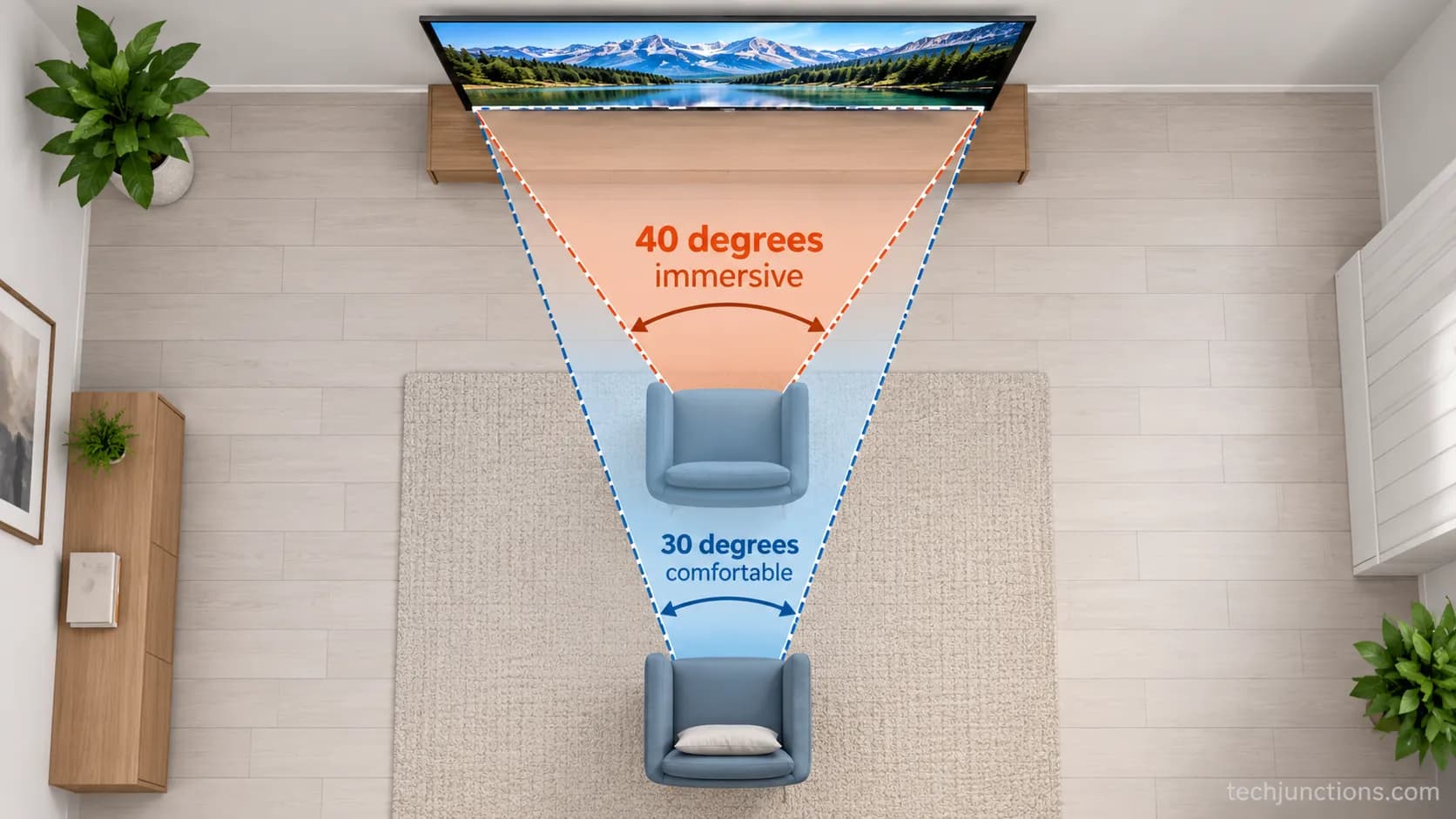
I tested both distances back to back one evening on the same 65-inch set. Films clearly wanted the closer 6.5 foot seat, where the picture filled my vision and small detail read without effort.
A live news broadcast at that distance felt busy and slightly tiring, and backing up to 9 feet made it comfortable again.
Content | Distance that felt right | Angle |
|---|---|---|
Feature film | 6.5 ft | ~40 degrees |
Fast sport | 7.5 ft | ~35 degrees |
News and talk | 9.0 ft | ~30 degrees |
Both standards are guidelines rather than laws, so let personal comfort override the math when they disagree.
Fitting the Rule to Your Room (Bedroom, Big Screen, Odd Distances)
Real rooms rarely match the ideal. In a bedroom you usually watch from the foot of the bed at 5 to 9 feet, so a 50 to 55-inch set is often the comfortable ceiling.
In a fixed-sofa living room, size the TV to the seat instead of moving the couch: at 10 feet a 75 to 85-inch screen fits, and at 15 feet you can push to 98 inches before it feels small.
THX publishes recommended distances by size, but the interesting part is what happens when a room fights the rule.
I ran the same 65-inch set through three rooms to see where it held. It felt slightly large at 7 feet in the bedroom, ideal at 7.5 feet in the living room, and plainly small at 12 feet in the open-plan space.
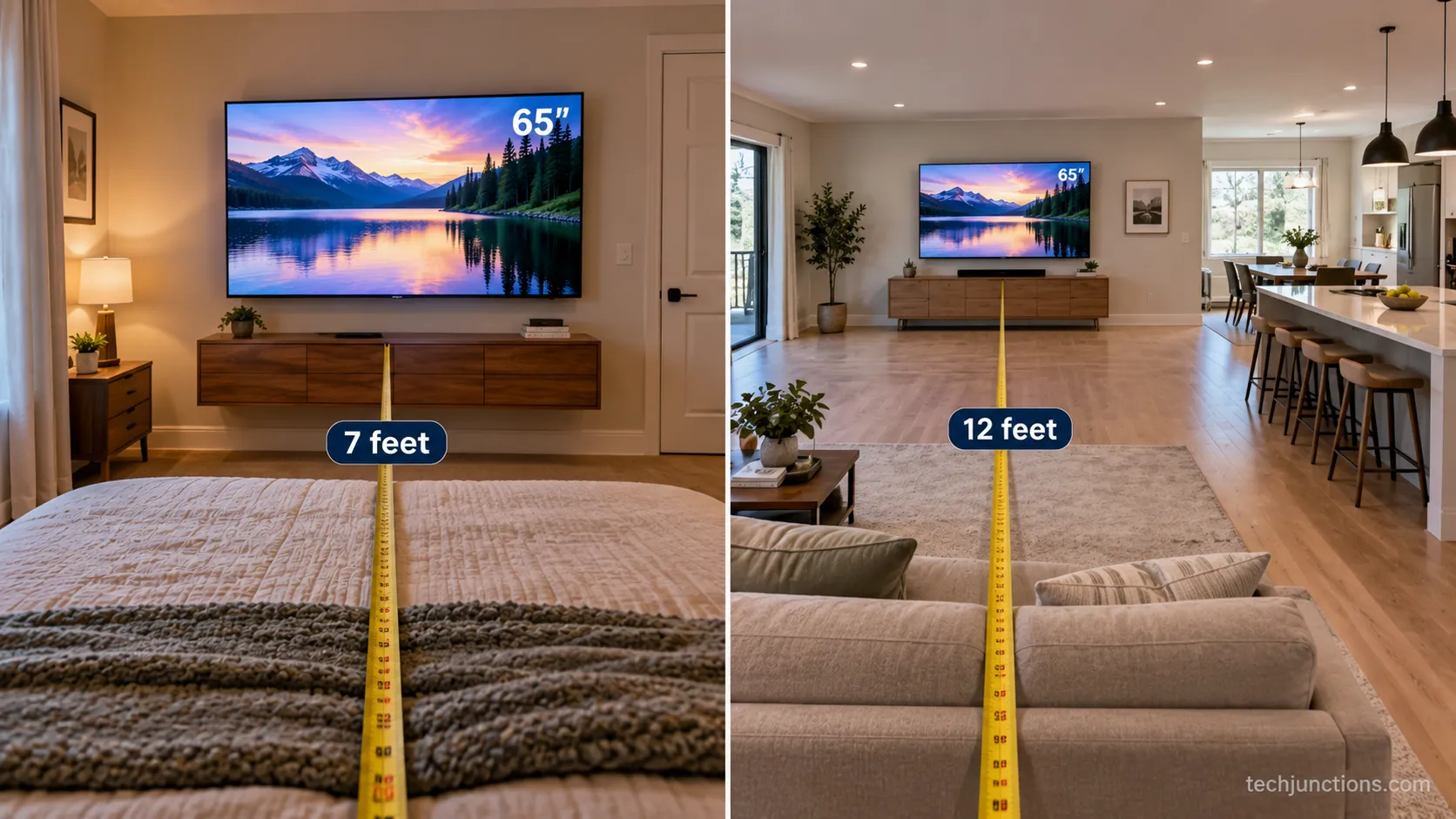
Bedroom Viewing
Watching from the foot of the bed changes both the distance and the angle you want, since you are often reclined and looking slightly up.
That reclined line of sight is why bedroom setups also need mounting height planned for a bedroom.
Keep the set around 50 to 55 inches unless your bed sits unusually far back.
Living Room and Fixed Sofas
When the couch cannot move, flip the problem and size the screen to the distance. Distance is only half the geometry, so pair it with getting the height right and, for exact figures, the floor-to-centre chart by size.
A set resting on a console has its own gap to plan above the surface, covered in the gap above a console.
Big Screens and Long Throws
Large rooms reward big panels, but upsizing is not free, so it helps to know what a large panel costs to replace before you commit. Use these worked distances as a fixed-seat guide.
Seating distance | Immersive size | Comfortable size |
|---|---|---|
7 ft | 65 inch | 43 inch |
10 ft | 98 inch | 65 inch |
12 ft | 98 inch+ | 75 inch |
15 ft | 98 inch+ | 98 inch |
Fireplace and High Placements
Above a fireplace the screen usually ends up higher than eye level, which trades comfort for placement, as covered in mounting above a fireplace. Before committing to that wall, check the heat and clearance rules over a fireplace.
A pull-down mount option brings the screen down to a saner height. There are versions made for fireplaces specifically for that job.
Adding a heat shield helps when the mantel runs warm. If height and seat position both matter, a mounting-height tool works it out for you.
The bedroom ceiling is about comfort, not a hard cap, so trust your own eyes if a slightly larger set feels right.
Does Resolution Let You Sit Closer? (4K, 1080p, 8K)
Higher resolution lets you sit closer because smaller pixels stay invisible from a nearer seat.
As a rule of thumb, 1080p looks sharp at about 2 times the diagonal, 4K at about 1.2 times, and 8K at about 0.8 times, while older 720p needs roughly 2.5 times.
The limit comes from human visual acuity, and Home Theater Engineering traces it to a 20/20 eye resolving detail about one-sixtieth of a degree wide.
Denser pixels simply push the distance where you can spot the grid closer to the screen.
That is the whole reason 4K made big living-room screens practical rather than overwhelming.
Resolution | Distance multiplier | Note |
|---|---|---|
720p | ~2.5x diagonal | Grid shows up early, sit farther |
1080p | ~2.0x diagonal | Matches the SMPTE comfort distance |
4K | ~1.2x diagonal | Lets you sit at the immersive angle |
8K | ~0.8x diagonal | Only pays off very close or on huge panels |
I checked the crossover by walking toward each set until pixels appeared. On the 65-inch 4K panel the grid only showed at about 4 feet, while a 1080p set of the same size gave itself away at about 8 feet.
The practical takeaway is that resolution caps its own benefit, since most content is not native 8K, so the full breakdown of how 4K changes the safe range matters more than chasing 8K numbers.
How Far to Sit for Gaming and Console Play
For gaming, most players sit near the immersive end of the range, around the THX 40 degree distance at roughly 1.2 times the diagonal, so the screen fills more of their view. THX even describes a dedicated Game Mode built around that engaged, close seating.
The catch is HUD sweep: sit too close and your eyes dart to the corners to read health, map, and ammo. On a 65-inch TV, roughly 6.5 to 8 feet keeps the picture immersive without turning the corners into a chore.
I played a HUD-heavy shooter at two distances on the 65-inch set to feel the trade-off. At 5.5 feet the corner map got tiring to track within about half an hour, and at 7 feet my eyes stopped working so hard while the picture still felt big.
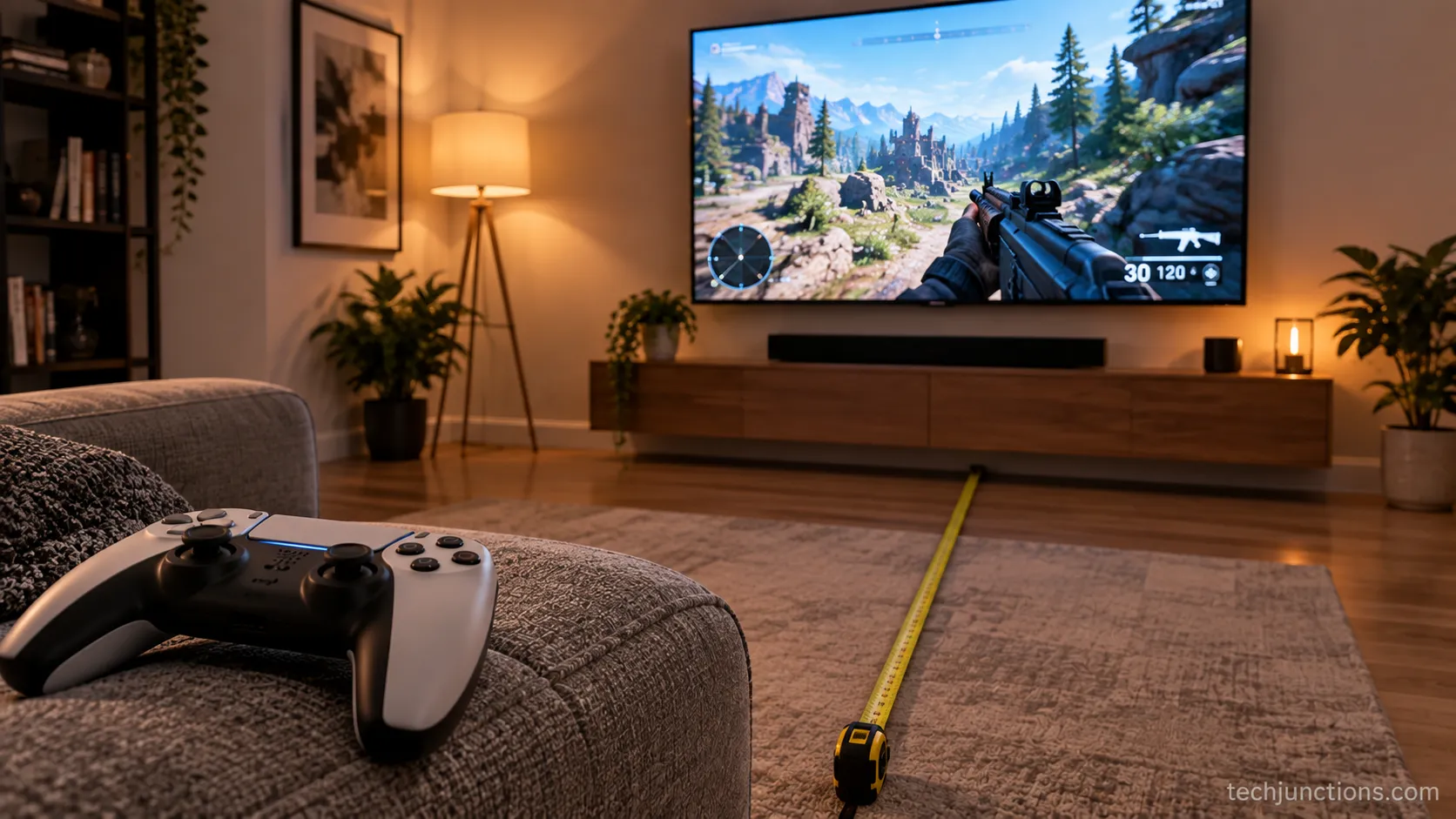
Competitive players sometimes prefer a slightly farther seat for full-field awareness, so treat the closer figure as a starting point rather than a mandate.
Does TV Viewing Distance Matter? Eye Comfort and Strain
TV viewing distance matters for comfort and immersion, not for eye health. According to the American Academy of Ophthalmology, sitting close to a TV does not damage your eyesight, though it can cause temporary eye strain, fatigue, or a headache.
Children in particular focus comfortably at close range, and the AAO notes that a child who always sits very close may simply be focusing the way young eyes do rather than harming them, though persistent close-sitting can flag nearsightedness worth an eye exam. The fix for strain is behavioral, not distance-based.
The strain is real even though the damage is a myth. Focusing effort and a reduced blink rate are what tire your eyes, which is why the AAO recommends the 20-20-20 habit of looking at something 20 feet away for 20 seconds every 20 minutes.
Trust note: Close viewing causes strain, not permanent damage. If you find yourself sitting very close just to see clearly, that is a reason to book an eye test, not to buy a bigger TV.
Neck strain is a different animal from eye strain, and it usually comes from a screen mounted too high rather than one that is too close. Fireplace setups are the classic cause of that too-high fireplace problem.
If the picture itself looks wrong in a way distance cannot fix, the panel may need a professional look.
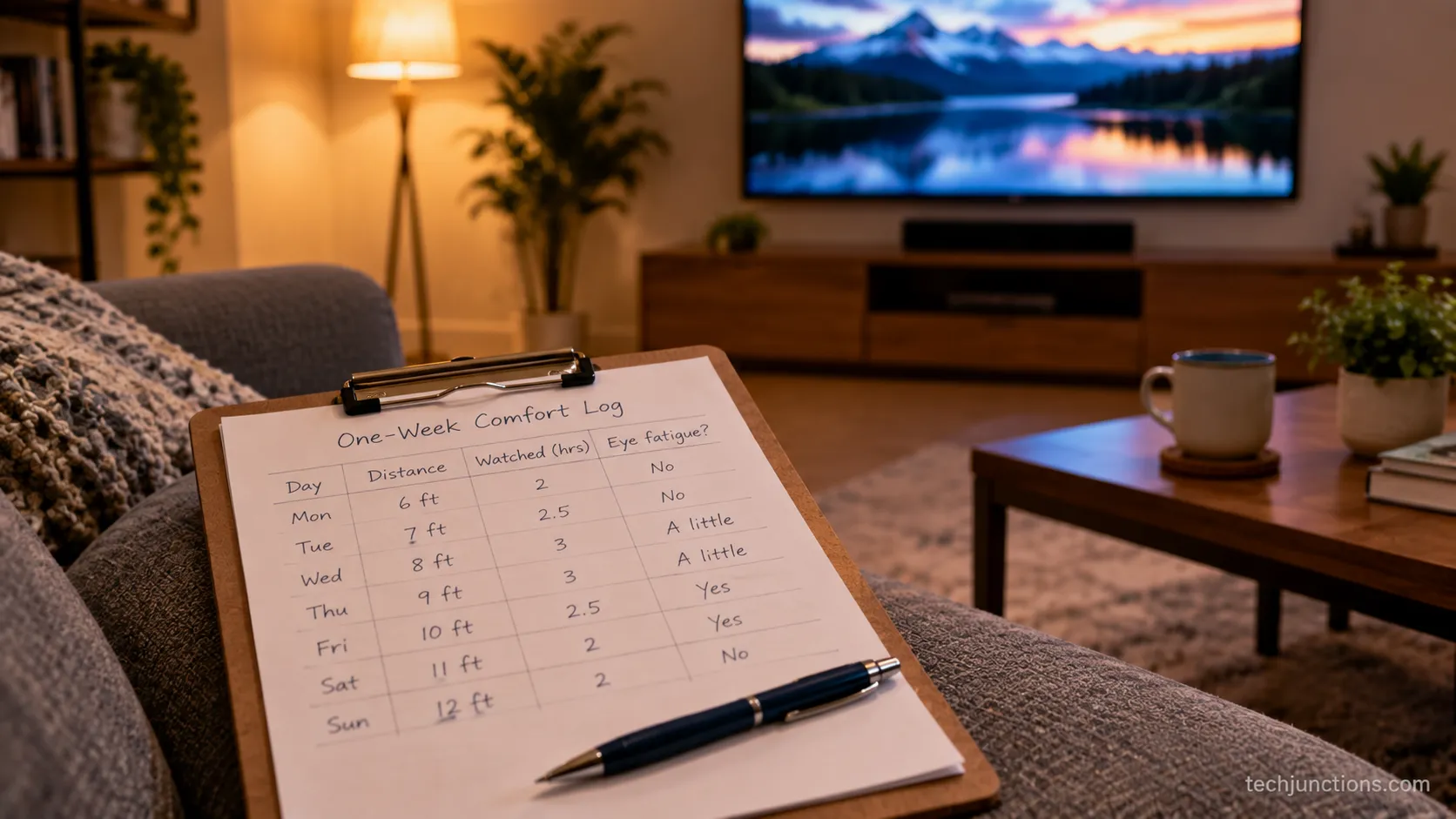
Across a week of evenings I tracked it on my own set. At about 4 feet from the 65-inch screen my eyes tired near the 90 minute mark, and backing up to 7 feet pushed that fatigue well past a full film.
Frequently Asked Questions
How far should I sit from my 55 inch TV?
For a 55-inch TV, sit about 5.5 to 7.5 feet away, or 1.7 to 2.3 metres. Around 5.5 feet gives the immersive THX 40 degree view, while 7.5 feet is the relaxed SMPTE 30 degree distance for everyday watching.
How far should you sit from a 65 inch TV?
A 65-inch TV suits roughly 6.5 to 9 feet, or 2.0 to 2.7 metres. I settled at 7.5 feet on my own 65-inch set because it balanced film immersion against comfortable news and sport viewing.
How far should you sit from a TV in feet and in meters?
Aim for about 1.2 to 2 times the screen diagonal. In practice that is roughly 6.5 to 9 feet (2.0 to 2.7 m) for a 65-inch TV, scaling up or down with screen size using the chart above.
Is the viewing distance different for an OLED TV?
For field of view, no. The 30 to 40 degree rule is about screen size and distance, not panel type, though OLED and other panels differ in how far off to the side you can sit before the image shifts.
Does resolution change how far I should sit?
Yes. Higher resolution lets you sit closer without seeing pixels, so 4K supports about 1.2 times the diagonal while 1080p wants about 2 times.
What is the closest I can sit before it gets uncomfortable?
Below about 1 times the diagonal the picture starts to overwhelm and pixels can show on lower-resolution content. Sitting that close will not harm your eyes, but it can bring on strain over a long session.
Where This Leaves You
The number you came looking for turned out to be a range, and that is the useful part. Once you see TV viewing distance as a band from immersive to comfortable, the decision stops being a guess and becomes a choice you control.
Pick the THX 40 degree end when you want the screen to disappear into the film, and the SMPTE 30 degree end when the set has to handle news, sport, and a long evening without tiring your eyes.
Everything else follows from that one reframe. Measure your real seat, read the two-way chart in whichever direction your room demands, and slide within the band for resolution, gaming, and comfort.
The three rooms I tested all landed in slightly different places, which is exactly the point, because your room and your habits set the final figure, not a single rule copied from a spec sheet. Measure once, sit where the range tells you it feels right, and the picture will do the rest.
Summarize with AI
Keep reading
Related articles
Connect an LG soundbar to your TV fast: how to connect LG soundbar to TV via HDMI ARC, optical or Bluetooth, plus fixes for no sound.
Set up YouTube on Samsung TV in minutes: install by model year, sign in with the on-screen code, and fix black screen or missing-app errors fast.
No, a HomePod can't connect to a Samsung TV directly. Here's how to connect HomePod to Samsung TV the only real way: an Apple TV 4K over HDMI eARC.
Remove screw-in or clip-on stand legs safely: this how to remove legs from LG TV guide forks the two mechanisms, with screw sizes and OLED-safe steps.
Comments
Moderated for quality. Share a correction, ask a follow-up, or tell us what worked for you - every comment is reviewed before it goes live.