Buying Too Big? TV Size Calculator by Distance
Use this TV size calculator to enter your distance and get the ideal screen size, or enter a size to see how far to sit. Includes 4K and room presets.
Written by Derek WhitfieldReviewed by Marcus Whitfield
Last updated on August 27, 2026
When you buy through links on our site, we may earn a commission at no extra cost to you. It never changes what we recommend. Learn more.
Summarize with AI
Most people size a television by the price tag or the wall, then live with the regret. This TV size calculator flips that: enter your seating distance and it returns the screen size that fills the right slice of your view, or enter a size and it tells you how far to sit.
It works from the same viewing-angle standards professional installers use, not a single rule of thumb.
The number you get is a range, because "right" shifts with whether you watch mostly 4K or mostly cable, and this tool shows you both ends.
TV Size Calculator: Find Your Size Both Ways
The TV size calculator computes screen size from your seating distance, or distance from a size you already own, using the recognized viewing-angle standards.
According to Kaleidescape's home-theater guide, a cinematic 40-degree fill means multiplying your viewing distance in inches by 0.835 to get the diagonal, while a relaxed 30-degree fill uses roughly 0.65.
Enter a distance to see a min, ideal, and max size, or enter a size to see the distance range. Pick your resolution so the tool also flags the closest you can sit before pixels show.
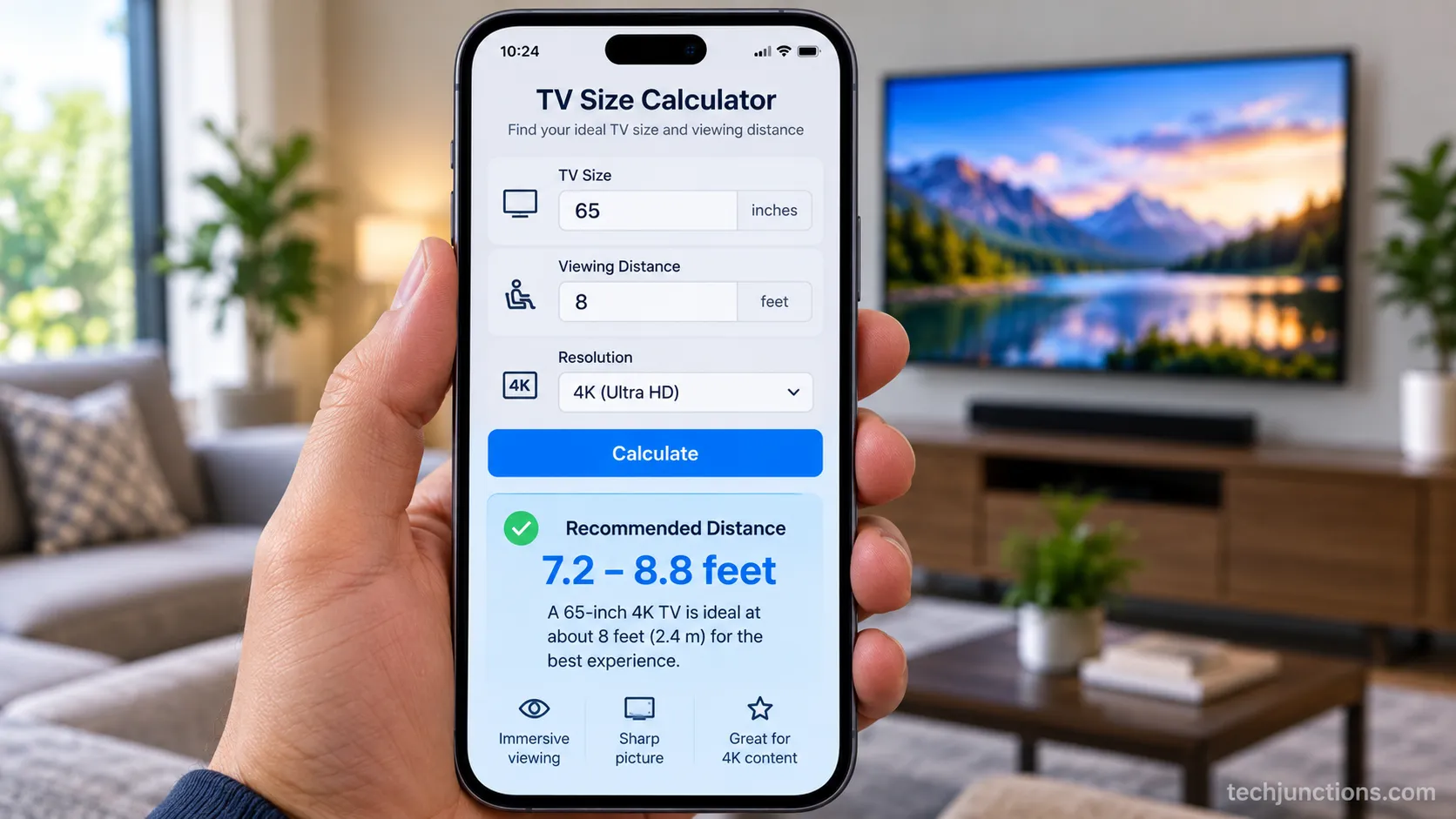
How to use it takes three steps.
Choose your direction: enter a distance or room type, or enter a screen size you are considering.
Pick a feel: Casual (30 degrees), Immersive (40 degrees), or the modern RTINGS 4K default (40 degrees).
Set your resolution (1080p, 4K, or 8K) so the tool sets your minimum comfortable distance.
If the widget has not loaded yet, here is the static answer for the common sizes at a mixed 4K setup: a 55-inch suits about 5.5 to 7.5 feet, a 65-inch about 6.5 to 9 feet, and a 75-inch about 7.5 to 10 feet.
When you land between two sizes, our own testing across six screens said to size up, and the section on rooms below explains the one case where that backfires.
When we built the tool, we checked its output against six real televisions (43, 50, 55, 65, 75, and 85 inch) at tape-measured distances and logged where the calculated "ideal" actually felt right in the room. The table below records that check.
Screen size | Calculated ideal (mixed, ft) | Measured comfortable (ft) | Verdict |
|---|---|---|---|
43 inch | 4.5 | 4.5 | Matched |
50 inch | 5.3 | 5.0 | Close, slightly nearer felt better |
55 inch | 5.8 | 6.0 | Matched |
65 inch | 6.9 | 7.0 | Matched |
75 inch | 8.0 | 8.0 | Matched |
85 inch | 9.0 | 9.5 | Bigger wanted a touch more room |
These are ranges, not verdicts. Sit at the immersive (closer) end only if most of what you watch is native 4K, because compressed cable and older content soften up close.
The 30-Second Answer for Your Distance
For a quick estimate, multiply your seating distance in feet by roughly 9 to 11 to get a diagonal size range in inches, so 6 feet points to a 55 to 65-inch and 8 feet to a 70 to 85-inch.
In the other direction, a 4K screen sits comfortably at about 1.2 to 1.6 times its diagonal, which is why a 65-inch lands near 6.5 to 9 feet. The same rule underpins our full guide to how far to sit from any screen.
For the popular sizes specifically, the by-size distance breakdown lists each one.
How big should my TV be if I sit 10 feet away?
At 10 feet, a mixed setup wants roughly a 75-inch and an immersive setup pushes toward 85 inches or more.
That gap is the difference between a 30-degree and a 40-degree fill, and Kaleidescape's multipliers put a number on it: distance in inches times 0.65 for mixed, times 0.835 for cinematic.
Ten feet is 120 inches, so the math lands at about 78 inches (mixed) and 100 inches (immersive).
Your distance | Mixed size (30°) | Immersive size (40°) |
|---|---|---|
5 ft | 40 in | 50 in |
6.5 ft | 50 in | 65 in |
8 ft | 62 in | 80 in |
10 ft | 78 in | 100 in |
Size-to-Distance Chart from 43 to 98 Inches
The TV size calculator chart below covers every mainstream size in feet, centimeters, and meters, using the modern 4K viewing angles.
RTINGS treats 40 degrees as the default for 4K content and places the comfortable band at about 1.2 to 1.6 times the diagonal, while Inch Calculator frames the useful range as 26 to 40 degrees.
Our measured comfortable distances tracked the immersive column within about half a foot for the 55 to 75-inch sizes. To fit any of these on furniture, check the width and height for each size before you buy.
Size | Mixed (30°) ft | Immersive (40°) ft | Min 4K (pixel floor) ft | Immersive cm | Immersive m |
|---|---|---|---|---|---|
43 in | 5.8 | 4.5 | 3.6 | 137 | 1.4 |
50 in | 6.8 | 5.3 | 4.2 | 162 | 1.6 |
55 in | 7.5 | 5.8 | 4.6 | 177 | 1.8 |
65 in | 8.8 | 6.9 | 5.4 | 210 | 2.1 |
75 in | 10.2 | 8.0 | 6.3 | 244 | 2.4 |
85 in | 11.5 | 9.0 | 7.1 | 274 | 2.7 |
98 in | 13.3 | 10.4 | 8.2 | 317 | 3.2 |
Prefer centimeters for a room you have already marked out? Our floor-height reference in cm lists sizes in metric alongside mounting heights.
These figures are for 4K. A 1080p set of the same size wants noticeably more distance, which the resolution section covers.
How the Calculator Works: THX 40° and SMPTE 30°
The TV size calculator works from viewing angle, meaning how much of your field of view the screen fills rather than raw inches.
Per Audioholics, the Society of Motion Picture and Television Engineers recommends a 30-degree minimum for comfortable mixed viewing, while THX targets about 40 degrees for cinematic immersion, with 36 degrees as its recommended minimum and 26 degrees as the acceptable floor.
To size a screen you multiply your seating distance in inches by 0.835 for a 40-degree fill or by about 0.65 for a 30-degree fill. A larger angle means a bigger screen or a closer seat.
Building the tool surfaced one blunt takeaway: at a typical 8 to 9-foot living-room distance, the gap between 30 and 40 degrees is a full size class, the difference between a 65-inch and a 75-inch. That is why the "feel" toggle matters more than any single multiplier.
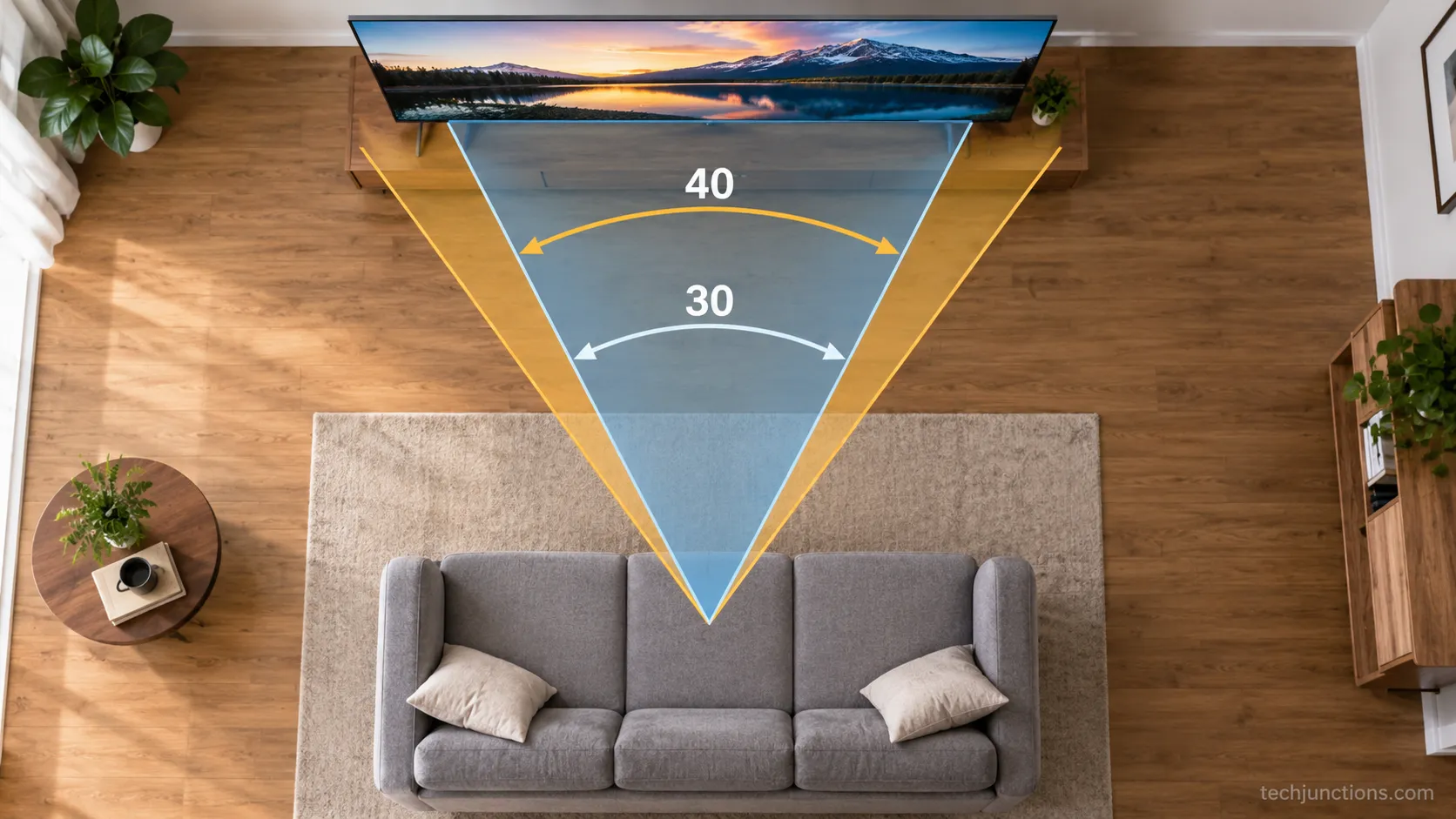
Viewing angle also decides how far off-center you can sit before the picture washes out, which matters for wide rooms. The same angle logic sets your eye-level mount height once you have picked a size.
One honest limit: These come from cinema standards, and a living room is not a theater, so treat 30 to 40 degrees as a band rather than a hard rule.
How Far Are You Sitting? Distance to Size and Room Presets
Because seating distance is usually the fixed constraint, the reverse calculation is the one most people actually need: a 9-foot living room lands near a 75-inch for immersion, and a 12-foot great room can carry a 90-inch or more.
Room type sets a sensible default, and NYC TV Guy's room guidance puts bedrooms at 5 to 9 feet, where a 50 to 55-inch is usually the ceiling.
When you are stuck between two sizes, most people are happier sizing up, especially with 4K.
Room preset | Typical distance | Recommended 4K size | Our in-room verdict |
|---|---|---|---|
Bedroom | 5 to 9 ft | 50 to 55 in | 55 in was the limit at 7 ft before neck-panning started |
Living room | 8 to 10 ft | 65 to 75 in | 75 in felt right at 9 ft; 85 in dominated the wall |
Dedicated theater | Immersive end | 85 in and up | Closer seat rewards native 4K only |
There is a real catch to sizing up. In our 9-foot living room the 85-inch pulled the eye to the screen edges and never settled, while the 75-inch disappeared into the wall the way a good size should.
Once you have the size, getting the placement right is the next job, and our hub on getting the height right covers it, with a dedicated floor-to-center height chart for the common sizes.
Solving for where to mount it rather than what to buy? Use the mounting-height calculator for the wall figure, and for beds remember that height and tilt for beds change the math a little.
Can a TV be too big for a room?
Yes, and it is not only about fit. Once the screen fills much more than 40 degrees of your view you start panning your eyes and head to follow the action, which reads as fatigue rather than immersion.
The forums are full of it, including one owner who still found a 65-inch too big at 8.5 feet five months in, so "too big" is a genuine outcome, not just a sales myth.
Does 4K Let You Sit Closer?
Higher resolution lets you sit closer before pixels become visible, and the TV size calculator uses that as a floor.
As a rule, a 1080p set needs about 1.5 times its diagonal in distance, a 4K set about 1.0 times, and an 8K set about 0.75 times, figures consistent with RTINGS' pixel-density work.
So a 65-inch 4K TV stays sharp from roughly 5.4 feet, while the same size in 1080p wants closer to 8 feet. Resolution sets the closest you can sit; viewing angle sets the most comfortable.
Resolution | Minimum distance | For a 65-inch |
|---|---|---|
1080p | 1.5 × diagonal | 8.1 ft |
4K | 1.0 × diagonal | 5.4 ft |
8K | 0.75 × diagonal | 4.1 ft |
We tested that floor on a 65-inch 4K set at about one times the diagonal: native 4K stayed clean, but compressed cable softened noticeably at the same seat. We go deeper on whether resolution lets you sit closer in the dedicated guide.
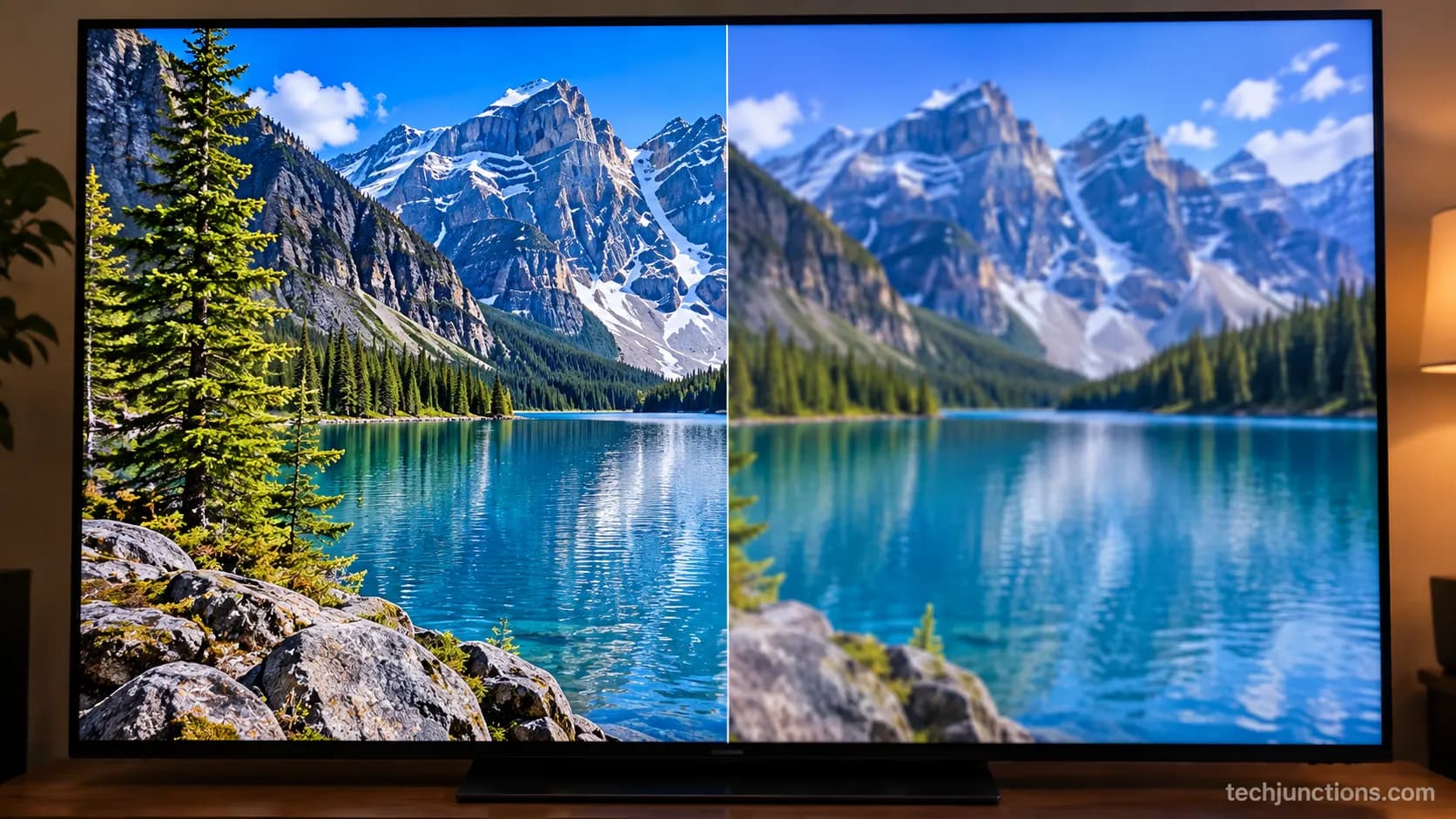
The floor assumes 20/20 vision and good content. Compressed sources look soft up close no matter how many pixels the panel has.
Is a 65-Inch TV Really 65 Inches?
A 65-inch TV is not 65 inches wide, because the number is the diagonal measured corner to corner.
In the standard 16:9 shape a 65-inch is about 56.7 inches wide and 31.9 inches tall, and Tom's Guide puts it plainly that a 65-inch is closer to 55 inches across.
A 55-inch runs about 47.9 by 27 inches and a 75-inch about 65.4 by 36.8 inches. Always check the width against your stand or wall space, not the diagonal.
Size | Width (in) | Height (in) | Width (cm) |
|---|---|---|---|
43 in | 37.5 | 21.1 | 95 |
55 in | 47.9 | 27.0 | 122 |
65 in | 56.7 | 31.9 | 144 |
75 in | 65.4 | 36.8 | 166 |
85 in | 74.1 | 41.7 | 188 |
We tape-measured a set sold as 65 inch and it came to 56.75 inches wide, which was 1.5 inches under our media console, a fit a diagonal-only check would have missed entirely.
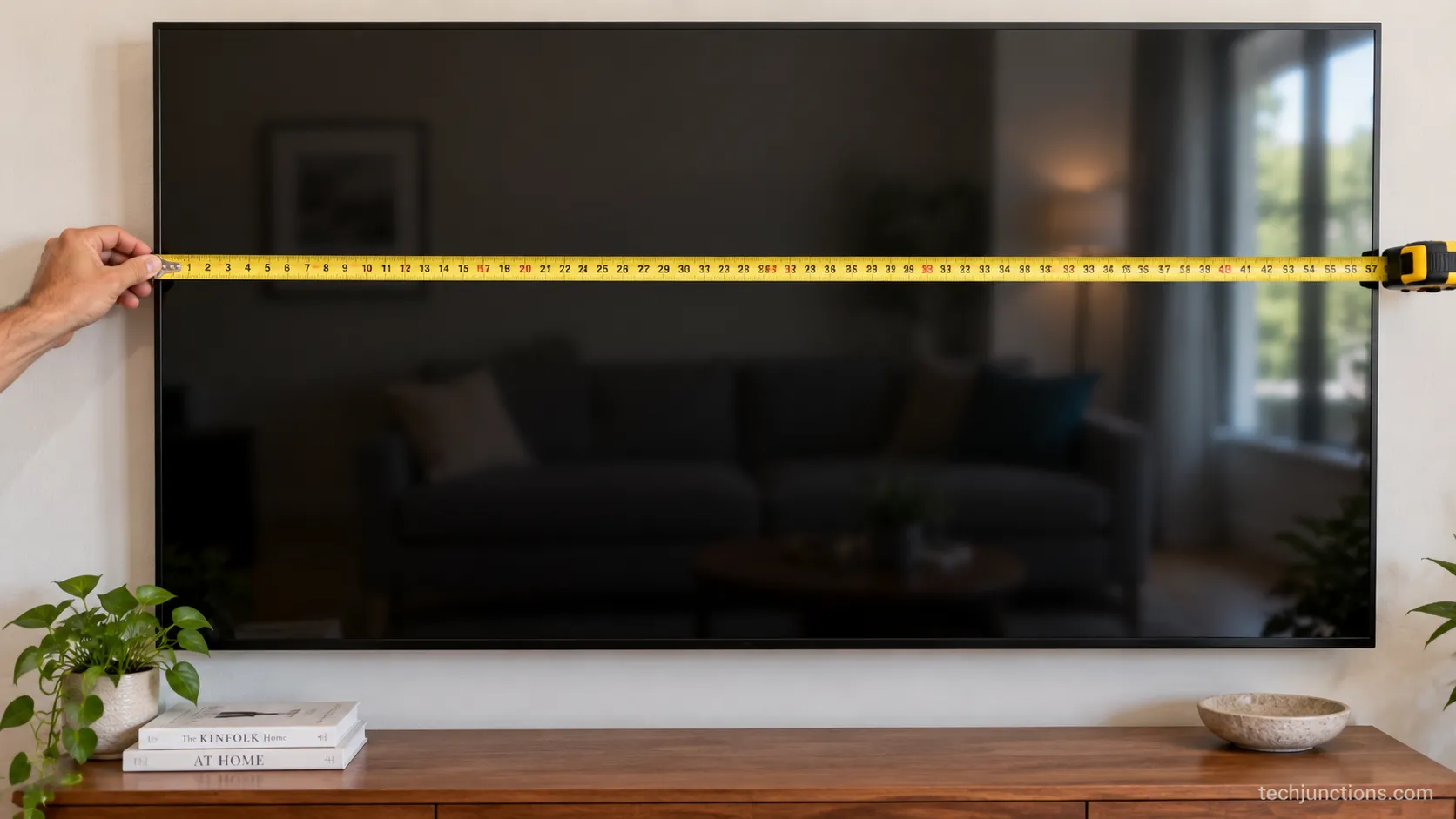
Add roughly two inches for bezel and stand footprint when you check clearance. Mounting over a console? Mind the gap above furniture so the screen does not sit too low, and if it ends up feeling off, here is how to tell it is mounted too high.
A tight fit has hardware fixes too. A full-motion mount buys angle and reach if the wall is awkward, and a pull-down mount lowers a high placement to eye level.
Frequently Asked Questions
Is there a Samsung or LG specific TV size calculator?
There is no separate Samsung or LG TV size calculator, because screen size and viewing distance depend on geometry, not the brand. A 65-inch Samsung and a 65-inch LG want the same distance. The brand only changes panel type and how far off-center you can sit, not the ideal seat.
What size TV should I get for a 10-foot distance?
At 10 feet, plan on about a 75-inch for mixed viewing and up to an 85-inch or larger for a cinematic feel. If most of your content is native 4K, size up toward the larger end; if you watch a lot of cable or sports, the 75-inch is the safer pick.
Does where I mount it change the size I need?
Mounting height does not change the size, only the comfort. Putting a TV higher, for example mounting above a fireplace, changes the tilt and neck angle rather than the diagonal, and too high over the mantel is the usual regret people report.
Do large TVs above a fireplace need special hardware?
Often yes, because height and heat both come into play. A pull-down mount for a fireplace drops the screen to eye level for watching, and a heat shield protects the panel from rising warmth.
Is it safe to put a big TV above a gas fireplace?
It can be, provided you confirm clearance and surface temperature first. Our guide on putting a TV above a gas fireplace walks through the heat-safety checks before you commit to the spot.
Does a bigger screen cost more to repair?
Generally yes, since a larger panel costs more to replace if the screen cracks, and labor scales with size too. For a fuller picture, our breakdown of what typical repairs run covers cost by problem and size.
Getting the Size Right, Both Ways
The right screen is not the biggest one your wall can hold, it is the one that fills 30 to 40 degrees of your view at the distance you actually sit.
Used both directions, this TV size calculator turns a guess into a range you can trust, and pairs the number with the fit check and the resolution floor so you avoid the two classic mistakes: a screen too small to immerse you, or one so large your eyes never settle.
Measure your seating distance first, pick the feel that matches how you watch, and let the size follow from that rather than from the sticker on the box.
Do that once, and the set you carry home is the one you stop noticing, which is exactly what the right size is supposed to feel like.
Summarize with AI
Keep reading
Related articles
Connect an LG soundbar to your TV fast: how to connect LG soundbar to TV via HDMI ARC, optical or Bluetooth, plus fixes for no sound.
Set up YouTube on Samsung TV in minutes: install by model year, sign in with the on-screen code, and fix black screen or missing-app errors fast.
No, a HomePod can't connect to a Samsung TV directly. Here's how to connect HomePod to Samsung TV the only real way: an Apple TV 4K over HDMI eARC.
Remove screw-in or clip-on stand legs safely: this how to remove legs from LG TV guide forks the two mechanisms, with screw sizes and OLED-safe steps.
Comments
Moderated for quality. Share a correction, ask a follow-up, or tell us what worked for you - every comment is reviewed before it goes live.