How High Should a 65 Inch TV Be Mounted? (7 Sizes Measured)
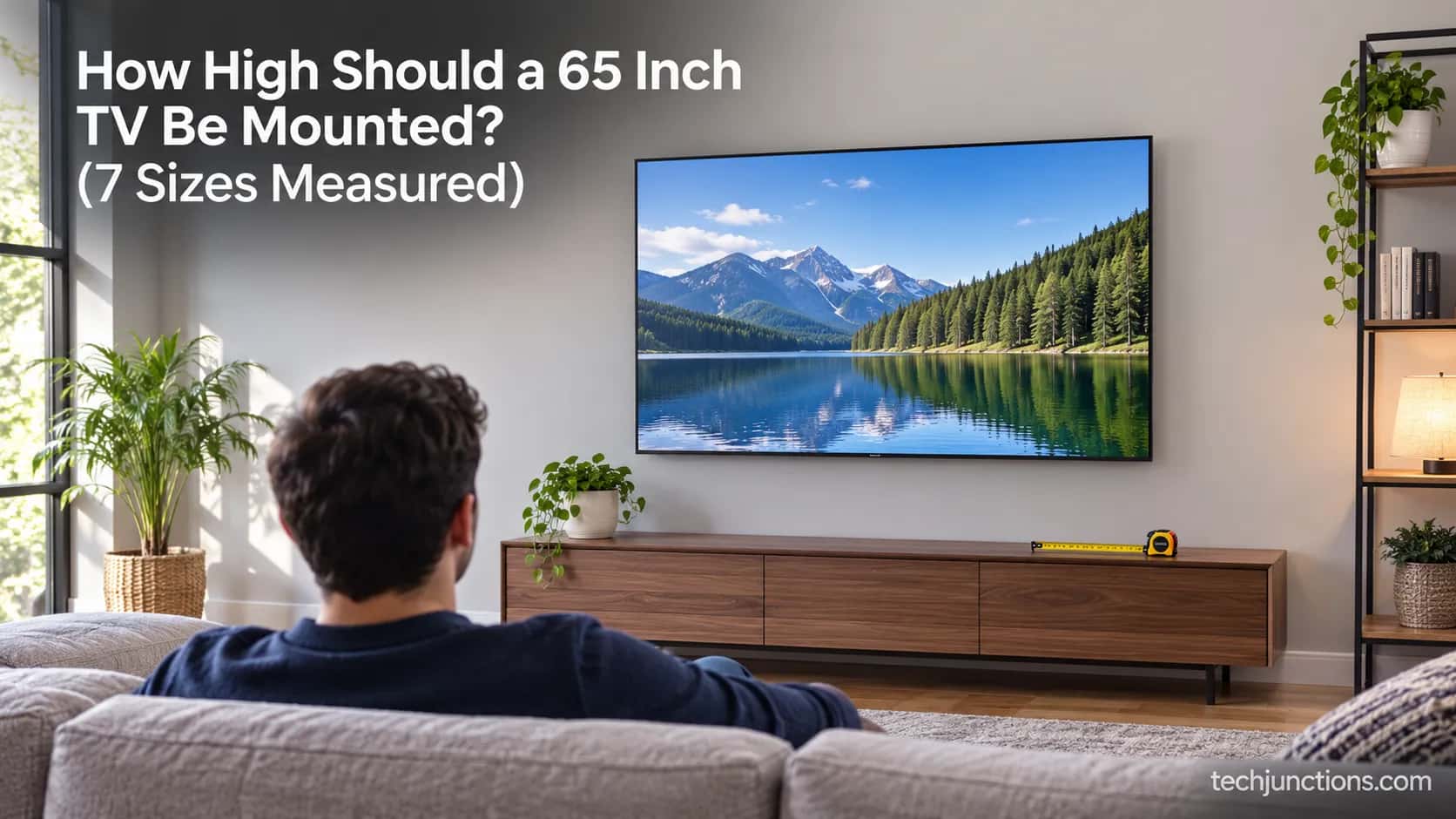
Mount a 65 inch TV with its center 42–48" off the floor (bottom edge ~26"). How high should a 65 inch tv be mounted, plus a measured 43–85" size chart.
Written by Derek WhitfieldReviewed by Marcus Whitfield
Last updated on August 27, 2026
When you buy through links on our site, we may earn a commission at no extra cost to you. It never changes what we recommend. Learn more.
Summarize with AI
How high should a 65 inch tv be mounted? Set the center of the screen 42 to 48 inches from the floor, which is seated eye level for most sofas and lands the bottom edge near 26 inches.
The exact number comes from your seat, not the TV's size. The full 43-to-85-inch chart below gives the panel height, floor-to-center, and bottom-edge for every common size.
How High Should a 65 Inch TV Be Mounted?
A 65-inch TV should be mounted so the center of the screen sits about 42 to 48 inches from the floor, which is roughly seated eye level, putting the bottom edge near 26 inches off the ground. That center range holds for most living-room sofas.
According to Vogel's eye-level guidance, the screen center should line up with your eyes when you sit down, not with the middle of the wall.
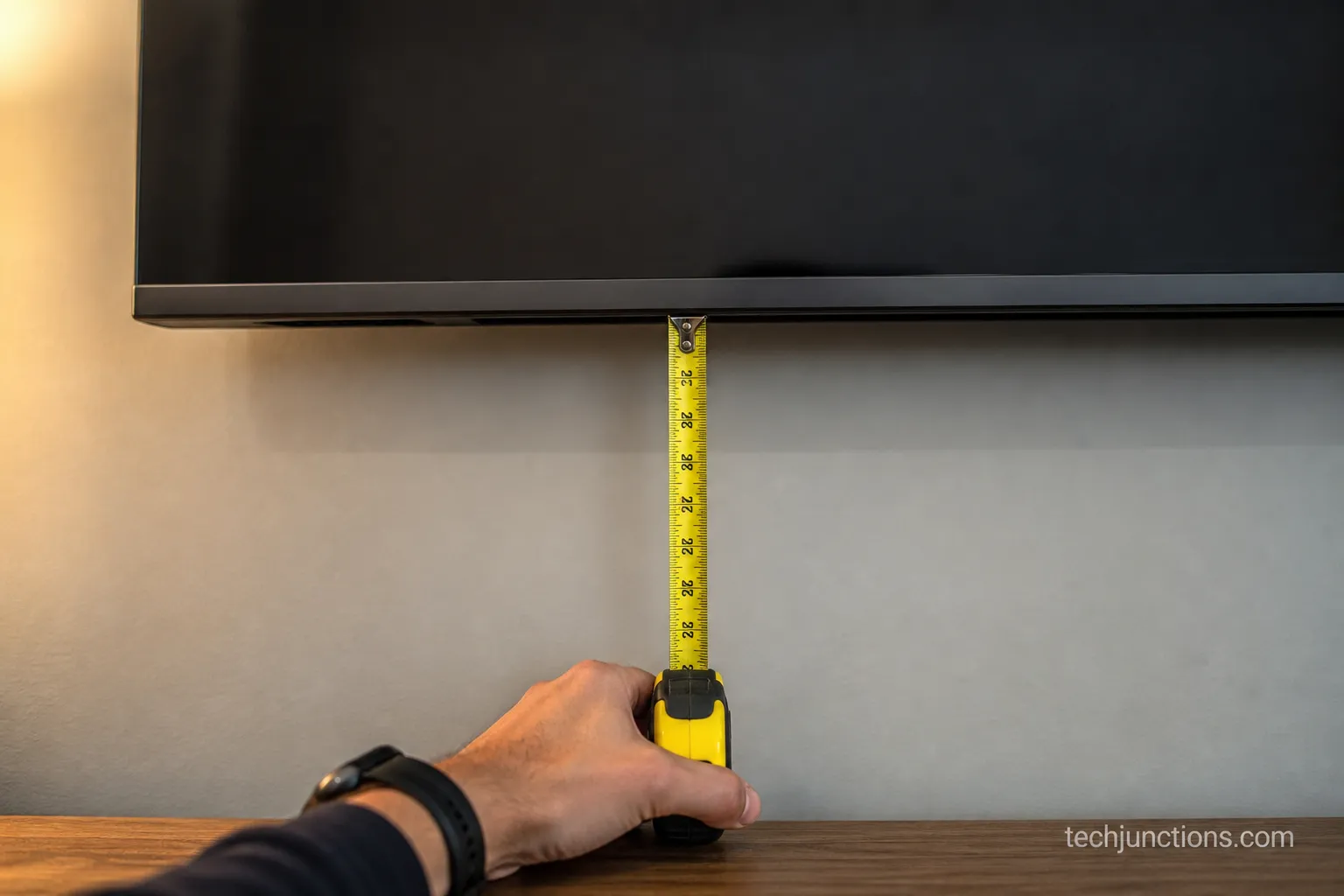
The number most guides quote is the center height. The number you actually mark on the wall is the bottom edge, and on our test 65-inch set a 42-inch center placed that bottom edge at 26 inches. That is only about 3 inches above a standard 23-inch console.
Measure your own eye height from the floor in my living room seat before you drill. Sofas differ, and that one measurement matters more than the size on the box.
The Complete TV Mount Height Chart by Size (43 to 85 Inches)
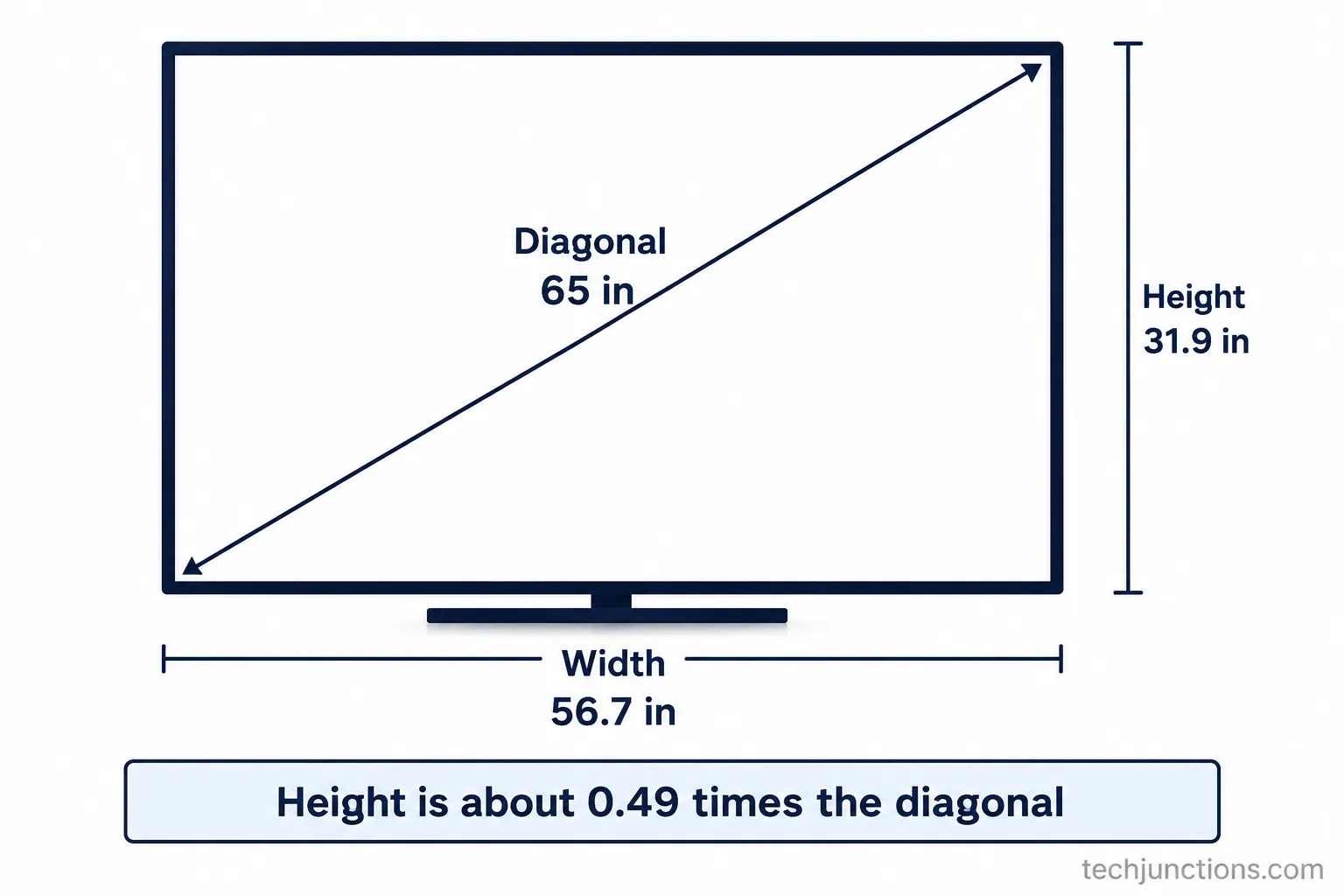
Across common sizes, a 16:9 television's panel is roughly half its diagonal tall. A 65-inch TV is about 32 inches tall, a 55-inch about 27 inches, and a 75-inch about 37 inches.
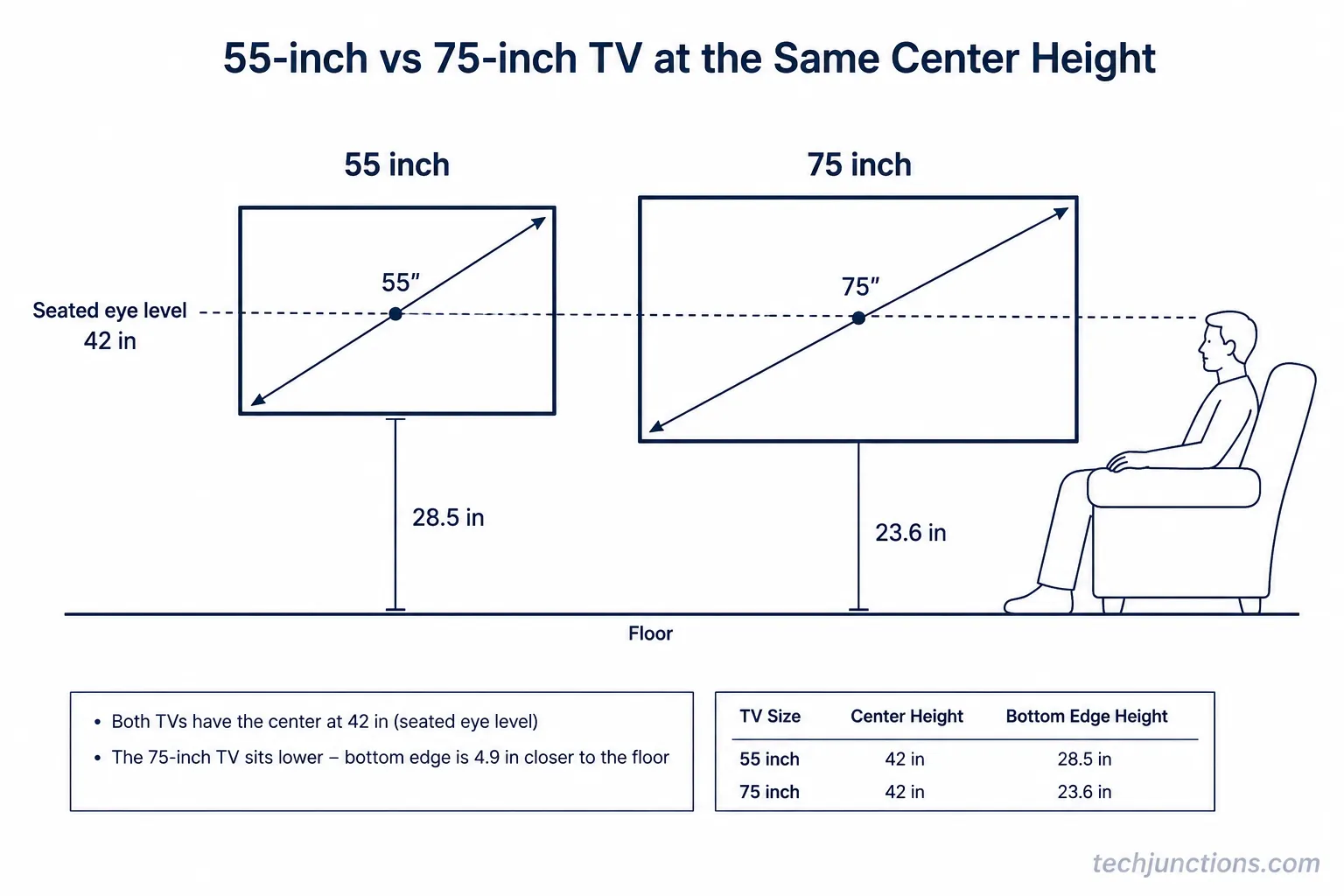
Mounted at a 42-inch seated-eye center, that puts the bottom edge near 28.5 inches for a 55-inch TV, 26 inches for a 65-inch, and about 24 inches for a 75-inch.
The center barely changes with size. The bottom edge does.
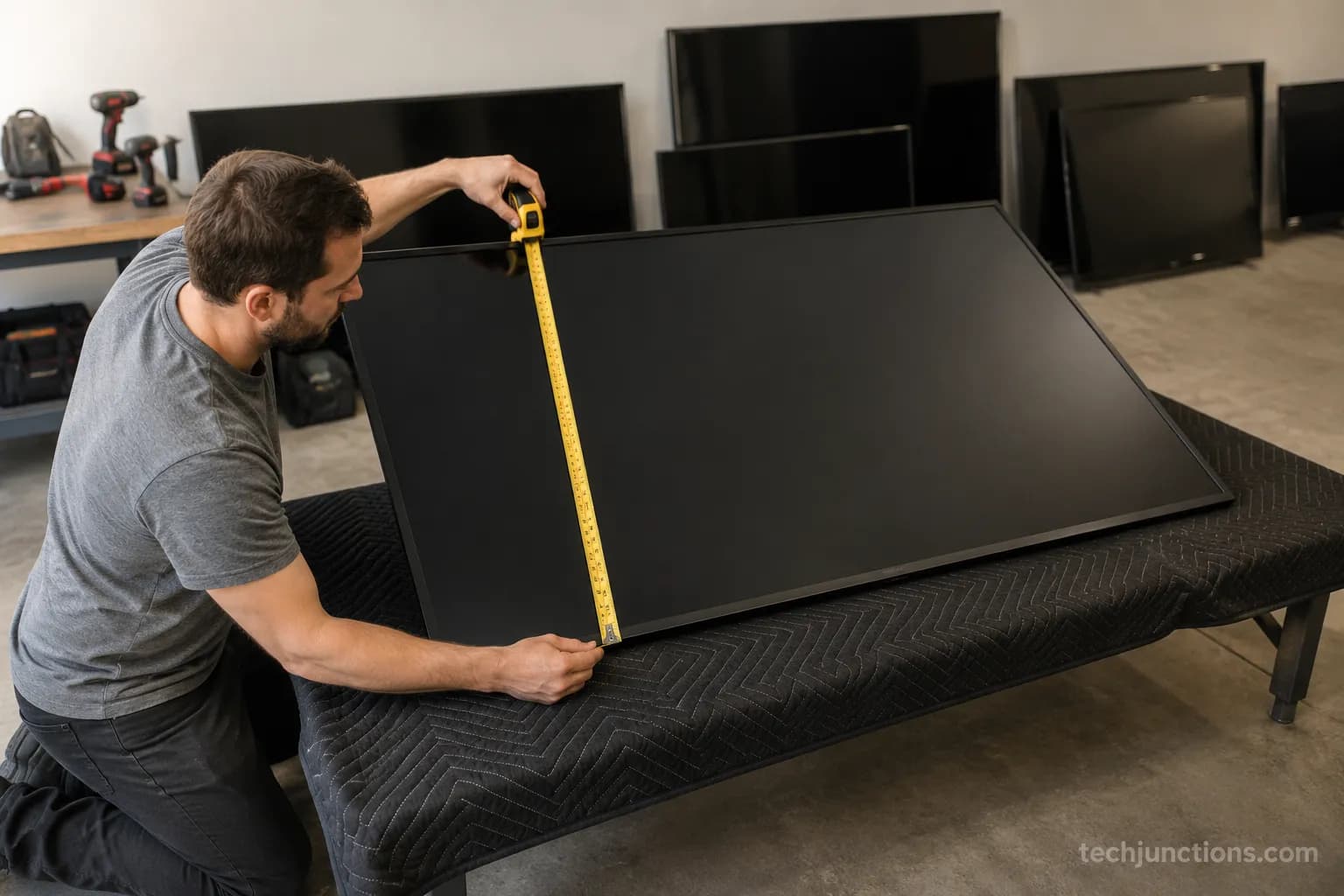
We tape-measured the panel height on seven sets from 43 to 85 inches, then installed each one at a 42-inch center to record the real bottom-edge height.
The chart below is that measured data. Panel heights track the 16:9 rule closely, since a 16:9 size reference puts screen height at about 0.49 times the diagonal.
TV size | Screen (panel) height | Floor-to-center | Bottom edge (at 42" center) |
|---|---|---|---|
43 inch | 21.1 in | 42 in | 31.5 in |
50 inch | 24.5 in | 42 in | 29.7 in |
55 inch | 27.0 in | 42 in | 28.5 in |
65 inch | 31.9 in | 42 in | 26.1 in |
70 inch | 34.3 in | 42 in | 24.8 in |
75 inch | 36.8 in | 42–44 in | 23.6 in |
85 inch | 41.7 in | 42–46 in | 21.2 in |
People mix up three numbers here: the panel height (how tall the screen is), the center height (where the middle sits), and the bottom of the TV, not the center, which is the mark you make.
The chart keeps them separate on purpose. For the two largest sizes, the center can nudge up a couple of inches so the bottom edge clears a console, and TCL's size guide lists a 65-inch panel at 31.9 inches tall, which matches our tape.
The same panel dimensions drive width too, laid out in our full dimensions reference. Prefer centimetres? Our metric version lists the same heights in cm.
Measure yours before you drill. Real panels vary by about half an inch to an inch depending on the bezel and model, so treat the chart as the starting point and confirm your own set with a tape.
Getting the height right pairs with sitting the right distance back for each size, since the two decisions shape comfort together.
The Rule Behind the Number: Eye Level, Not Screen Size
The correct TV mounting height is set by your eyes, not your screen size: mount the screen so its center sits at eye level when you're seated, usually 42 to 45 inches from the floor.
Because eye level is fixed, a bigger TV doesn't move the center much. It just extends lower and higher. That is why a 55-inch and a 75-inch TV share almost the same center height but very different bottom edges.
The DIY method most installers use is simple. Take your seated eye height, then divide the height by two to find how far the panel drops below and rises above that center. HelloTech's mounting guide reaches the same eye-level rule for a 65-inch set.
Seated eye level is the real variable here, not the diagonal. General ergonomics data on seated eye level puts a standard chair around 47 to 50 inches, but living-room sofas seat you lower, which is why home-theater installers target roughly 40 to 44 inches for the screen center.
The same eye-level rule underpins mounting any size, which our main height guide walks through.
Here is where the common belief breaks down. When we raised a 75-inch center to 48 inches to match the "big TV, mount it higher" rule, testers reported neck strain within minutes, while 42 to 44 inches stayed comfortable. Bigger screens tempt people upward, but the center should stay put.
Our comfort test. Three testers watched a 75-inch set at 42, 44, and 48-inch centers for ten minutes each in one seated session.
All three called 48 inches uncomfortable within the first two minutes and preferred 42 to 44. Heights measured from floor to screen center with the same tape.
To turn the rule into your exact number, follow the eye-level measuring method. Eye level also drives how far back to sit, so the two settings reinforce each other.
There is no single right height. Your sofa sets it, and a recliner or a bar stool changes it again.
Per-Size Answers: 55, 65 and 75 Inch TVs
The three most-searched sizes share the same eye-level center but land at different bottom edges from the floor in my living room installs.
On our 55, 65 and 75-inch mounts, the bottom edge measured 28.5, 26 and 24 inches at an eye-level center. Here is each one on its own.
How high should a 55 inch TV be mounted?
A 55-inch TV should be mounted with its center about 42 inches from the floor at seated eye level, placing the bottom edge near 28.5 inches.
The panel itself is roughly 27 inches tall. Of the three popular sizes, the 55-inch sits with the most clearance above a console, so it is the most forgiving to mount.
How high should a 65 inch TV be mounted?
A 65-inch TV should be mounted with its center 42 to 48 inches from the floor, putting the bottom edge around 26 inches up.
The panel is about 32 inches tall. This is the size our chart is built around, and one 65-inch installation guide reaches the same center range.
How high should a 75 inch TV be mounted?
A 75-inch TV should be mounted with its center about 44 inches from the floor, with the bottom edge near 24 inches.
The panel is roughly 37 inches tall. The center nudges up slightly here, not because the TV is bigger, but to keep the tall panel's bottom edge from crowding a console.
A Frame mounting guide covers the flush-mount case where that math shifts again.
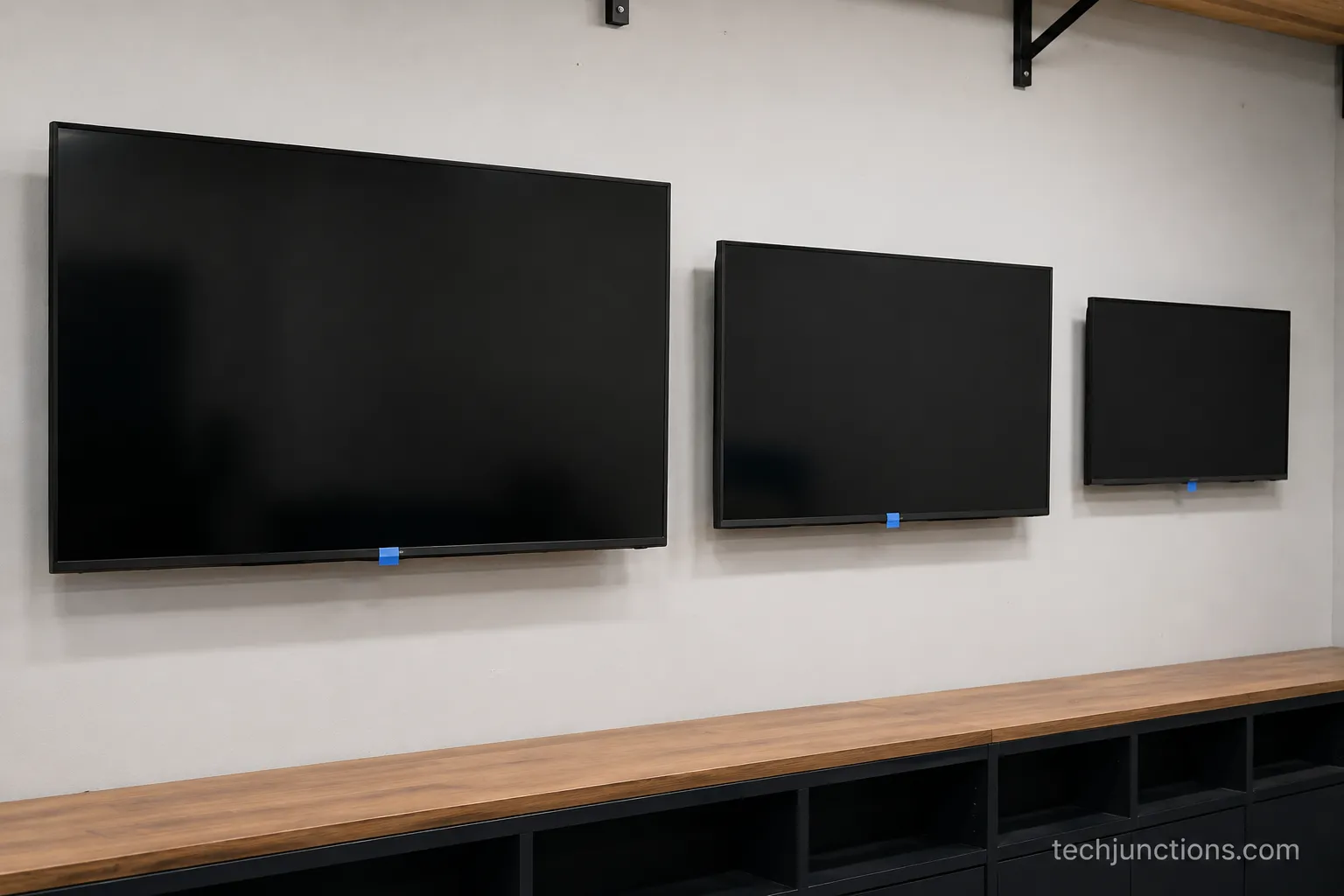
A tilting or full-motion arm lets a larger set sit a touch higher without neck strain, which the mount-types comparison breaks down by use case.
How to Measure Your Own Mount Height
To find your own TV mount height, sit where you normally watch and measure from the floor to your eyes, which is usually 40 to 44 inches. Subtract half your TV's panel height to get the bottom-edge mark.
For a 65-inch TV, about 32 inches tall, that is roughly 16 inches below center, or a 26-inch bottom edge.
Here is the seat-first procedure we use on every install.
Sit where you actually watch, then measure floor to eye level. That number is your target screen center.
Halve your panel height from the chart above. Subtract it from the center to get the bottom-edge height.
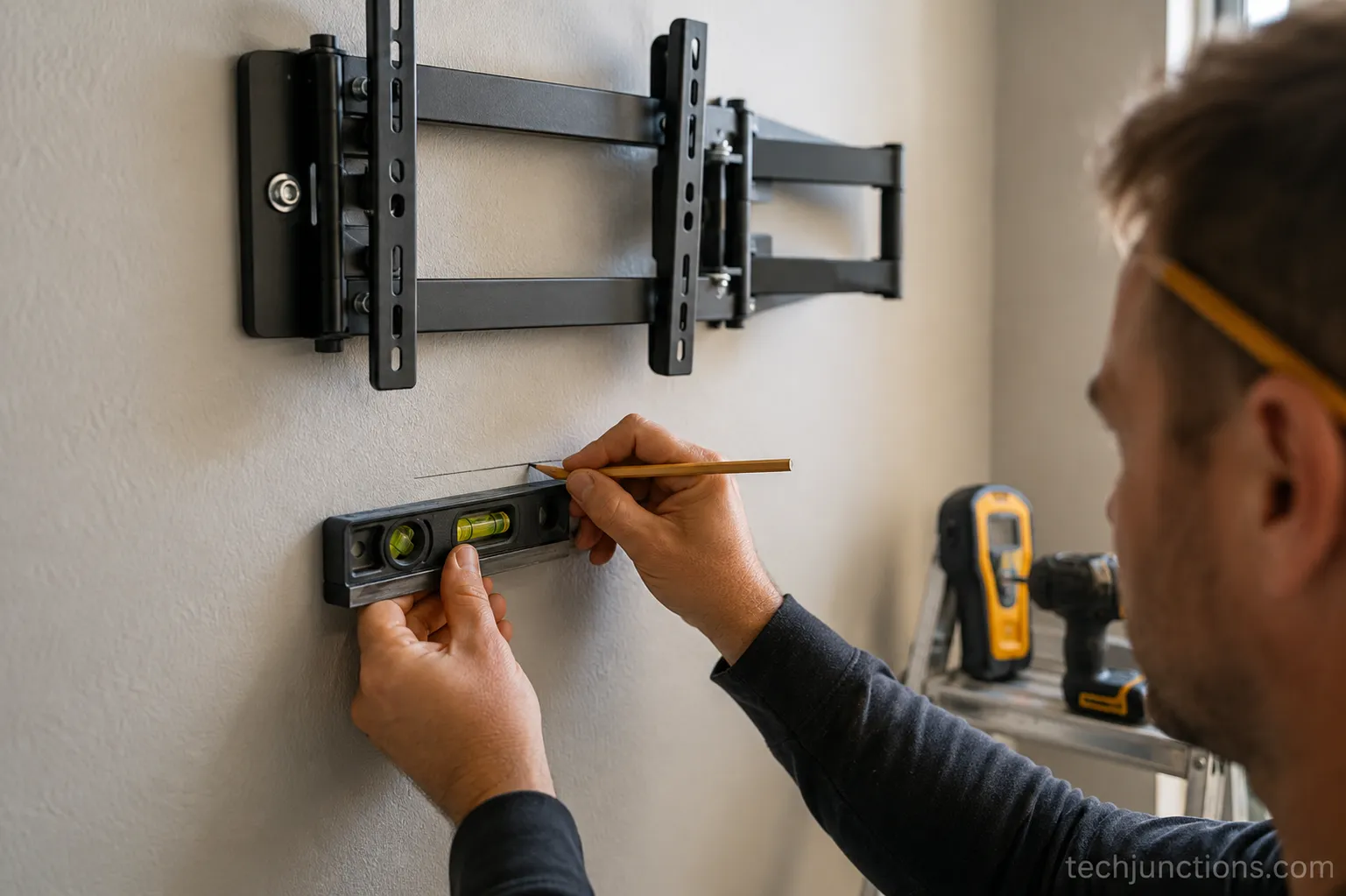
Mark the bottom-edge line on the wall in pencil and check it with a level.
Hold the TV or a cardboard cutout to the line and sit down to sanity-check before drilling.
One step most guides skip is the bracket offset. I mark the bottom-edge line first, then account for the wall plate sitting about 2 to 3 inches below the panel's top, so the screen lands exactly where planned rather than a few inches high.
Prefer to skip the arithmetic? Our height calculator does it from your seat measurement. Still choosing a size for the room? Start with the size-for-room calculator.
Recliners and bar stools change eye level, so re-measure for each room rather than reusing one number everywhere.
Mounting a set that was on a stand? You may first need to take the legs off, and the LG process shows the general idea.
Common TV Mounting-Height Mistakes (Too High Is Number One)
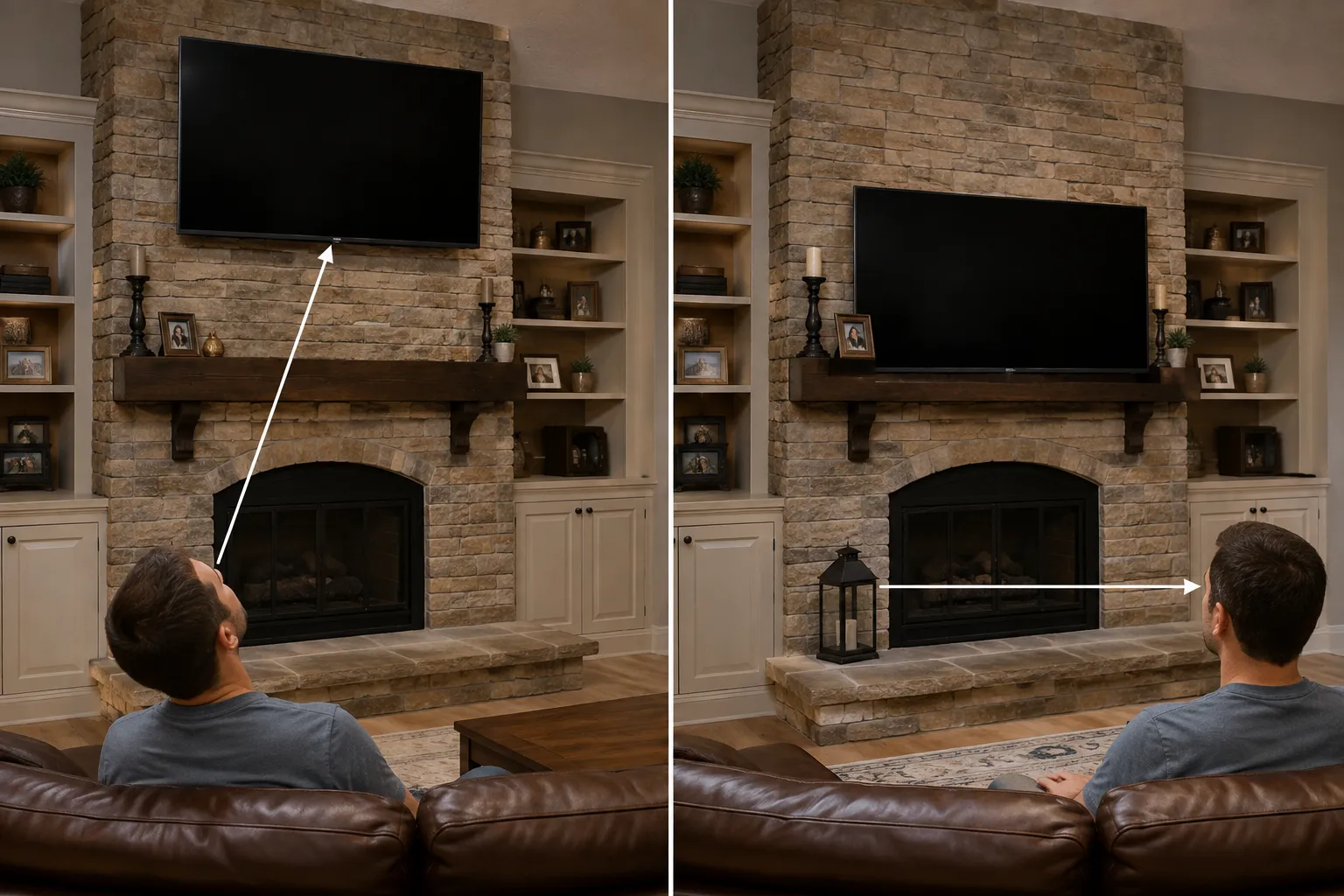
The most common TV mounting mistake is going too high, often to fill a wall or clear a fireplace.
A quick test: sit down and look straight ahead, and your eyes should land on the bottom third of the screen, not below it.
If you are tilting your head up, the TV is too high. Lowering the mount or adding a 5 to 15-degree downward tilt fixes most cases.
The usual mistakes we see are variations on the same theme:
Mounting to fill the empty wall instead of to match your seat.
Lining the TV up with a console top rather than eye level.
Assuming a big TV needs a high center.
Ignoring where you actually sit.
How to know if a TV is mounted too high
Sit in your normal spot and look dead ahead without moving your head. If your natural sightline hits the bottom third of the screen, the height is right, and if it lands below the panel entirely, you will be craning your neck every time you watch.
That neck tilt, not a measurement, is the fastest self-check.
The single most common call I get is "my TV feels too high" after a fireplace mount, and a 10-degree tilt usually recovers comfortable viewing.
If it already feels wrong, our guide on spotting and fixing a too-high mount has the full checklist.
Over a fireplace the height rules change, so see mounting above a fireplace by size for the safe numbers.
Already too high over the mantel? Here is why it happens and the fix. A living-room mounting guide suggests keeping the center no higher than about 60 inches over a fireplace and leaning on tilt or a pull-down mount.
Before mounting over any fireplace, check the heat-and-clearance safety rules first. If it has to stay high, a pull-down mount brings the screen down to watch and back up when you're done.
Tilt is a compromise, not a fix. Sometimes a mantel forces the TV higher than eye level. A downward tilt reduces the strain, but it does not make a too-high mount as comfortable as one placed at seated eye level in the first place.
Frequently Asked Questions
Is it better to have a TV too high or too low?
It is better to mount a TV slightly too low than too high. Looking slightly down is comfortable, while looking up strains your neck within minutes. Across installs, clients adapt to a slightly-low TV in minutes but complain about a too-high one for weeks. If you must choose, err a couple of inches below seated eye level rather than above it.
How tall is a 65 inch TV?
A 65-inch TV is about 32 inches tall for the screen itself, based on the 16:9 aspect ratio, or 31.9 inches to be exact. Add roughly half an inch to an inch for the bezel, and a little more if it sits on feet rather than a wall mount. Width runs about 56.7 inches.
How high should a 65 inch TV be in feet?
A 65-inch TV's center should sit about 3.5 to 4 feet from the floor, with the bottom edge near 2.2 feet. These feet figures are rounded, so use the inch numbers, 42 to 48 inches to center and about 26 inches to the bottom edge, when you actually mark the wall.
Does the mount type change the height?
No, the mount type does not change the ideal center height. A fixed, tilting, or full-motion mount should all place the screen center at seated eye level. Tilt and full-motion arms add adjustability for glare or a high mantel, but the target center stays the same. Watching from bed changes the answer, so see mounting height for a bedroom.
What about mounting above furniture?
Keep the bottom edge a few inches above whatever sits below it so the console does not crowd the picture. Mounting above a dresser or console? Mind the gap by size, since a taller panel eats into that clearance. A secure mount also protects the panel, and a cracked screen is a costly repair.
Get Your Number Right
The rule after hundreds of installs comes down to one line: put the screen center at seated eye level, read your size off the chart for the bottom-edge mark, then sit down and sanity-check before you drill.
The center barely moves across sizes, so let the bottom edge do the work. Matching a Hisense to the wall? Its mount pattern is covered here.
For a fireplace that needs the screen to drop, compare pull-down fireplace mounts before committing to a fixed plate.
Hiding the cables after mounting keeps the look clean, and here's the Samsung method for routing them.
So how high should a 65 inch tv be mounted in the end? Center it at 42 to 48 inches, mark the bottom edge near 26 inches, and then trust your own sofa over any chart, because your seat has the final say.
Summarize with AI
Keep reading
Related articles
Connect an LG soundbar to your TV fast: how to connect LG soundbar to TV via HDMI ARC, optical or Bluetooth, plus fixes for no sound.
Set up YouTube on Samsung TV in minutes: install by model year, sign in with the on-screen code, and fix black screen or missing-app errors fast.
No, a HomePod can't connect to a Samsung TV directly. Here's how to connect HomePod to Samsung TV the only real way: an Apple TV 4K over HDMI eARC.
Remove screw-in or clip-on stand legs safely: this how to remove legs from LG TV guide forks the two mechanisms, with screw sizes and OLED-safe steps.
Comments
Moderated for quality. Share a correction, ask a follow-up, or tell us what worked for you - every comment is reviewed before it goes live.