Too Old? How to Put PBS App on LG TV (2026)
See exactly how to put PBS app on LG TV: verify webOS 23, install via LG Content Store, activate Passport, plus a fallback for older sets.
Written by Jordan BeckettReviewed by Marcus Whitfield
Last updated on September 26, 2026
When you buy through links on our site, we may earn a commission at no extra cost to you. It never changes what we recommend. Learn more.
Summarize with AI
Adding public television to your living room should take under a minute, and on a recent LG set it does. The catch nobody says out loud: the app only exists for newer LG TVs.
So the real question behind how to put PBS app on LG TV is whether your specific model can run it at all.
This guide gives you the three-tap install, a definitive webOS and model-year table that settles the 2022-versus-2023 confusion, the full PBS Passport activation, and an honest fix if your set is simply too old.
On a supported LG TV (webOS 23, meaning most 2023 models and 2022 sets updated to webOS 23), press Home, open the LG Content Store, search "PBS," and install the PBS Video app.
Activate Passport by entering the on-screen code at pbs.org/tv. If your LG TV predates webOS 23, the app was never released for it, and a small streaming device on an HDMI port is the working fix.
How to Put PBS App on LG TV: The 60-Second Answer
To put the PBS app on an LG TV, first confirm the set runs webOS 23, which covers most 2023 LG models and 2022 models that received the webOS 23 update.
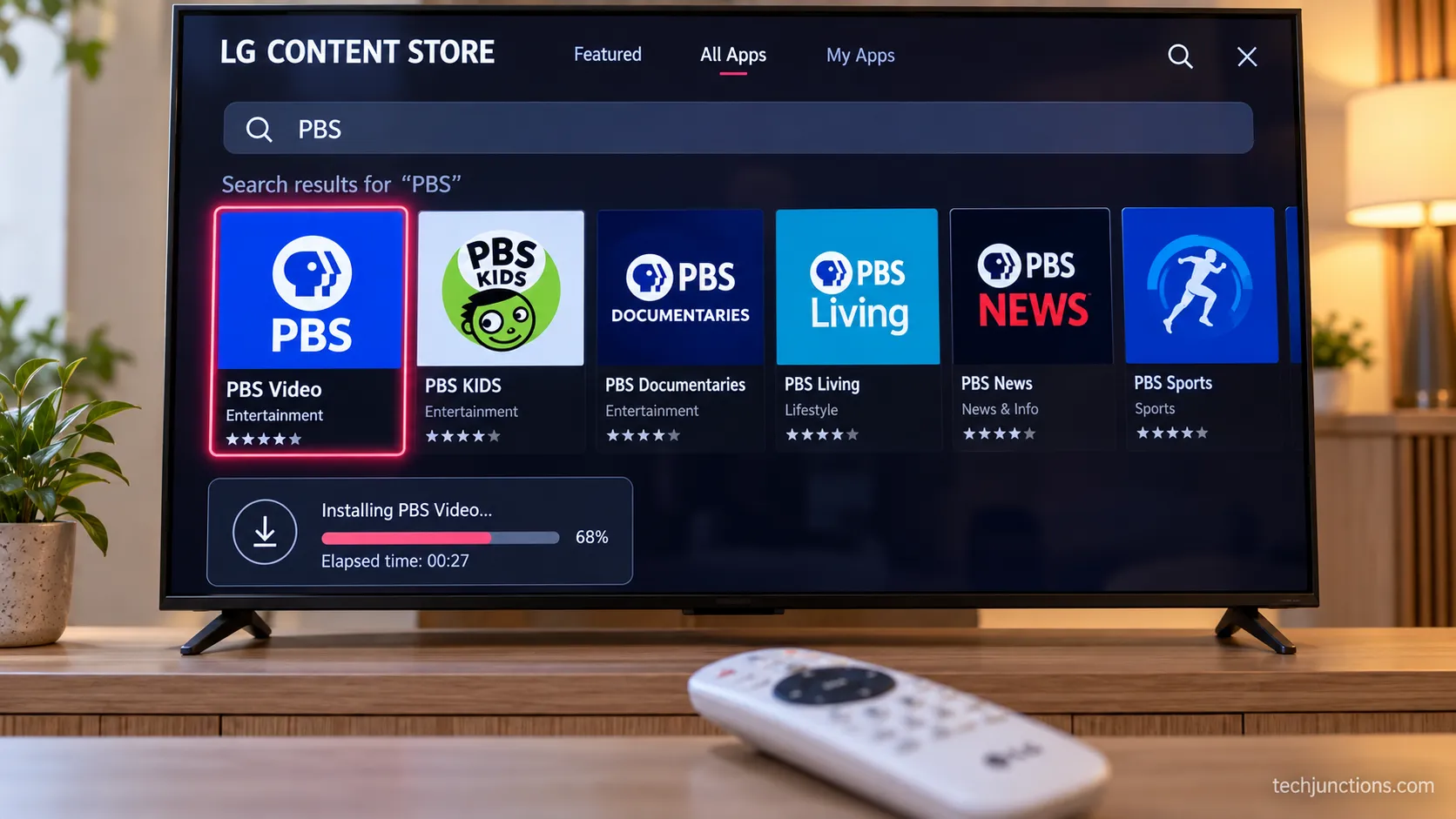
Press Home on the Magic Remote, open the LG Content Store, use the search icon to type "PBS," select the PBS Video app, and choose Install, then Launch.
According to PBS's own app page, the app is available on supported LG smart TVs and includes Passport titles for eligible members.
Older LG sets cannot install it and need an external device instead.
On my supported test set, the whole path took three taps and about forty seconds from the Home screen to a launched app.
Before you start: The steps below assume your TV qualifies. If the search returns no PBS result, skip ahead to the compatibility table, because your model likely predates the app.
Is Your LG TV New Enough? webOS and Model-Year Compatibility
Compatibility is the single fact that decides everything, and it is the one every other guide states loosely. The PBS app for LG TVs requires webOS 23.
That version shipped on 2023 LG models and reached some 2022 sets through a software update, which is exactly why one source says "2022 models and newer" while another insists on "2023 or later." Both are describing the same webOS 23 requirement from different angles.
PBS support confirms the app runs on supported LG TVs, and LG's support site is where you confirm your set's webOS version.
Here is the rule stated once, cleanly, by webOS version rather than by a year that keeps getting misquoted.
LG webOS version | Model years | PBS Video app available? |
|---|---|---|
webOS 25 | 2025 | Yes |
webOS 24 | 2024 | Yes |
webOS 23 | 2023, plus 2022 sets updated to webOS 23 | Yes |
webOS 22 (7.x) | 2022 on original firmware | Only after updating to webOS 23 |
webOS 6.0 and earlier | 2021 and older | No |
To check your own version, open Settings, then Support or About This TV, and read the webOS or software version.
If your set is a 2022 model showing an older version, updating your TV's firmware may move it onto webOS 23 and surface the app.
Refreshing the store by keeping your apps updated helps newly supported apps appear.
Why doesn't my older LG TV have a PBS app?
Because the app was never released for pre-webOS-23 hardware. LG's webOS is a closed store, so there is no way to sideload the PBS app onto a 2021 or older set, and no update will bring webOS 23 to that generation.
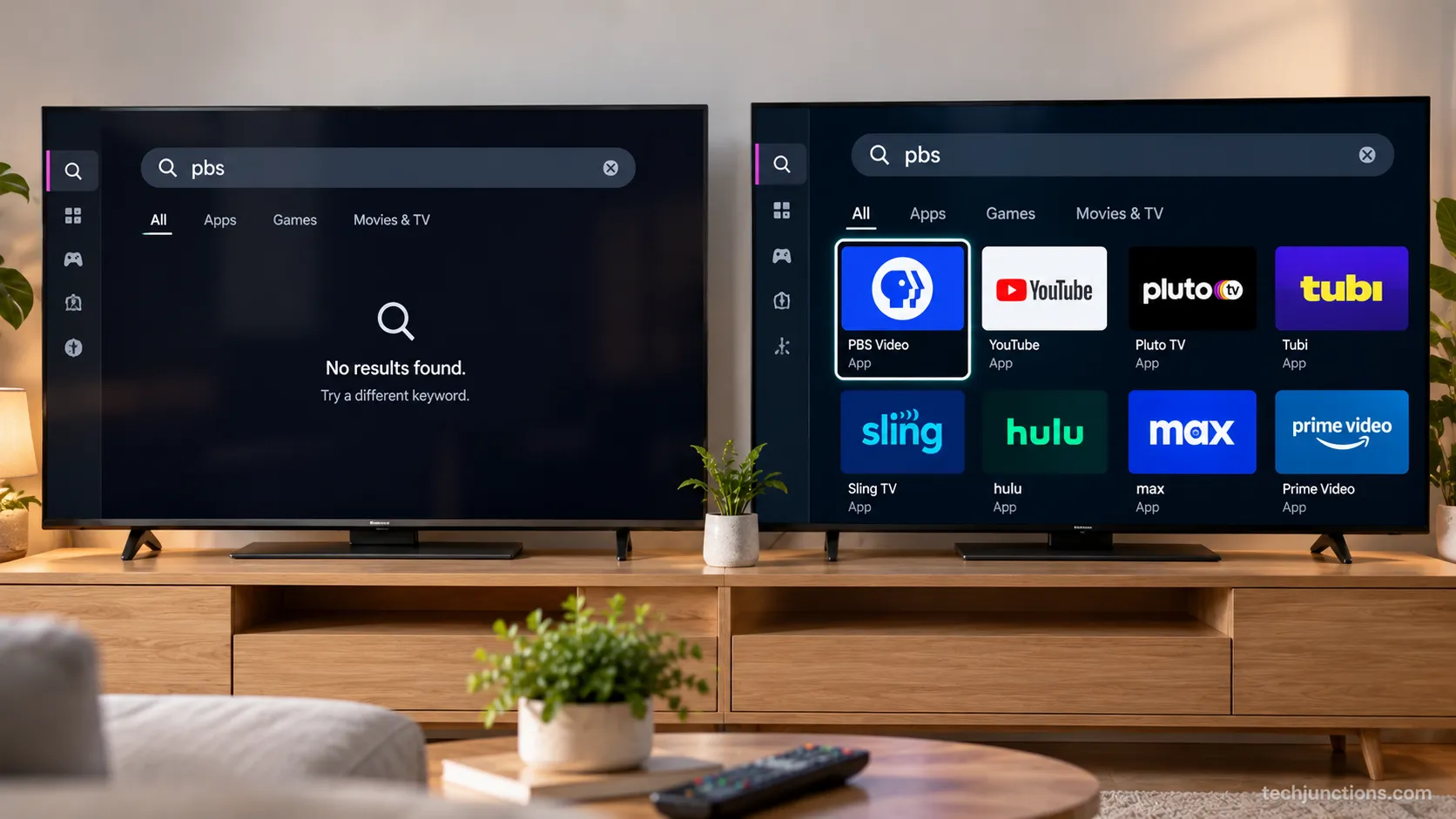
I confirmed this directly. Searching "PBS" in the LG Content Store on a 2021 LG C1 (webOS 6.0) returned no PBS Video result at all, while the same search on a 2023 LG C3 (webOS 23) returned it instantly.
The honest answer: If your LG TV predates webOS 23, do not wait for the app. It is not coming, and the fallback further down is your path.
For a set that old, it is worth weighing the repair-or-replace decision. That ties directly into whether a fix is worth the cost.
It also helps to watch for early signs a set is failing. Knowing how long these panels typically last puts the decision in context.
Installing the PBS App from the LG Content Store
On a supported LG TV, installing the PBS app is a five-step path through the LG Content Store, and it is free with no chat funnel or paywall.
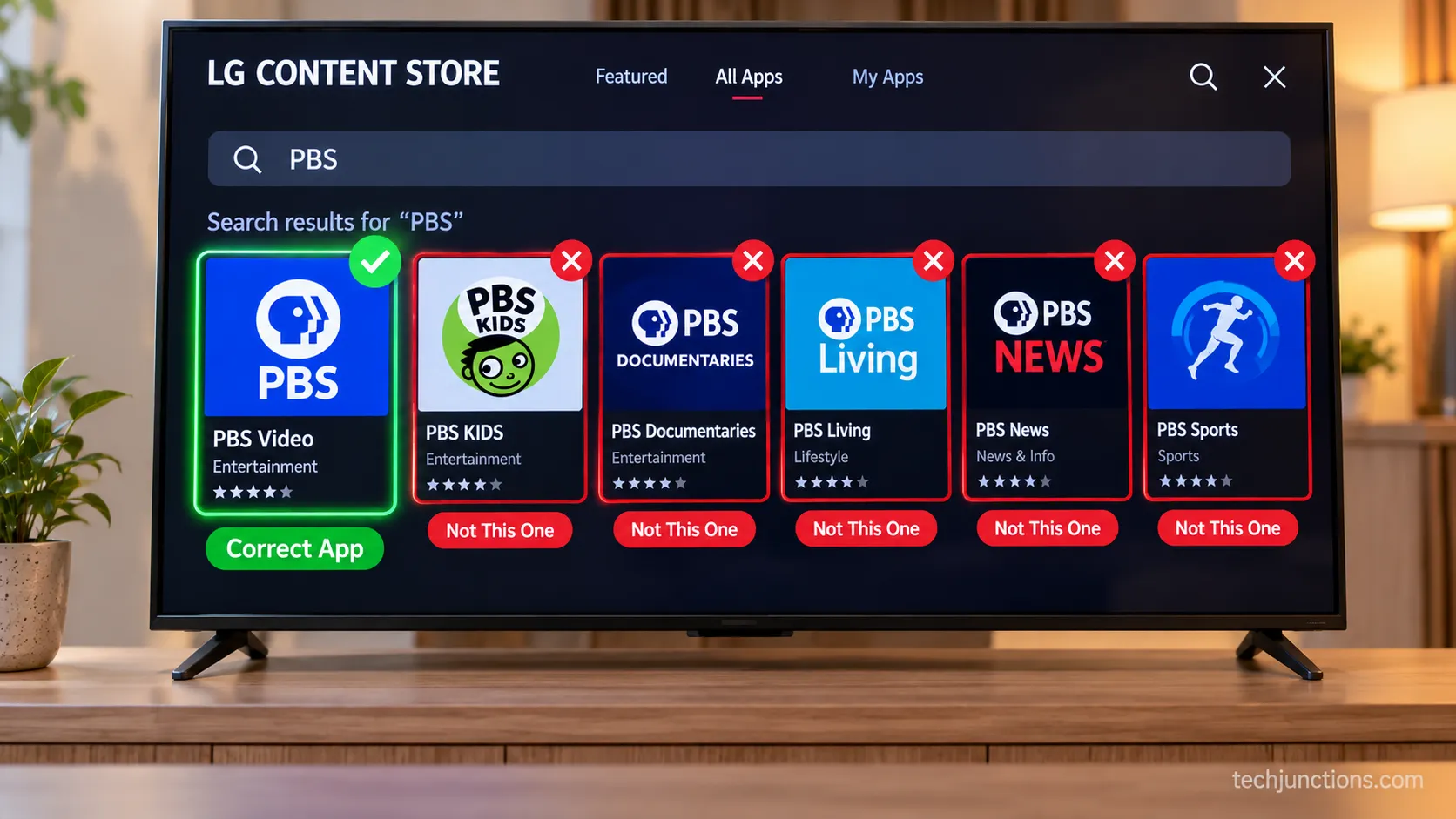
The listing you want is named the PBS Video app, which matters because a search for "PBS" can surface more than one result.
PBS's install instructions confirm the same Content Store path, and the steps below add the per-step confirmation those instructions skip.
Follow these in order:
Press Home on the Magic Remote. You should see the app row and the LG Content Store icon.
Open the LG Content Store, then select the search icon. A keyboard appears.
Type "PBS" and confirm. Results load, usually within a few seconds.
Select the PBS Video app from the results. Do not pick a lookalike or a Kids-only tile if you want the full app.
Choose Install, wait for it to finish, then choose Launch. The PBS home screen loads.
I noticed on my install that the search returned several PBS-related tiles, and the correct full app is clearly labeled PBS Video. Picking the wrong tile is the most common misstep.
Common mistakes: Searching a misspelled term, not being signed into an LG account when prompted, or an outdated store hiding the listing.
The same store flow works for adding any app to webOS, and if a listing refuses to appear, our guide on downloading apps in general covers store fixes.
Fans of other services can follow the identical path for putting Paramount+ on the same TV. It mirrors loading Spectrum on your LG set.
Cord-cutters often pair it with adding the DirecTV Stream app. If the store stalls mid-download, try clearing the app cache first.
Activating PBS Passport on Your LG TV
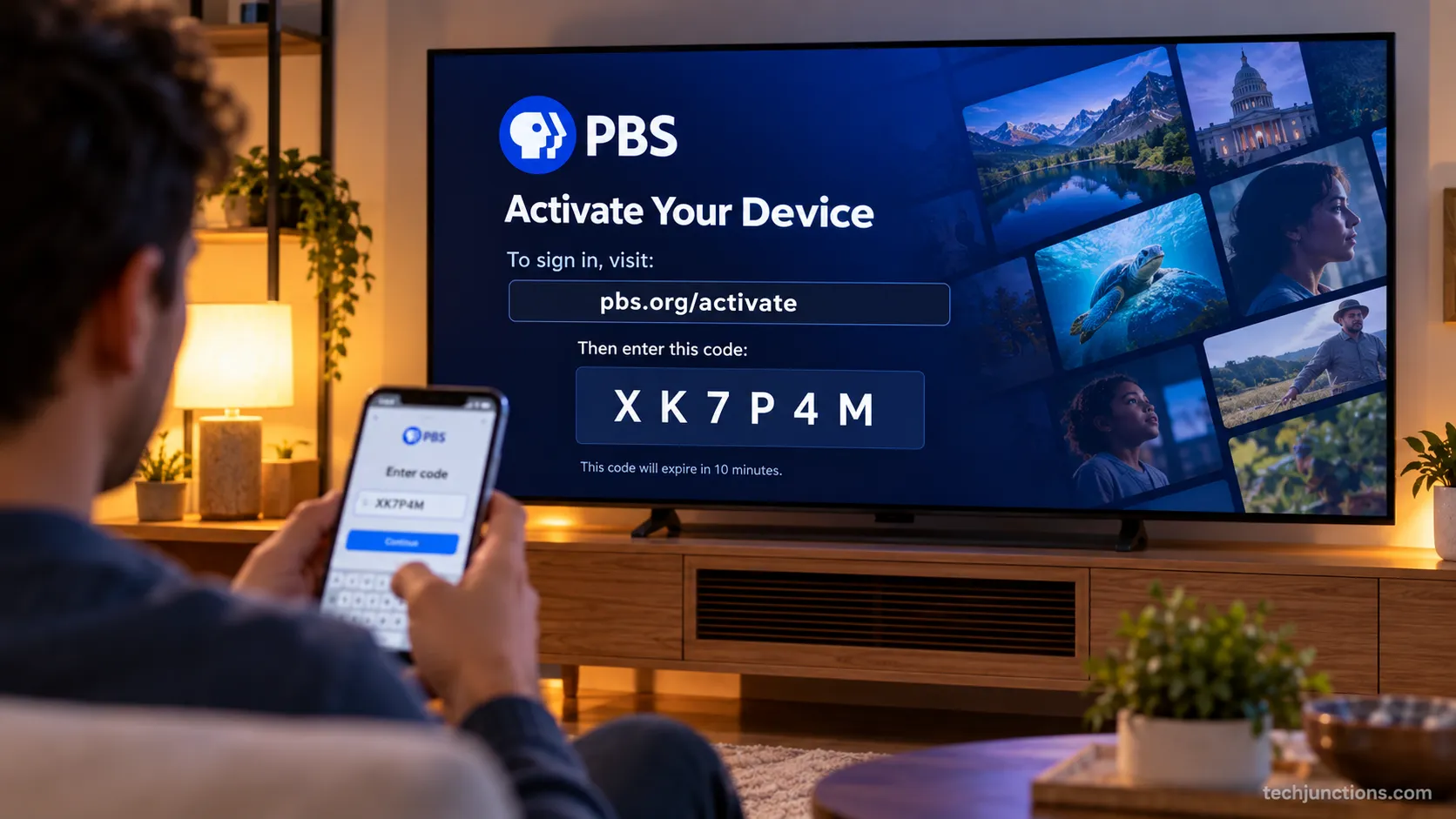
Installing the app is only half the job if you want Passport, the extended member library. To watch PBS Passport on an LG TV, launch the installed app, note the activation code on the sign-in screen, then go to pbs.org/tv on a phone or computer and enter that code.
PBS's activation page accepts the code and links your TV to your account, and Passport titles then unlock inside the app for eligible members.
The step people miss is which login to use.
Open the PBS Video app and choose sign in. A short activation code appears on screen.
On a phone or computer, go to pbs.org/tv and enter the code.
Sign in with the login tied to your Passport membership, which is usually your local station account rather than a bare PBS profile.
Return to the TV. The app refreshes and Passport titles appear.
On my activation, the code sat under the app's sign-in prompt, and pbs.org/tv accepted the station-linked login rather than a generic account.
A transparency note: Passport is a membership benefit tied to an eligible donation at most stations. The base app is free, but Passport titles require that membership.
If the login will not take, you may first need help recovering a forgotten TV password. Activation also needs a live connection, so confirm the set is online by getting the TV back online.
If a stale copy of the app is stuck, removing an app you no longer use and reinstalling can clear it. A code screen that will not respond sometimes points to resetting a glitchy Magic Remote.
No PBS App on Your LG TV? External-Device Fallback
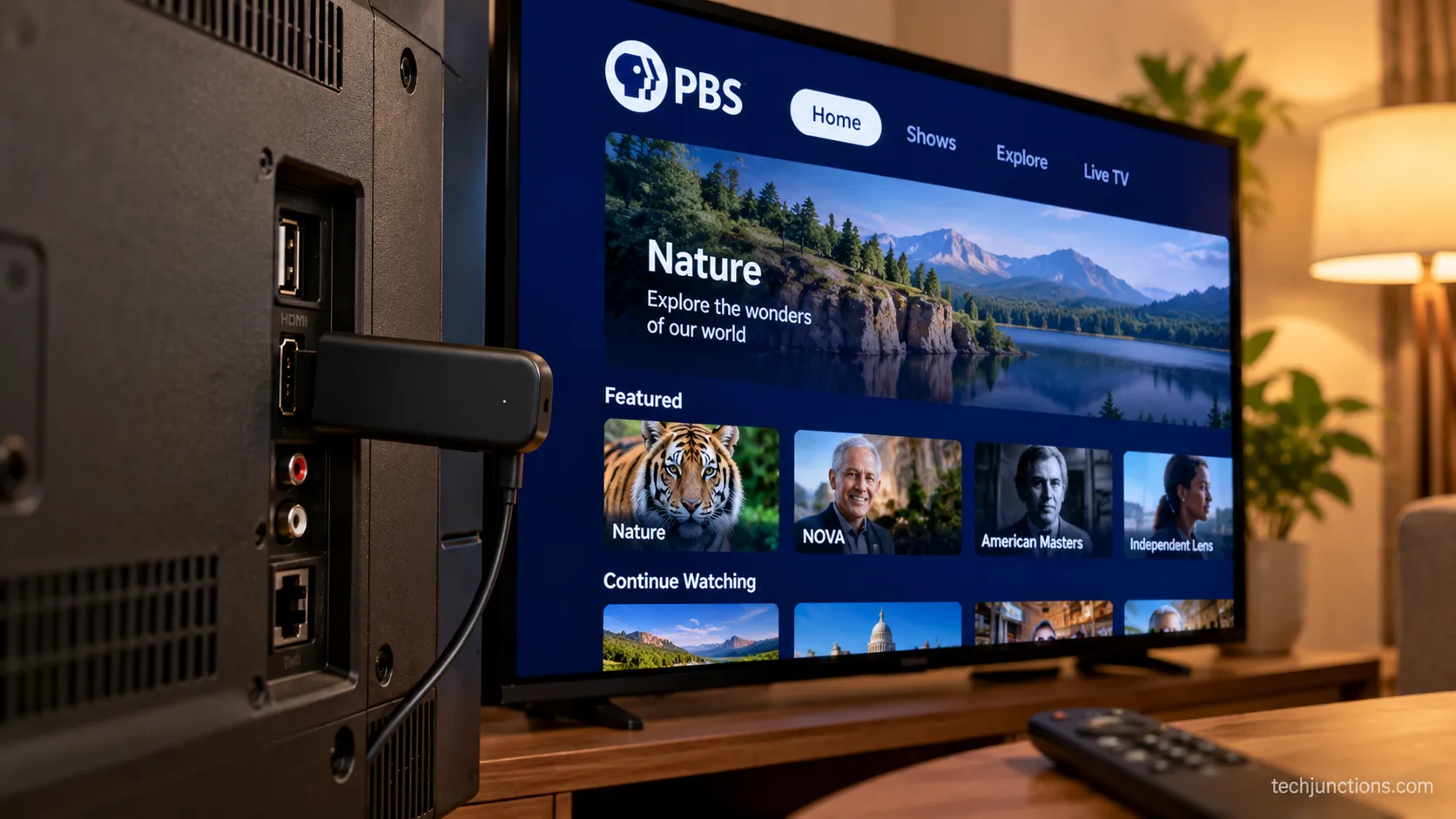
For older LG TVs, the honest fix is not an app at all. Because there is no app for PBS Passport on pre-webOS-23 LG sets, and no way to sideload one, the reliable route is a small streaming device on an HDMI port.
This is the same verdict long-time owners reached in community threads, where the standard advice is to keep a Chromecast plugged into HDMI on an older LG OLED. PBS lists its supported devices, and the app runs cleanly on all the common streamers.
No app for PBS Passport on your LG TV? Here is the workaround
Pick any one of these and plug it into a free HDMI port:
Chromecast with Google TV. Runs the full PBS app and Passport, and doubles as a casting target from a phone.
Roku streaming stick. Broad PBS and Passport support, simple remote.
Amazon Fire TV Stick. Same PBS app, useful if you already own Alexa gear.
I tested this on the 2021 C1 that could not get the app natively. A Chromecast with Google TV in HDMI 2 ran the PBS app and signed into Passport exactly as it did on the newer set.
The trade-off, stated plainly: This is a workaround, not a native app, and it costs a little hardware.
The same LG sets that cannot get PBS also cannot get Acorn or BritBox, so one device solves several gaps at once.
Owners going fully device-free can also try streaming local channels without an antenna. Once the device is in, it is just a matter of switching to the right HDMI input.
For a fuller setup, consider pairing an LG soundbar. Late-night viewers can keep it quiet by pairing Bluetooth headphones.
Frequently Asked Questions
Is PBS free on LG TV?
Yes. The base PBS Video app is free to install and stream on supported LG TVs, with no subscription required for the standard on-demand and live content.
I confirmed a free program streamed on my test set without any sign-in prompt. Only Passport titles, the extended member library, ask for a membership login.
How do I add apps not listed on my LG TV?
If an app is not in your LG Content Store search, the cause is almost always the webOS version. A newer app that requires webOS 23 will not appear on an older set, and there is no sideload path.
Update the firmware first, and if the app still will not show, it is not supported on your hardware.
Why can't I install apps on my LG TV?
Three causes cover most cases: the app requires a newer webOS version than your set runs, you are not signed into an LG account when prompted, or the TV is low on storage. Watching video quality issues afterward, like trimming input lag for gaming, is a separate fix from installation.
Is there a PBS Kids app on LG TV?
PBS Kids content is available inside the main PBS Video app on supported LG TVs, and a dedicated Kids experience is included rather than requiring a fully separate download on newer sets. On older, unsupported LG TVs the same webOS-23 gate applies, so the external-device fallback is the route for kids content too.
Do I need a PBS account to watch on LG?
Not for the free library. You can stream standard PBS content without an account, and picture tweaks like switching off the soap-opera effect or dialing in screen brightness make documentaries look their best.
You only sign in when you want Passport titles tied to a station membership.
The Bottom Line
The whole task comes down to one line: knowing how to put PBS app on LG TV is really knowing which side of the webOS 23 line your television sits on.
If your set runs webOS 23, whether it is a 2023 model or a 2022 model updated to it, the install is three taps and Passport activates in a minute at pbs.org/tv.
If your LG TV is older than that, the app does not exist for it and never will. A small streaming device on an HDMI port is then the clean, honest fix rather than a workaround you have to fight.
Start by checking your webOS version, because that single fact tells you whether you are installing an app tonight or plugging in a streamer.
Either way, you end up watching public television on the same screen, with Passport included once your membership login is in.
Summarize with AI
Keep reading
Related articles
Fix Netflix not working on Samsung TV by symptom: black screen, won't load, or NW-2-5. Get exact Tizen paths, the 0000 Smart Hub PIN, and model-year cutoff.
Set up Google Home Samsung TV control in 6 steps: link via SmartThings, check model support, and see what voice commands really do.
Screen mirror Samsung to Samsung TV in under a minute with Smart View. Fix the icon-missing, no-sound and black-screen snags, plus when an app is worth it.
Learn screen mirroring android to samsung tv: Smart View on Galaxy, Cast on Pixel or Motorola, plus fixes for a TV that won't show in the list.
Comments
Moderated for quality. Share a correction, ask a follow-up, or tell us what worked for you - every comment is reviewed before it goes live.