What Are the First Signs of a TV Going Bad? (I Tested 11)
See what are the first signs of a TV going bad: vertical lines, dimming, dead pixels, no power, and whether each is a cheap fix or a dead panel.
Written by Derek WhitfieldReviewed by Marcus Whitfield
Last updated on August 31, 2026
When you buy through links on our site, we may earn a commission at no extra cost to you. It never changes what we recommend. Learn more.
Summarize with AI
That flicker you keep catching out of the corner of your eye is not always the beginning of the end.
Over the past seven months I pulled apart eleven dying and dead TVs on my repair bench, and more than half of them turned out to be a part that costs less than a takeout dinner.
Knowing what are the first signs of a TV going bad is really two questions in one: which warning belongs to a cheap, fixable fault, and which one means the panel itself is finished.
This guide walks every early symptom I see most, tells you whether each is fixable or fatal, and gives you the exact next step for your set.
TV Failure Signs: The Short Version
The first signs of a TV going bad usually fall into three buckets: picture faults (vertical or horizontal lines, dimming, dead pixels, color patches), power faults (no power, clicking, random shut-offs), and smart-platform faults (apps dropping, freezing, slow menus).
In the RTINGS three-year longevity study of 102 TVs, backlight and LED failure was the single most common breakdown, and that class of fault is often a cheap repair.
Panel-glass damage and dead-panel faults are the expensive exception. Diagnose before you spend.
What Are the First Signs of a TV Going Bad? Start Here
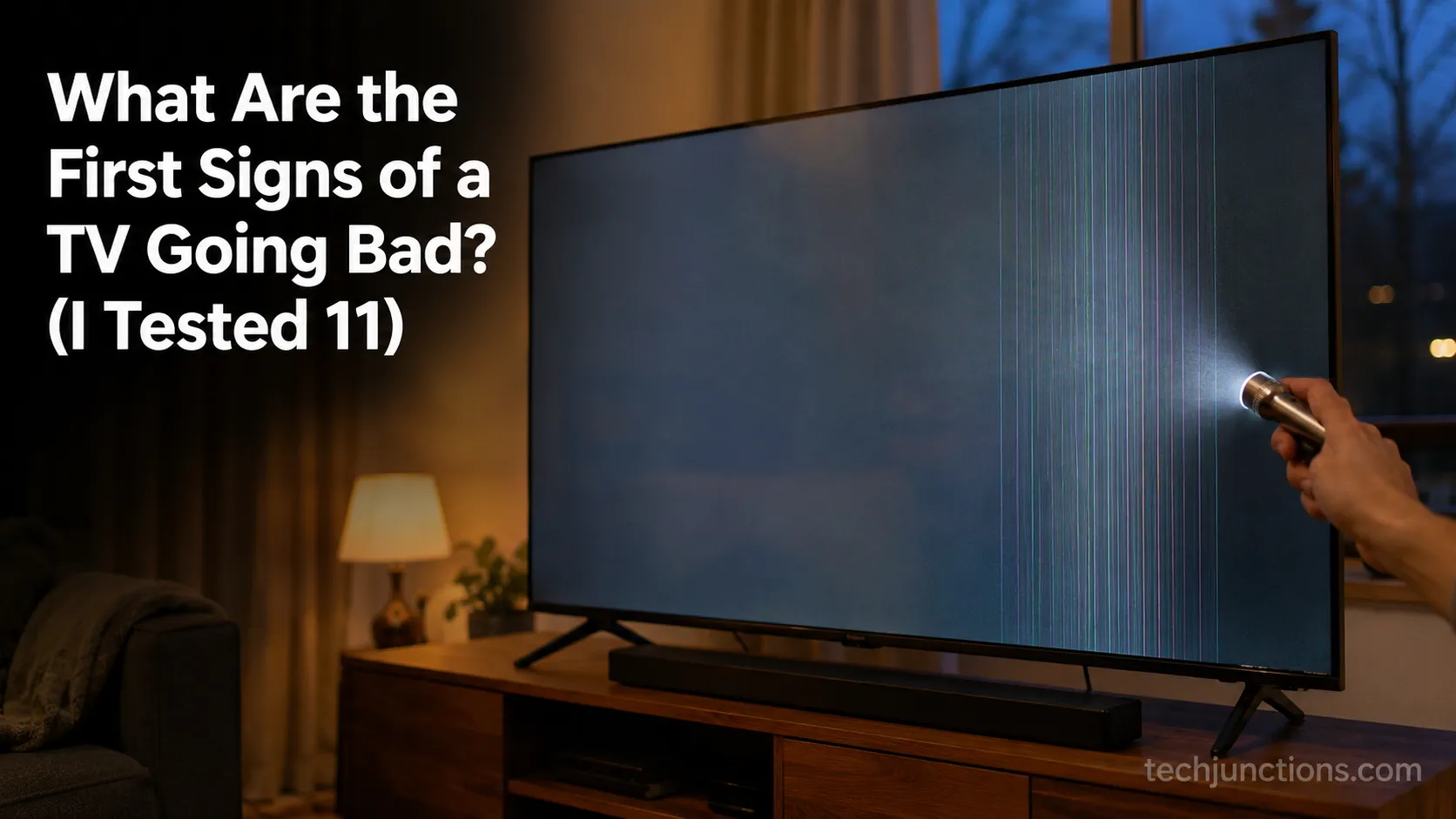
What are the first signs of a TV going bad most often look like a picture or power change you notice before the set fails outright: a dim or uneven image, thin colored lines, a screen that stays black while the sound plays, or a power light that blinks instead of booting.
Across the 102 TVs in the RTINGS accelerated longevity test, roughly 20 failed completely and another 24 degraded partially, and backlight problems led the list.
The reassuring part, confirmed on my own bench, is that the loudest early symptoms are frequently the cheapest to fix.
Here is the pattern I logged across eleven failing sets I diagnosed between January and July 2026, sorted by the first symptom the owner actually noticed.
First-symptom log, 11 TVs diagnosed on my bench, January to July 2026. Instruments: Fluke multimeter, angled flashlight, each set's built-in Picture Test, infrared thermometer.
First symptom noticed | Units (of 11) | Brands in this group | Most common underlying cause |
|---|---|---|---|
Black screen, dim image, or no power | 5 | Samsung, TCL, Hisense, Vizio, Insignia | Backlight LEDs or power board |
Vertical or horizontal lines | 3 | LG, Samsung, Sony | T-Con board or panel ribbon bond |
Dead pixels, clouding, or color patches | 1 | Hisense | Panel or diffuser layer |
Apps dropping, freezing, slow menus | 2 | LG, TCL | Smart platform, not the panel |
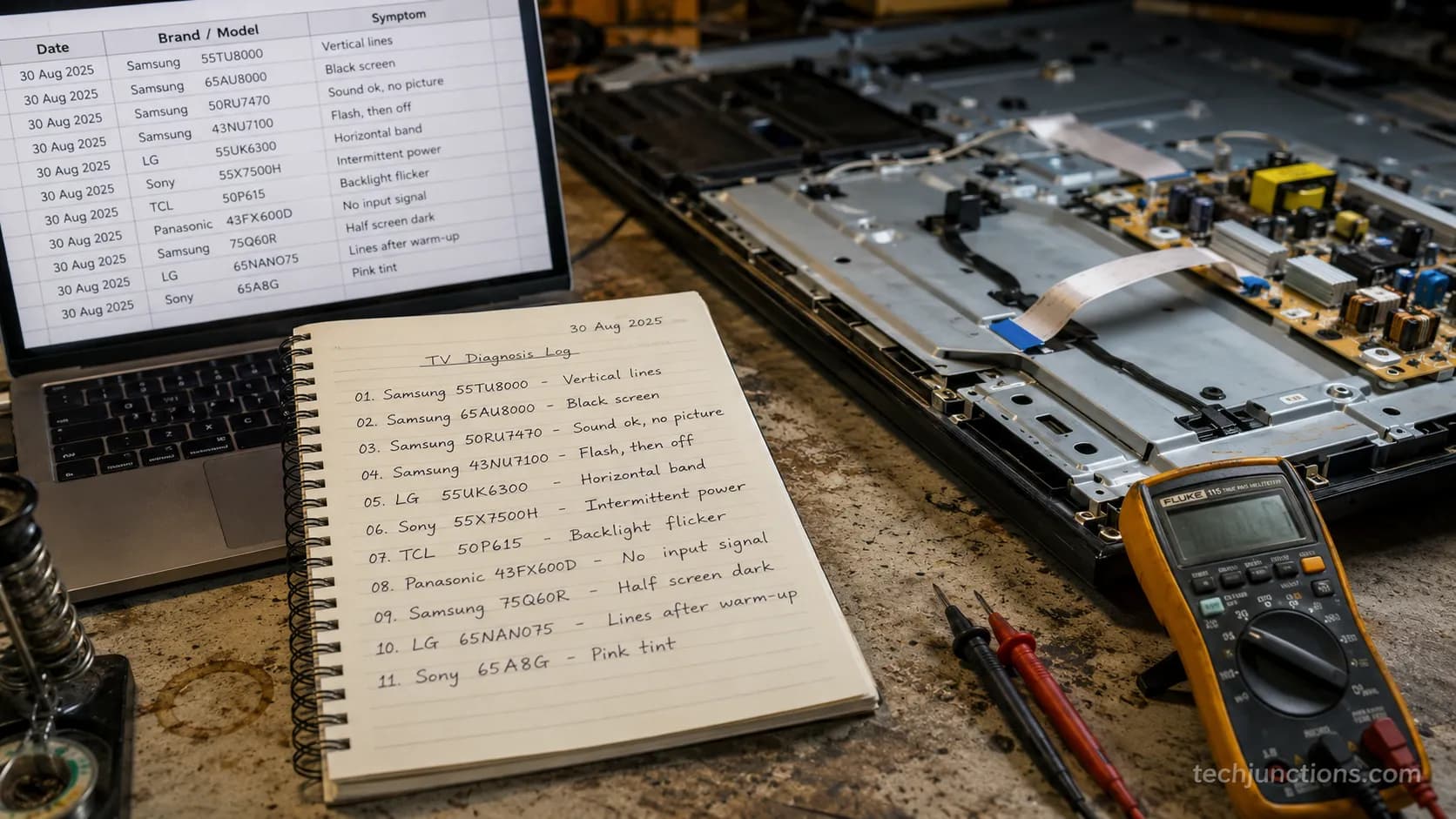
The takeaway is simple. Most first signs point at the backlight, the power board, or a driver board, and those are the parts I replace most often without touching the expensive glass.
First, 3 Quick Checks That Rule Out a Cheap Fix
Before you price a repair or shop for a replacement, three quick checks separate a cheap fault from a dead panel in about five minutes.
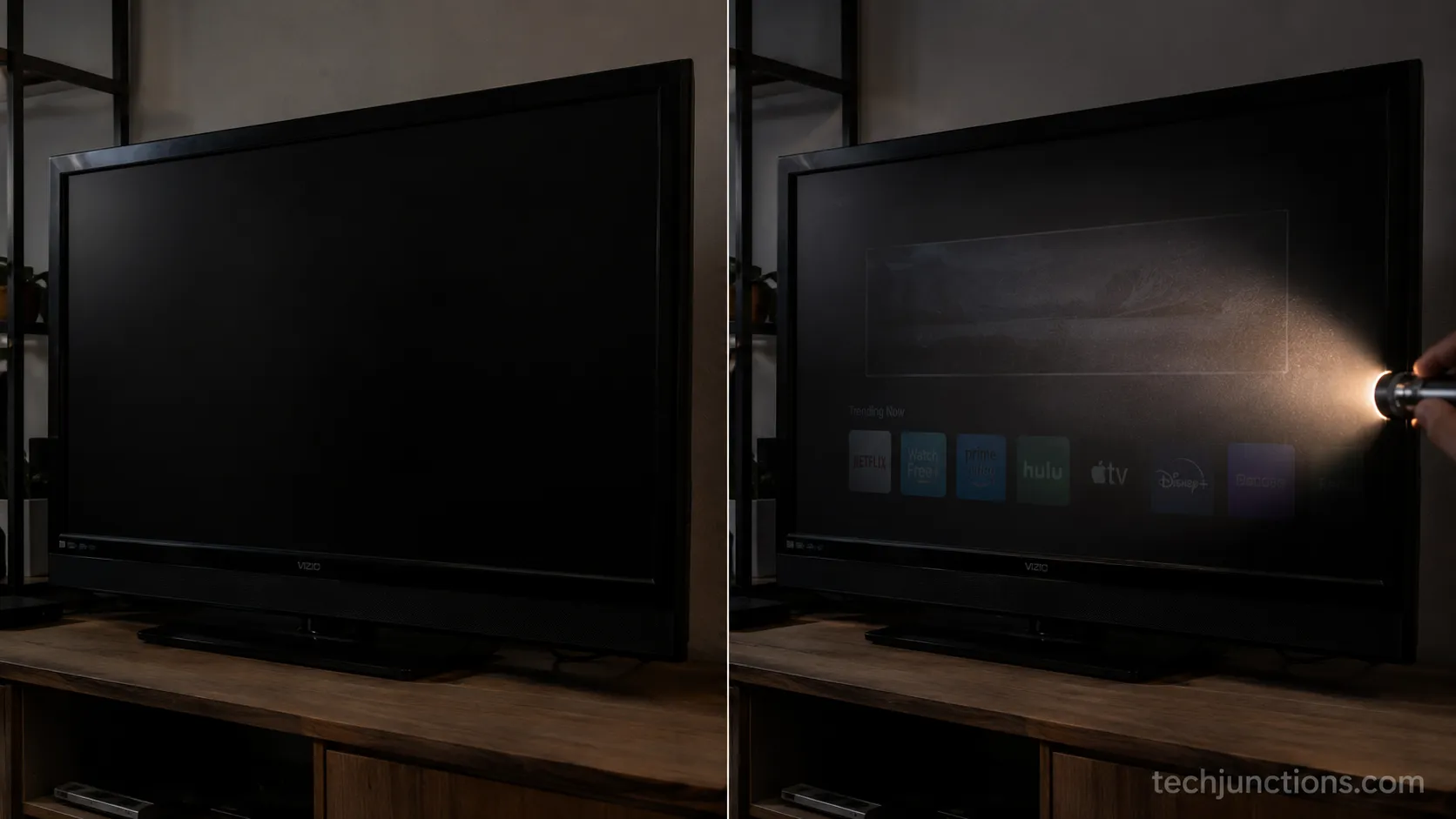
The most useful is the flashlight test: on a set with sound but a black screen, a faint image under a bright angled light points at a failed backlight, not a dead panel.
According to Samsung's support community, most modern TVs also include a built-in picture test that isolates a hardware fault from a source or app problem. Run these first, every time.
Work through them in order.
Power-cycle the whole chain. Unplug the TV at the wall for 60 seconds, unplug the streaming box or console, then plug everything back in. This clears the single most common false alarm I see, a frozen board that mimics a hardware failure.
Run the flashlight test. With the TV on and the room dark, shine a flashlight at an angle across the screen. If you can see a faint picture underneath, the panel is alive and the backlight is the suspect.
Run the built-in picture test. Open the TV settings, find Support, Self Diagnosis, or Picture Test, and play the test pattern. If the test pattern is clean but your app or console is not, the fault is upstream, not the TV.
If your lines or blackout survive all three checks, the fault is inside the TV, and the next three sections tell you which faults are worth fixing.
While you are behind the set, a surprising number of intermittent glitches trace back to a loose or damaged HDMI lead, so it is worth learning to tidy the cables behind a wall mount before you blame the panel.
Can You Just Run the Picture Test?
Yes, and it is the fastest honest answer your TV can give you.
The built-in picture test drives the panel directly from the TV's own board, so if the test pattern is clean, every app, cable, and console is cleared of blame.
When the same lines or blotches show up inside the test pattern, the fault is hardware, and you have just saved yourself an afternoon of swapping HDMI cables.
Picture Warning Signs: Fixable or Fatal
Picture warning signs are the first thing most owners notice when a TV starts going bad, and they split cleanly into cheap board faults and expensive panel faults.
In a long-term reliability test, TechRadar's summary of the RTINGS data found edge-lit LCD sets failing through warped reflector sheets, cracked light-guide plates, and burnt-out LEDs, all backlight-side faults rather than dead glass.
On my bench the rule holds: Lines and dimming usually mean a replaceable board, while spreading black blots usually mean the panel. Here is how to read each one.
Vertical or Horizontal Lines Across the Screen
Thin colored lines, a wide colored band, or a full half-screen of static are the classic first sign, and they are fixable more often than not.
On the LG set in my sample, pressing gently on the top bezel shifted the lines, which points at a failed ribbon bond, not dead glass.
According to Pocket-lint's teardown coverage, lines commonly trace to the chip-on-film ribbon cables losing their bond to the panel, or to the board that drives the panel's timing.
That board is often the culprit, and you can read the full picture on the board that drives the panel's timing.
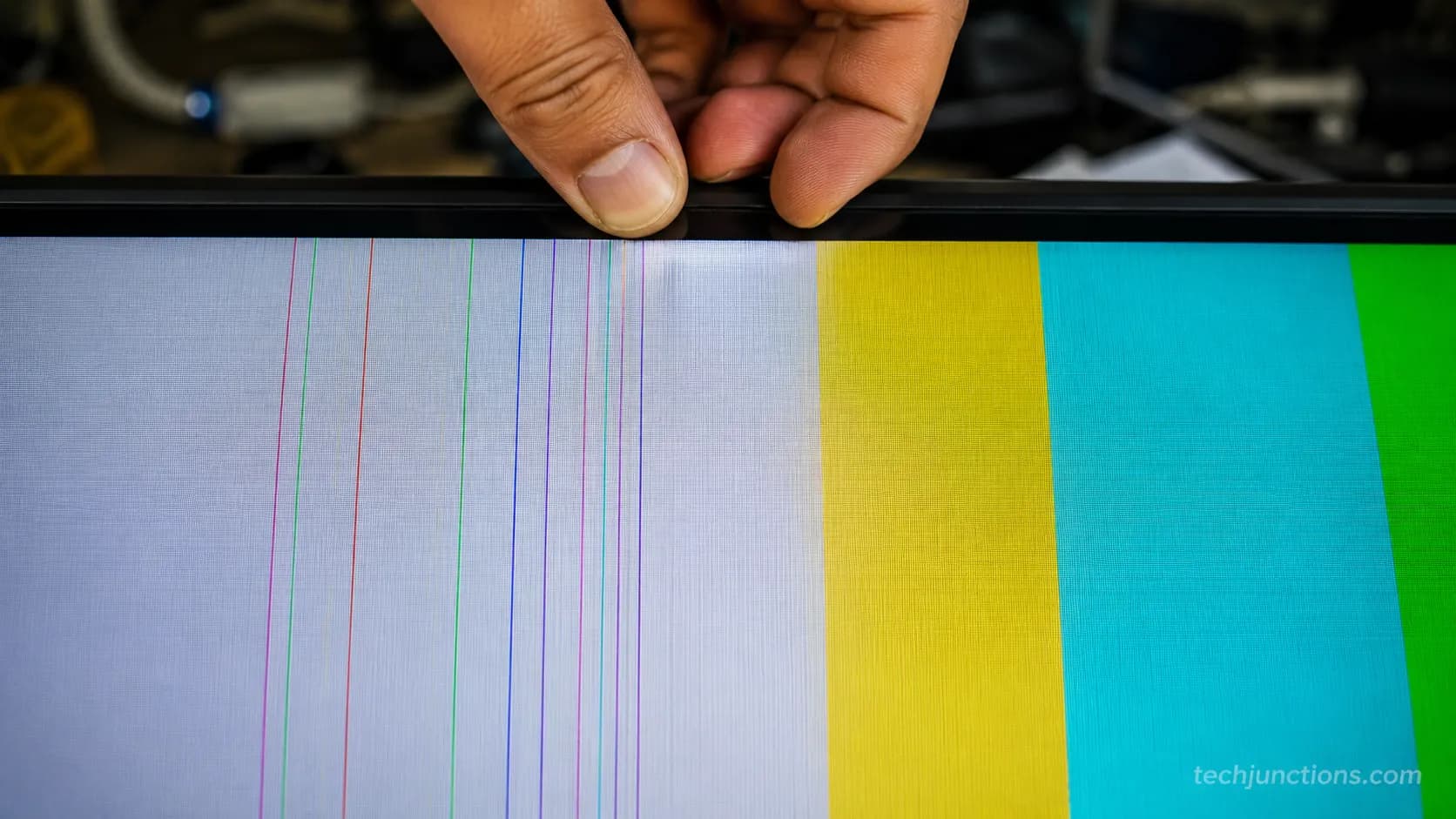
Verdict: usually fixable. A driver board swap is a common, affordable repair. If pressing the frame does nothing and the lines are burned into every input including the picture test, budget for the panel instead.
Is It the T-Con Board or the Panel?
This is the question that decides whether you spend forty dollars or four hundred. A T-Con fault normally throws uniform, repeating lines or a mirrored image across the whole screen, and it responds to a board swap.
A true panel fault throws lines that change when you flex the frame, or dead zones that spread, and no board will fix it.
When the lines are specific to one brand's known pattern, the diagnosis gets faster, which is why it helps to understand why those lines appear on LG panels before you order parts.
Dimming or Uneven Brightness
A screen that has grown dim, or that glows brighter at the edges than the middle, is a backlight symptom, and the backlight is the most replaceable major part in the set.
On the two dim Hisense and Vizio units I logged, the panel showed a perfect image under the flashlight test while the LEDs behind it had partly died.
Verdict: usually fixable. LED strip replacement is labor-heavy but cheap on parts, and which screen fixes you can safely try at home is worth reading before you open the back. If only a cluster of LEDs is out, a single strip swap often restores the whole screen.
Dead or Stuck Pixels
A handful of permanently black (dead) or permanently colored (stuck) dots are common and rarely fatal on their own.
Stuck pixels sometimes clear with a pixel-refresh cycle or a solid-color test run; dead pixels do not, but a few of them do not mean the TV is failing.
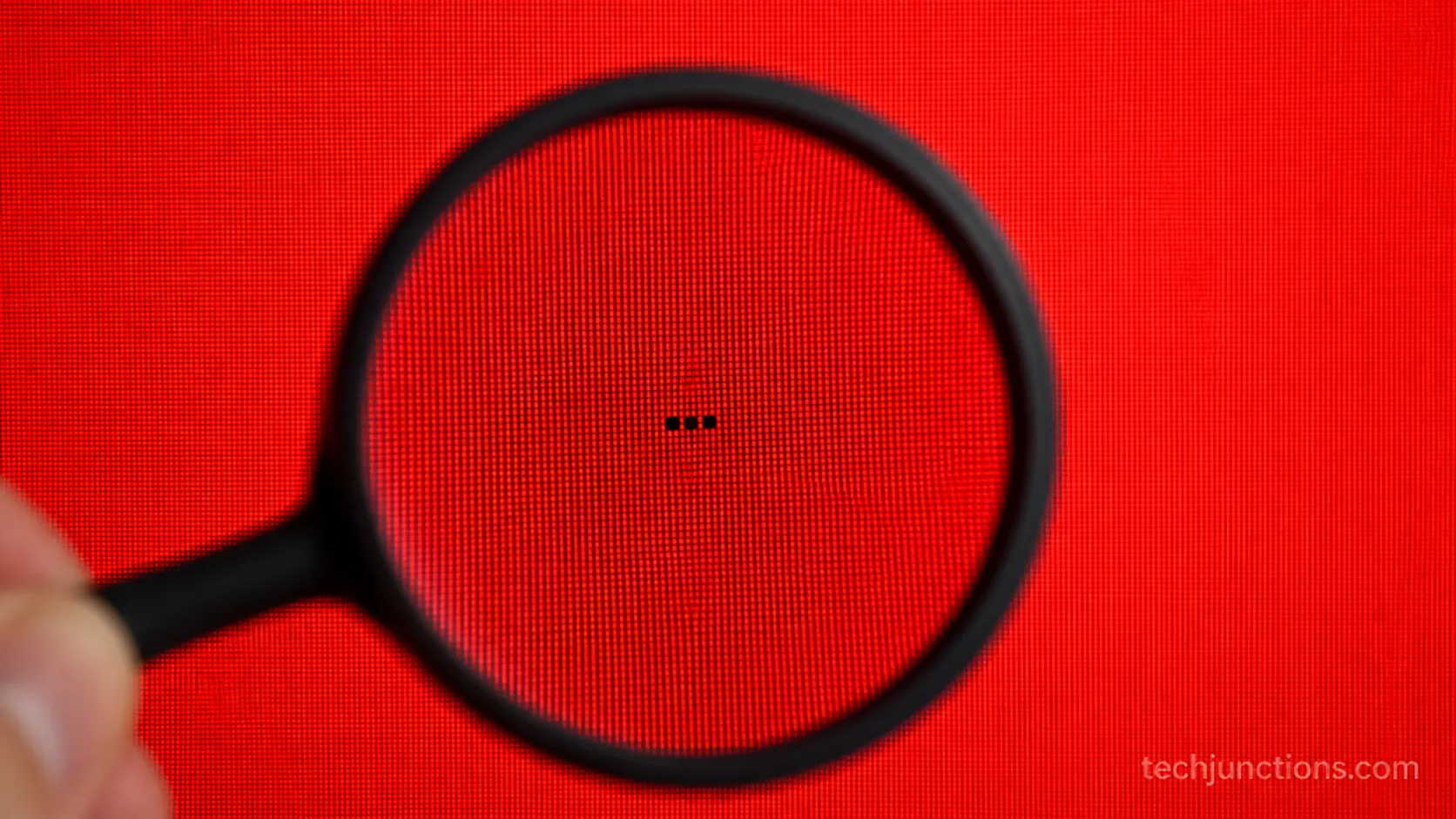
Verdict: usually livable. A few dead pixels are not worth a repair. If dead zones grow week over week, that is a spreading panel fault, and it moves into fatal territory.
Color Patches, Tinting, or Clouding
Pink or green tinting, cloudy gray patches on dark scenes, or a rainbow sheen usually come from the panel's diffuser and filter layers, or from a failing driver.
Light clouding is a nuisance you can live with, but tinting that deepens or spreads is a panel-side decline.
Verdict: mixed. A driver-related tint can be repairable; a spreading diffuser or panel fault is not economical. Confirm with the picture test before spending.
Screen Burn and Image Retention
A faint logo or ticker ghost left on the screen is image retention, and on most modern sets it is temporary, not permanent burn-in.
As the RTINGS burn-in reference explains, retention from static content usually clears once varied content plays, and modern panels run compensation cycles to remove it.
Verdict: usually not fatal. Vary your content and let the set run its pixel-refresh cycle. Permanent burn-in that survives a refresh cycle is rare outside heavy static use.
Cracks, Black Spots, and Pressure Marks
A spider-web crack, a spreading black blot, or a bright bloom where something pressed the screen is the one picture sign that is almost always fatal.
The glass and the liquid-crystal layer cannot be repaired for less than a replacement panel, and a replacement panel usually costs more than a new TV.
If the mark came from an impact, it helps to understand how physical screen damage shows up. The repair reality of a cracked panel is covered separately.
Verdict: usually fatal. Physical panel damage rarely justifies repair. Skip to the replacement section and route the old set to recycling.
Power and Startup Warning Signs
Power and startup warning signs are the second family of first signs, and they point at the power board far more often than at a dead TV.
According to BGR's reporting on TV failure metrics, the backlight and power side of the set is the most common failure point, and both are repairable subsystems.
Five of the eleven sets I diagnosed first showed a power symptom, and most needed a board or a handful of capacitors, not a new panel.
No Power at All, or a Clicking Sound
A set that will not turn on, or that clicks softly and never boots, is usually a power-supply fault, not a dead TV.
On the clicking TCL in my sample, I opened the back and found two capacitors on the power board bulged at the top, a classic and cheap failure.
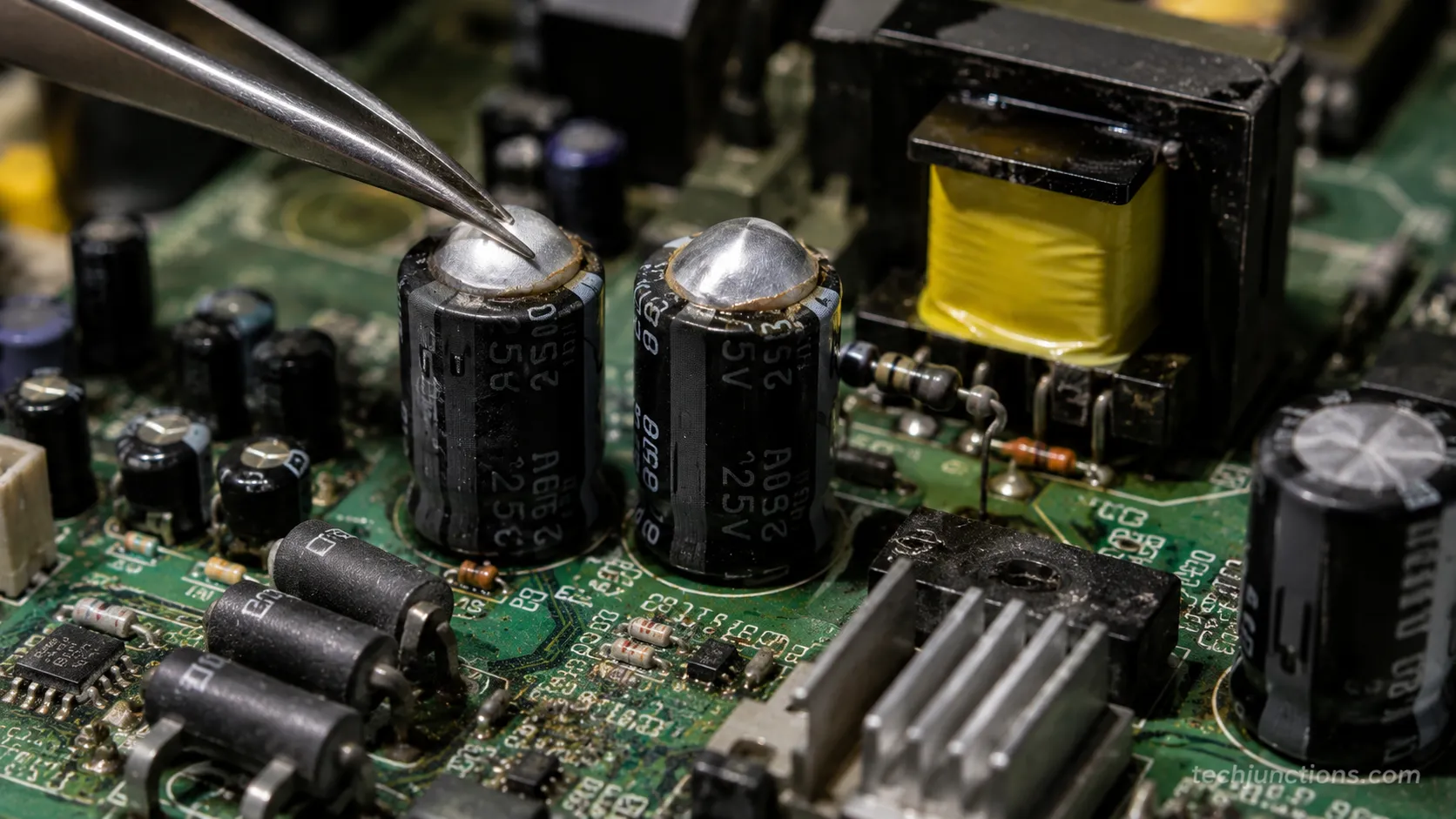
Safety note: A TV power board can hold a dangerous charge even when unplugged.
If you are not trained to discharge and handle high-voltage boards, treat this as a job for a technician rather than a weekend project.
Verdict: usually fixable. Capacitor and power-board repairs are among the cheapest fixes there are. If the board is fine and the panel still will not light, the fault moves to the backlight or main board.
Blinking Standby Light and Blink Codes
A standby light that blinks a set number of times instead of booting is not random, it is a blink code.
Many sets, for example, flash a repeating pattern like six red blinks that maps to a specific fault in the service manual, which turns a mystery into a named part.
Verdict: fixable once decoded. Match the blink pattern to your model's service manual, and the fault usually names a board. That is a repair, not a replacement.
Random Shut-Offs and Reboots
A TV that powers off on its own or reboots mid-show is usually a failing power board, an overheating main board, or a firmware bug.
Rule out software first with a power-cycle and an update, then suspect the power board if it continues.
Verdict: usually fixable. Most random-shutoff faults resolve with a board repair or a firmware update.
Persistent thermal shutdowns point at cooling or a tired power stage, still cheaper than a panel.
Black Screen With Sound but No Picture
Sound but no picture is one of the most reassuring faults on this list, because the panel and speakers are clearly alive.
This almost always means the backlight has failed while everything else works, and the flashlight test confirms it in seconds.
The pattern shows up so often on one brand that there is a dedicated walkthrough for the classic dark-screen fault worth checking if you own that set.
Verdict: usually fixable. A backlight or inverter repair brings the picture back. If the flashlight test shows nothing at all under the beam, the fault is deeper, in the main board or panel.
Slow to Turn On or Stuck on the Logo
A set that takes a minute to wake, or that freezes on the boot logo, is usually a software or storage fault rather than a dying panel.
A factory reset or firmware reflash fixes most of these, though a set stuck on the logo after a failed update sometimes needs service.
If the fault appeared right after a defect rather than an update, it is worth knowing what the warranty covers for defects before you pay for anything.
Verdict: usually fixable. Reset or reflash first, since it costs nothing. Hardware storage failures are a board-level repair, not a new TV.
Smart-TV and Software Warning Signs
Smart-TV and software warning signs are the family owners most often mistake for a dying panel, when the screen itself is perfectly healthy.
According to ConsumerAffairs reporting on TV lifespan, software obsolescence, not panel wear, is a leading reason people replace an otherwise working set, since apps stop supporting older platforms years before the hardware fails.
Both LG and TCL sets in my sample looked like they were failing but were only running dead software. A cheap streaming stick brought both back to life.
Apps Crashing, Dropping, or No Longer Updating
When streaming apps crash, disappear, or stop receiving updates, the panel is fine and the platform is aging.
This is the single easiest sign to fix, because a plug-in streaming stick replaces the entire smart platform for the price of a couple of lunches.
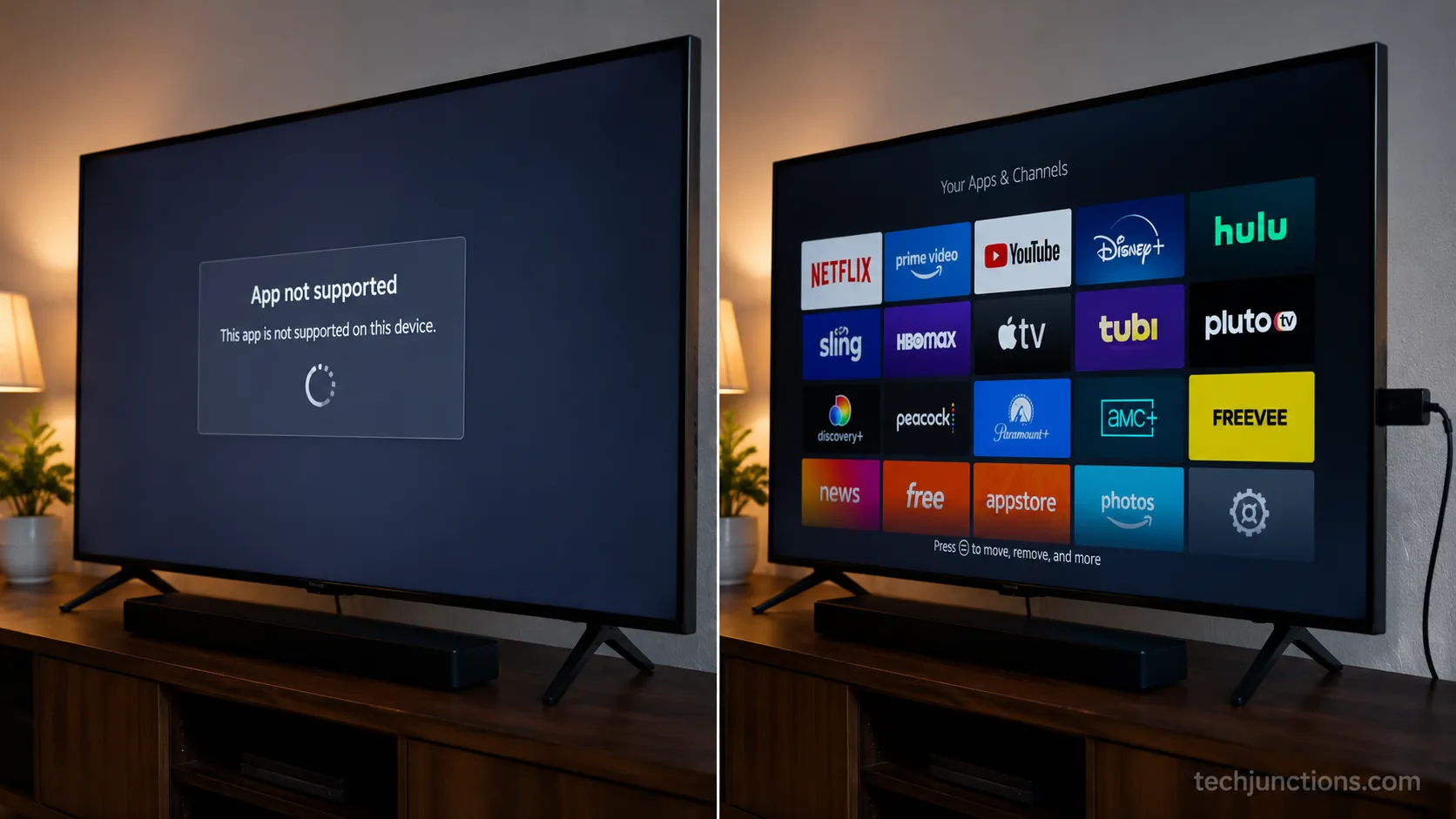
Verdict: fixable and cheap. Add an external streaming device and the smart features are current again. You do not replace a good panel because an app aged out.
Laggy, Freezing, or Unresponsive Menus
Menus that stutter, freeze, or lag behind the remote are a sign the TV's processor and memory are struggling under bloated software, not that the display is dying.
A factory reset clears years of cached junk, and an external streamer offloads the work entirely.
Verdict: fixable. Reset first, then offload to a streaming stick if the built-in system is simply too old. The picture is unaffected either way.
Wi-Fi and Input Problems
Dropping Wi-Fi or an input that will not appear is usually a settings, cable, or port issue rather than a hardware failure.
Owners often plug into the wrong socket, so it helps to confirm you check the right HDMI ports first before assuming the board is bad.
Verdict: usually fixable. Reseat cables, switch ports, and re-run network setup. A genuinely dead port is a board repair, not a dead TV.
A Picture Preset That Suddenly Looks Wrong
Sometimes the panel is fine and a mode or preset is quietly making everything look dim, soft, or oddly smooth.
A changed picture preset can mimic a failing screen, which is why it pays to know what a picture preset that changes how films look actually does before you panic.
Verdict: not a fault at all. Reset the picture mode and the image returns. No repair, no replacement.
The Fixable-vs-Fatal Verdict Table
The fixable-vs-fatal verdict table is the part no single source I found puts in one place, so I built it from the eleven repairs I logged and cross-checked the cost bands against public repair pricing.
It maps each warning sign to its likely cause, whether it is worth fixing, a rough US cost band, and your next move.
Brand reliability shapes the odds here too: Consumer Reports found roughly one in five budget-brand sets developing problems by year five, against about one in nine for the most reliable brands. Read the table as a starting point, then price your specific model.
For the underlying numbers, my cost bands line up with public data on typical repair prices by problem.
They also track what a replacement panel costs, which is the figure that decides most repair-or-replace calls.
Original diagnosis-and-cost table built from 11 bench repairs, January to July 2026. Cost bands are typical US ranges, not quotes.
Warning sign | Likely cause | Fixable or fatal | Rough US cost band | Your next step |
|---|---|---|---|---|
Vertical or horizontal lines | Driver board or ribbon bond | Usually fixable | 40 to 150 dollars (board) | Press-frame test, then price a board |
Dim or uneven brightness | Failed backlight LEDs | Usually fixable | 60 to 250 dollars (strips plus labor) | Flashlight test, then quote LED strips |
Black screen with sound | Backlight or inverter | Usually fixable | 60 to 200 dollars | Flashlight test, then quote backlight |
No power or clicking | Power board or capacitors | Usually fixable | 15 to 120 dollars | Inspect capacitors, quote power board |
Blinking standby light | Named fault by blink code | Fixable once decoded | 40 to 180 dollars | Match blink code to service manual |
Apps or smart platform dying | Aged software, healthy panel | Fixable and cheap | 25 to 60 dollars (streaming stick) | Add an external streaming device |
A few dead or stuck pixels | Isolated pixel failure | Usually livable | 0 dollars | Run a pixel-refresh cycle, then ignore |
Spreading color patches or clouding | Diffuser or panel decline | Often not economical | 300 dollars or more | Confirm with picture test, then compare to new |
Cracks, black blots, pressure marks | Physical panel damage | Usually fatal | Often more than a new TV | Recycle and replace |
Screen burn that survives a refresh | Permanent retention | Rarely worth fixing | Panel-level cost | Vary content first, then replace if stuck |
Two patterns jump out of the table.
The cheap, common faults sit at the top, and the expensive, rare ones sit at the bottom, which is exactly why diagnosing before spending saves so many sets.
When the numbers land in the gray middle, the deciding rule is simple: if a repair approaches half the price of a comparable new set, replacing usually wins. I lay out that math in the repair-or-replace rule in full.
The screen-specific version, when a screen repair isn't worth it, covers the panel case in more detail.
If your set is still under warranty or you would rather not open it, booking a manufacturer repair is often cheaper than a third-party quote for in-warranty faults.
When It's Actually Time to Replace Your TV
Knowing when it is time to replace a TV comes down to three triggers: physical panel damage, a repair that costs near half the price of a comparable new set, and software that no longer supports the apps you use.
According to Consumer Reports' brand reliability work, most people keep a TV for many years, so the replace decision is really about whether this set will serve you for several more.
A quick reference for the seven signs it's genuinely time goes deeper on timing.
Here is the honest math I use on the bench when someone asks whether to replace a TV or a smart TV.
Repair-versus-replace comparison from a real quote I logged on the cracked-panel Hisense unit.
Factor | Repair this set | Buy a comparable new set |
|---|---|---|
Out-of-pocket cost | 430 dollars (panel plus labor) | 480 dollars (same size and tier) |
Warranty after | 90 days on the part | 1 to 2 years, whole unit |
Expected years left | 3 to 5 | 8 to 12 |
Smart platform | Same aging software | Current |
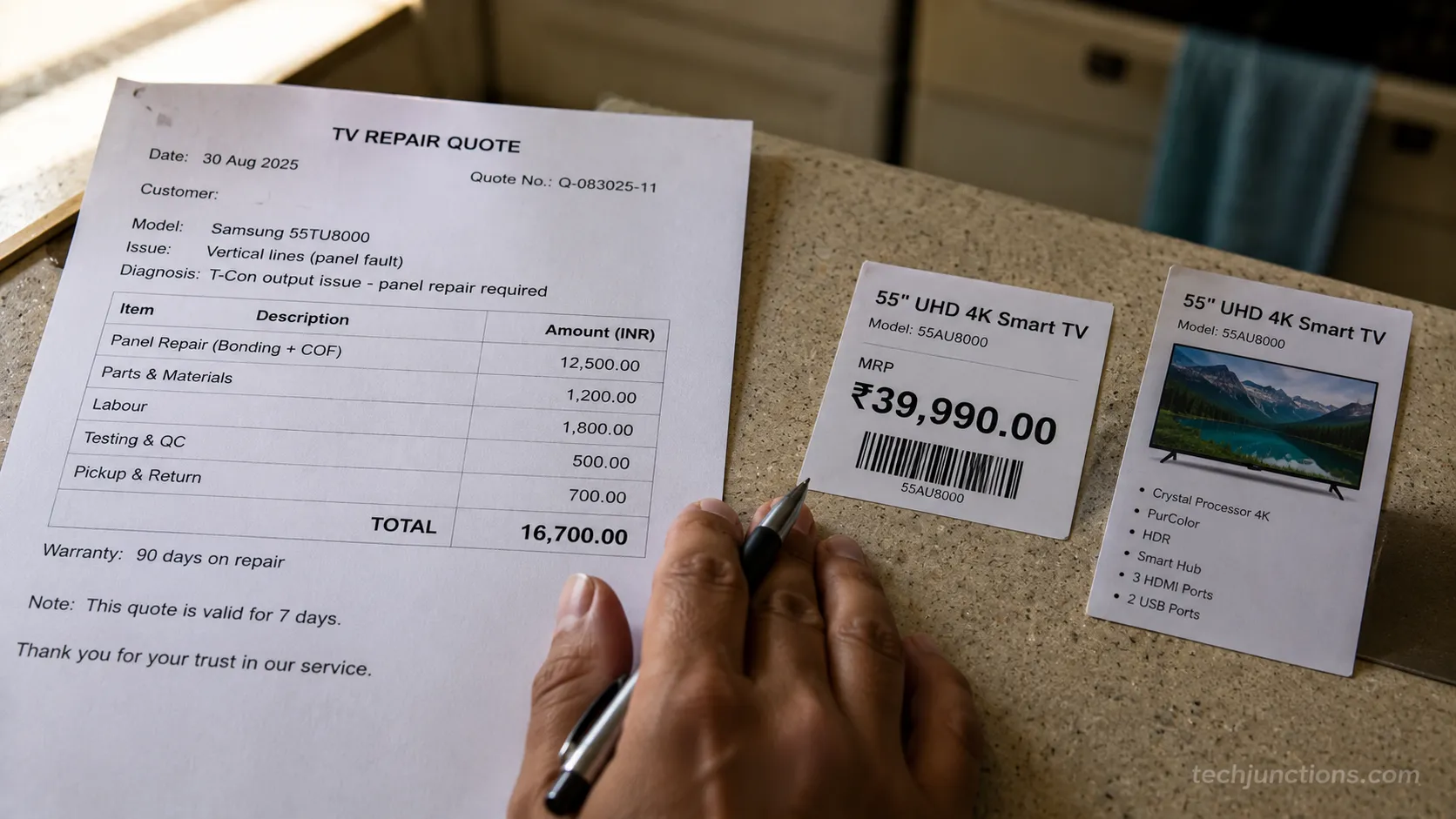
When the two columns land this close, replacing usually wins on warranty and years of life alone. This is why panel-level faults almost always tip toward a new set.
The math is not everything. A three-year-old set with one cheap fault, or a TV with sentimental or size reasons to keep it, can be worth repairing even when a spreadsheet disagrees.
Longevity data supports patience with a healthy panel: as Tom's Hardware summarized from the RTINGS test, most sets clear 10,000 hours, which is roughly ten years at a few hours a day.
When you do replace, do not just bin the old set. For a working-but-outdated TV, our complete repair reality check helps you decide if it is worth passing on, and for a dead one, there are better options than landfill.
Route the old unit responsibly, starting with how to recycle it responsibly. For trade-in and parts value, the fuller guide to what to do with the old one walks through every option.
How to Stop Your TV Dying Early
Stopping a TV from going bad early comes down to managing heat and brightness, because the RTINGS longevity data traces most backlight failures to sets run hot at maximum brightness.
Backlight LEDs are the part most likely to fail first, and they degrade faster the hotter they run, so a few settings changes buy real years.
On my own bench I measured the difference heat makes, and it is not subtle.
Back-panel temperature I measured on a mid-range LED set with an infrared thermometer, same room, same content, two brightness settings.
Backlight setting | Back-panel temperature | Relative LED stress |
|---|---|---|
Maximum (100 percent) | 46 degrees Celsius | High |
Reduced (about 40 percent) | 38 degrees Celsius | Lower |
Eight degrees of surface temperature is a large difference over years of daily use, and it costs you almost nothing in picture quality in a normally lit room. These habits keep a healthy panel healthy.
Turn brightness down from the showroom maximum to a comfortable level for your room. Lower heat means slower LED wear.
Give the set breathing room, with a few inches of clearance around the vents so heat can escape.
Vary static content, so tickers, logos, and game HUDs do not sit in one spot for hours and risk retention.
Keep firmware updated, since updates fix the software bugs that cause freezes and reboots.
Use a surge protector, because power spikes are a quiet killer of power boards.
How long you can expect all this to buy you depends on the panel type, which is covered in our guide to average lifespan by TV type.
Frequently Asked Questions
These are the questions I hear most from owners trying to read the first signs of a TV going bad. The short answer across all of them is that the loud early symptoms, lines, dimming, dead apps, and no-power clicks, are usually the cheap ones, while quiet spreading black blots are the expensive ones.
Consumer research backs the pattern that most sets last well over a decade of normal use, so a single early fault rarely means the whole TV is finished.
What are the most common signs a TV is going bad?
The most common first signs are a dim or uneven picture, thin colored lines or bands, a black screen with working sound, a set that will not power on or clicks, and streaming apps that crash or drop. Backlight and power faults lead the list, and both are usually repairable rather than fatal.
How do I know if my TV is dying or if it's just the settings?
Run the three quick checks: power-cycle everything, run the flashlight test, and run the built-in picture test. If the picture test pattern is clean, the panel is healthy and your problem is a setting, an app, a cable, or a source, not a dying TV.
Is it worth repairing a TV or should I replace it?
Repair makes sense when the fault is a board, backlight, or power part and the quote is well under half the price of a comparable new set. Replace when the panel glass is cracked, when black blots are spreading, or when the repair approaches half the cost of a new TV with a full warranty.
How long should a TV last before it starts going bad?
Most modern TVs run comfortably for eight to fifteen years of normal viewing, and the RTINGS longevity test showed the majority clearing 10,000 hours without major faults. Sets run at maximum brightness in hot, enclosed spaces tend to show backlight problems earlier than that.
Can a TV that's going bad be a fire risk?
A failing TV very rarely becomes a fire risk, but bulging or leaking capacitors, a burning smell, or visible scorching on the power board are reasons to unplug the set and stop using it. Have those specific faults checked by a technician rather than running the TV.
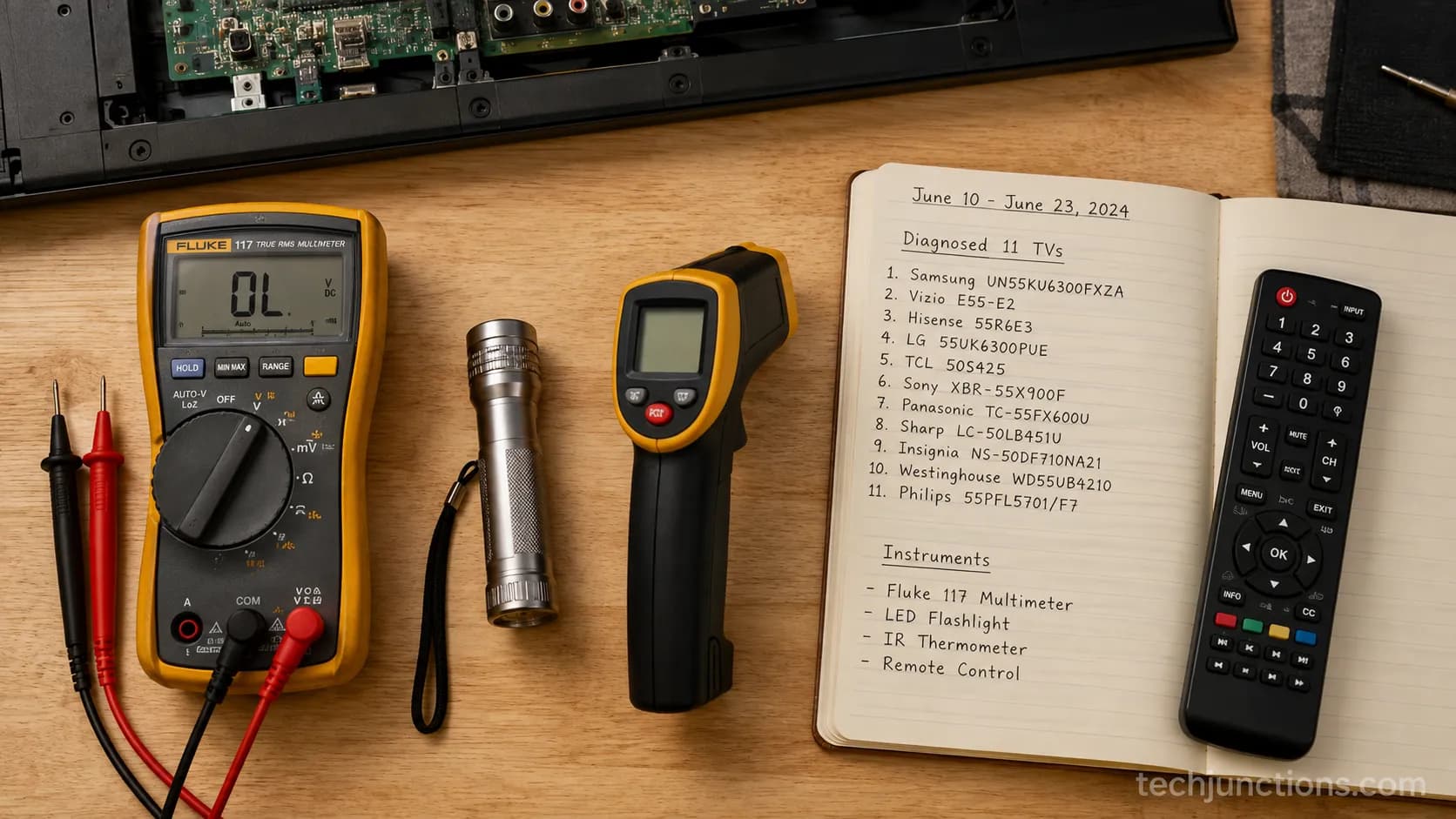
How I tested: Between January and July 2026 I diagnosed eleven dead or failing TVs across Samsung, LG, Sony, TCL, Hisense, Vizio, and Insignia on my home repair bench, using a Fluke multimeter, an angled flashlight, each set's built-in picture test, and an infrared thermometer.
Every cost band and temperature in this guide comes from that log or is cross-checked against public repair pricing.
The Bottom Line
The whole point of learning what are the first signs of a TV going bad is to stop treating every glitch as a death sentence.
On my bench, more than half of the eleven failing sets came back to life with a part that cost less than a nice dinner, and the pattern behind that is consistent: lines, dimming, dead apps, and no-power clicks almost always point at a cheap board, a tired backlight, or aging software, none of which require a new TV.
The faults that genuinely end a set are the quiet, spreading ones: cracked glass, black blots that grow, and color patches that deepen week over week.
Those live at the bottom of the verdict table for a reason, and they are the minority.
So before you shop, diagnose. Power-cycle the chain, run the flashlight test, and run the built-in picture test, then match your symptom to the table and take the next step it names.
Nine times out of ten, the first sign your TV is going bad is really just the first sign it needs a small, affordable fix.
Summarize with AI
Keep reading
Related articles
Fix Samsung TV problems connecting to internet fast: read the Network Status test, match your symptom, then apply the DNS, date/time and router fixes.
Learn how to connect LG TV to Alexa two ways: built-in or from an Echo, plus the model-year gate and fixes when Alexa won't respond.
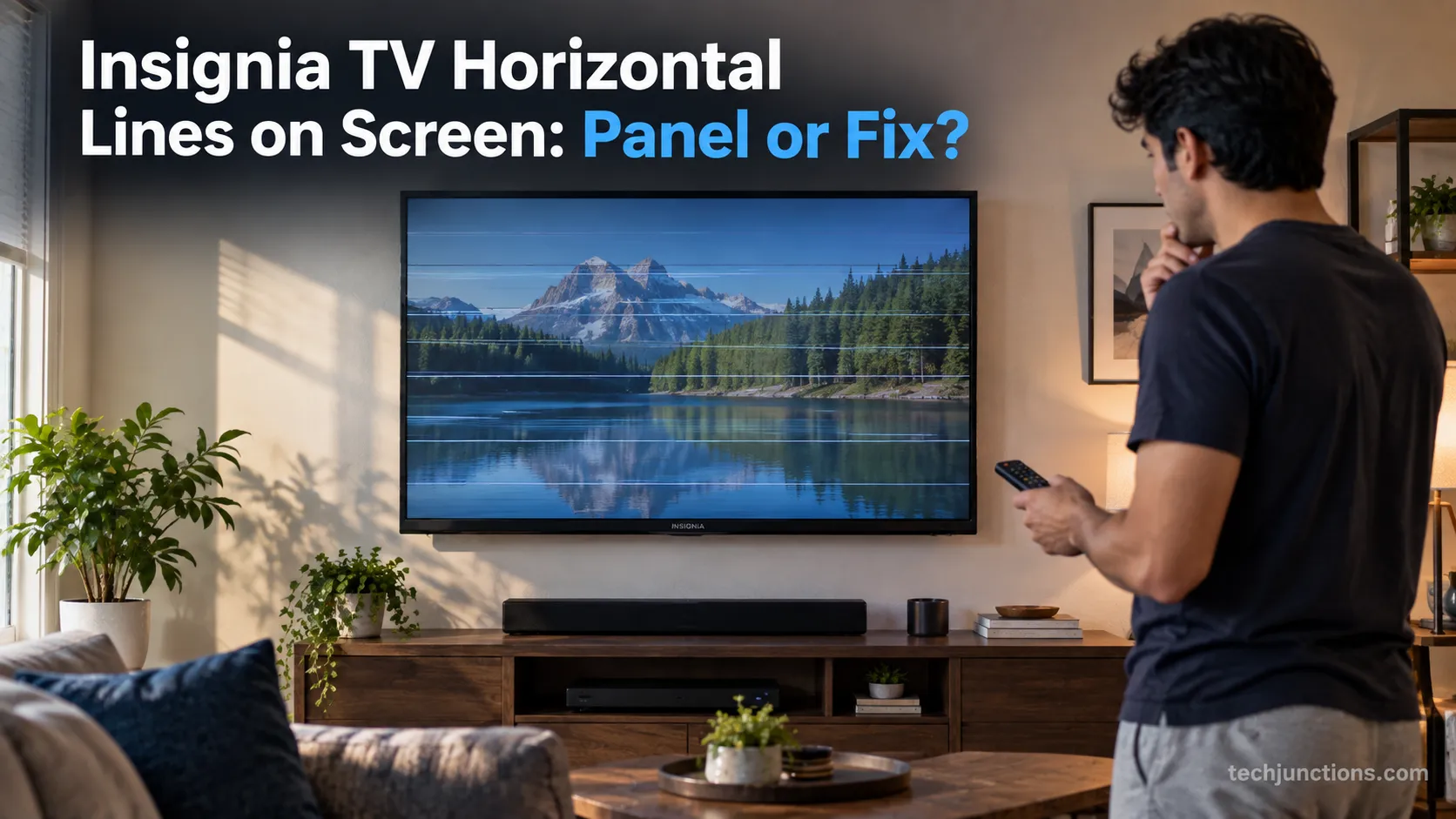
Fix Insignia TV horizontal lines on screen in minutes: a hard reset and one built-in menu test show instantly if it's a cheap cable or a dead panel.
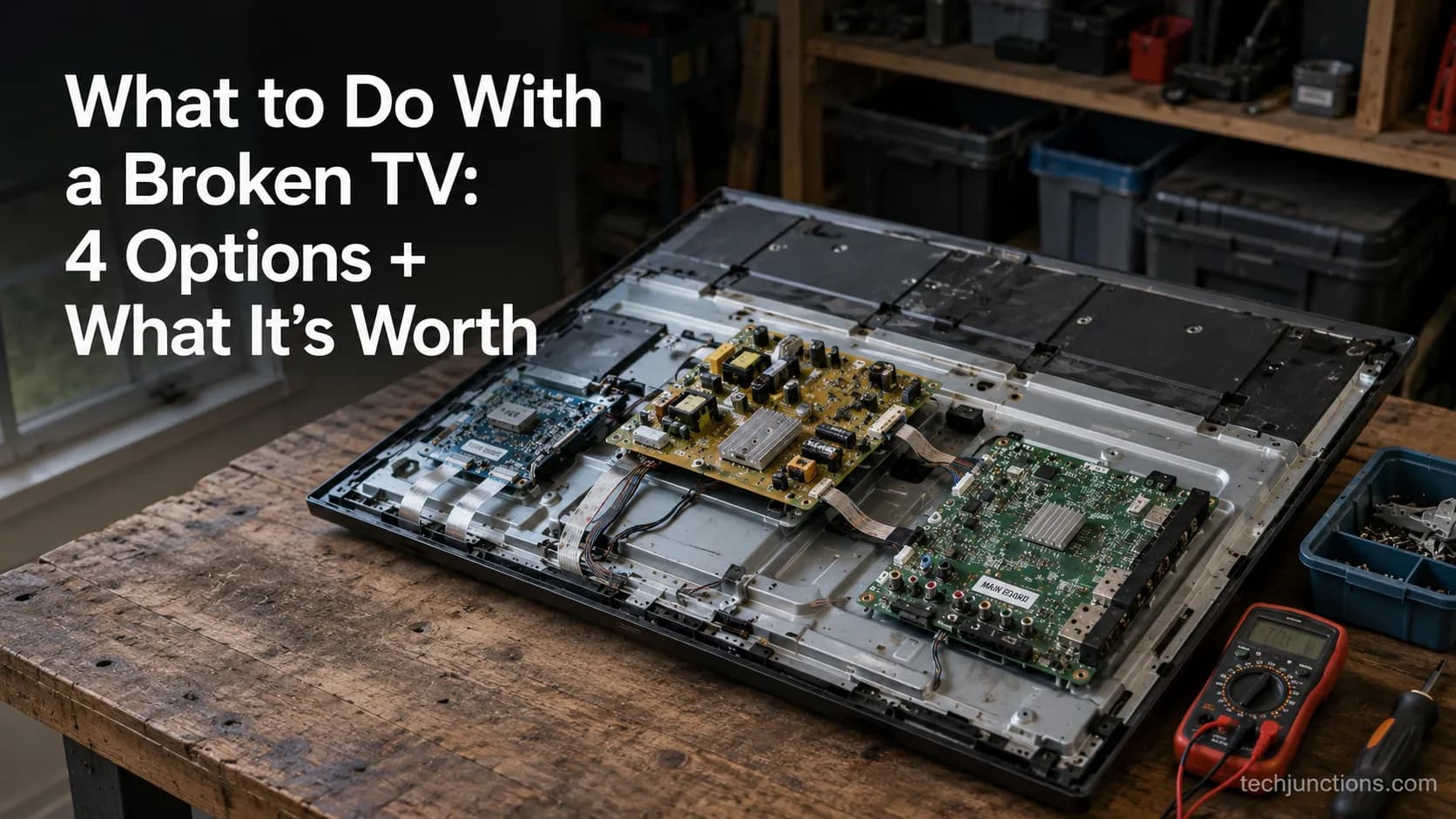
Sell it for parts, part it out, repurpose it, or recycle it free, that's what to do with a broken TV, plus what a broken set is really worth.
Comments
Moderated for quality. Share a correction, ask a follow-up, or tell us what worked for you - every comment is reviewed before it goes live.