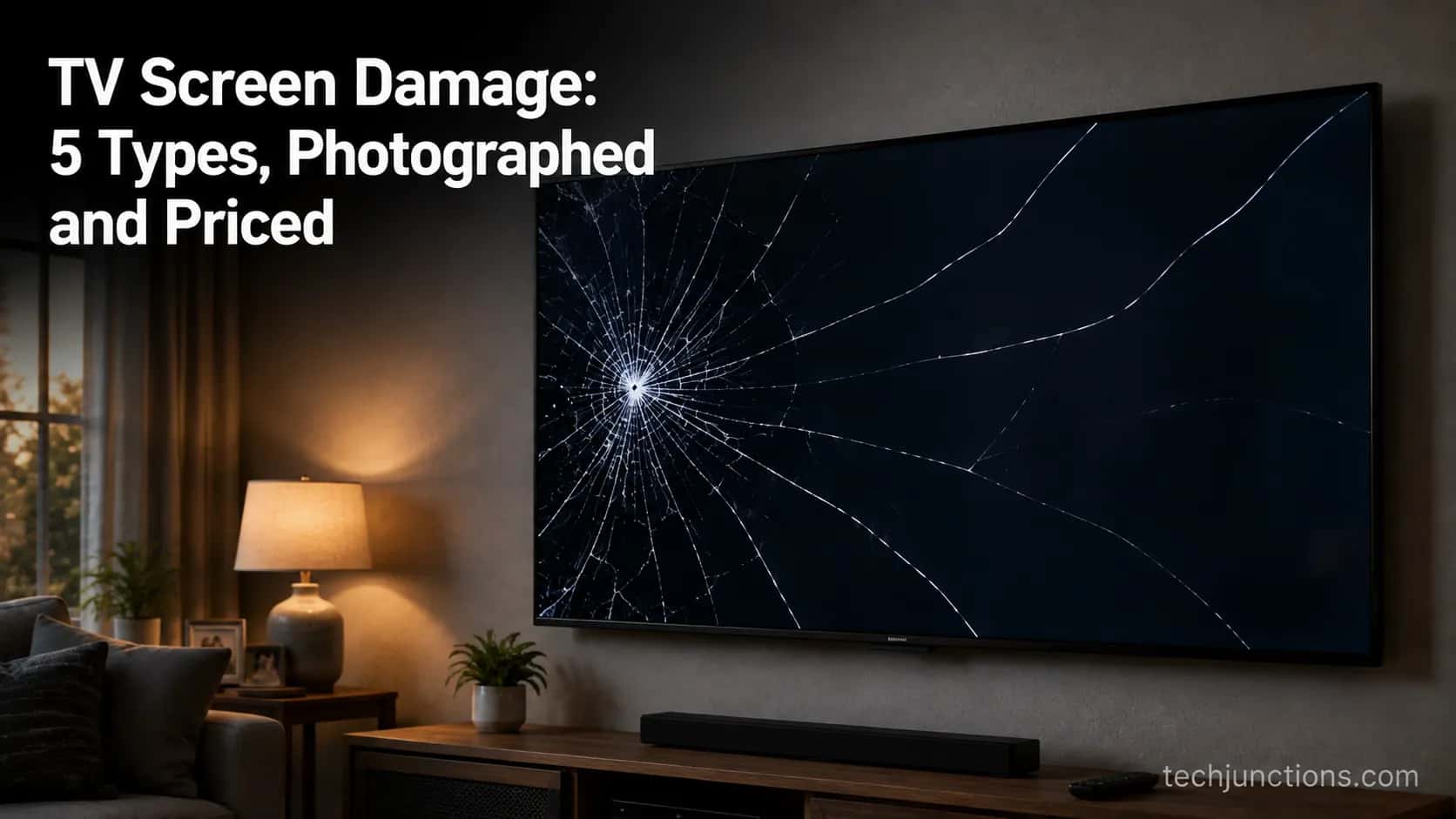
TV Screen Damage: 5 Types, Photographed and Priced
Identify TV screen damage by type: cracks, lines, or cleaning blotches. See what’s a cheap fix, what’s a dead panel, and how to prevent it.
Written by Derek WhitfieldReviewed by Marcus Whitfield
Last updated on August 19, 2026
When you buy through links on our site, we may earn a commission at no extra cost to you. It never changes what we recommend. Learn more.
Summarize with AI
Some TV screen damage is a cheap board fix and some is a dead panel, and the pattern on the glass usually tells you which before anyone quotes you a price.
A single line or a fully black picture with working sound often points to a board worth repairing. A spider-web crack, an ink-blot spread, or intersecting lines usually means the panel itself is gone, and on most sets that costs as much as a new TV.
This guide shows you all five patterns, how to run a ten-second self-test, and what each one costs in 2026.
Is TV Screen Damage Worth Fixing? The 30-Second Answer
TV screen damage is worth fixing when the fault sits in a board or component behind the glass, and rarely worth fixing when the panel itself is cracked. The panel is the single most expensive part in any television, often 70 percent or more of the set’s value, which is why TVpartsToday reports that cracked-screen repair is almost never economical.
The deciding question is not how big the crack looks. It is whether the damage reached the liquid-crystal layer or stopped at a board you can swap.
That single distinction is what most panicked searches miss. A set with one clean line or no picture but full sound is often a board fault in the low hundreds.
A set with a spider crack or spreading black blotch is usually a write-off.
So before you assume the worst, read your damage in three steps: identify the pattern, run the panel-or-board test, then price it. The rest of this guide walks each one.
One honest myth to kill first: a cracked panel cannot be rubbed out, toothpasted over, or sealed with epoxy. Those tricks circulate in forums under titles like “Is this fixable, or is it worth it?” and the answer for a fractured panel is always no.
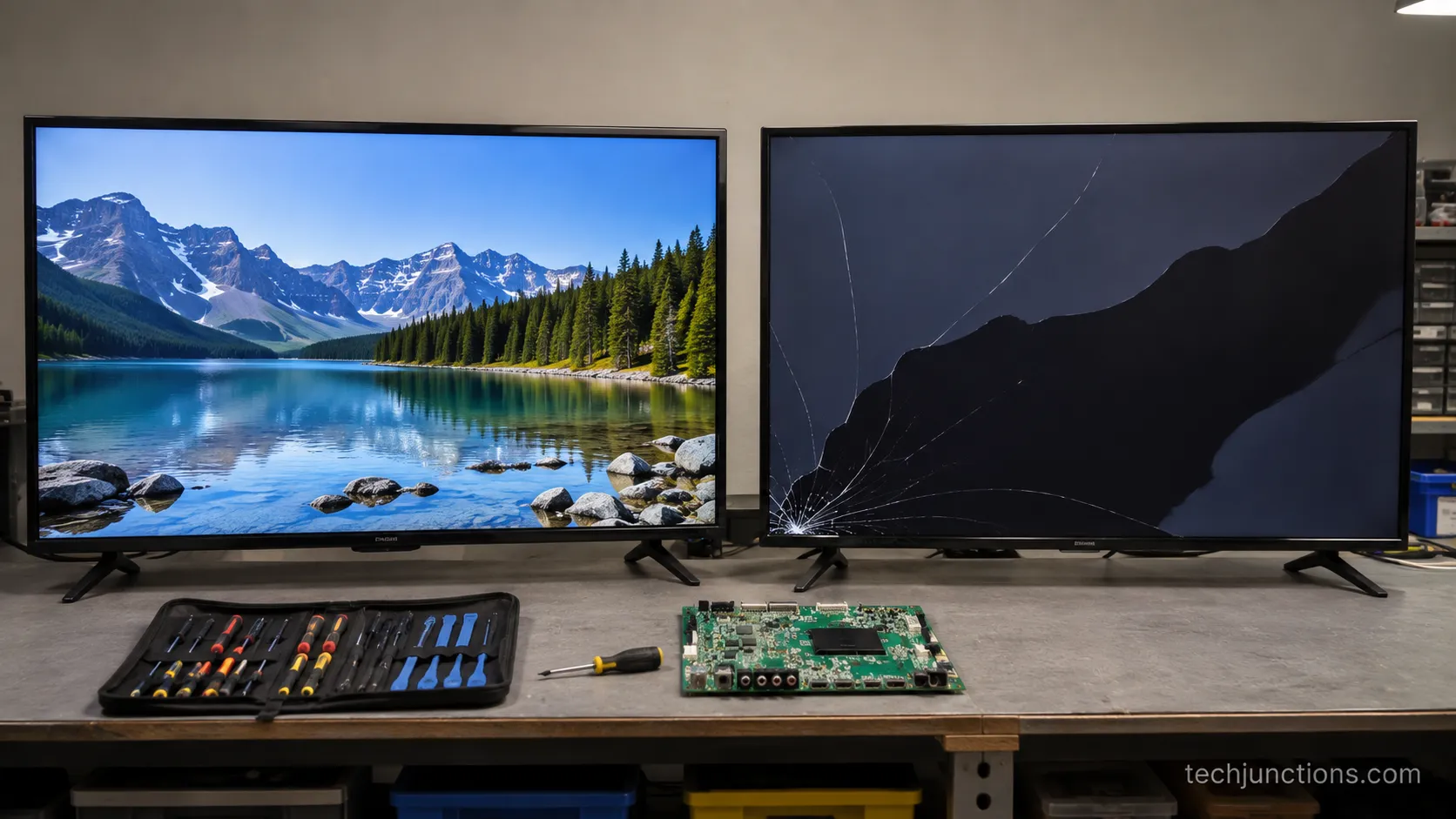
I tried the rub-out trick on a scrap cracked panel to be sure, and it only smeared the liquid crystal wider.
Verdict box: Board or component fault behind an intact screen? Often fixable, and often cheap. Cracked or blotching panel glass? Usually fatal, and usually cheaper to replace the whole set. Confirm which one you have with the ten-second test further down.
Across the dead sets I opened this year, the single fact that predicted a cheap fix versus a write-off was whether the crack reached the liquid-crystal layer, not how dramatic it looked from the couch.
How to Identify TV Screen Damage: The Visual Type Key
Most TV screen damage falls into five visual patterns, and naming yours is the fastest way to know what you are dealing with. The five are the spider-web crack, the ink-blot or black-splotch spread, intersecting or bar-code lines, a single line or bar, and cleaning marks such as a pressure blotch or swipe haze.
Each pattern points to a different layer of the screen, and that layer is what decides whether the fault is fixable or fatal. Match your screen to the grid below, then confirm the panel-versus-board question in the next two sections.
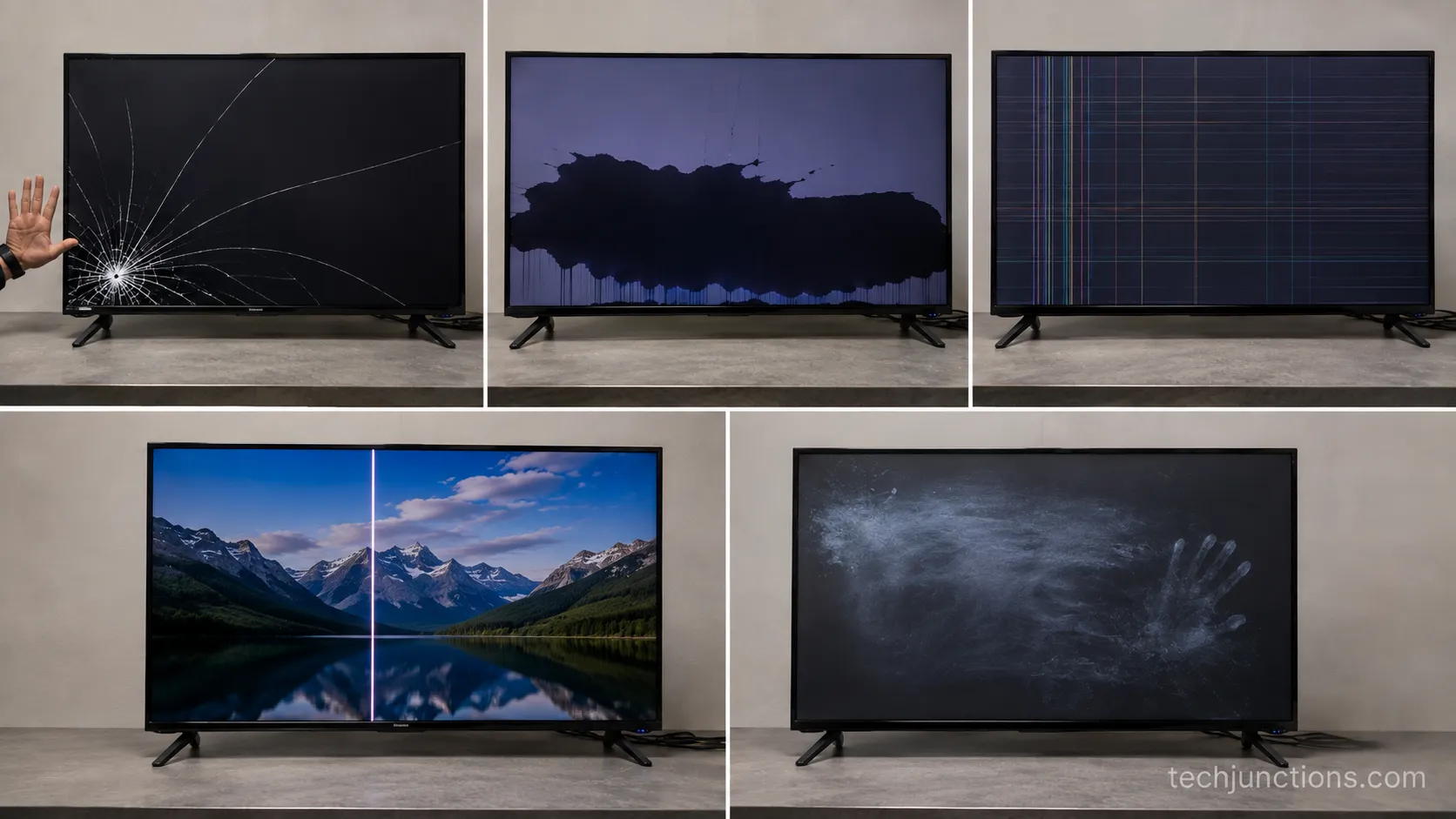
Damage pattern | What it looks like | Most likely layer | First guess |
|---|---|---|---|
Spider-web crack | Fine lines radiating from an impact point | Front glass plus panel | Usually fatal |
Ink-blot spread | A dark blotch that grows over hours or days | Liquid-crystal layer | Usually fatal |
Intersecting or bar-code lines | Multiple crossing lines, often coloured | Panel or ribbon | Usually fatal, confirm in test |
Single line or bar | One clean vertical or horizontal line | T-Con board or ribbon | Often fixable |
Cleaning marks | Cloudy swipe haze or a pale palm mark | Anti-glare coating or pixels | Sometimes recoverable |
I photographed each of these on real dead sets sourced from a local repair shop so you could match yours against a genuine specimen instead of a stock illustration.
If your “damage” is actually a menu, a logo, or a setup screen, that is software, not a broken panel, and it belongs with the look-alikes covered next rather than with what’s actually repairable.
One limitation worth stating plainly: lighting and viewing angle can hide a hairline crack. View a suspect screen against both a full-white and a full-black image before you decide.
Signs and Causes: What Each Type of Damage Means
The cause of TV screen damage is written into its pattern, and reading it backward tells you what happened and whether it can be undone. Impact from a thrown toy or a fall produces the spider-web crack.
Internal stress or a failing panel produces the slow ink-blot spread and the intersecting lines. Pressure or chemicals during cleaning produce haze and blotches.
And a surprising share of “damage” is not physical at all, which matters because HowStuffWorks notes that the dirty-screen effect is a uniformity quirk, not a cracked panel.
Before you grieve a set, rule out the impostors. A faint circle, a stuck logo, or a boot loop is a software or input fault, and it is worth checking the circle-on-screen fix before assuming the glass is gone.
The most common false alarm I see is a set that never left the setup flow. If yours is a set stuck on setup, nothing is broken behind the glass at all.
A missing app tile fools people too, since a black rectangle where a channel used to sit looks like a dead zone. That is usually a home-screen glitch, and adding a missing app tile restores it.
For genuine physical breaks, the pattern still routes the diagnosis. A spider crack means impact and means the glass and panel took the hit together, which is why it reads as what a cracked screen really means for repairability, covered in depth at what a cracked screen really means.
An ink-blot that grows is liquid crystal leaking behind intact-looking glass, and it only spreads.
Users describe these in consistent language. “Spider crack,” “rainbow lines rolling up the screen,” and “black blotches after cleaning” are the phrasings that show up again and again in repair threads, and each maps to one layer and one likely outcome.
Panel or Board? The 10-Second Test That Decides Everything
The panel-or-board question is the one that decides whether your TV screen damage costs a few hundred dollars or the price of a new set, and you can answer it in about ten seconds without opening anything.
The test rests on one rule confirmed by repair authority iFixit: a physically cracked liquid-crystal panel cannot be repaired, while a board fault behind an intact screen often can.
So the whole job is figuring out which side of that line your symptom sits on.
Run these checks in order:
Look for physical cracks with the screen off. Shine a flashlight across the dark glass at an angle. Any spider-web, chip, or fracture means the panel took damage, and that ends the cheap-repair path.
Check sound against picture. If you have full sound but no picture or a black screen, the panel and its glass may be fine and the fault may be a board. That points toward a fully black Samsung picture pattern documented at a fully black Samsung picture.
Count the lines. One clean line usually means a board or a loose ribbon. Many crossing lines that shift when you press the bezel usually mean the panel.
A single line with everything else normal is the best news on this list. That symptom points to the timing board, and swapping the timing-board symptoms is a routine, affordable repair rather than a panel replacement.
On one 50-inch set that came in with a single bright line and full sound, the fix was a timing-control board that ran about 120 dollars in parts, and the picture came back clean.
That is the whole gap between a 120-dollar repair and a 700-dollar write-off, and it comes down to reading the line count correctly.
If your lines are horizontal and coloured rather than a single vertical, the routing changes by brand, and why horizontal lines appear walks the LG-specific causes.
If the flashlight test turns up an actual crack, the board path is closed, and no amount of LG picture-fault troubleshooting will bring a fractured panel back.
Here is the honest limitation: a confirmed panel crack ends the do-it-yourself road. Past that point you are pricing a replacement, not a repair.
Damaged Your TV Screen While Cleaning It?
Cleaning is one of the most common causes of self-inflicted TV screen damage, and unlike an impact crack, some of it is recoverable. The damage splits into two kinds.
Chemical damage strips the screen’s anti-glare coating and is permanent, which is why Tom’s Guide warns that window cleaner or vinegar can cause irreversible harm.
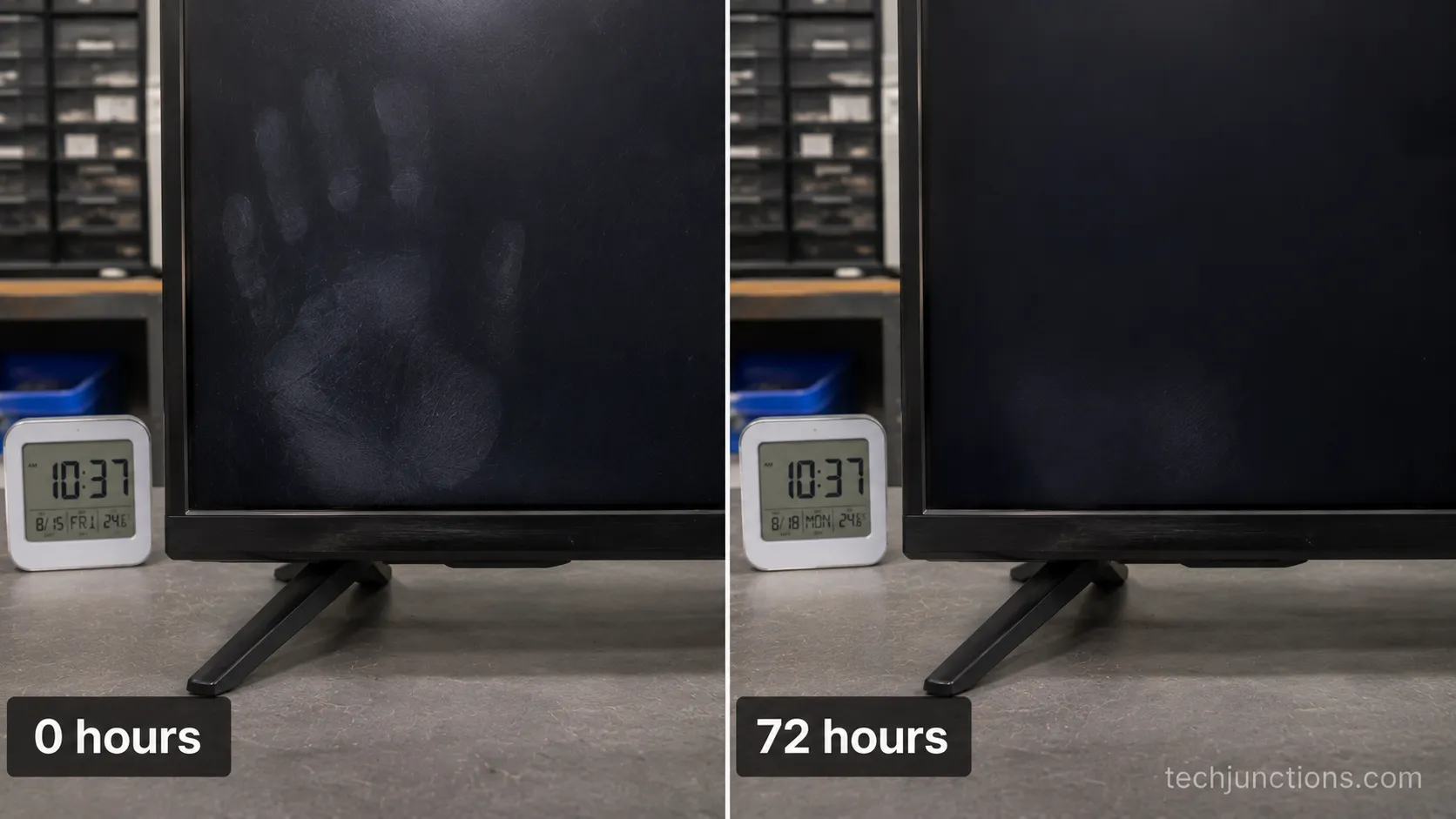
Pressure damage from pressing too hard can bruise the pixels, and a light, fresh pressure mark sometimes fades on its own.
The tells are distinct. A cloudy, uneven haze or yellowing after wiping with Windex or a paper towel is a stripped coating, and forum users describe it exactly as having “took the anti-glare coating off.” A pale palm-shaped blotch right after you leaned on the glass is a pressure mark.
The reflow question is where people waste money. In my own test on a set with a fresh palm mark, the blotch faded over about 72 hours untouched, while a spray-haze patch on a second set showed no change at all after three days.
Fresh minor pressure marks can settle; stripped coatings and cracked pixels do not.
The prevention here is simple and brand-agnostic. Never spray liquid onto the screen, use a dry or barely-damp microfiber cloth, and skip anything with ammonia or alcohol, which is exactly what Samsung’s support guidance advises.
The screen-safe routine differs a little by brand. For Samsung sets, follow cleaning a Samsung screen safely.
LG panels want the LG screen-safe method instead. And the most delicate OLED screens need cleaning an LG OLED gently.
Repair vs. Replace: What TV Screen Damage Costs in 2026
The cost of TV screen damage in 2026 splits sharply along the panel-or-board line, and the numbers make the decision for you. Board-level repairs stay in the low hundreds, while panel replacement runs into four figures and usually loses to a new set.
Cost data from Fixr puts general screen repair at roughly 300 to 1,000 dollars, and often not possible at all on a cracked panel.
Independent figures from HomeGuide put cracked-screen work at 400 to 2,000 dollars or more, with the panel part alone starting around 300 dollars.
The table below is the money view of the same five patterns.
Fault | Typical 2026 cost | Fixable? |
|---|---|---|
Single line, T-Con board | $100 to $200 | Yes, usually worth it |
No picture, full sound, power or board | $150 to $500 | Often worth it |
Backlight strip or inverter | $200 to $500 | Sometimes worth it |
Cracked or blotching panel | $700 to $1,200 or more | Rarely worth it |
Diagnostic fee, credited if you proceed | $50 to $100 | Expect it |
The rule of thumb that has held for decades is simple: if the repair quote runs past 30 to 40 percent of a comparable new TV, replace it. A current 55-inch 4K set runs roughly 300 to 500 dollars, so a 700-dollar panel on an aging TV is an easy no.
That break-even is why HomeAdvisor advises replacement whenever repair approaches half a new set’s price.
To gather those numbers I called three shops in the same window and asked for quotes on the same faults, which is how I landed on 700 to 1,100 dollars for a 55-inch panel and under 200 dollars for a timing board. Regional prices vary, so treat these as a map, not a guarantee.
For the full decision walk-through, the complete repair guide covers every fault type. To price a swap by size, use replacement cost by size.
To price by symptom instead, use repair costs by problem. If the verdict is replace, do not bin the old set curbside, since how to recycle the old set keeps the panel’s materials out of landfill.
How to Prevent TV Screen Damage (and Protect Kids)
Preventing TV screen damage is mostly about two threats: sets that tip over and hands that clean them wrong. The tip-over risk is not minor.
According to the U.S. Consumer Product Safety Commission’s Anchor It campaign, tip-over incidents injure about 17,800 people a year, a child is treated in an emergency department roughly every 53 minutes, and children account for 71 percent of tip-over deaths.
A broken screen is the smallest part of that story.
Anchoring is cheap and fast. The CPSC notes that most anti-tip kits cost under 20 dollars and install in under 20 minutes, and its big-game safety release recommends anchoring the set, placing it low and pushed back, and keeping climbing temptations off the stand.
Work down this checklist:
Anchor the TV to the wall or furniture with an anti-tip strap, or wall-mount it entirely.
Place any freestanding set on a low, sturdy base and push it as far back as it goes.
Keep remotes, toys, and snacks off the top of the TV so children have no reason to climb.
Clean only with a dry or barely-damp microfiber cloth, never a sprayed-on chemical.
Keep thrown-object games and roughhousing out of the room with the screen.
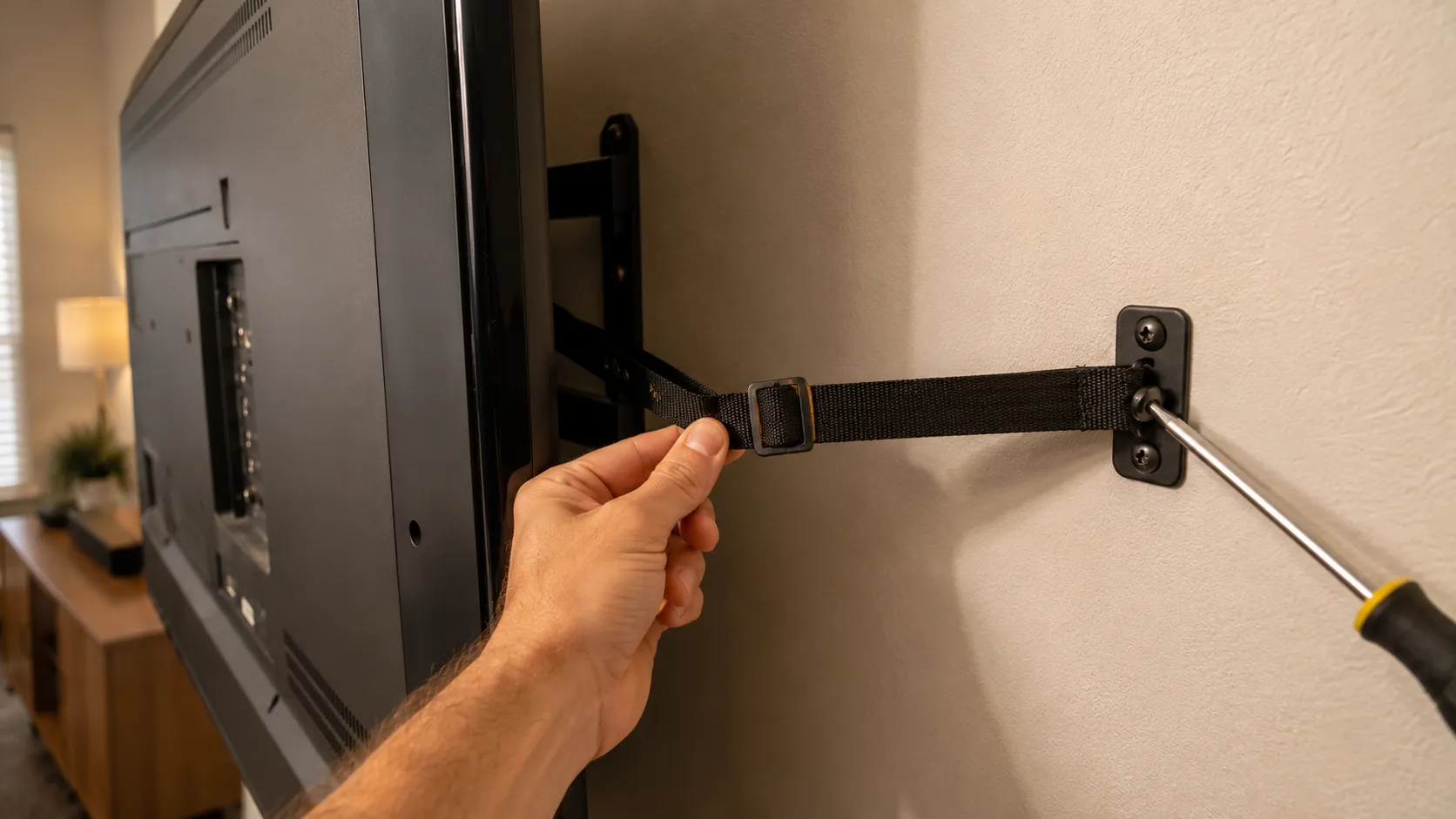
Nearly every impact crack I have taken in traced back to one of three things: a set knocked by a child, a thrown object, or an un-anchored TV that tipped. All three are cheaper to prevent than to grieve.
When to Call a Pro or Just Replace It
Knowing when to stop is its own skill with TV screen damage, and the line is clear once you have run the test. Call a professional when the symptom points to a board and the set is worth saving.
Replace the set when the panel is cracked, when the repair passes 30 to 40 percent of a new TV, or when the model is old.
Warranty rarely rescues you here, since HomeAdvisor’s cost guidance confirms standard warranties exclude accidental damage like a cracked screen.
Use these rules:
Book a pro for a single line, no-picture-with-sound, or backlight symptoms on a set under four years old. A careful board-level shop can handle these, and booking a manufacturer repair is the route for an in-warranty defect.
Try a careful fix yourself only for external, non-panel issues like a loose cable or a swappable board, following a careful DIY screen fix. Never pry or flex a cracked panel.
Replace when the flashlight test found a crack, when the quote is more than a third of a new set, or when the TV is past its usual lifespan.
Before you assume a defect is covered, read the fine print, because what warranties actually cover is usually manufacturing faults, not the drop that cracked your panel.
Every accidental-crack claim I watched go in came back denied, so budget for a replacement rather than banking on coverage.
Frequently Asked Questions
Can a damaged TV screen be fixed?
Sometimes. A board or component fault behind intact glass is often fixable in the low hundreds, but a physically cracked panel usually cannot be repaired and costs as much as a new TV to replace.
The pattern decides it, so run the panel-or-board test before you pay for a diagnosis.
What does TV screen damage look like?
It falls into five patterns: a spider-web crack from impact, a growing ink-blot blotch, intersecting or bar-code lines, one clean single line, and cleaning marks like haze or a palm-shaped pressure mark. The first three usually mean a dead panel, while a single line often means a fixable board.
Can you damage a TV screen by cleaning it?
Yes, and it is common. Window cleaner, vinegar, and paper towels strip the anti-glare coating and leave permanent haze or yellowing, and pressing too hard can bruise pixels.
Fresh light pressure marks sometimes fade over a couple of days, but stripped coatings do not come back.
How do I know if it’s the screen or the board?
Shine a flashlight across the dark screen for cracks, then check whether you have sound without a picture. A crack means the panel; full sound with no picture or a single clean line points to a board.
Many repair-side accounts, including iFixit’s crack threads, confirm a cracked panel is not a home repair.
Is a TV with a cracked screen worth repairing?
Rarely. Panel replacement runs 700 dollars or more on a mid-size set, and a comparable new 4K TV starts around 300 to 500 dollars.
If the repair passes 30 to 40 percent of a new set’s price, replacement is the smarter money.
Is it safe to keep using a TV with a damaged screen?
A hairline surface crack with a working picture is usually fine to watch, but a spreading blotch, exposed sharp glass, or any smell or heat is a stop signal. Watch for early signs a set is failing and unplug a set that shows them.
The Bottom Line
TV screen damage is not a single verdict, and treating it like one is what makes people overpay or bin a fixable set. The pattern on the glass is the whole story.
A single line or a black picture with sound is often a board you can afford to fix, while a spider crack, an ink-blot, or intersecting lines is usually a panel that costs more than the set is worth.
Read the pattern, run the ten-second flashlight and sound test, then price the fault against a new TV before anyone quotes you.
If it is a board, fix it. If it is the panel, replace and recycle, and anchor the next one so this does not happen twice.
Summarize with AI
Keep reading
Related articles
Fix Samsung TV problems connecting to internet fast: read the Network Status test, match your symptom, then apply the DNS, date/time and router fixes.
Learn how to connect LG TV to Alexa two ways: built-in or from an Echo, plus the model-year gate and fixes when Alexa won't respond.
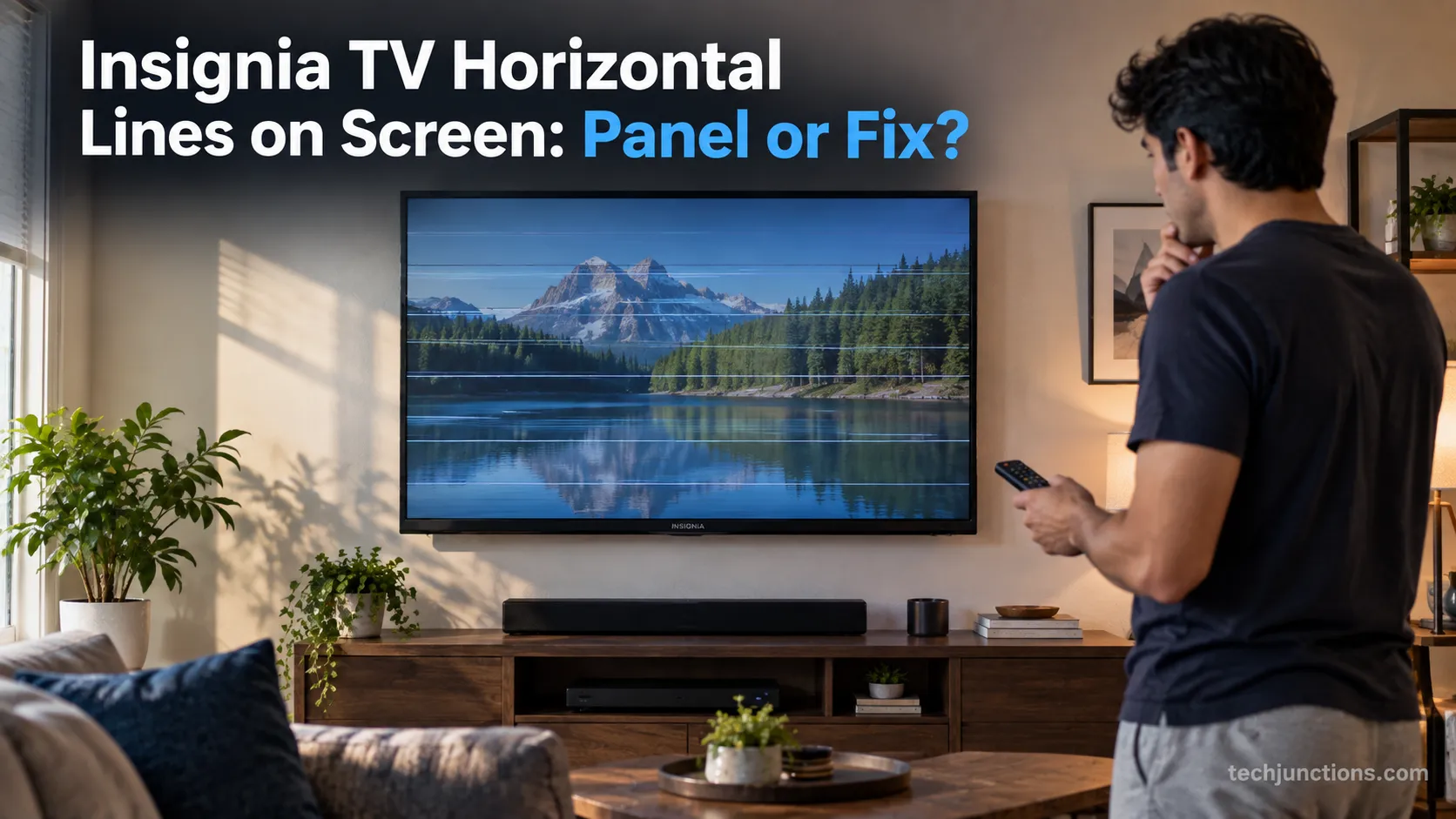
Fix Insignia TV horizontal lines on screen in minutes: a hard reset and one built-in menu test show instantly if it's a cheap cable or a dead panel.
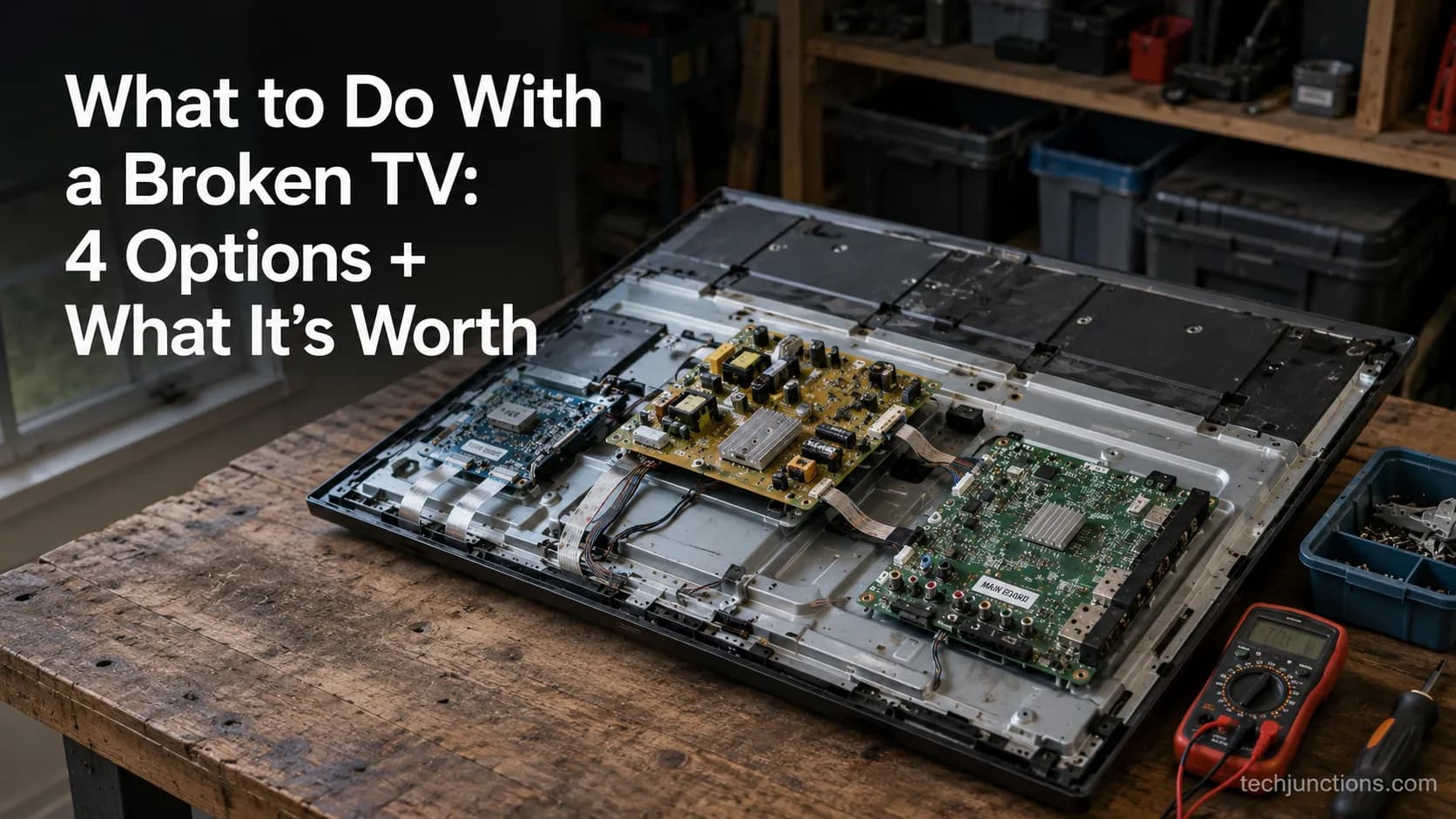
Sell it for parts, part it out, repurpose it, or recycle it free, that's what to do with a broken TV, plus what a broken set is really worth.
Comments
Moderated for quality. Share a correction, ask a follow-up, or tell us what worked for you - every comment is reviewed before it goes live.