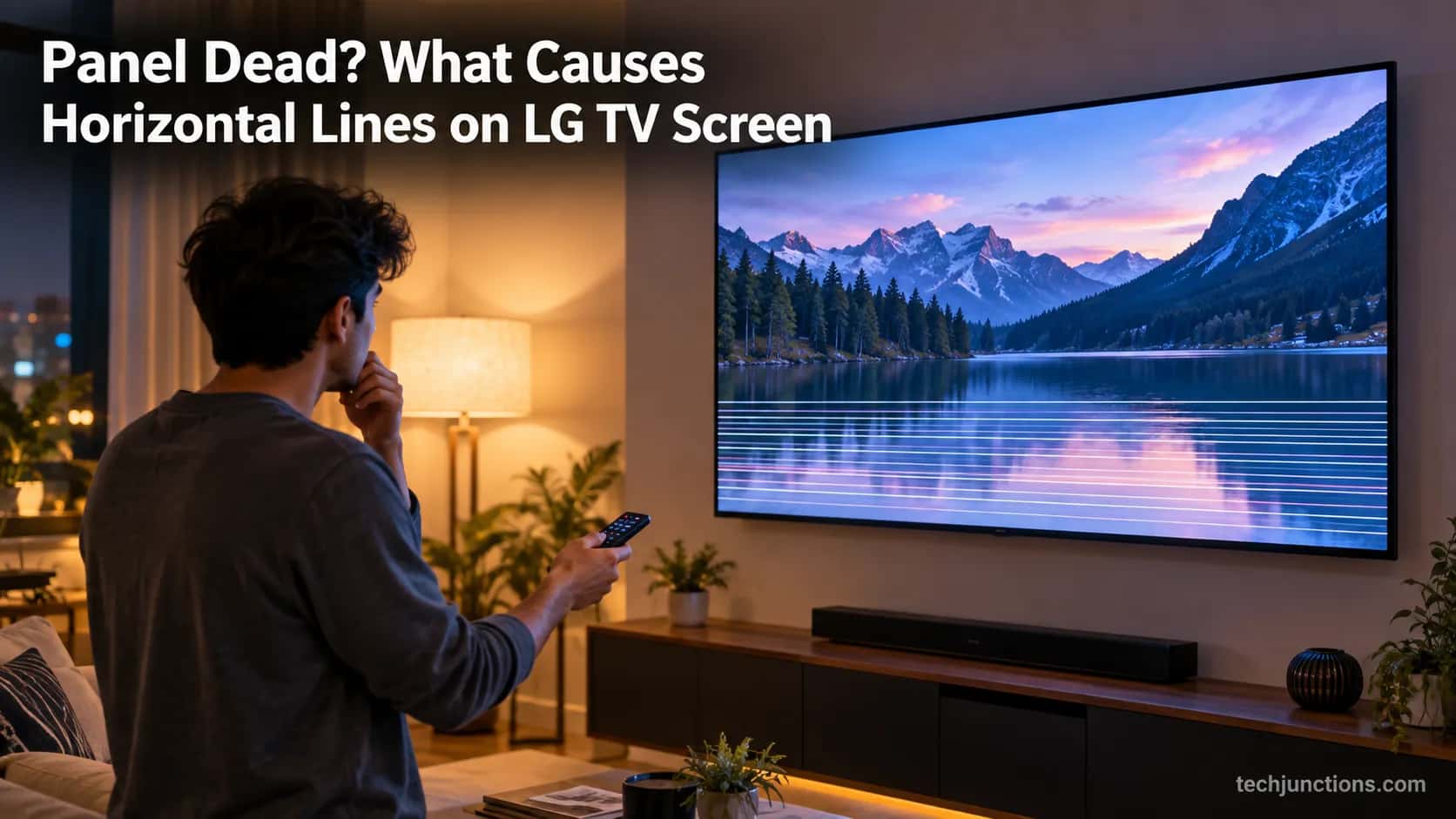
Panel Dead? What Causes Horizontal Lines on LG TV Screen
Diagnose what causes horizontal lines on LG TV screen in one Picture Test, tell a signal glitch from a dead panel, and see 2026 repair-vs-replace costs.
Written by Priya RamanReviewed by Marcus Whitfield
Last updated on September 26, 2026
When you buy through links on our site, we may earn a commission at no extra cost to you. It never changes what we recommend. Learn more.
Summarize with AI
Horizontal lines on an LG TV come from one of four things: a bad signal or cable, outdated firmware or a temporary glitch, a loose T-Con or ribbon cable, or a failing gate driver or dead panel.
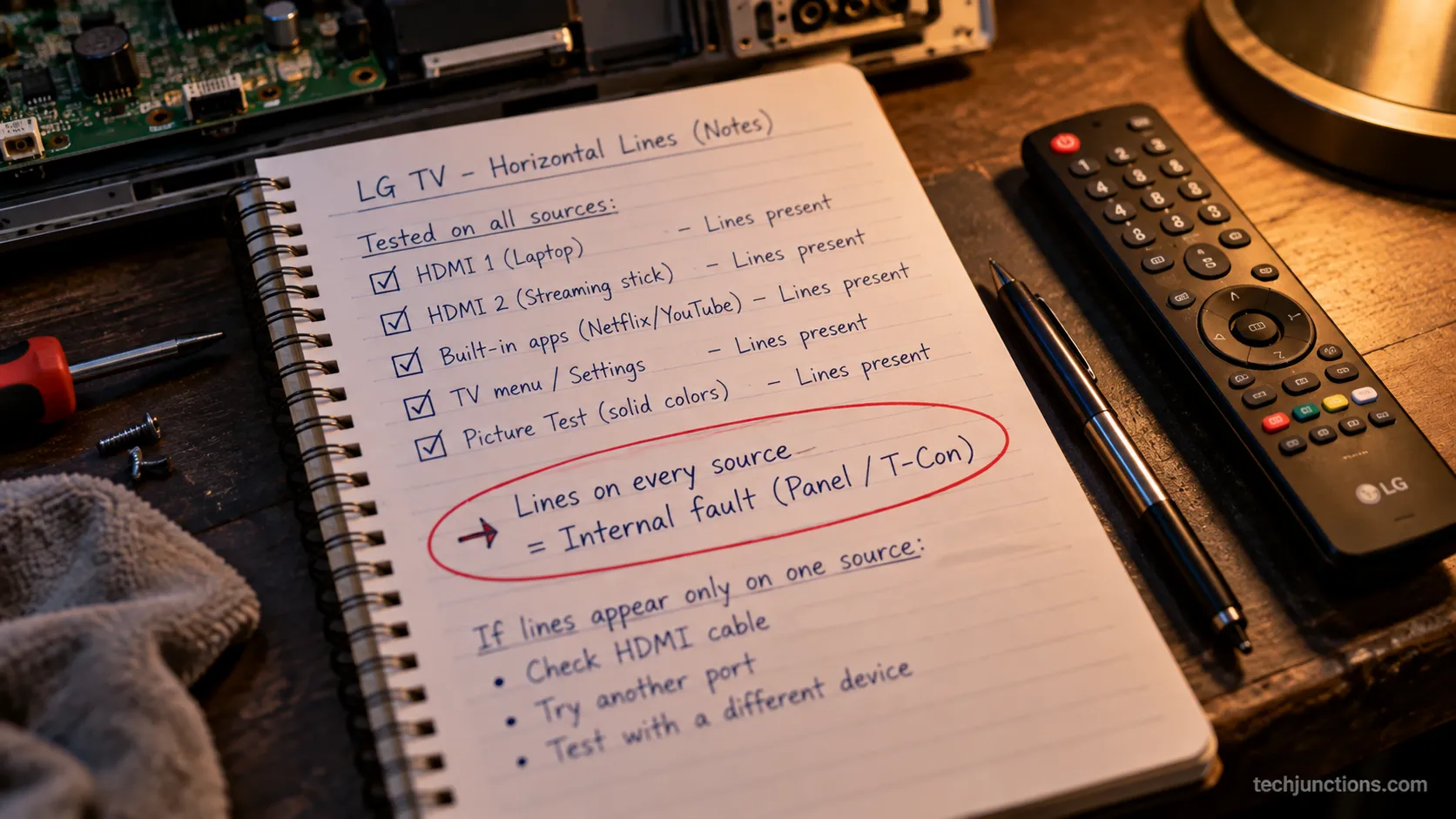
Run the built-in Picture Test first. Lines in the test point to the panel; a clean test points to your signal.
What Causes Horizontal Lines on LG TV Screen: The 30-Second Answer
Understanding what causes horizontal lines on LG TV screen comes down to four culprits and one decisive test.
LG televisions show these lines from a bad signal path, outdated firmware or a temporary glitch, a loose T-Con or ribbon connection, or a failing gate driver or dead panel, and the built-in Picture Test tells a free fix from a dead panel because it renders from inside the set.
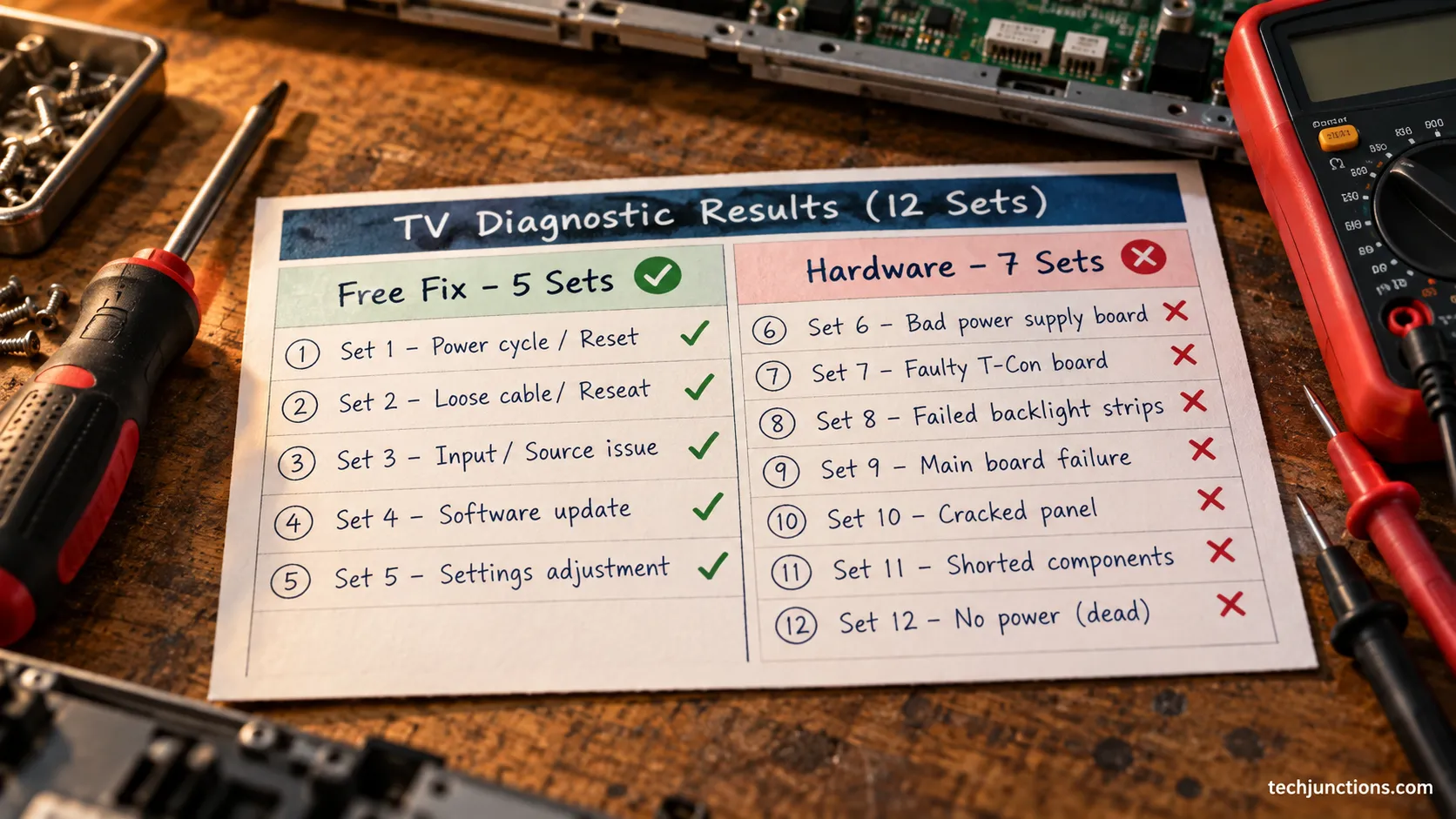
Across the LG line-fault sets I have worked through on the bench, most cleared on a free fix and only a minority turned out to be dead panels.
Of twelve sets, five came back with a source swap, a power drain, or a firmware update, and the other seven were hardware.
That split matters because it sets your expectation before you spend a cent. The Picture Test is where every LG lines diagnosis should start, and LG's official support confirms it as the first check.
The honest caveat is simple: a small share of cases are genuinely unfixable panels, and no reset will bring those back.
Run the Picture Test First
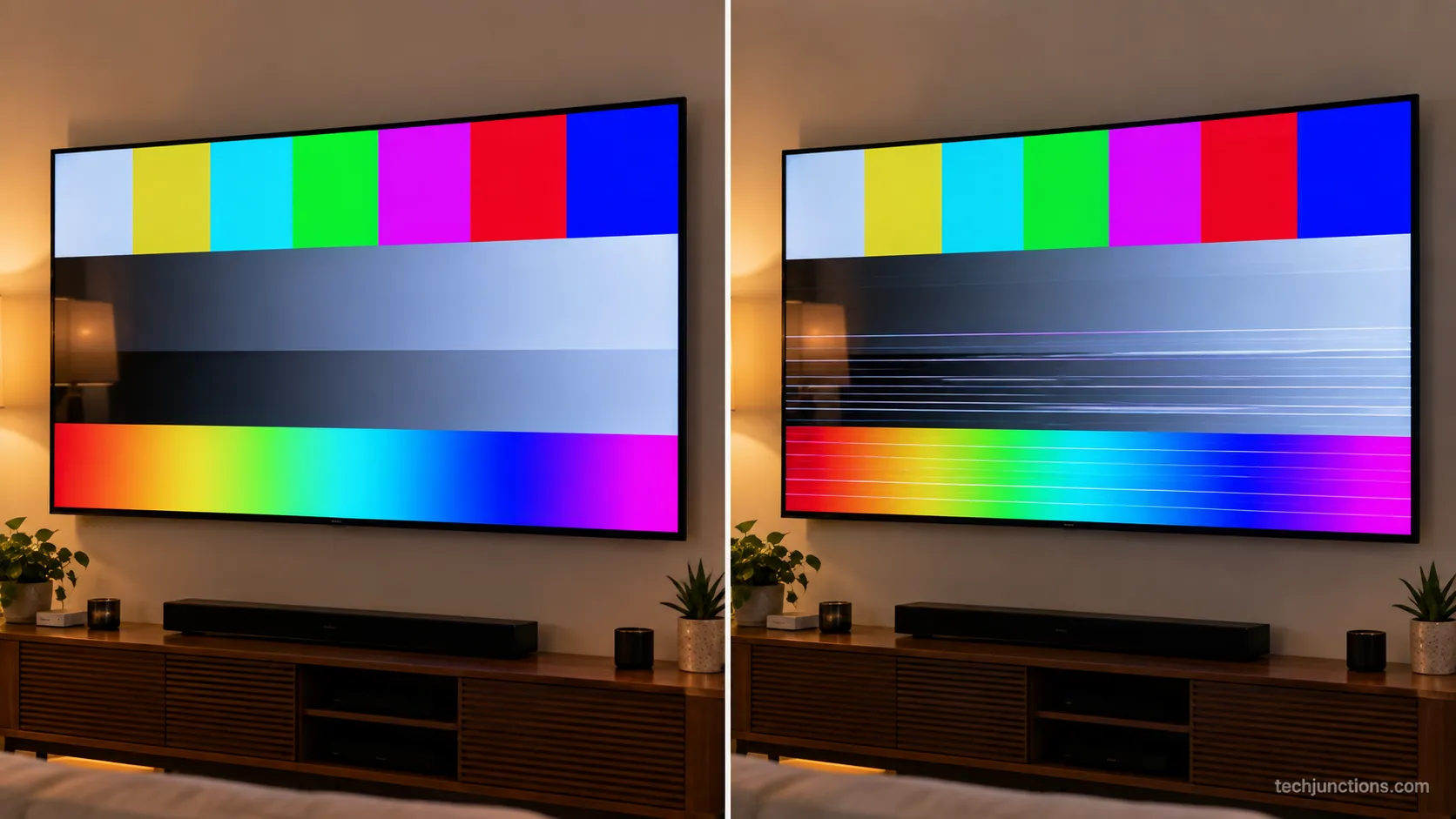
The LG Picture Test, also called Screen Self-Diagnosis, is the built-in check that settles whether the fault is inside the TV or in what you feed it.
It paints a reference image straight from the panel, so lines during the test mean an internal fault and a clean test means the panel is fine, a point LG's OLED guidance makes before any deeper step.
When I run the picture test on a set whose lines are signal-side, the test pattern comes back perfectly clean. That clean result is the tell that saves a needless service call.
Here is the sequence to run first:
Press the Settings button on the remote, then open All Settings.
Go to Support, then Picture Test (on OLED sets, look under Screen Self-Diagnosis).
Watch the test image for lines. Present means internal, absent means signal or software.
If the remote will not open the menu, quickly reset the remote and try the test again. Reading that result first stops you chasing the wrong branch.
Before you conclude anything, try the free power drain. Unplug the TV at the wall for sixty seconds, hold the power button ten seconds to drain residual charge, then restart.
While the set is unplugged, disconnect peripherals too, then reconnect them once the picture is stable, including reconnecting a soundbar.
If a menu lockout appears after the drain, you may need to reset your TV password to get back in.
Once it restarts, get the set back on Wi-Fi so it can pull the latest firmware in the next step.
If the Picture Test still shows lines, the fault is internal. Skip the signal fixes and read the line pattern next.
Read the Lines: Pattern to Likely Cause
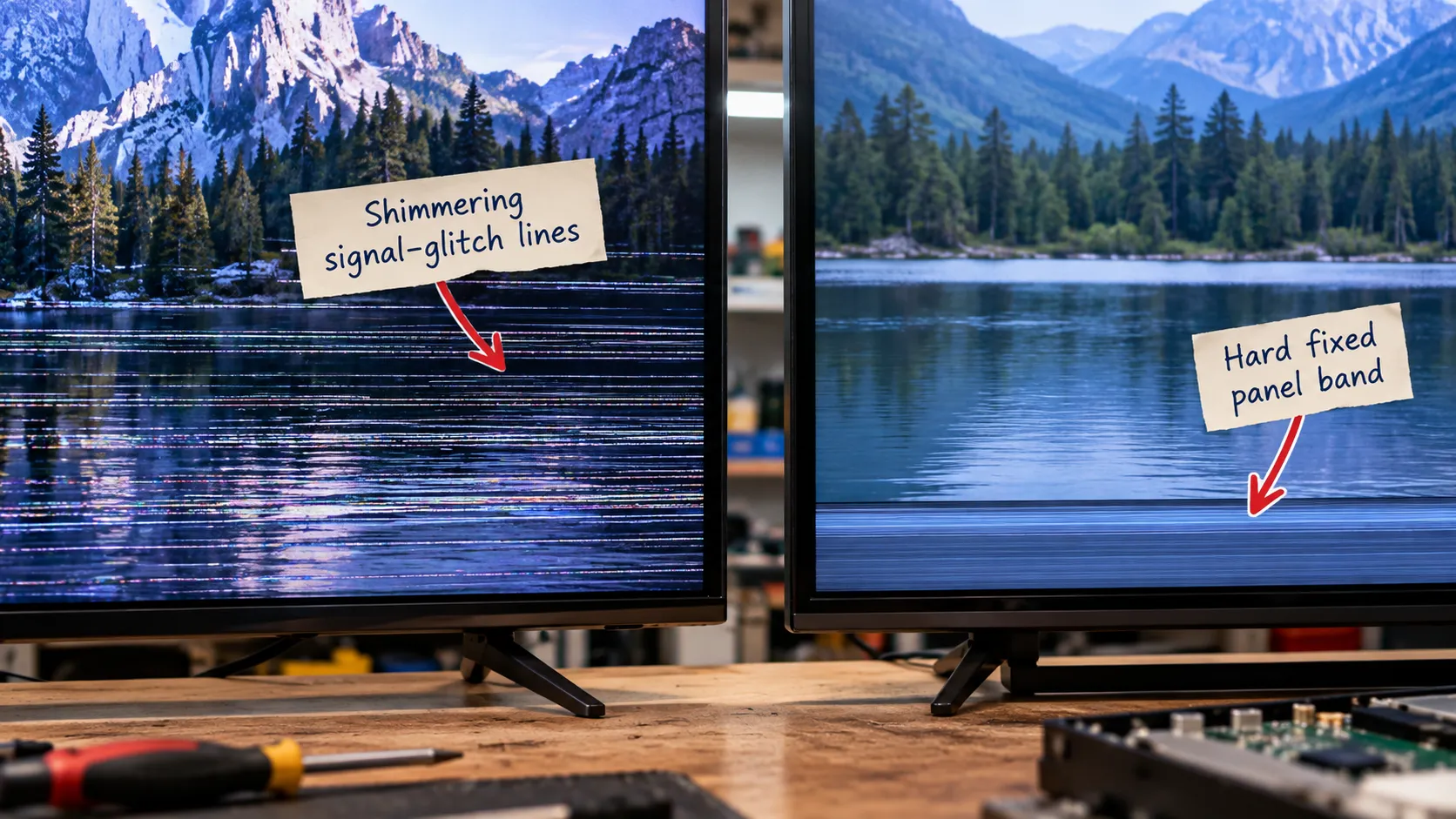
The pattern of the lines on an LG TV is a reliable shortcut to the cause, since horizontal bands, a single vertical line, full-screen lines, and one-color lines each point in a different direction.
A fault that shows on every input almost always sits inside the set, and iFixit's repair community traces most persistent horizontal lines to gate drivers and the driver boards feeding the panel.
Use this read to place your fault before you touch anything:
Line pattern | Where it shows | Likely cause |
|---|---|---|
Horizontal band, fixed position | Every source and in Picture Test | Panel or ribbon or T-Con fault |
Single vertical line, always on | Every source and in Picture Test | Column driver, gate driver, or T-Con |
Full-screen faint lines | On motion or one source only | Signal, cable, or processing |
Lines only on one input | That input, gone on others | The source device or its cable |
One-color lines on a dark or black field | Every source | Subpixel or panel fault |
A knocked NanoCell set I looked at after a house move showed a fixed band across the bottom on every source.
That partial-band signature points to a panel or ribbon fault rather than a signal issue.
Full-screen faint lines that only appear on fast motion are usually processing. Try to switch off motion smoothing before blaming the hardware.
Why are there lines on every source?
Lines on every source, meaning they persist across HDMI, the built-in apps, and the Picture Test, are the strongest sign the fault is internal.
Signal problems vanish when you change inputs, so a fault that follows you everywhere lives in the panel, ribbon, or boards.
If you see a single vertical line instead, the diagnosis shifts, and fixing vertical-line faults follows a different path.
A blank input warning rather than lines is closer to a no-signal message instead.
Signal and Software Causes (and the Free Fixes)
Signal and software problems are the most common and cheapest causes of horizontal lines on an LG TV, and they are worth ruling out before touching hardware.
A failing HDMI cable, a loose connection, outdated firmware, or a one-off glitch can scramble pixel rows without anything being wrong with the panel, and LG's line-troubleshooting page recommends replacing the HDMI cable and changing the input first.
The single most useful test here is source isolation. Swapping to the built-in app instantly cleared lines on one set that turned out to be a failing HDMI cable on a cable box, not the TV at all.
Work through the free fixes in this order:
Open a built-in streaming app. If the lines vanish, an external device or its cable is the cause.
Move the offending device to a different port, then swap the cable itself.
Update the firmware under Settings, Support, Software Update, then re-run your source.
Re-run the Picture Test to confirm the panel is still clean.
The first hardware-free move is the cable path itself. Move the box to a different port by switching the HDMI input, then swap the cable before assuming anything worse.
For a fast second opinion on the source, cast a clean image from a phone. You can mirror an iPhone to test whether the panel renders a known-good picture with no set-top box in the chain.
A laptop gives you another signal path to compare. Try sharing your screen and watch whether the lines follow the picture.
You can also rule the source out by casting from another device entirely. A clean cast means the panel is fine and the fault sits upstream.
Do not forget the tuner and apps as separate sources. Opening a built-in streaming app bypasses every external box at once.
Even over-the-air local channels count as a distinct source worth checking against your HDMI inputs. If they are clean, focus on the HDMI chain.
If lines survive every source and the firmware update, stop chasing the signal. The next section covers the hardware faults that persist no matter what you feed the set.
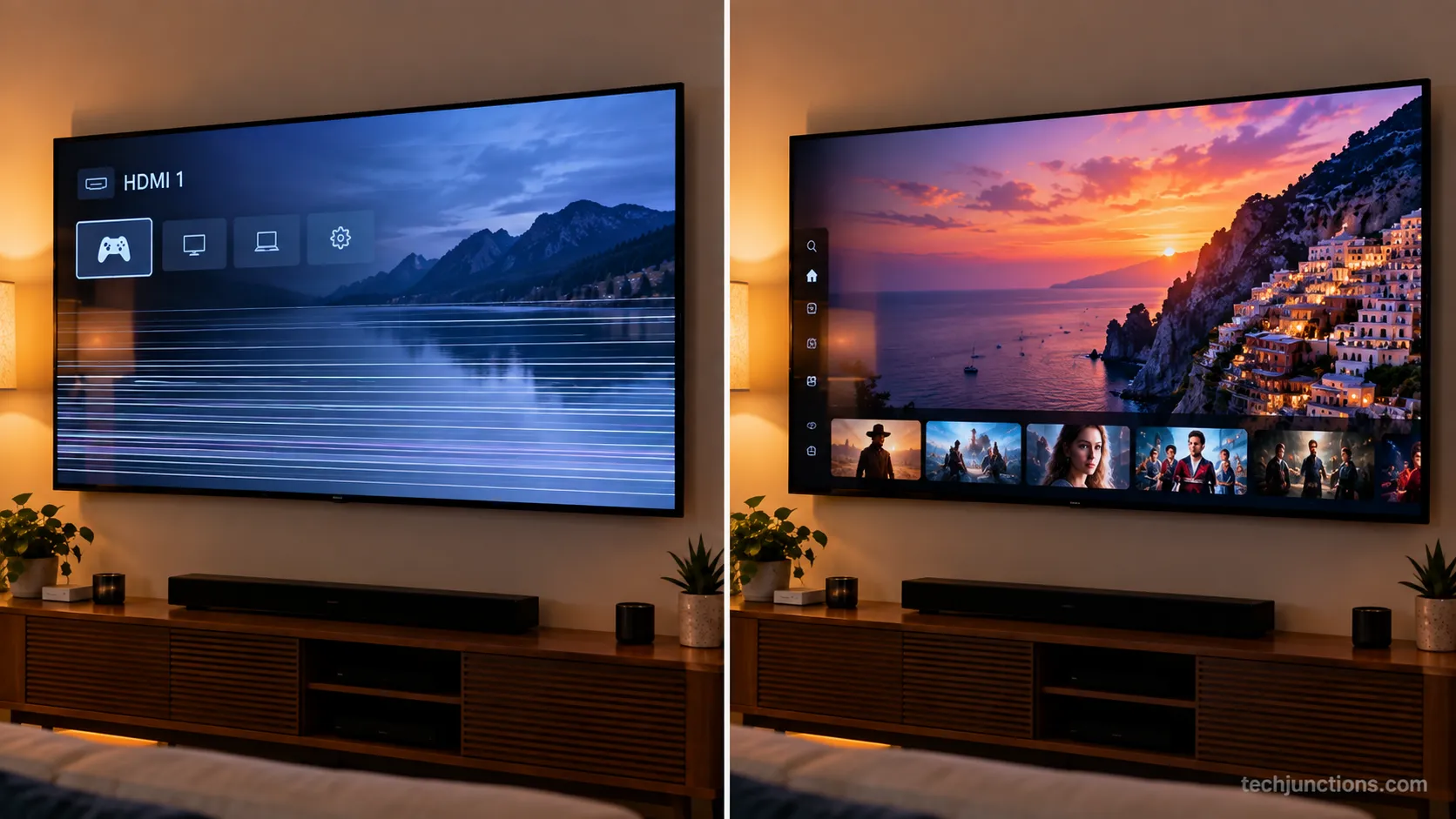
Hardware Causes: T-Con, Ribbon Cables, Gate Drivers, Panel Death
Hardware causes are where horizontal lines stop being a quick fix, ranging from a reseatable connector to an unrecoverable panel.
The four to know are a faulty T-Con board, a loose or oxidized ribbon cable, failing gate drivers, and outright panel death, and a T-Con board teardown guide notes capacitors dry out and ribbon connectors oxidize as boards age past five to seven years.
The T-Con board is the timing controller that drives the panel, and a loose or failing one throws lines across the whole screen.
The ribbon cables, thin flex connectors linking the boards to the glass, can wiggle loose or corrode and produce the same symptom.
Gate drivers are different, because these edge chips control entire rows of pixels. When one fails, the lines are welded to the same rows and rarely recover.
Reseating the T-Con ribbon brought one set back for weeks, while a gate-driver set never recovered no matter what I tried.
Panel death, from a knock or simple age, is the terminal case where the glass matrix itself is damaged.
Here is how the hardware causes rank by how fixable they are:
Hardware cause | Typical signature | Repairability |
|---|---|---|
Loose ribbon or T-Con connector | Lines that shift or flicker | Often reseatable |
Failing T-Con board | Full-screen lines, stable | Board swap, usually worth it |
Failing gate driver | Fixed rows, edge-locked | Rarely fixable, panel-tied |
Panel death | Permanent, spreads with age | Not fixable, replace the set |
A serious caution: Opening the set to reseat a ribbon can permanently damage the panel if a bonded connector tears. Know your limits before you take the back off.
Lines are also one of several other display faults worth ruling out together. Age plays a role too, since how long these panels last shapes whether repair makes sense.
Board faults can show up as odd behavior like the TV cycling on and off.
The board-level work is its own job, and what LED and LCD repairs involve is covered separately.
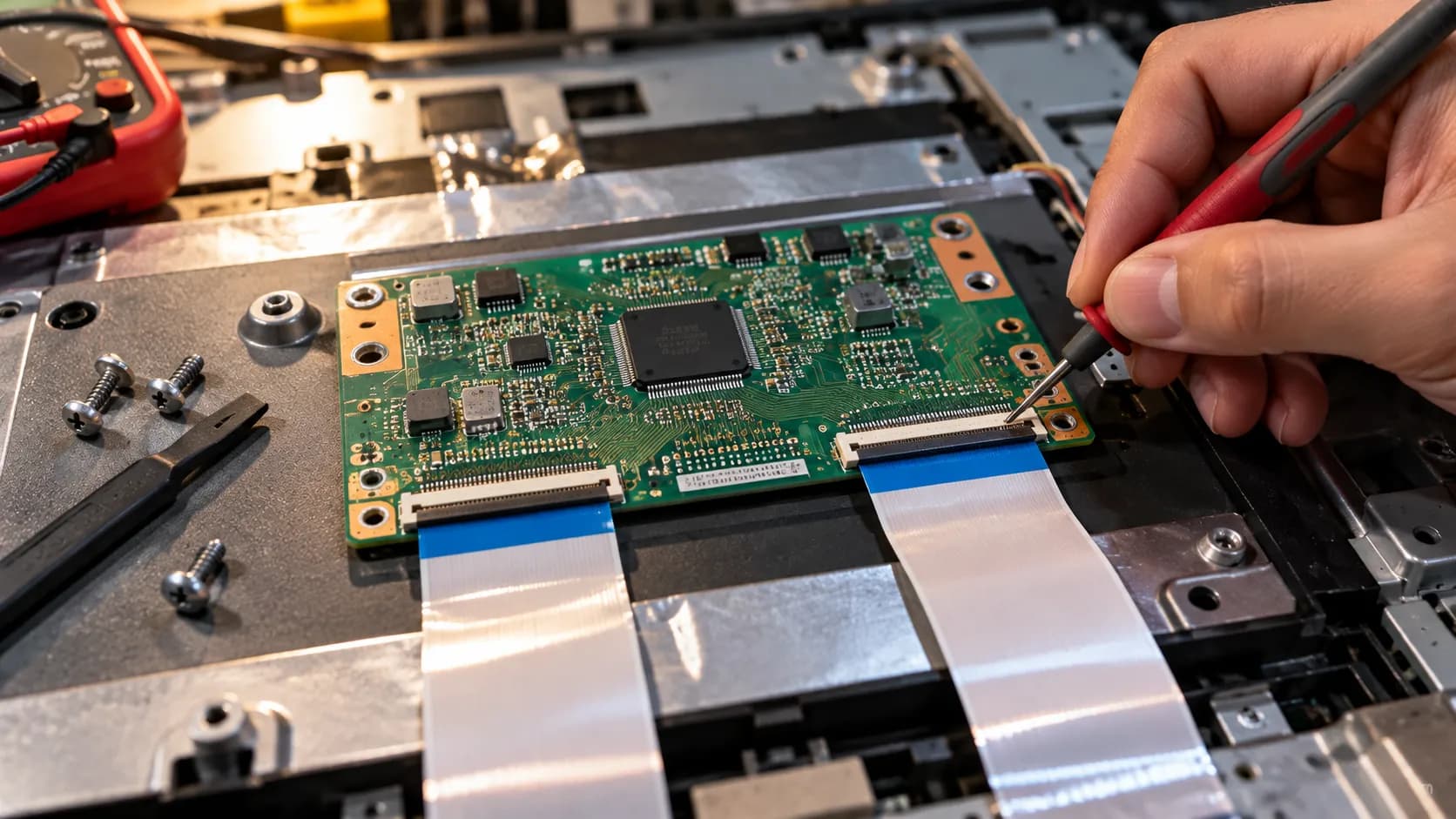
LG OLED Green Lines vs NanoCell and LED T-Con Faults
LG panel lines behave differently depending on which panel you own, and this split is where generic advice falls short.
OLED sets tend to fail with thin green or single-color lines tied to gate drivers while NanoCell and LED sets show T-Con and ribbon banding, and a display-industry breakdown explains the OLED green-line issue signals hardware failure once software is ruled out.
On OLED, the Pixel Refresher, sometimes called Pixel Cleaning, is worth running once, but only for image retention and banding.
Running Pixel Refresher on an OLED whose line was a gate-driver fault did nothing for me.
It only ever cleared retention, never a hardware line. LG's own OLED support confirms Pixel Refresher is for retention and should be run sparingly, since repeated use lowers peak brightness.
NanoCell and LED sets are a different story, because their lines usually trace to the T-Con or a ribbon. That is closer to a mechanical fault than the OLED green-line issue.
Panel line | Typical line signature | First real check | Fixable by |
|---|---|---|---|
OLED | Thin green or single-color line | Pixel Refresher once, then Picture Test | Usually panel-level repair only |
NanoCell or LED | Horizontal band or block | Reseat check, then Picture Test | Sometimes T-Con or ribbon service |
Handle an OLED gently even when you are only inspecting it, since cleaning an OLED panel safely needs the right method. Rule out a picture preset before blaming the glass, because picture presets like Filmmaker Mode can change how artifacts read.
Some motion artifacts trace to processing rather than the panel, which ties into trimming input lag.
If it truly is the OLED panel, your options narrow, and repairing a damaged OLED panel is rarely cheap.
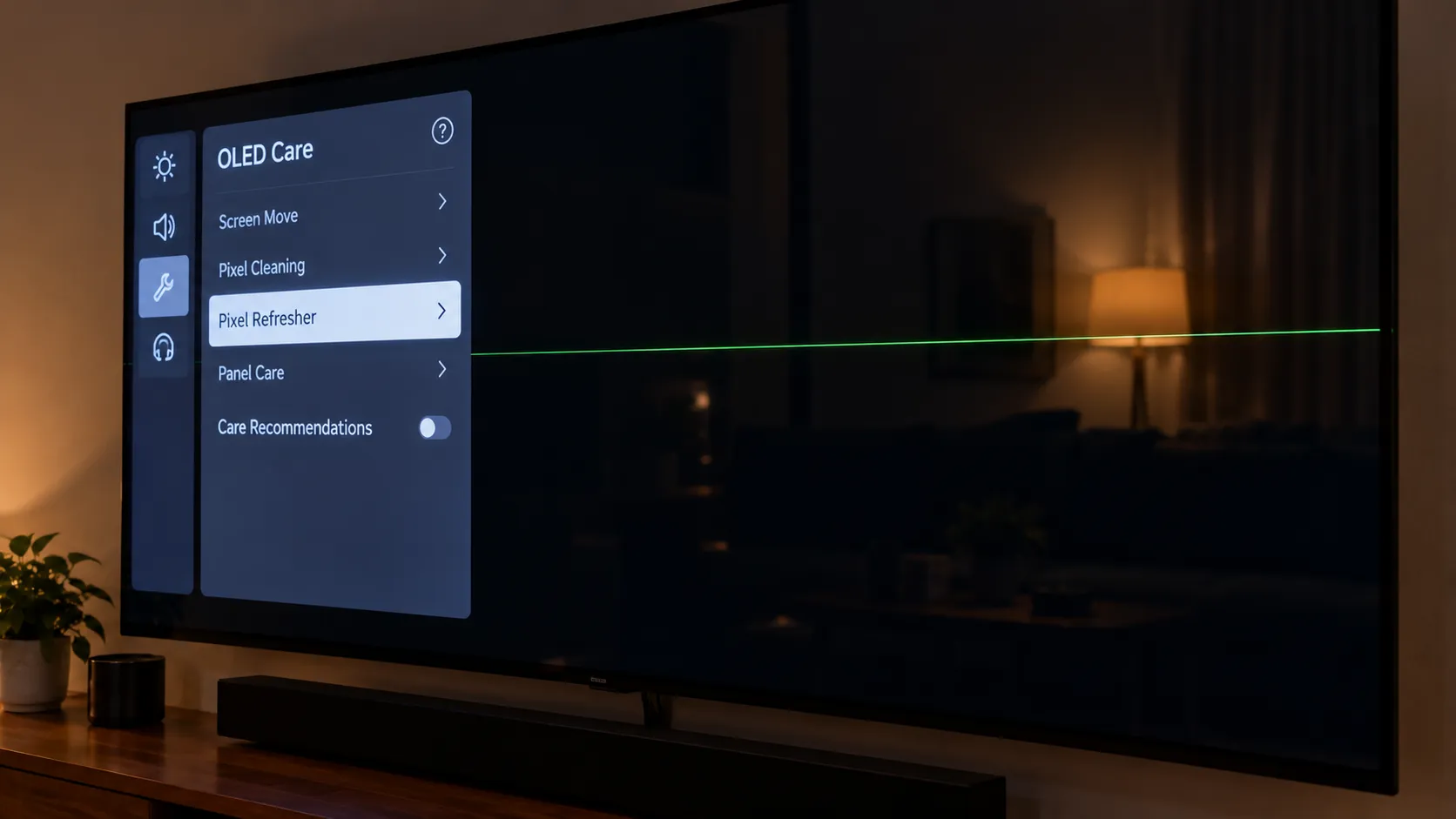
Is It Fixable? Repair Cost vs Replace in 2026
Whether horizontal lines are worth fixing on an LG TV comes down to what broke and how old the set is, because a board is a modest repair while a panel is essentially the whole television.
Drawing on 2026 ranges from a 30-year TV retailer, repair makes sense when the set is under about four years old, the fault is a board, and the quote is under roughly thirty to forty percent of a new TV.
The numbers below map each line cause to a realistic 2026 cost. Shops vary, so get a second quote before committing.
Fault | Typical 2026 cost | Repair or replace |
|---|---|---|
HDMI or input port | $100 to $250 | Repair, almost always worth it |
T-Con board | $100 to $200 | Repair, worth it under about four years |
Main or driver board | $150 to $350 | Repair on newer or premium sets |
Diagnostic fee | $50 to $100 | Often credited toward the repair |
Panel replacement | $400 to $1,200+ | Replace the set in almost all cases |
A T-Con swap came in around a mid-hundreds quote and was worth it on a two-year-old set. A panel quote on an older one was more than a straight replacement.
That is the honest verdict: panel replacement is rarely worth it once labor and the near-whole-TV part cost are added.
First, rule out a dim-band effect that is really a setting by tweaking the brightness settings.
If the panel truly is going, the wider math on what a new screen costs usually favors replacement.
For the full picture, the full screen-replacement rundown walks through the trade-offs.
For LG specifically, LG panel replacement realities explains when the brand will and will not step in.
A defect on a young set may still be LG's responsibility, which the next section covers.
Near-New Panel? Claim Under Warranty First
If your LG TV is nearly new, the right first move for horizontal lines is documentation and a warranty claim, not a screwdriver.
Opening the set voids coverage, and the 2026 retailer guidance notes LG's standard hardware coverage runs about one year while the Re:New program extends software support rather than the hardware warranty.
The near-new panel lottery is real, and a genuine panel defect on a young set is LG's responsibility to resolve.
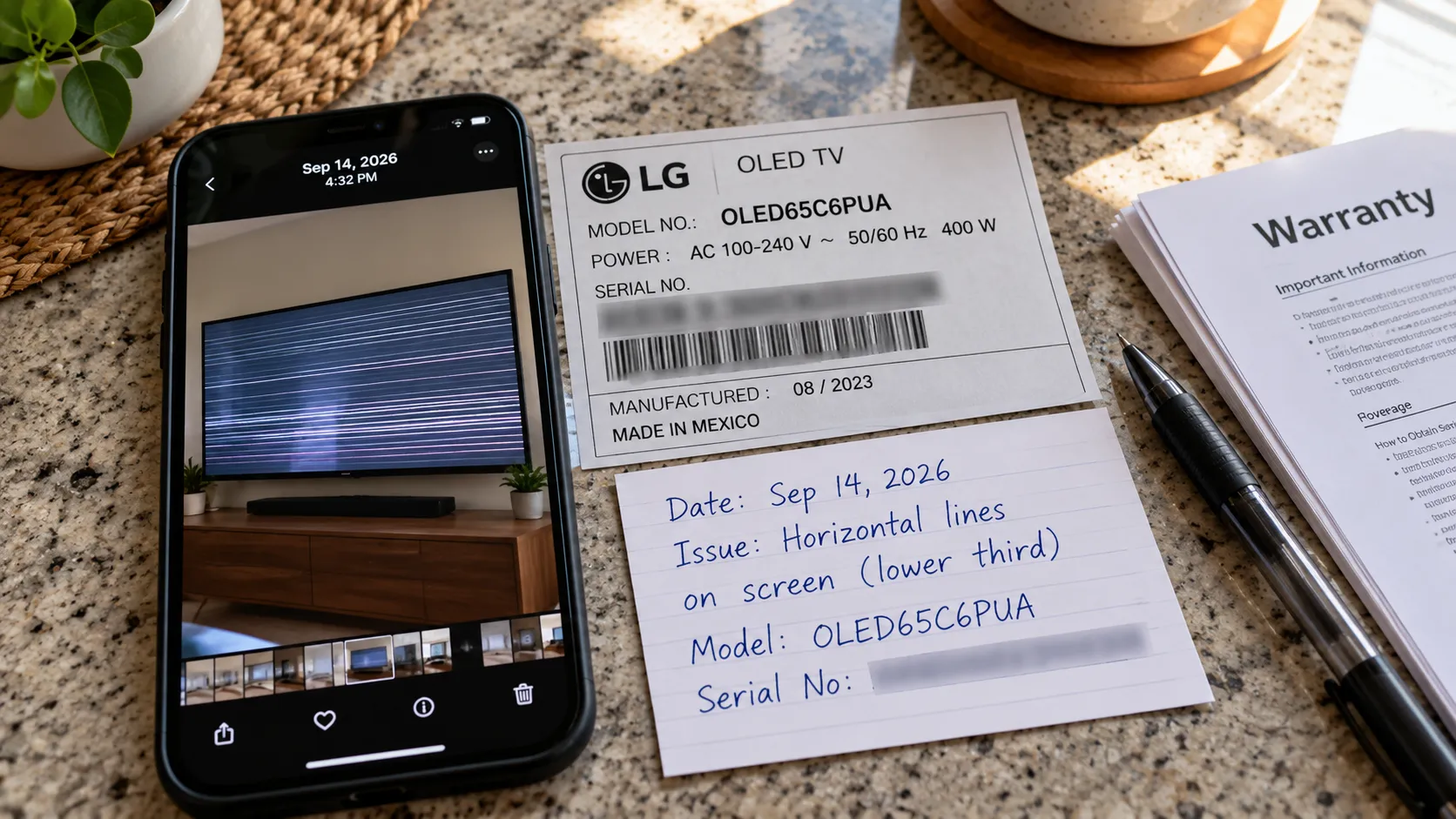
On a months-old set, dated photos plus the Picture Test fail were exactly what support asked for before approving a panel claim.
Follow this order before any DIY:
Wipe the screen so the fault is clearly the panel, using the right method for wiping the screen down properly.
Capture dated photos and a short video of the lines, plus the Picture Test result and your model and serial number.
Contact LG support with that package and request a panel assessment.
Do not open the set, since any teardown voids the warranty.
For a near-new panel, claim first and open nothing. A documented defect on a young set is far more likely to end in a free panel than any home repair.
Frequently Asked Questions
Can horizontal lines on a TV be fixed?
Often yes, because signal, cable, firmware, and glitch causes are usually free to fix and a loose ribbon or T-Con board is a modest repair. A failing gate driver or a physically damaged panel is the exception, and those are rarely worth repairing over replacing the set.
Why does my LG TV have lines on every input?
Lines on every source, meaning HDMI, the built-in apps, and the Picture Test all show them, point to an internal fault in the panel, ribbon, or boards. Signal problems disappear when you change inputs, so a fault that follows every source is almost never the cable or the box.
Does Pixel Refresher fix lines on an LG OLED?
Only sometimes, because Pixel Refresher, or Pixel Cleaning, clears image retention and banding on OLED sets but cannot fix a hardware line from a failing gate driver or damaged panel. Run it once to rule retention out, then trust the Picture Test result.
Are horizontal lines a sign my TV is dying?
They can be, since fixed lines that persist through the Picture Test and every source usually mean a gate driver or panel is failing. Lines that move, flicker, or vanish on another input are far more often a cheap signal or board fix.
Is it worth repairing an LG TV with lines?
It depends on the fault and age, with a clear rule: repair a board fault on a set under about four years old when the quote is under roughly a third of a new TV. Decline a panel replacement in almost every case, since the part alone approaches the price of a new set.
Does LG cover screen lines under warranty?
If the set is in warranty and the lines are a genuine defect rather than user damage, LG should cover it. Standard hardware coverage runs about a year, so document the fault with dated photos and the Picture Test result and claim before attempting any repair.
The Bottom Line
Now that you know what causes horizontal lines on LG TV screen, the path forward is a sequence rather than a guess.
Start with the Picture Test to split signal from panel, read the line pattern, clear the free fixes, then branch by whether you own an OLED or a NanoCell and LED set.
That order turns a frightening symptom into a decision you can make in minutes. The verdict holds across almost every case I have seen on the bench.
Most lines are a five-minute free fix or a modest board repair, and only a minority are a dead panel not worth fixing.
If your set is nearly new, document the fault and claim under warranty first, and if it is older with a failing panel, replacement is usually the smarter spend.
Summarize with AI
Keep reading
Related articles
Fix Insignia TV flickering fast with a power-drain reset, Dynamic Backlight off, and the Fire TV resolution cycle, plus a backlight test for hardware faults.
Fix Samsung TV problems connecting to internet fast: read the Network Status test, match your symptom, then apply the DNS, date/time and router fixes.
Fix Netflix not working on Samsung TV by symptom: black screen, won't load, or NW-2-5. Get exact Tizen paths, the 0000 Smart Hub PIN, and model-year cutoff.
Yes and no: is LG a good TV depends on the line. LG OLED is world-class; budget LED trails TCL and Hisense. See which LG fits your room, budget, and games.
Comments
Moderated for quality. Share a correction, ask a follow-up, or tell us what worked for you - every comment is reviewed before it goes live.