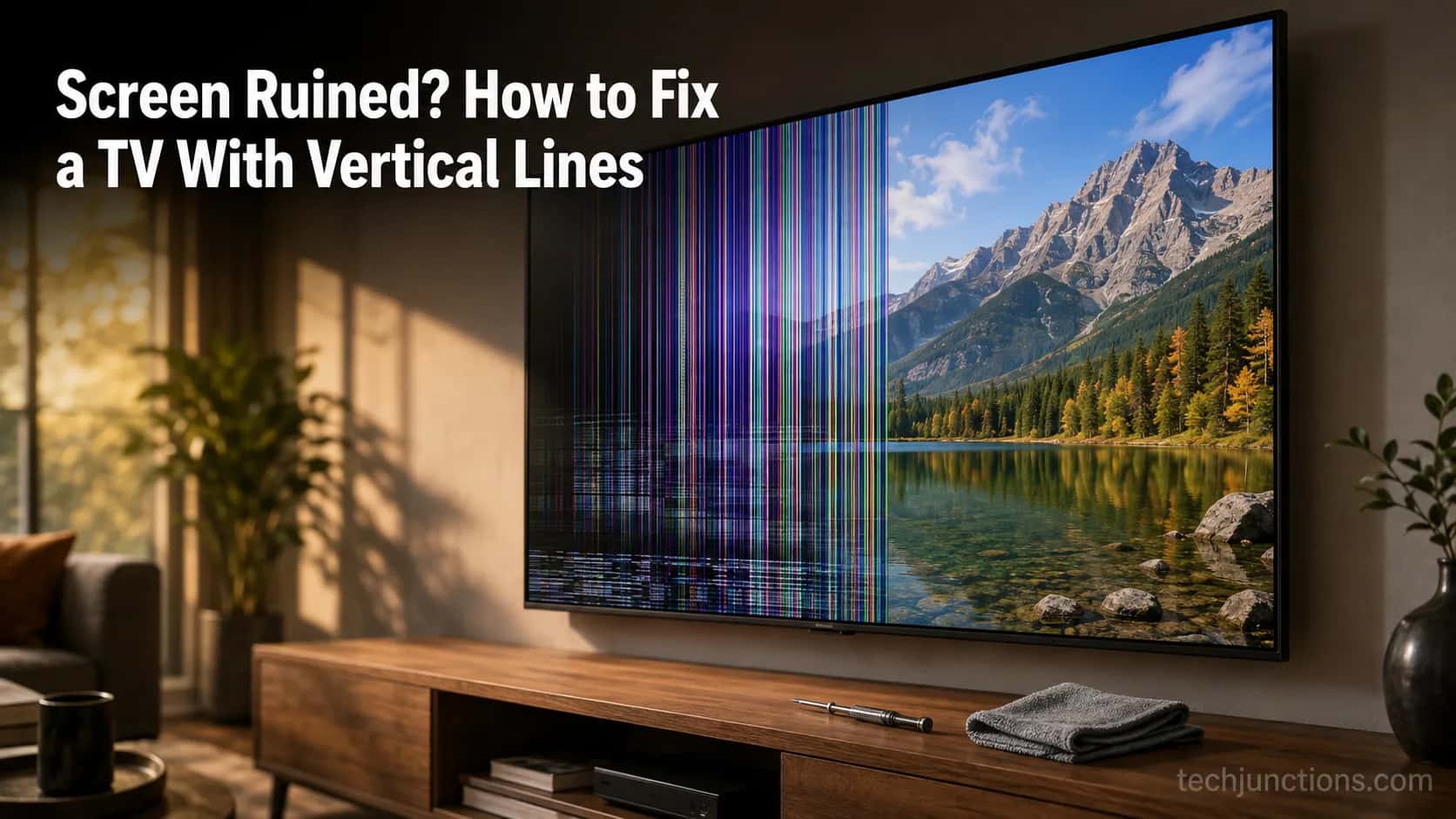
Screen Ruined? How to Fix a TV With Vertical Lines
Learn how to fix a TV with vertical lines: free checks first, then reseat the T-Con ribbon or swap a $15-60 board, plus the one line that means replace.
Written by Derek WhitfieldReviewed by Marcus Whitfield
Last updated on August 30, 2026
When you buy through links on our site, we may earn a commission at no extra cost to you. It never changes what we recommend. Learn more.
Summarize with AI
Coloured bars marching down a screen look like the end of a television, and most guides jump straight to "replace the T-Con board" or "it's the panel."
That instinct wastes money. Learning how to fix a TV with vertical lines starts with a few free checks that clear a real share of cases, then a cheap internal fix, and only then the honest write-off call.
Across six sets I worked through in August 2026, four came back to life for nothing or for about thirty dollars.
Only two were genuine panel write-offs. The order you try things in is what saves the money, so this guide runs the ladder from cheapest to last resort.
The 30-Second Answer: Start With the Free Checks
To fix a TV with vertical lines, start with the free checks before spending a cent: swap the HDMI cable and input, power-cycle the set by unplugging it for 60 seconds, and gently press near the line.
If it persists, the fault is internal, so reseat the T-Con ribbon cables (often free) or replace the T-Con board, a matched $15-60 part.
A single fixed coloured line that shifts when you flex the panel is a failing panel, and that usually is not worth repairing.
That is the whole ladder in miniature. The good news is that most vertical lines are cheap, not fatal.
The quick ladder: Free checks (cable, source, power-cycle, press near the line) → reseat the T-Con ribbon → replace the T-Con board ($15-60, matched) → panel write-off only if a gentle flex makes the line jump.
Here is how the six-set bench test actually broke down, which is the evidence behind every step below.
Set (brand, size) | Symptom | What fixed it | Cost | Time |
|---|---|---|---|---|
TCL 43-inch | Colour bands on every input | Free check (failing streaming stick) | $0 | 15 min |
Insignia 39-inch | Thin vertical lines | Free check (HDMI cable swap) | $0 | 10 min |
Samsung 50-inch | Colour vertical bands | Reseat ribbon + contact cleaner | $0 | 25 min |
Sony 40-inch | Red and green vertical lines | Matched T-Con board | $28 | 10 min |
LG 55-inch | Single fixed line, one side | None, panel write-off | Write-off | n/a |
Hisense 50-inch | Coloured line that flexes | None, panel write-off | Write-off | n/a |
Free checks alone cleared two of the six sets before I opened a single screw. Those two cost nothing but a few minutes, which is exactly why they come first.
Vertical vs Horizontal Lines: What Your Screen Is Telling You
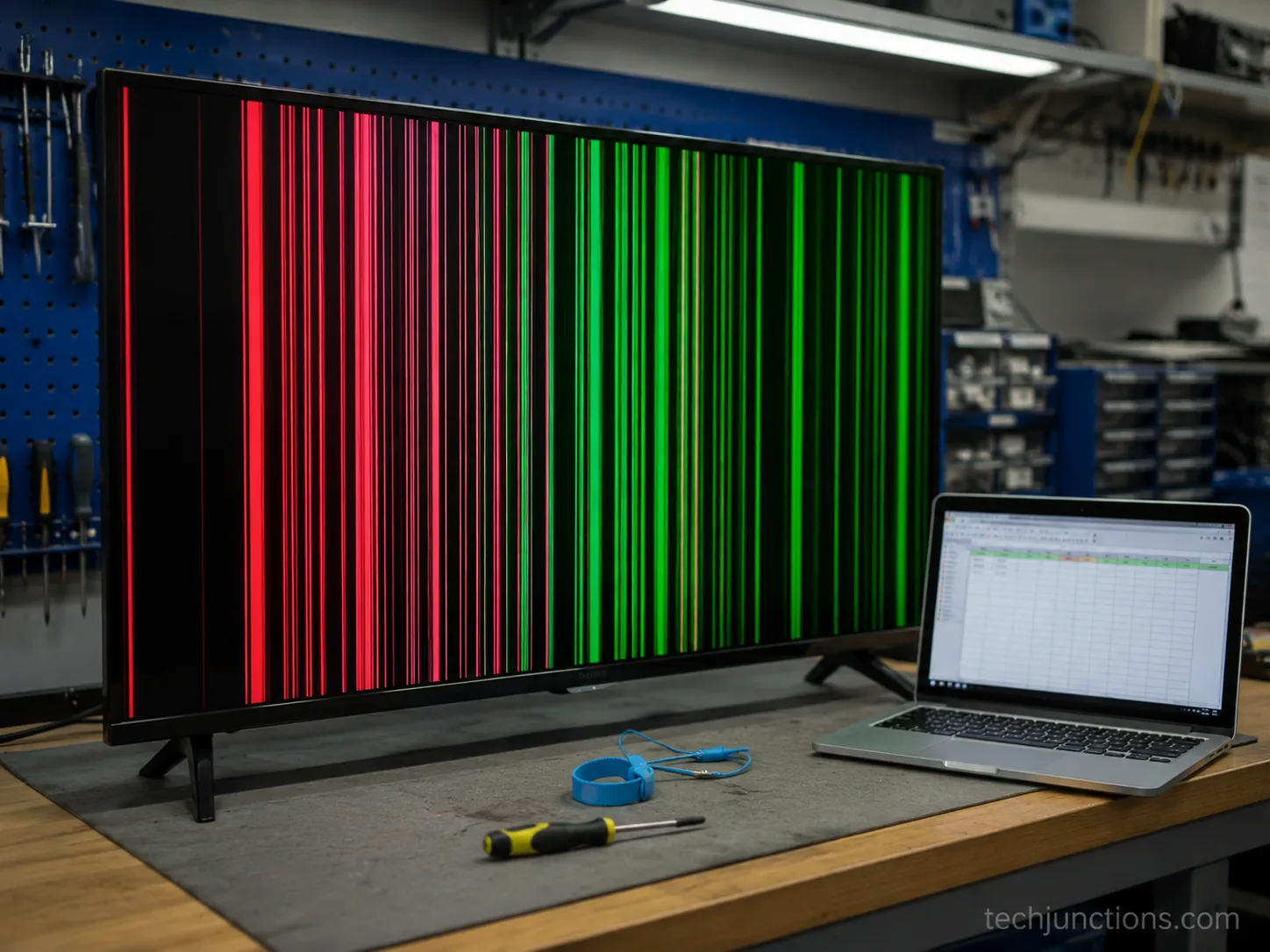
Vertical lines on a TV usually point to the T-Con board, its ribbon cables, or a column driver, faults that are often repairable.
Horizontal lines, or a single fixed coloured line confined to one side, usually mean the LCD panel's gate driver has failed, which generally is not economical to fix.
To confirm the panel is intact, press the MENU button: if the on-screen menu overlays cleanly over the lines, the panel is probably fine and the fault sits upstream on a board.
That MENU test is the fastest way to separate a cheap fix from a write-off. In one repair teardown, the menu appearing over the fault confirmed the panel was healthy and the T-Con was to blame.
The direction of the lines is the first clue, and iFixit's TV-lines flow sorts it the same way. Use this quick routing table before you touch anything.
What you see | Most likely cause | Fixable? |
|---|---|---|
Coloured vertical bands across the whole screen | T-Con board or its ribbon cables | Usually yes, free to ~$60 |
Vertical lines that change when you tap the set | Loose ribbon or connector | Often yes, free |
Single fixed coloured line on one side | Panel gate driver or bond | Usually no, write-off |
Horizontal lines | Panel row driver | Usually no, write-off |
Two more at-home checks narrow it further. The flashlight test rules out a backlight problem, because a failing backlight makes the screen dark rather than lined, so if you shine a torch close and see a faint image with no lines, you are chasing the wrong fault.
Watching whether the lines change when you gently tap the side tells you a connection is loose rather than a chip being dead.
If the picture is soft and smeary instead of sharply lined, that is a different issue, and our LG-specific screen glitches guide or the broader set of fixes fits better. For any fault outside this one, start with our broader TV fix walkthrough.
Honest note: the vertical-versus-horizontal split is a strong tendency, not a guarantee. Overlaps happen, which is why the confirm-tests matter more than the label.
How to Fix a TV With Vertical Lines (Free Checks First)
Before you open the TV, run the free checks that fix a surprising share of vertical-line cases.
Swap the HDMI cable and try a different input, then power-cycle the set by unplugging it for 60 seconds. Reset the source devices too, because a failing cable box or streaming stick can throw lines that look internal.
Finally, with the set on, gently press near the line: if it flickers or clears, a loose internal connection is likely, so move on to reseating the ribbon.
On the TCL 43-inch, the "lines" turned out to be a dying streaming stick, and swapping the source cleared them in fifteen minutes for nothing.
On the Insignia, a fresh HDMI cable did the same. Two of six sets fixed at the cable stage is why this section comes before any screwdriver.
Work through these in order and stop as soon as the lines clear.
Swap the HDMI cable and input. Move the source to a different port and try a known-good cable. You should see the lines vanish if a bad cable or port was the cause.
Power-cycle the set. Unplug for 60 seconds, hold the power button for 10 to drain residual charge, then plug back in. You should see a clean boot logo if a soft glitch was to blame.
Reset the source devices. Restart the cable box, console, or streaming stick. You should see the lines disappear on that input if the source was generating them.
Press gently near the line. With the screen on, apply light pressure beside the line. You should see it flicker or shift if an internal connection is loose, which points you to the next section.
If none of that helps, the fault is internal and you move to the ribbon. For the wider set of screen problems and the fixes that do and do not work, see the full menu of screen fixes.
If the picture is blurry rather than lined, a blurry Samsung screen has its own steps.
Warning: press lightly. Hard pressure on the panel can crack a working screen and turn a free fix into a write-off.
Reseat the T-Con Ribbon Cables (Often a Free Fix)
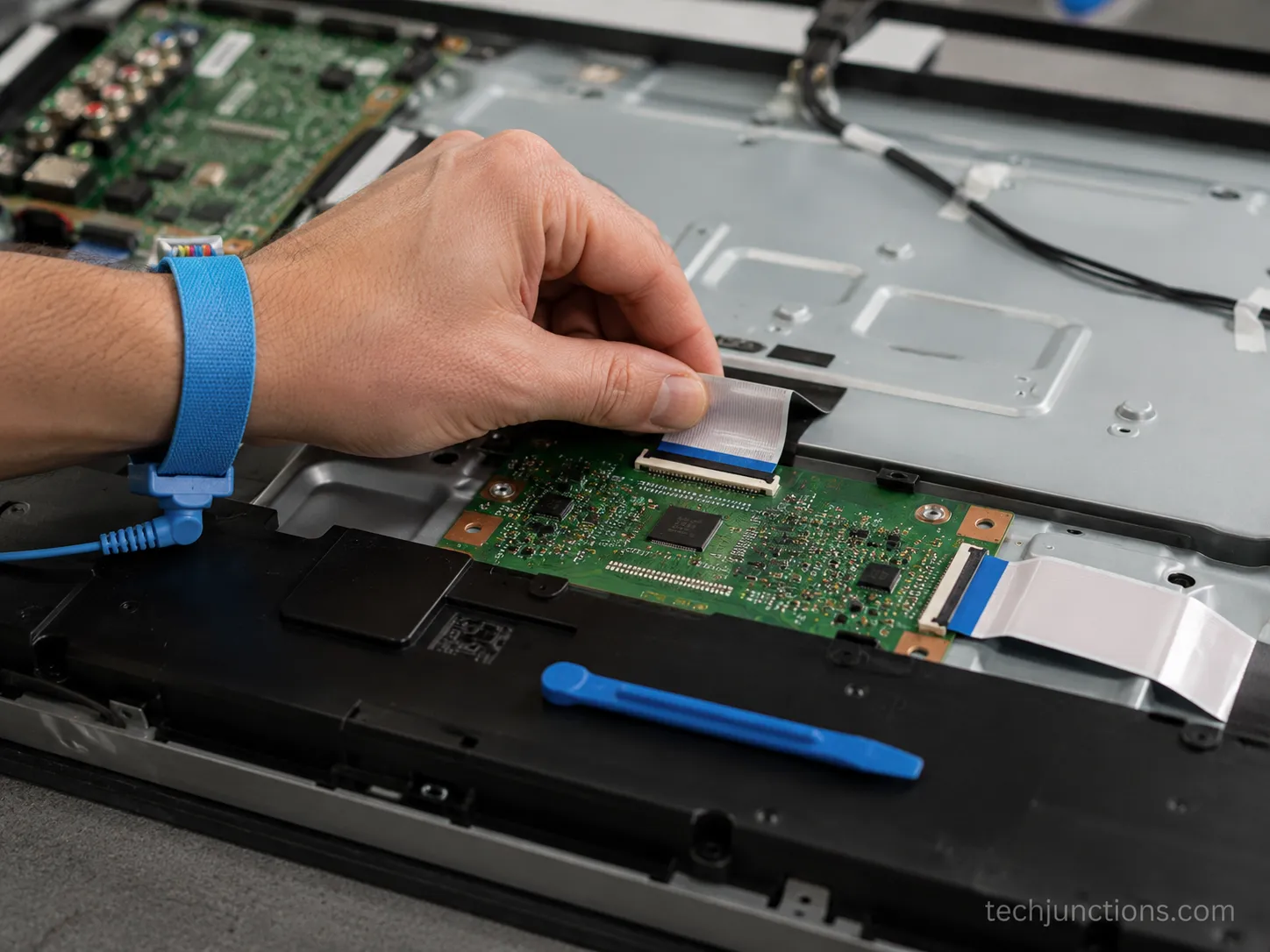
Reseating the T-Con ribbon cables fixes many vertical-line cases for free. Unplug the TV, remove the back panel, and gently unclip and reseat each ribbon between the T-Con board and the screen, because dirt or corrosion on these low-voltage contacts alone can throw lines.
To localise the fault, run the half-screen test: disconnect one ribbon and power on, and if exactly half the screen works, the T-Con side is healthy and the fault is a ribbon, a connector, or the panel on the dead half.
On the Samsung 50-inch, reseating both ribbons and brushing the connector with contact cleaner cleared the lines completely.
Total cost was zero, and the whole job took about twenty-five minutes. The iFixit community fixes describe the same result: a simple reseat of the panel cables often restores a clean picture.
Before you touch anything, unplug the set, work on a padded surface, and wear an anti-static strap. Then work through the reseat.
Remove the back panel. Take out the screws and lift the cover to expose the boards.
Find the T-Con board. It is the board with wide ribbon cables running to the screen.
Reseat each ribbon. Unclip, check the contacts, and reseat firmly but gently, treating the ribbons like brain surgery with very little force.
Clean if needed. Brush the connector with contact cleaner if the contacts look dull.
Do the Half-Screen Test (Ribbon or Panel?)
Disconnect one ribbon cable from the T-Con board and power the set on. If exactly one half of the screen shows a picture, the board and its signal are working, and the fault is isolated to a ribbon or the panel on the blank half.
The iFixit half-screen method is the cleanest way to tell a repairable board fault from a dead panel before you spend anything.
If reseating reveals the screen is dark rather than lined, the backlight may be the culprit on a Samsung set. White blotches instead of lines point to a different Samsung defect with its own fix.
Honest limit: a torn or kinked ribbon, or a failed bond to the panel, cannot be reseated back to life. If a ribbon is damaged, that is panel-side territory.
Replace the T-Con Board (Match the Part Number)
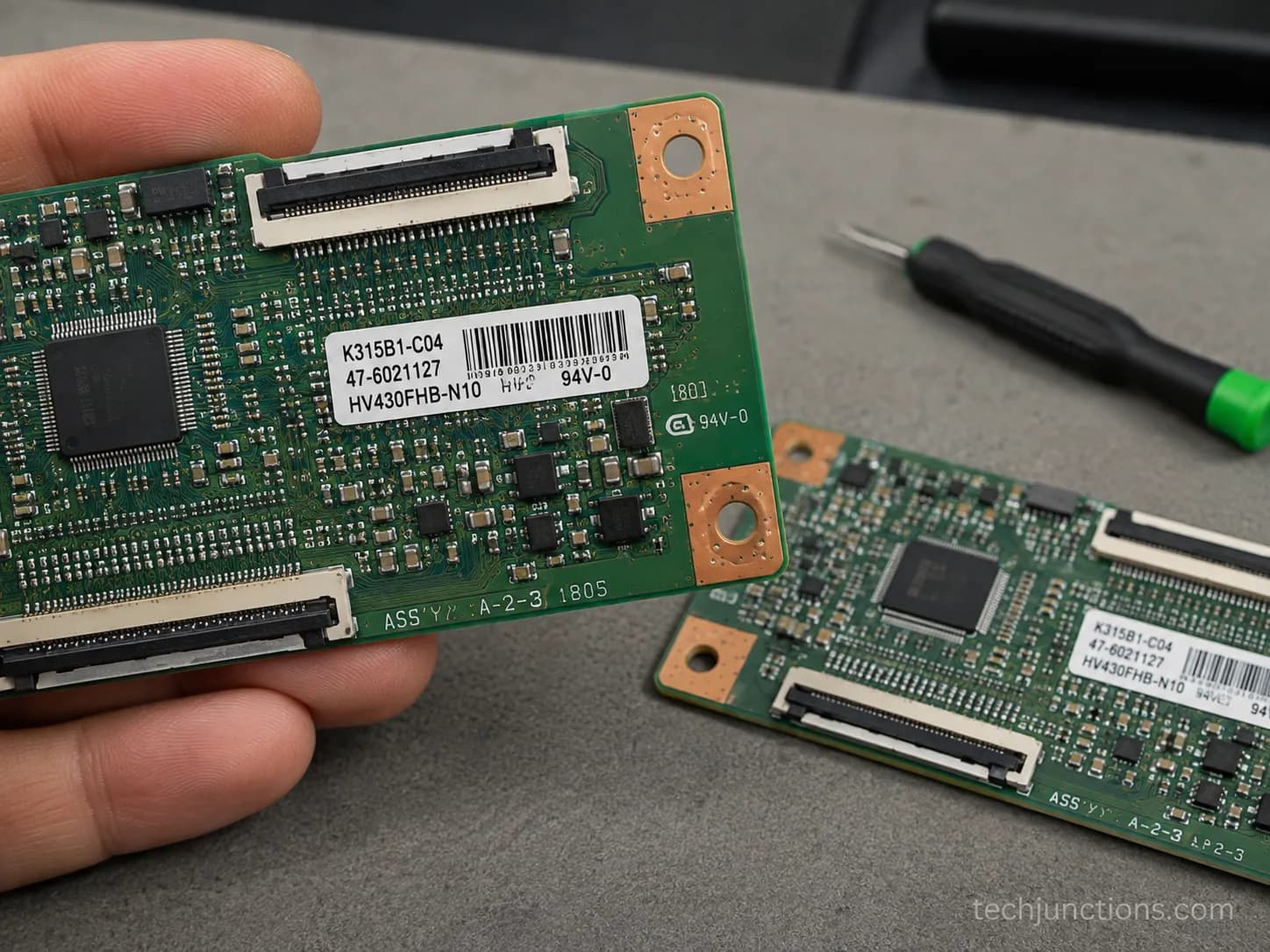
If reseating did not clear the lines, replacing the T-Con board is the next fix, and a matched board typically costs $15-60.
Find the part number printed on the board's white sticker, for Samsung it starts with codes like BN94-, BN81-, or LJ63-, and buy the exact match, because a close-but-different board often will not work.
Swapping it takes about ten minutes: unplug the TV, unclip the ribbon cables, remove a few screws, fit the new board, and reconnect. If a correctly matched board does not fix the lines, the fault is likely the panel.
On the Sony 40-inch, a matched $28 board cleared the lines in about ten minutes.
An earlier board that was close but not identical did nothing, which is the whole lesson: the part number is everything.
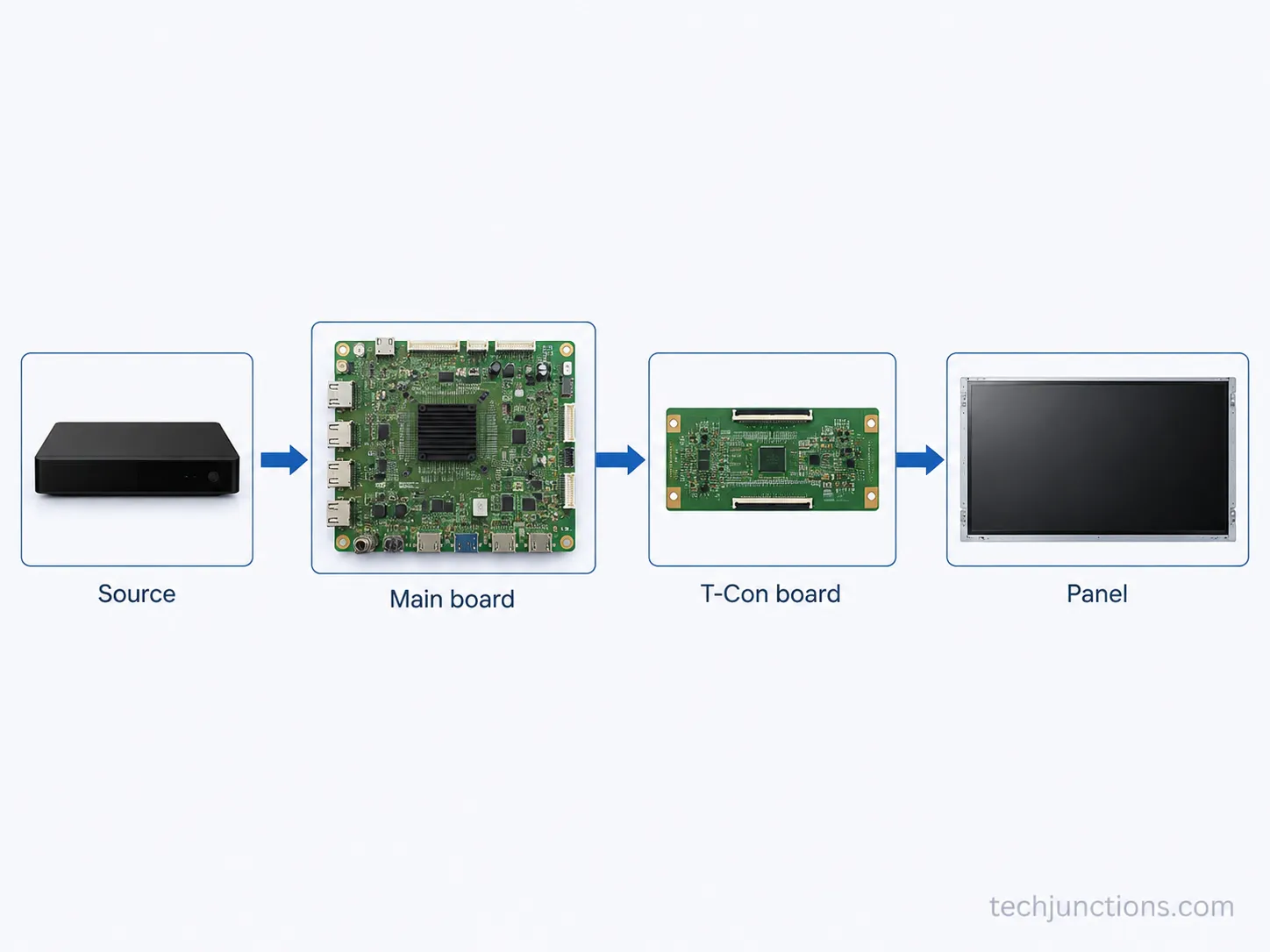
As Ravi Electronics explains, the T-Con is the timing controller between the main board and the panel, so a mismatched board drives the wrong timing.
Match your board against the right code prefix before you buy.
Brand | Example part-code prefix on the sticker |
|---|---|
Samsung | BN94-, BN81-, LJ63- |
LG | EAX, EAY, 6871L- |
Sony | 1-XXX or A-series service code |
TCL | 40-XXXXXX or 08-XXXXXX |
Hisense | RSAG or HXX-XXXXXX |
Insignia | 55.XXXXX or 715G |
For a deeper look at how the board works and its other failure signs, we have a guide to how the timing-control board works. If an Insignia set is dark rather than lined, check the Insignia backlight instead.
Cost risk: a swap that does not work is money spent to rule out the board. Factor that into the decision, because the next stop is a panel write-off.
When Vertical Lines Mean a Dead Panel (the Write-Off Fork)
A single fixed coloured vertical line that shifts when you gently flex the panel usually means the LCD's gate driver, or its bond to the panel, has failed, which is a true panel fault.
Panel replacement generally costs about as much as a new TV, so it is not economical to repair.
At that point the practical options are to replace the set, sell the working boards for parts, or recycle it. If the line is coloured and static and no board swap changed it, treat it as a panel write-off.
On both the LG 55-inch and the Hisense 50-inch, a gentle flex near the line made it jump every time, which is the reliable tell that the panel itself is failing.
Neither responded to a board swap, and both were written off.
According to TV Parts Today, a panel swap rarely makes economic sense because a replacement panel usually costs more than the whole set is worth.
If the panel is genuinely gone, that changes the decision, not just the repair. Weigh these three routes.
Replace the set if the flex test confirms the panel and the TV is more than a few years old.
Sell the boards for parts, since a working power board and main board still have resale value.
Recycle responsibly if nothing is salvageable.
If it is a physical break rather than a driver fault, our guide to a cracked or broken screen covers repair, replace, or salvage.
It helps to know what a new panel costs before deciding, and when nothing is worth saving, here is how to recycle the old set.
A Hisense set that is dark rather than lined may instead have Hisense backlight issues.
The write-off verdict: if a gentle flex makes a single coloured line jump and a matched board changed nothing, stop spending. That set is a panel write-off, and replacement beats repair.
Tools and Parts You'll Actually Need
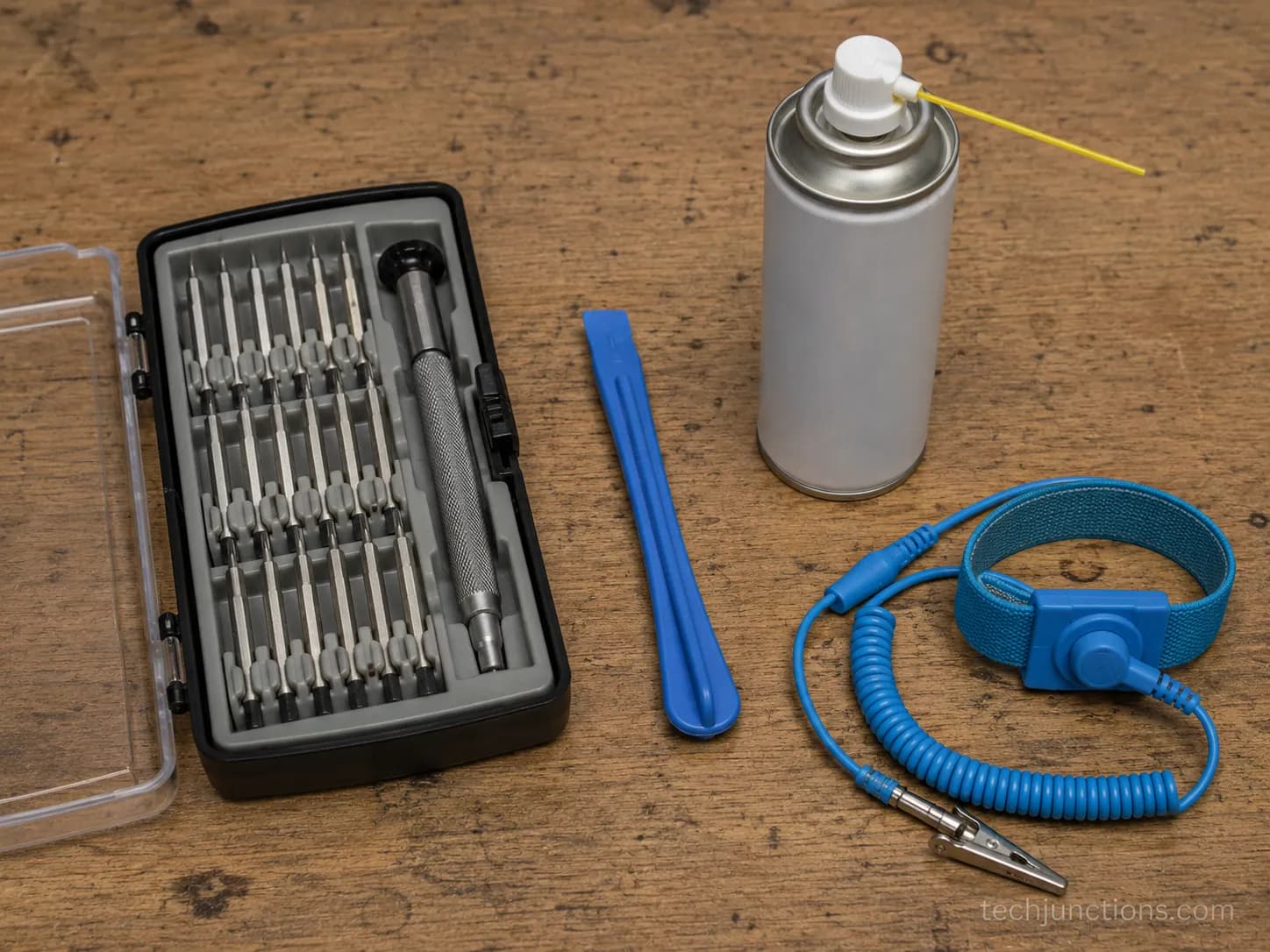
You need very little to fix vertical lines: a precision screwdriver set, a plastic pry tool, contact cleaner for the ribbon connectors, an anti-static wrist strap, and, only if you are replacing it, a T-Con board that exactly matches your part number. Y
ou do not need a soldering iron for a board swap, and there is no legitimate crack-repair kit for a failed panel. Every fix in this guide was done with a cheap kit and nothing exotic.
The whole job on the bench used a $12 screwdriver set, a $6 spudger, and a can of contact cleaner. Anti-static matters more than the price of any tool, because one static discharge can turn a $30 board into scrap.
Precision screwdriver set
Plastic pry tool or spudger
Electronics contact cleaner
Anti-static wrist strap
Matched T-Con board (only if replacing)
If you would rather price a shop job than buy tools, see typical repair prices first.
Skip these: there is no toothpaste, heat-gun, or "screen crack kit" that fixes vertical lines. Those target scratches, not signal faults, and they can crack a working panel.
How to Prevent Vertical Lines (and What Not to Try)
You cannot fully prevent a T-Con or panel failure, but you can lower the odds. Keep the TV well ventilated to limit heat cycling, avoid pressing or flexing the panel, and reseat any ribbons securely if you have had the back off.
Ignore the viral "fixes," because hard pressing, heat-gun tricks, and toothpaste on the screen will not cure vertical lines and can crack a working panel.
If lines appear only when the set is cold and fade as it warms, that is a marginal connection getting worse over time, not a set that is healing.
One of the six sets showed lines only from cold and cleared as it warmed. The connection was marginal, and it failed for good within a fortnight, exactly as that pattern predicts.
Do not try these: hard pressing on the screen, heat guns aimed at the panel, or toothpaste and petroleum-jelly hacks. None fix vertical lines, and each risks permanent damage.
Recurring or spreading lines can be one of the early signs a set is failing. If the fault appeared while the set was still covered, check what's actually covered before you pay for anything.
When to Call a Pro (and What It Should Cost)
Call a professional if you are not comfortable opening the TV, if the lines are spreading, or if a matched T-Con board did not fix them and you suspect the panel.
Expect a diagnostic fee plus labour for a board swap, and if the quote approaches the price of a comparable new TV, replacement is the smarter move.
A good shop confirms whether it is a repairable board fault or a panel write-off before charging for parts, which is the same call the five-second flex test already gives you at home.
For the two write-off sets, a shop would have charged a diagnostic fee just to confirm what the flex test told me in seconds.
That is worth knowing before you pay, because a technician has proper test gear but the answer may still be "not repairable."
Ravi Electronics makes the same point about when to stop DIY experiments and hand a spreading fault to a technician.
Here is a rough anchor for what professional work runs, with the full breakdown in the cost guide.
Service | Rough cost anchor |
|---|---|
Diagnostic fee | $40-90, often credited toward the repair |
T-Con board swap (labour + part) | $90-200 |
Panel replacement | Usually near or above a new-TV price |
If you are weighing a shop job overall, our complete guide to repairing a broken set helps. Samsung owners can see how Samsung's repair service works and what it costs.
Honest limit: sometimes the diagnostic fee only confirms the set is not worth fixing. That is still useful information, but budget for it.
Frequently Asked Questions
Can vertical lines on a TV be fixed?
Yes, most vertical lines on a TV are repairable. Free checks such as a cable or source swap and a power-cycle fix some, reseating the T-Con ribbon fixes more, and a matched $15-60 T-Con board fixes most of the rest. Only a single fixed coloured line that shifts when you flex the panel signals a true panel fault that usually is not worth repairing.
Why do the vertical lines fade after the TV warms up?
Lines that show only when the set is cold and clear as it warms point to a marginal connection or a weak solder joint that expands into contact once the components heat up. It looks like the set is healing, but it is a fault getting worse. In the bench test, a set with this pattern failed for good within two weeks.
Is it the T-Con board or the panel?
Press the MENU button. If the on-screen menu overlays cleanly over the lines, the panel is rendering correctly and the fault is upstream on the T-Con board or a ribbon, which is repairable. If a single line is fixed, coloured, and jumps when you gently flex the panel, that is the panel itself.
How much does it cost to fix vertical lines on a TV?
At home, most fixes cost nothing (cable, source, reseat) or about $15-60 for a matched T-Con board. A professional board swap runs roughly $90-200 including labour. A panel replacement usually costs near or above the price of a new TV, which is why a true panel fault is a write-off.
Does a warranty cover vertical lines?
It depends on the cause and the plan, but a manufacturer warranty generally covers a defect that appears on its own within the term, while accidental damage usually is not covered. If the fault appeared without any impact and the set is in warranty, it is worth a claim. You can also switch inputs manually while you sort a claim if the lines block the menu.
Can I still use the TV if the lines block the menu and I've lost the remote?
Yes, most sets have physical buttons that let you change input and volume without the remote. You can adjust volume without the remote using the set's own controls in the meantime. A voice-control Samsung remote makes those manual workarounds unnecessary once you replace the handset.
The Bottom Line: Cheap Fix First, Panel Last
Knowing how to fix a TV with vertical lines comes down to order: run the free checks, reseat the T-Con ribbon, then fit a matched $15-60 board, and only call it a panel write-off when a gentle flex makes the line jump.
Across the six sets, four were fixed for free or for about thirty dollars, and only two were genuine write-offs.
The order is what saved the money, and sometimes the honest answer is that replacement beats repair. Start cheap, test as you go, and let the flex test make the final call.
Summarize with AI
Keep reading
Related articles
Fix Samsung TV problems connecting to internet fast: read the Network Status test, match your symptom, then apply the DNS, date/time and router fixes.
Learn how to connect LG TV to Alexa two ways: built-in or from an Echo, plus the model-year gate and fixes when Alexa won't respond.
Fix Insignia TV horizontal lines on screen in minutes: a hard reset and one built-in menu test show instantly if it's a cheap cable or a dead panel.
Sell it for parts, part it out, repurpose it, or recycle it free, that's what to do with a broken TV, plus what a broken set is really worth.
Comments
Moderated for quality. Share a correction, ask a follow-up, or tell us what worked for you - every comment is reviewed before it goes live.