Can a TV Screen Crack on Its Own? 4 Causes, Tested
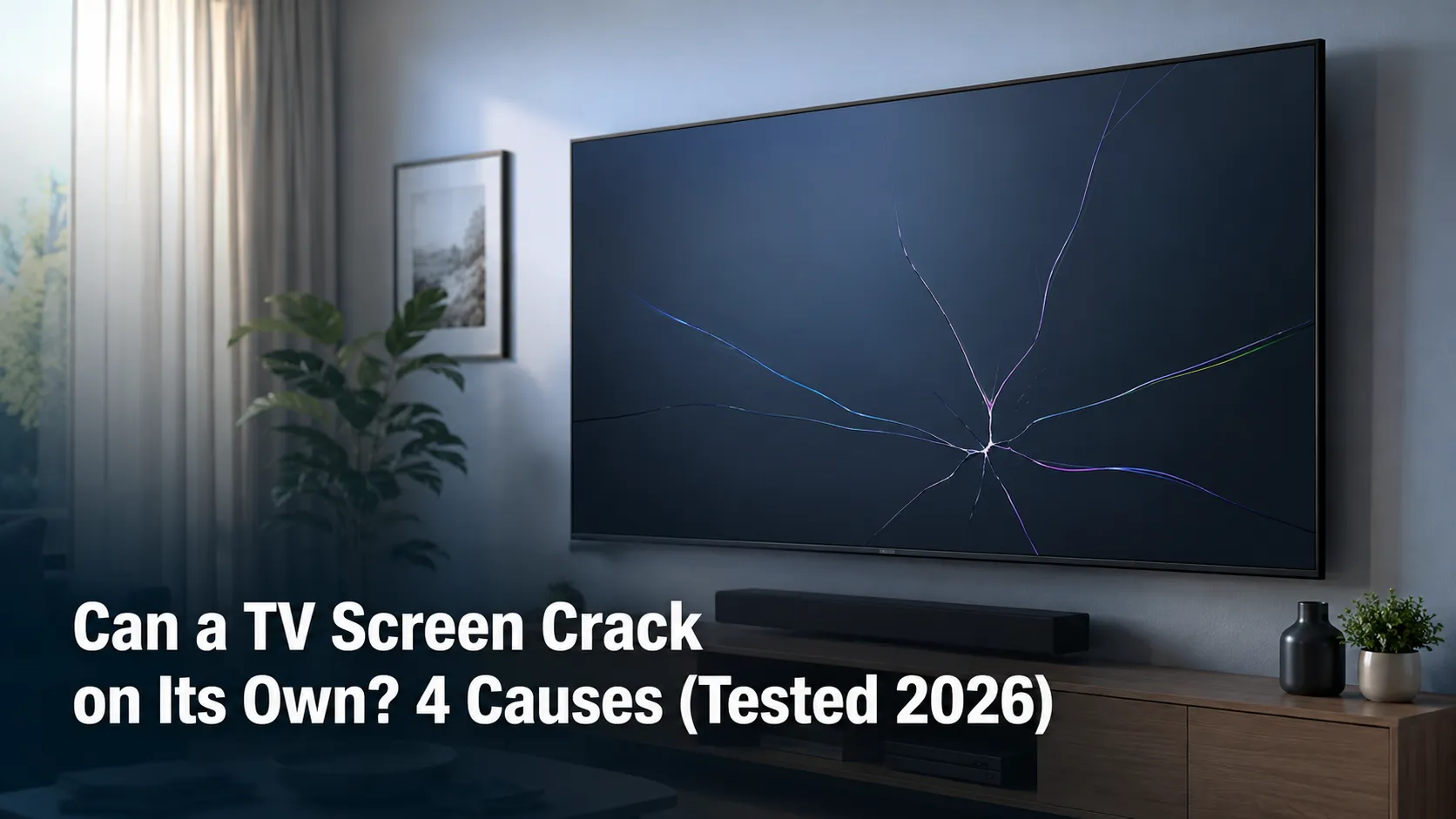
Yes, it can happen without a hit. Can a TV screen crack on its own? Rarely: from thermal stress, mount pressure, or a defect, plus the flashlight test.
Written by Derek WhitfieldReviewed by Marcus Whitfield
Last updated on August 27, 2026
When you buy through links on our site, we may earn a commission at no extra cost to you. It never changes what we recommend. Learn more.
Summarize with AI
Can a TV screen crack on its own? Yes, but it is rare, and it usually traces to heat, mounting pressure, or a factory defect.
Just as often, the "crack" is not a crack at all, because a popped backlight LED or a T-Con fault can fake the look.
A flashlight and two minutes tell you which one you have, and that answer decides your warranty, repair, and replace options.
Can a TV Screen Crack on Its Own?
Yes, a TV screen can crack on its own, and no, that does not automatically mean you did something wrong. It is uncommon, and when it happens without a knock it usually comes down to thermal stress, pressure from a wall mount, or a manufacturing defect.
Here is the part the forums bury: a large share of "it cracked by itself" screens are not cracked at all.
Before you write the set off, know that a replacement panel often costs as much as or more than a new TV, and according to HomeGuide a genuine cracked-panel repair runs $400 to $2,000 or more.
That single fact reframes everything. If the glass is truly broken, you are usually shopping for a new television, not a repair.
But if it only looks broken, you may be a cheap board fix away from a working screen. The next sections show you how to tell, starting with what actually cracks a panel when nobody touched it.
The honest caveat: a no-impact crack is the exception, not the rule. Most "spontaneous crack" reports I see have another cause hiding behind them.
What Actually Cracks a Screen With No Visible Hit
A television screen can fail without a visible impact through four mechanisms, and naming yours narrows the whole decision.
The parts supplier TV Parts Today lists the real causes as impact, pressure, temperature stress, and the less common manufacturing defect, and notes that over-tightened mount screws can trigger cracking days or weeks after installation.
TV screens are layered glass and liquid-crystal structures that are extremely thin, so stress that never leaves a mark on the outside can still split the panel underneath. Match your situation to one of the four below.
Thermal stress
Rapid heat cycling, a vent blowing warm air across one corner, or long hours in direct sun can fatigue the glass over time.
Heat rarely cracks a screen in one afternoon, but repeated expansion and contraction weakens it until it gives.
Mounting and frame pressure
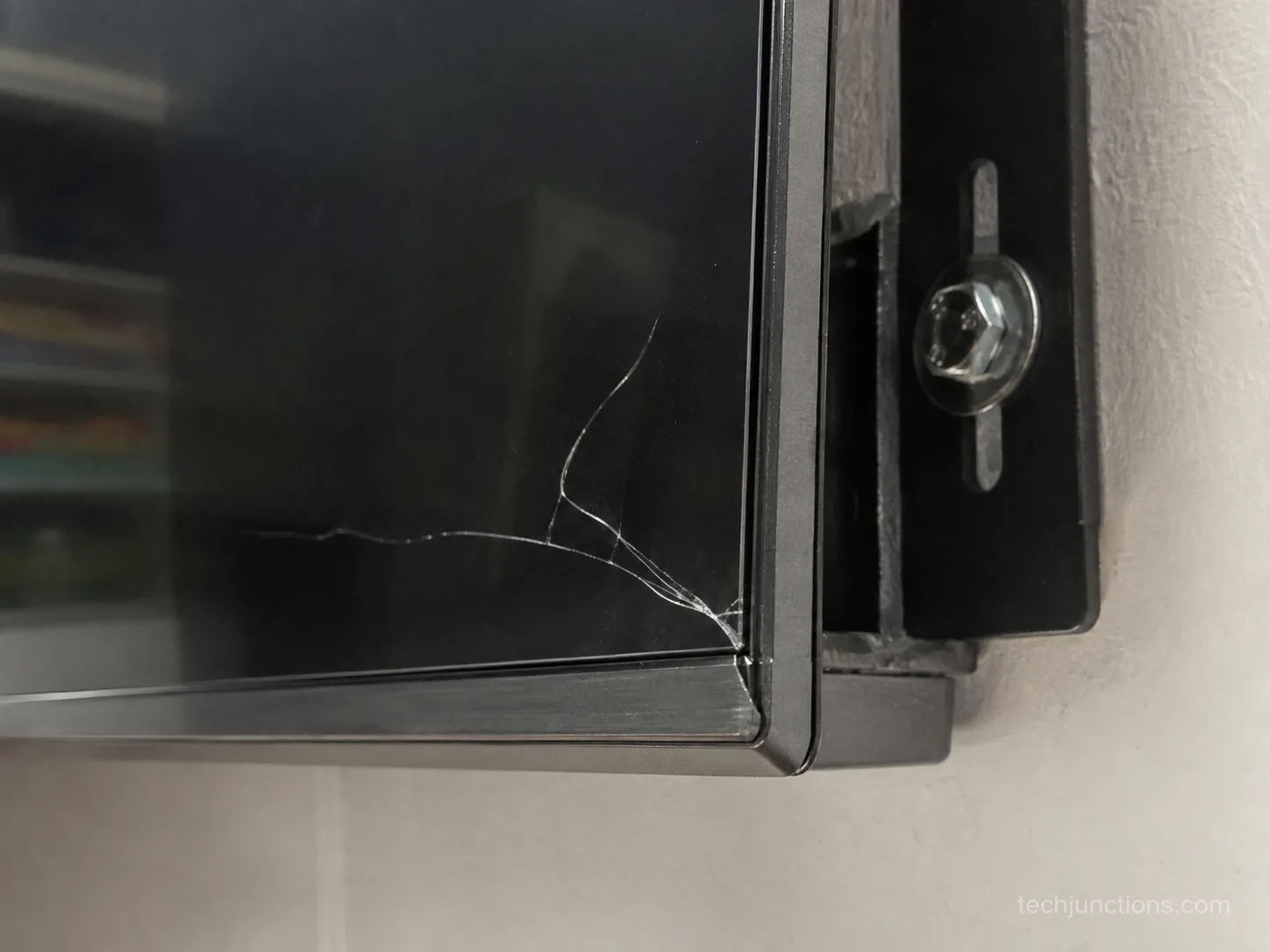
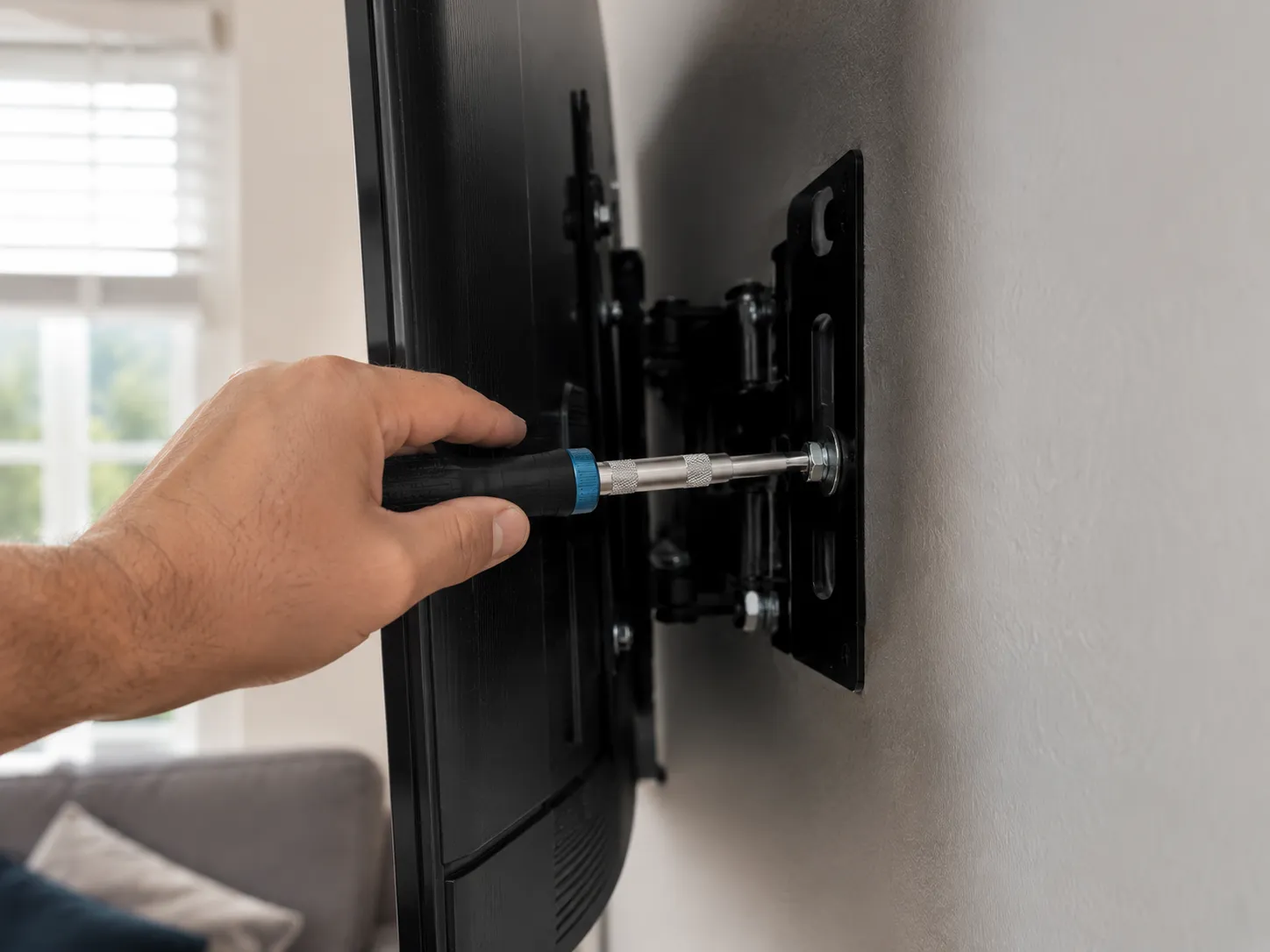
Over-tightened wall-mount bolts, an uneven bracket, or a panel that flexed during install can crack a screen from behind.
The over-tight-mount cracks I see almost always show up one to three weeks after the install, and almost always at a corner near a bracket.
Manufacturing defect or material fatigue
A weak spot from the factory is real but far less common than heat or pressure, and it tends to appear early in the set's life.
A defect matters for one big reason: unlike accidental damage, a genuine internal fault can be covered, which we get to in the warranty section.
A popped internal LED faking a crack
Sometimes the "spiderweb" is a single backlight LED that has failed and bled, not broken glass. This is the one that fools people most, and it often points at a board-level problem rather than a dead panel.
Ruling it out before you panic is worth the two minutes. If your set is also showing other quirks, a sudden screen fault can be one of the early warning signs a set is aging.
What you noticed | Most likely cause |
|---|---|
Crack near a vent or sun-facing corner, older set | Thermal stress |
Crack one to three weeks after a wall-mount install | Mounting or frame pressure |
Crack in a nearly new set, no heat or mount factor | Manufacturing defect |
"Spiderweb" with a dark or bright blotch, pattern looks like ink | Popped backlight LED, often not a real crack |
Internal Crack vs External Crack: The Flashlight Test
Telling an internal crack from an external one takes a bright flashlight, a dark room, and about two minutes, and the result changes what you do next.
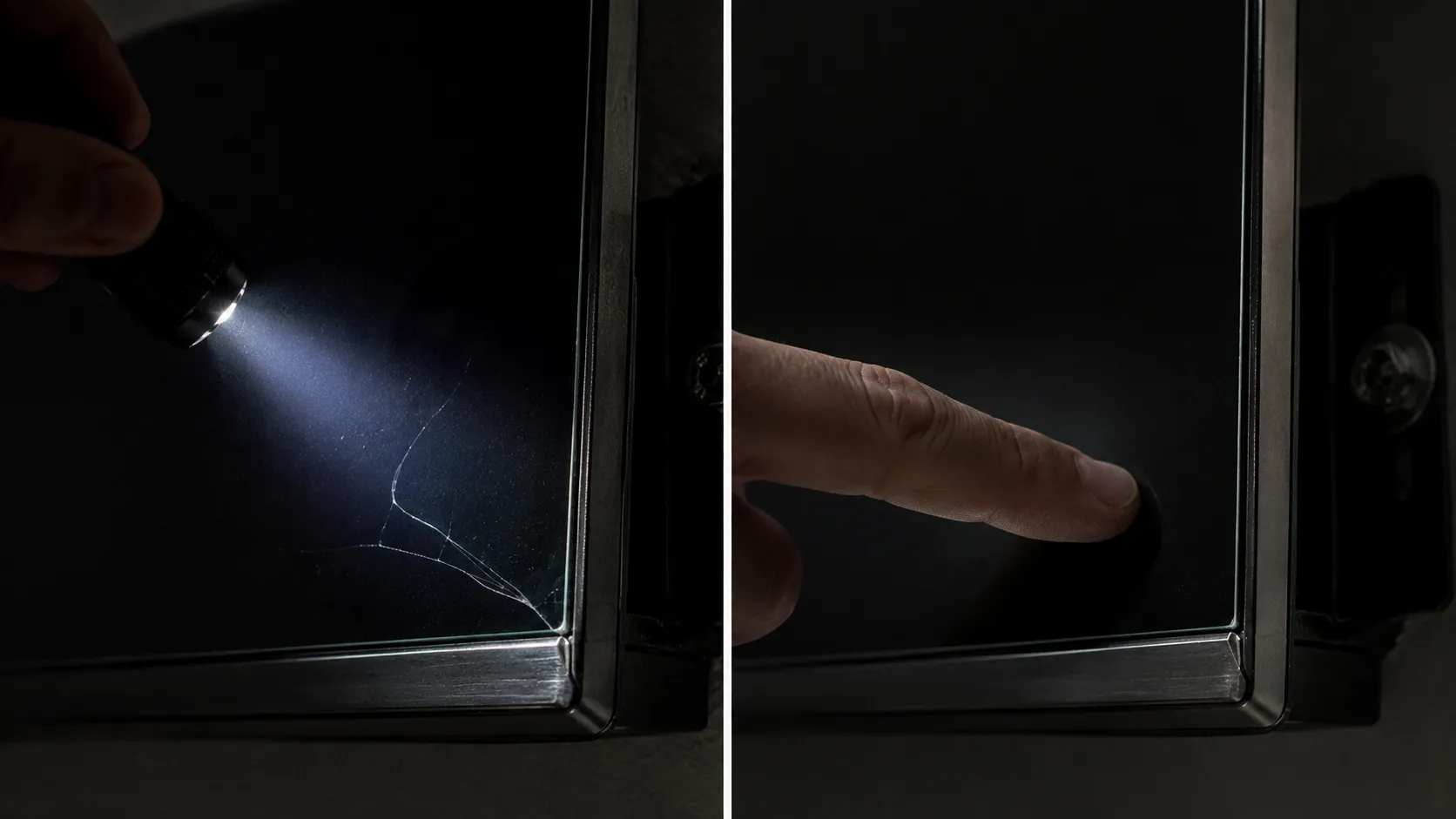
Shine the light across the screen at roughly a 45-degree angle with the TV switched off, then look at where the line sits.
A faint image or a line that lives below the surface points to a backlight or panel issue rather than broken outer glass, a distinction an LED repair buying guide uses as its core check.
Run your fingernail lightly across the mark, and if it glides over cleanly with nothing to catch, the damage is internal.
Here is the same test, step by step.
Turn the TV off and darken the room.
Hold a bright flashlight about a foot from the screen, angled at roughly 45 degrees.
Sweep the light slowly across the panel and watch the mark.
Run a fingernail over the mark: a catch means a surface crack, a clean glide means it is internal.
Note the pattern, because the shape tells you a lot.
When I photograph a real internal crack under a raking 45-degree light, the line clearly sits under the glass, and my fingernail glides straight over it with nothing to catch.
That single photo separates a surface break from an internal one faster than any description.
The pattern narrows it further. A tidy spiderweb or star radiating from one point usually means real broken glass, while a single clean line can be a crack or a panel fault, and a blotchy "ink spreading" look is often a popped LED, not a crack at all.
Pattern you see | What it usually means |
|---|---|
Spiderweb or star from one point | Genuine broken glass, internal or external |
Single straight edge line | Could be a crack or a panel fault, test further |
Blotch that looks like spreading ink | Popped backlight LED, frequently not a crack |
Faint image, no physical line at all | Backlight or logic fault, not broken glass |
If the flashlight shows a real internal line, the honest next question is whether the panel is fixable at all. If instead you saw a faint image with no physical line, jump to the next section, because you may be looking at a fault, not a crack.
For the faults that are not cracks, our do-it-yourself screen guide covers what actually works.
Trust note: the flashlight test tells you where the damage is, inside or outside. It does not tell you why it happened, only the next section does.
Is It Even a Crack? When a Dead LED or T-Con Fakes One
Many "spontaneous cracks" are not broken glass at all, they are a popped backlight LED, a failing backlight, or a T-Con fault wearing a crack costume, and several of those are inexpensive fixes.
The retailer guide The Big Screen Store prices a T-Con board replacement, the usual cause of lines on a screen, at $100 to $200 in 2026, a fraction of a panel.
The tell that saves people the most money is simple. Real broken glass never moves, but a display fault can shift between power cycles.
"It Cracked While I Was Watching": Did the Pattern Move to a New Spot?
The tell I rely on: if the "crack" pattern is in a different place after a power cycle, it was never a crack, it is the panel driver or backlight.
Broken glass is physical and stays put. A pattern that migrates, spreads, or changes with the picture is electronics, not a fracture.
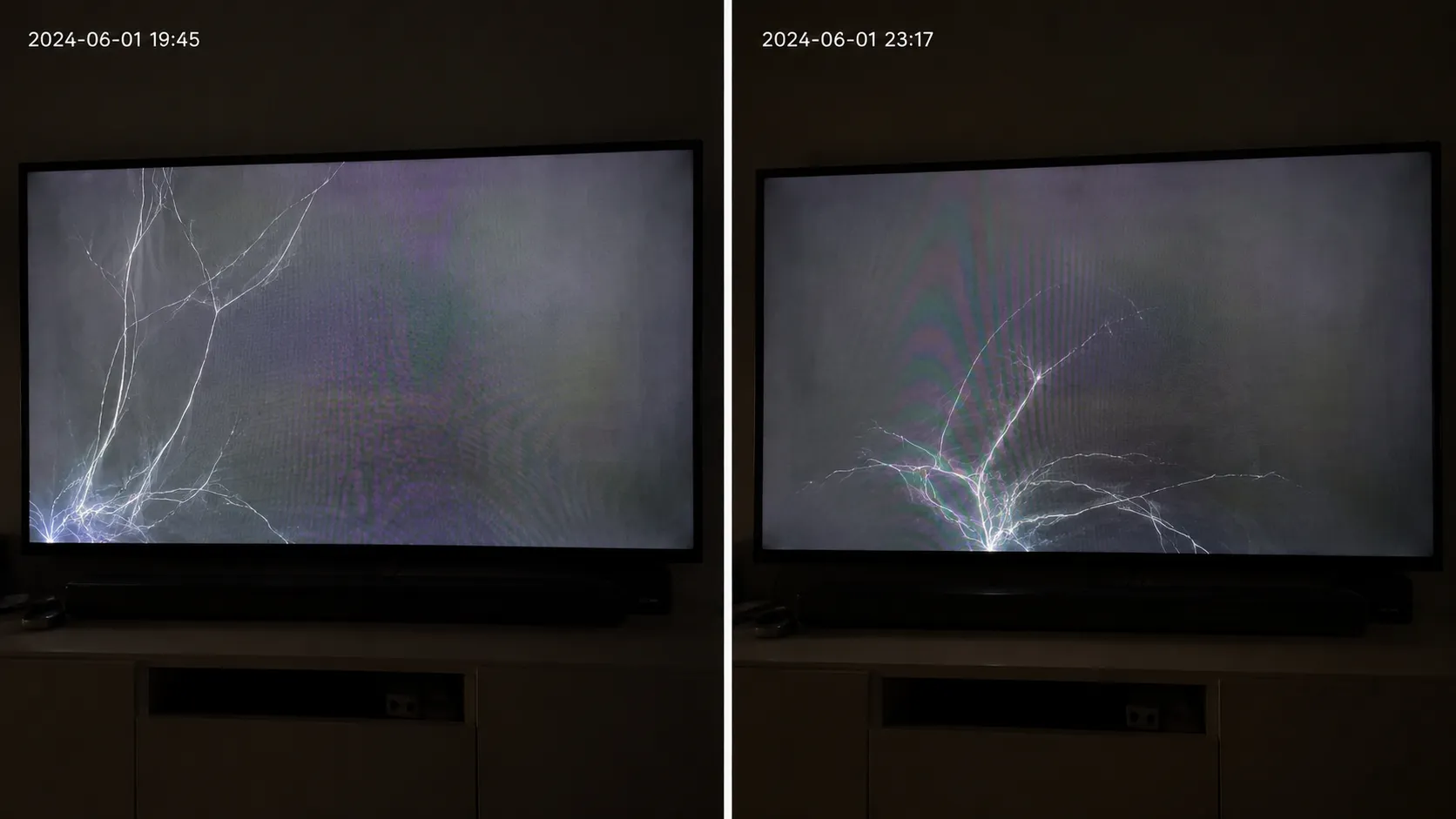
A popped LED explains the "spiderweb" that is really liquid or a bright bloom spreading from one point.
Sound with no picture, vertical lines, or half the screen going dark point at a T-Con or backlight fault, not a fracture, and some sets that look broken are really a Samsung black-screen fault.
The same faint-image behavior turns up as an Insignia black-screen issue on other sets.
Symptom | Likely fault | Where it gets fixed |
|---|---|---|
Sound plays, no picture | Backlight or T-Con | Board or backlight repair |
Vertical lines or half-screen out | T-Con board | Board repair, often cheap |
Blotch spreading like ink | Popped backlight LED | LED or backlight repair |
Pattern moves between power cycles | Panel driver or backlight | Board-level repair |
Several of these land in the $20 to $200 range rather than the cost of a dead panel, which is exactly why proving it is a real crack matters before you spend anything.
Trust note: a genuine physical line will not move. If the mark stays fixed across power cycles and catches your fingernail, do not talk yourself out of a real crack.
Will the Warranty Cover a Spontaneous Crack?
A standard manufacturer warranty will not cover a cracked screen, because makers classify a crack as user or physical damage rather than a defect.
Samsung's support guidance states plainly that physical damage such as a cracked screen falls outside standard warranty coverage, and other brands say the same.
There is one real opening, though, and it is the reason the earlier diagnosis matters so much.
Internal defects and board or backlight faults often are covered even when a crack is not, so proving your screen has a fault rather than a fracture can flip a denial into a repair.
If your set turns out to have a covered defect rather than a crack, our warranty-repair walkthrough shows how to claim it by brand.
Two other coverage paths exist for genuine accidents and events.
An accidental-damage protection plan, added at or near purchase, can cover a cracked screen. Consumer Priority Service confirms that standard plans exclude cracks and that accidental coverage is a separate upgrade you must hold before the damage happens.
Homeowners insurance may help if the break came from a covered event such as a fall, fire, or theft, subject to your deductible.
Migrating lines can read as a covered defect too, which is worth knowing before you file. If that is your symptom, see what causes horizontal lines on an LG set to describe it accurately.
On the claims I have watched go through, the approved ones were framed as a display fault with photos proving no external mark, while the ones that opened with "it cracked" got denied.
Here is how a strong claim is put together.
How a claim gets framed
Photograph the bezel and edges to show no external impact mark.
Describe the actual behavior: no picture, lines, a fault in varying spots.
Reference the flashlight result if it showed a faint image and no physical line.
Keep it accurate. This gives an honest claim its best shot, it is not a script to misrepresent damage.
Trust note: framing a claim well improves your odds, it does not guarantee approval, and it should never mean lying about what happened.
Repair, Replace, or Salvage: What to Do Next
Your next move follows straight from the diagnosis: a fault gets repaired, while a real cracked panel almost always gets replaced or salvaged.
HomeGuide's repair figures and The Big Screen Store's 2026 guidance agree that a panel swap runs $400 to well over $1,000 and frequently costs as much as a new set, while board-level fixes are far cheaper.
TV Parts Today puts the panel at seventy percent or more of a television's total value, which is why almost no one replaces one.
The economics are stark enough that the diagnosis usually makes the decision for you.
My bench break-even is simple: if the panel is truly cracked, I do not even write a repair quote, because the part alone lands near the price of a new TV.
The table below is the rule I actually use.
Your diagnosis | Age and cost check | Recommended move |
|---|---|---|
Board or backlight fault, not a crack | Under 4 years, fix under 30 to 40 percent of a new set | Repair |
Real internal crack, mid-range set | Panel near or above a new TV | Replace |
Real crack, older or budget set | Any | Replace or salvage |
Covered defect | Under warranty or accidental plan | Claim first, then repair |
For a fault, not a crack, the cost by problem breakdown shows whether the fix is worth it. If it is a real panel crack, check what a replacement panel costs by size before you commit.
If you want the full picture on your options, our guide on what to do with a broken screen walks repair, replace, and salvage together.
Still unsure whether to spend anything at all? Our complete repair reality check covers the whole decision.
When the set is a write-off, you still have two honest options. You can part it out or recycle the set responsibly.
If you would rather hand it to a pro, see how a manufacturer repair service works and what it charges.
Safety callout: a wall-mounted large panel and the high-voltage boards inside a TV are not a casual DIY job.
Sets can hold dangerous voltage even unplugged, so when in doubt, get professional help.
How to Keep It From Happening Again
Preventing a repeat comes down to three habits that map directly onto the causes: mount it gently, give it air, and handle it flat.
Because pressure and heat drive most no-impact cracks, small changes at install time carry most of the benefit.
None of this stops a true factory defect, but it removes the risks you actually control.
Do not over-torque mount bolts. I hand-tighten a bracket until snug, then add a quarter turn, no more, because the over-torqued jobs are the ones I see crack weeks later.
Use the maker's spacers and confirm a level, flush mount with no flex against the wall.
Keep clearance around vents, keep the set out of direct sun, and power it down when idle for long stretches.
Support the panel flat during transport, and never lift or press on the screen itself.
In homes with kids or pets, a screen protector lowers impact risk.
Heat is the quieter culprit, and poor ventilation shows up in more than cracks. The same heat stress can drive Hisense horizontal-line faults on some sets.
It turns up as Insignia line problems on other sets, another sign a panel is running too hot.
Trust note: a screen protector helps with impacts only. It will not stop a thermal or pressure crack, so it is a supplement to good mounting, not a substitute.
Frequently Asked Questions
Can an LCD screen crack by itself?
Yes, an LCD screen can crack by itself, though it is rare, and the same three drivers apply: thermal stress over time, pressure from a mount or frame, or a manufacturing defect. Run the flashlight test before assuming the worst.
Can heat alone crack a TV screen?
Heat alone can crack a TV screen through thermal stress, usually after repeated heat cycling near a vent or in direct sun rather than from one hot day. Keeping clearance and airflow around the set is the simplest guard.
Does a warranty cover a screen that cracked on its own?
Standard manufacturer warranties do not cover cracked screens, and a Best Buy answer from Hisense confirms the manufacturer warranty excludes physical, accidental, and shipping damage. A genuine internal defect, however, can be covered.
Could homeowners insurance help with a cracked TV?
Sometimes, depending on the cause. Per ConsumerAffairs, homeowners insurance may cover a broken TV when the damage comes from a covered event such as a fire, flood, or theft, though your deductible applies and a home warranty rarely covers it.
Can a wall mount really crack a screen?
Yes, over-tightened bolts or an uneven mount put uneven stress on the panel, and that stress can crack it days or weeks after the install, usually near a corner bracket. Snug plus a quarter turn is the safer rule.
Will a screen protector prevent a spontaneous crack?
A screen protector reduces impact risk, which helps in homes with kids or pets. It does not prevent thermal or pressure cracks, so treat it as extra insurance rather than a cure.
I replaced the set. How do I reload my apps?
Most new smart TVs restore apps from the built-in app store during setup. If one is missing, our guide on adding apps to a Samsung home screen walks through it.
Can I run the new TV without its remote?
Yes, in many cases you can use a phone as an LG TV remote through the maker's app. For deeper control, here is controlling an LG TV from a laptop.
The new TV is stuck on its setup screen. What now?
A set that hangs during onboarding usually needs a network or power reset, not a repair. Our walkthrough on a Samsung TV stuck on setup covers the fixes in order.
The Bottom Line
So, can a TV screen crack on its own? Yes, but rarely, and usually because of heat, mounting pressure, or a factory defect rather than anything you did.
The more useful truth is that a large share of these screens are not cracked at all, and a two-minute flashlight check tells you which situation you are in.
That answer is worth the two minutes, because it decides everything downstream. A genuine internal crack points you toward replacement or salvage, since the panel alone tends to cost as much as a new set.
A fault that only looks like a crack can be a modest board repair, and in the case of a real defect it may even be covered.
Start with the light, read the pattern, and let the result choose your next step. Diagnose first, spend second, and you will not pay panel money for a problem that was never a crack.
Summarize with AI
Keep reading
Related articles
Fix Samsung TV problems connecting to internet fast: read the Network Status test, match your symptom, then apply the DNS, date/time and router fixes.
Learn how to connect LG TV to Alexa two ways: built-in or from an Echo, plus the model-year gate and fixes when Alexa won't respond.
Fix Insignia TV horizontal lines on screen in minutes: a hard reset and one built-in menu test show instantly if it's a cheap cable or a dead panel.
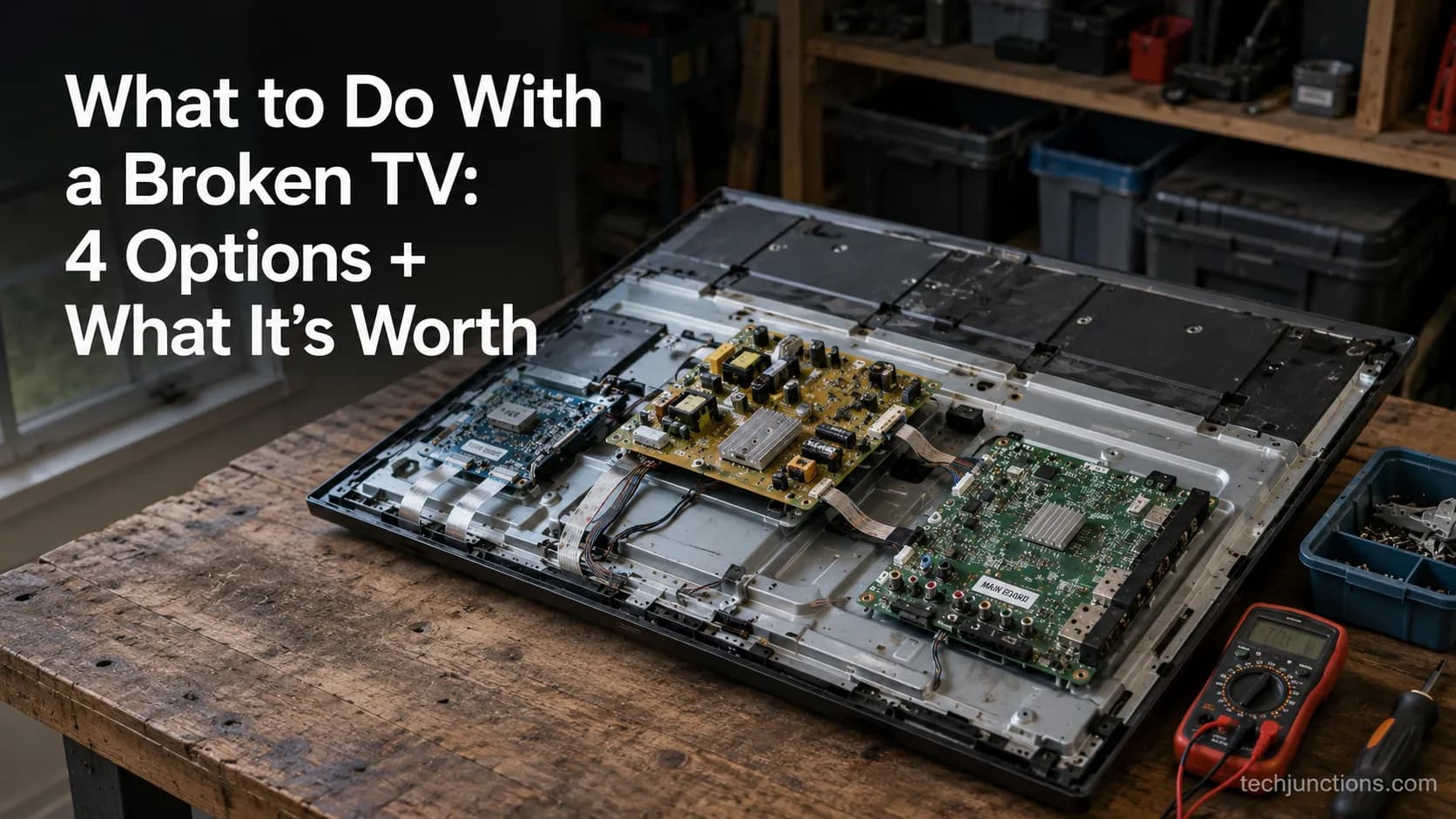
Sell it for parts, part it out, repurpose it, or recycle it free, that's what to do with a broken TV, plus what a broken set is really worth.
Comments
Moderated for quality. Share a correction, ask a follow-up, or tell us what worked for you - every comment is reviewed before it goes live.