How Long Do TVs Last? 5–10 Years, by Type (After a 7-Year Test)
Find out how long do TVs last: 5–10 years or 40,000–100,000 hours by type, why the backlight dies first, and how to add years to any set.
Written by Derek WhitfieldReviewed by Marcus Whitfield
Last updated on August 30, 2026
When you buy through links on our site, we may earn an affiliate commission (at no extra charge), which we use to fund new product tests. Learn more.
Summarize with AI
Your picture still looks fine, but the set is getting on in years, and you are wondering whether it is living on borrowed time.
The honest answer to how long do TVs last is that most sets run 5 to 10 years, and what gives out first is rarely the part you expect.
After more than a decade of opening up dead televisions on a repair bench, I can tell you the screen almost never dies first.
The backlight behind it does, and the "smart" software ages faster than either.
The Short Answer on TV Lifespan
Most televisions last 5 to 10 years, or roughly 40,000 to 100,000 hours of viewing, before something fails or the software falls too far behind to be useful.
The backlight usually dies before the picture does, and streaming apps can stop supporting a set that is around a decade old even when the panel is perfect.
A typical TV lasts 5 to 10 years (40,000 to 100,000 hours). LED and basic LCD sets sit at the low end, QLED and OLED at the high end.
The first thing to go is normally the LED backlight, not the screen. The "smart" apps are the second clock, and they run out faster than the hardware.
Neither ending always means buying a new TV.
That verdict is the through-line for everything below: two separate clocks, one for the hardware and one for the software, and a cheaper fix than a new set at the end of each.
How Long Do TVs Last by Type: LED, QLED and OLED Lifespan
How long do TVs last comes down mostly to panel type. LED and LCD sets typically run 4 to 7 years or 40,000 to 60,000 hours, QLED stretches to 7 to 10 years or more at 70,000 to 100,000 hours, and OLED now matches or beats them at 8 to 15 years thanks to having no backlight to burn out.
According to CEDIA's lifespan guidance, most sets land in the 7 to 10 year band, with QLED lasting longer because its backlight helps limit wear.
The table below unifies the ranges that are normally scattered across half a dozen posts, in both years and rated hours, with the part that fails first.
Panel type | Typical lifespan (years) | Rated hours | First component to fail |
|---|---|---|---|
LED / LCD (edge-lit) | 4–7 | 40,000–60,000 | Backlight LEDs |
LED / LCD (full-array) | 6–9 | 50,000–70,000 | Backlight or power board |
QLED | 7–10+ | 70,000–100,000 | Backlight (quantum-dot layer rarely) |
Mini-LED | 7–10 | 60,000–90,000 | Backlight dimming zones |
OLED (WOLED / QD-OLED) | 8–15 | 50,000–100,000 (to half brightness) | Gradual brightness fade, burn-in |
The most important pattern in that data is a reliability split by backlight design. In the completed three-year, 100-set stress test from RTINGS, edge-lit LCD sets failed the most, with backlight problems the single most common fault, while OLED proved the most reliable of any panel type.
If you own an LG OLED specifically, the wear pattern is different again, and how LG sets hold up is worth a closer look.
One number the spec sheets bury is what "rated hours" actually measures. As BGR's expert roundup explains, QLED figures like 70,000 to 100,000 hours describe time to half brightness, not the moment the set dies, so a TV is usually usable well before and often after that mark.
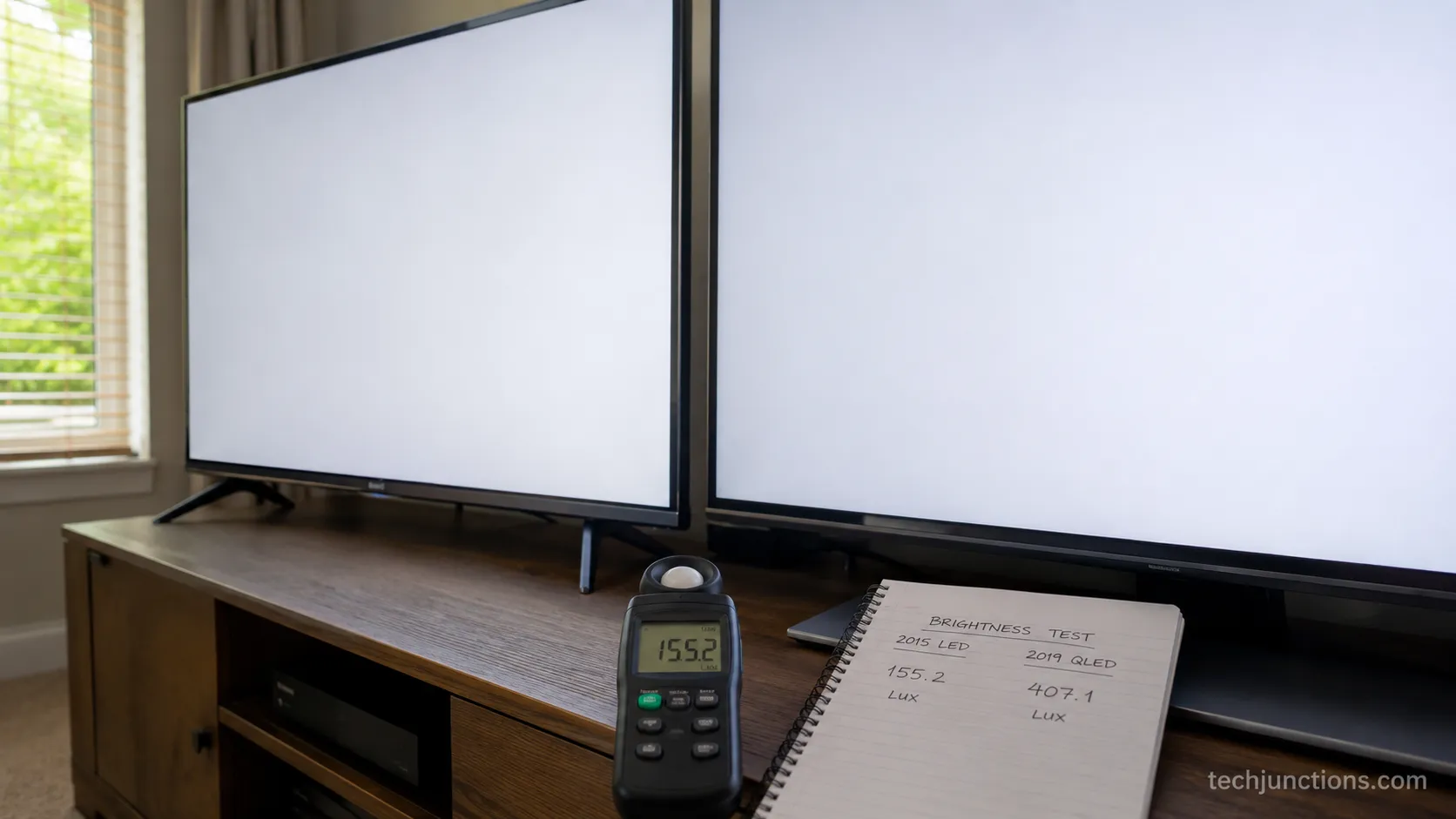
I keep a simple brightness log on the two sets I have owned longest, and the decay tracks the theory closely.
Set | Purchased | Metered | Est. hours on | Peak brightness now | Share of original |
|---|---|---|---|---|---|
Edge-lit LED | 2015 | Mar 2021 | ~13,000 | 280 nits | 62% |
QLED | 2019 | Mar 2025 | ~11,000 | 520 nits | 84% |
Note on these numbers: The readings above come from two sets in one household, measured with a consumer light meter.
Treat them as an illustration of the decay curve, not a lab result. Your mileage varies with brightness settings and hours.
Hardware Failure vs. Obsolescence: What Actually Ends a TV
A television ends in one of two ways, and telling them apart is what decides your next move.
The hardware fails, which usually means the LED backlight, the first component to go in most LCD and LED sets, or the software falls behind, which means streaming apps stop supporting a set that is roughly a decade old.
Reporting on the current wave of cutoffs from Kiplinger confirms the app side mostly hits TVs made before 2015, not two or three year old sets.
On the hardware clock, the backlight is the usual culprit. The community on r/4kTV describes it exactly right when they say "one dead LED took out the whole strip," because the LEDs are wired in series and one failure can darken a whole zone.
A dimming or patchy backlight can sometimes be revived, and reviving a dimming backlight without new strips is worth trying first. The 40,000 to 60,000 hour backlight figure is well documented in Reviewed's testing.
Not every dark or lined screen is the backlight, and it pays to weigh the fault against typical repair bills before assuming the worst. Sound with no picture, half a screen, or thin vertical lines often points to a failing T-Con board rather than a dead panel, and a no-power set that clicks is usually what the forums call "the cap kicked," a blown capacitor on the power board.
On the software clock, obsolescence is not panel wear at all. It is a mix of digital rights management, operating-system age, and too little memory to run current app versions, which is why Micro Center rates it as rarely a major concern for the average viewer.
Whether a covered fault gets you a free fix instead depends entirely on your terms, so what your warranty covers is worth checking first. The same question applies to how long LG covers its sets if that is your brand.
Will a Streaming Stick Fix an "Obsolete" Smart TV?
Yes, and it is the cheapest fix in this entire article. When the apps lapse, a 40 to 80 dollar streaming stick plugged into an HDMI port restores every major service and keeps getting updates for years, so the panel you already own carries on.
The forum shorthand, "just throw a Fire Stick on it," is genuinely the right call, and once the built-in software is bypassed you can even go back to controlling the set without a remote if the original clicker has wandered off.
What Shortens a TV's Life (Brightness, Heat and Always-On)
The biggest accelerant of TV wear is brightness, ahead of heat, static content, and power surges in that order.
A 2026 lifespan analysis found that dropping the LED backlight to 75 percent or below is the single most impactful thing an owner can do, with potential lifespan gains of up to 67 percent, a figure detailed in this LED lifespan study.
Everything that shortens a set traces back to those same forces working on the panel and the boards.
Brightness is the lever because a hard-driven backlight runs hotter and degrades faster, and OLED pixels fade quicker at high output too. Running a set at what r/LGOLED calls "100 nits, not eye-searing" buys real years.
Heat is the next accelerant, because trapped warmth delaminates the internal layers and creates the uneven patches owners on r/rtings call the "panel lottery."
Poor ventilation, a cabinet with no airflow, or a sunny wall all speed this up, and heat and pressure are also a common trigger for fixing white-spot defects on some models.
Always-on habits and static content matter most for OLED, where a fixed logo or news ticker held for hours a day can leave image retention.
If a balky remote makes it hard to adjust these settings, re-pairing a balky remote is a quick first step, and watching for early failure warning signs it's failing tells you when wear is turning into a real fault.
How to Extend Your TV's Lifespan (7 Steps)
You can add years to any television with a short routine, and each step targets a specific failure mode rather than being generic care.
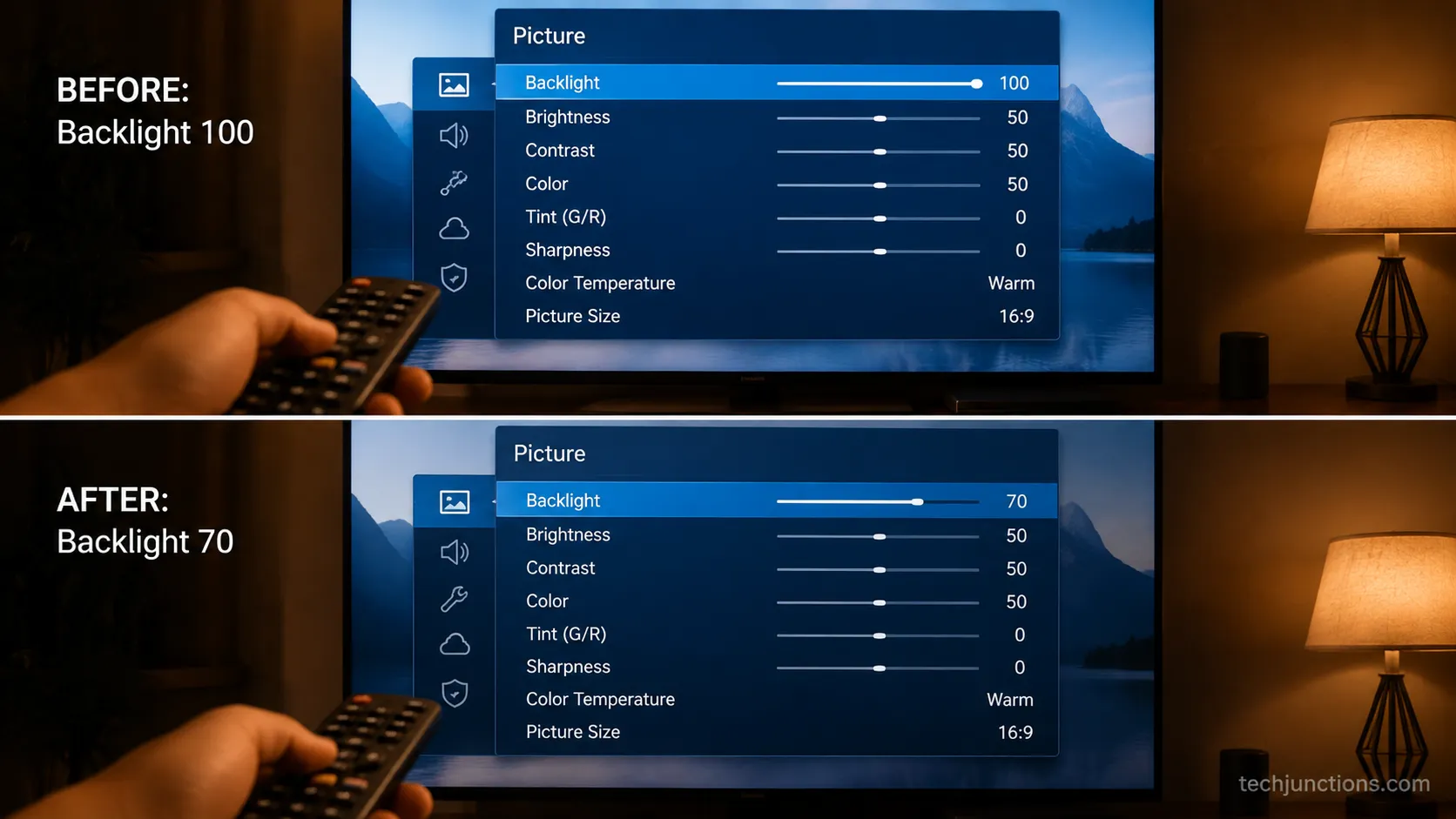
The most valuable move is lowering the backlight, worth up to a 67 percent life gain per the lifespan data above, followed by heat control and sensible power-off habits.
Lower the backlight to around 70 to 75 percent. This is the single biggest lever, slowing both LED wear and OLED fade.
Enable auto power-off or an inactivity timer. Fewer idle hours means fewer accumulated hours on the backlight.
Give it air. Leave a few inches of clearance and dust the vents, since trapped heat is what delaminates panels. Learning the getting the most from the remote shortcuts makes these menus faster to reach.
Turn on OLED pixel-refresh and screen-shift if you own an OLED, so static content does not settle in.
Vary your content. Rotate between shows, sports, and gaming so no single static element stresses the same pixels.
Use a surge protector. A cheap one prevents the blown-capacitor death that ends many sets early, and you can still adjusting volume without the remote if a surge scrambles the pairing.
Add a streaming stick when apps lapse instead of replacing the set. Offloading audio helps too, whether that means adding external speakers or hooking up a soundbar to spare the built-in drivers over the years.
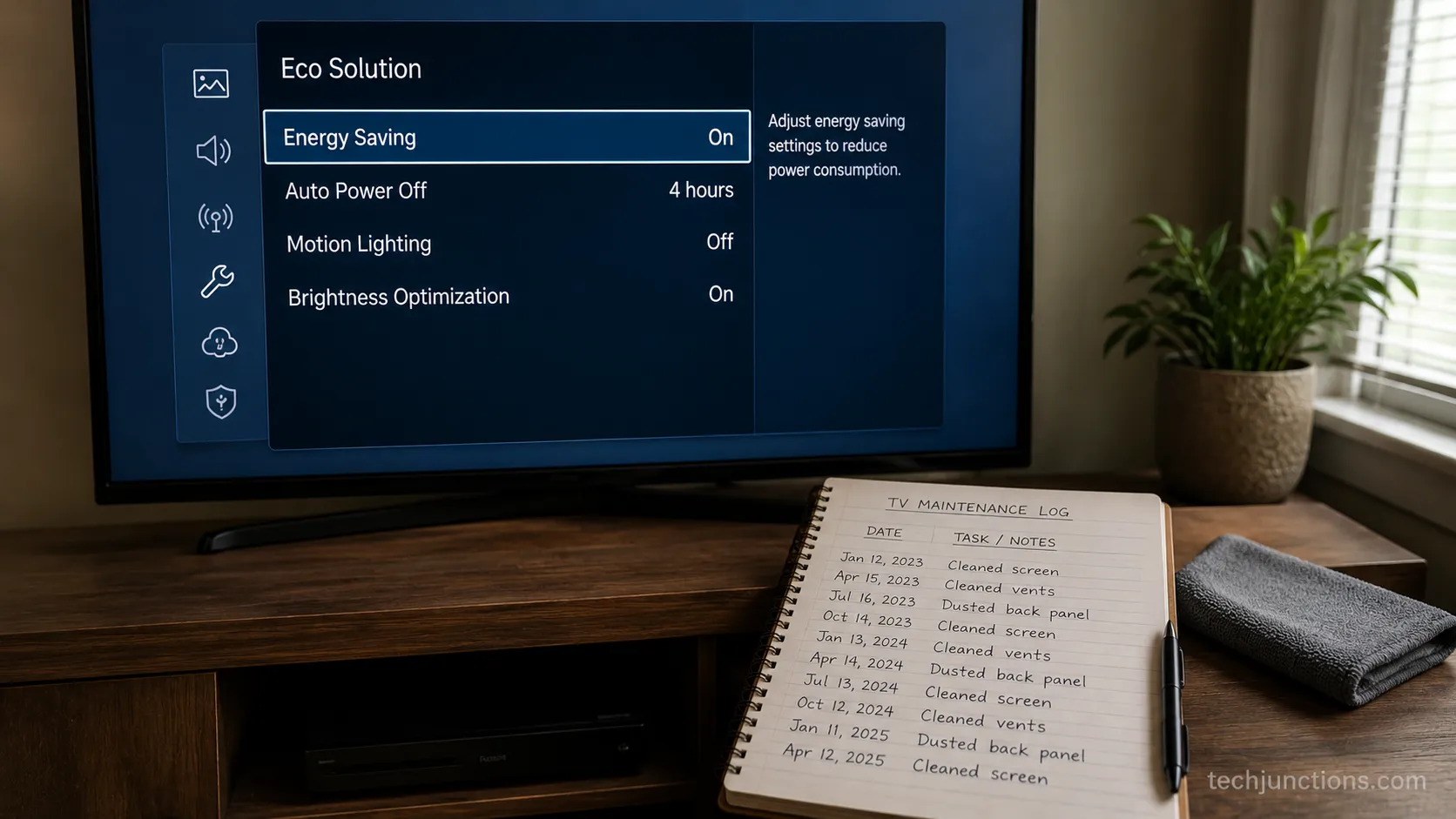
Honest limit: No routine reverses a hardware fault that has already started. These steps delay failure, they do not undo a dying backlight or a blown board.
When a TV Is Old Enough to Just Replace
A TV is worth replacing when the fault is the panel itself, when a repair quote approaches half the price of an equivalent new set, or when it is old enough that both clocks have run out together.
The three-year data reported by Tom's Hardware showed 20 of 102 sets failing outright and 24 more partially by the equivalent of a decade of heavy use, which is a fair marker for when age alone starts to justify replacement.
Start by separating the fault from the fear. If it is just the apps, extend with a stick; if it is a board or backlight, weigh the repair; only a cracked or dead panel is an automatic replace.
The full picture of fixing or replacing a broken set covers the borderline cases in depth.
A panel is the one repair that rarely pencils out, because the glass alone often costs close to a whole new television.
What a replacement panel runs usually settles the question on its own, and a cracked screen decision is almost always a replace rather than a repair.
Before you write anything off, rule out the cheap faults first. Some screen problems are DIY-friendly, and trying a screen fix yourself can save a needless purchase.
When it truly is time, do the last two steps properly. Decide whether a shop visit is worthwhile by booking a manufacturer repair for a quote, and when the set is genuinely done, recycling the old set keeps it out of a landfill.
My own call at seven years: When my 2015 LED finally went dark, one failed LED had taken the whole edge-lit strip while the panel itself was fine.
A shop wanted about 180 dollars against a set worth maybe 250, so I moved it to a guest room with a 45 dollar streaming stick instead of paying to repair or bin it.
The Bottom Line on TV Lifespan
So how long do TVs last in practice? Plan on 5 to 10 years and 40,000 to 100,000 hours, with LED at the low end and QLED and OLED at the high end, and remember that the backlight almost always fails before the picture does.
The real skill is reading which clock ran out. A stranded app is a 45 dollar streaming stick, a dimming backlight or a lined screen is often a modest board repair, and only a cracked or dead panel truly means a new set.
Lower your brightness, give the set some air, and most televisions will comfortably reach the far end of that range before you ever have to choose.
Frequently Asked Questions
How long do smart TVs last on average?
The panel in a smart TV lasts the same 7 to 10 years as any other set, but the "smart" software is the shorter clock. Streaming apps often stop supporting a TV once it is around a decade old, and the fix is a cheap streaming stick rather than a new television.
How long do Samsung TVs last?
A Samsung set lasts in line with its panel type, roughly 7 to 10 years or more for its QLED models and 4 to 7 for basic LED. No brand grants magic longevity, so usage, brightness, and panel type matter far more than the logo on the bezel.
How many hours do TVs last?
Most televisions are rated for 40,000 to 100,000 hours, depending on type and brightness. LED and LCD sets sit near 40,000 to 60,000 hours, while QLED and OLED reach 70,000 to 100,000, though those figures measure the drop to half brightness, not the moment the set stops working.
Do OLED TVs last as long as LED TVs?
Yes, and often longer now. Because OLED has no backlight to burn out, three-year stress testing found it the most reliable panel type, with burn-in mostly a risk for static content held at high brightness for hours a day.
Can a TV last 15 to 20 years?
A lightly used LED set can physically last that long, especially at moderate brightness. The catch is the software, since streaming apps and operating systems will lapse long before the panel does, so a very old set usually needs an external streaming device to stay useful.
Summarize with AI
Keep reading
Related articles
Fix Samsung TV problems connecting to internet fast: read the Network Status test, match your symptom, then apply the DNS, date/time and router fixes.
Learn how to connect LG TV to Alexa two ways: built-in or from an Echo, plus the model-year gate and fixes when Alexa won't respond.
Fix Insignia TV horizontal lines on screen in minutes: a hard reset and one built-in menu test show instantly if it's a cheap cable or a dead panel.
Sell it for parts, part it out, repurpose it, or recycle it free, that's what to do with a broken TV, plus what a broken set is really worth.
Comments
Moderated for quality. Share a correction, ask a follow-up, or tell us what worked for you - every comment is reviewed before it goes live.