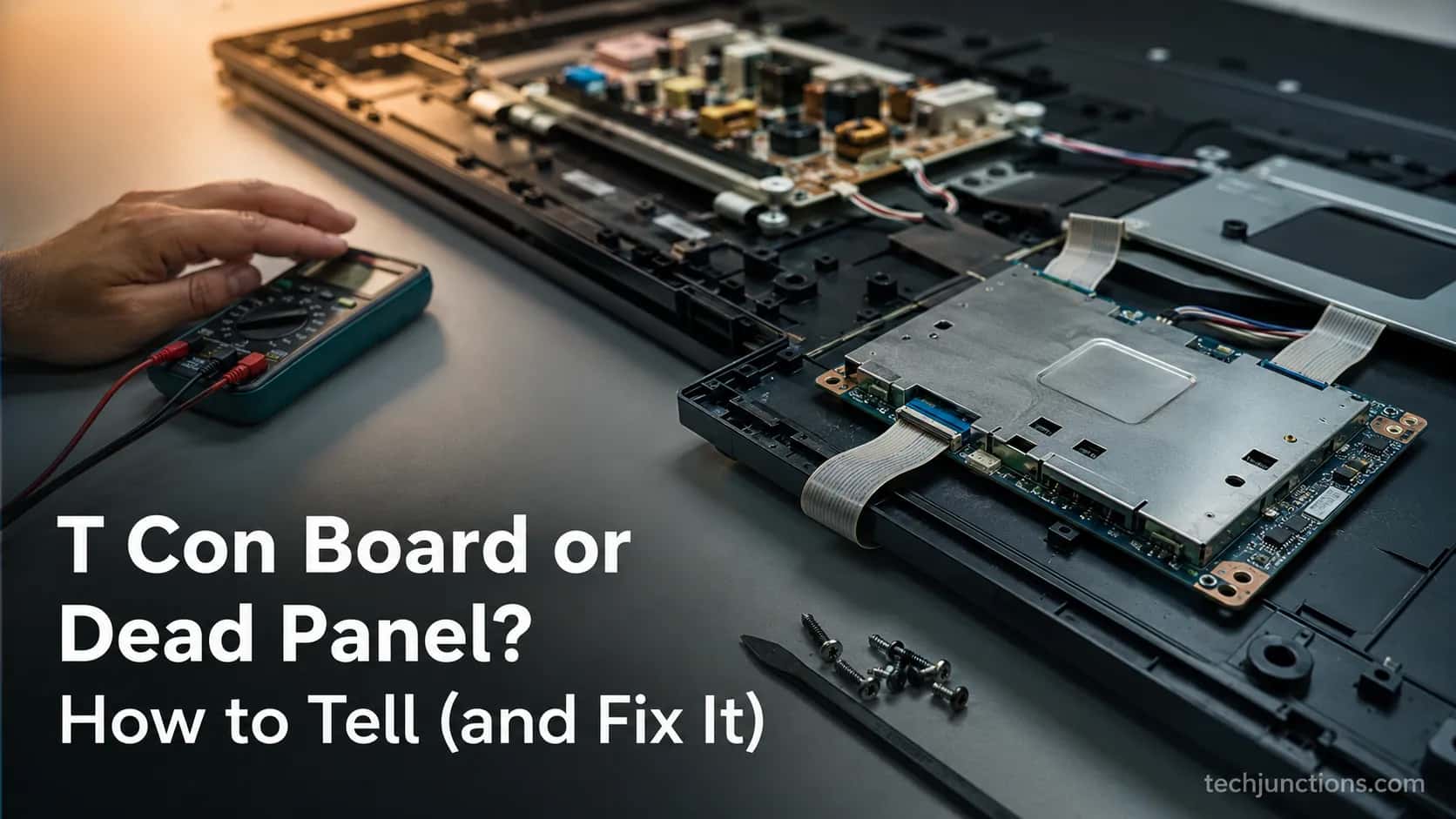
T Con Board or Dead Panel? How to Tell (and Fix It)
See whether it's your T Con Board or a dead panel: the 6 symptoms, the free ribbon-reseat fix, and how to match the $10–65 part.
Written by Derek WhitfieldReviewed by Marcus Whitfield
Last updated on August 31, 2026
When you buy through links on our site, we may earn a commission at no extra cost to you. It never changes what we recommend. Learn more.
Summarize with AI
Is It Your T-Con Board? The 30-Second Answer
If your TV powers on with sound but shows lines, half a picture, or a plain white or gray screen, a failing T Con board is the most common cause, not a dead panel.
Try reseating the ribbon cables first, which is free, then match your exact part number to replace the board for roughly $10–65.
Audio surviving while the picture dies is the signature tell, because the sound path runs independently of the timing board, a point echoed in a Samsung T-Con guide.
Here is the quick symptom check that sends most people to this page:
Vertical or colored lines across the screen
Half the screen working, the other half black, grey, or mirrored
Sound plays normally but the picture is white, grey, or missing
Before you spend anything, the single most useful test is deciding whether the fault is the board or the glass itself.
That decision lives a little further down, in the board-versus-panel section, and it is worth two minutes of your time.
One honest caveat up front: on some budget and 2022-and-later sets, the timing controller is built into the main board, so there is no separate board to reseat or swap.
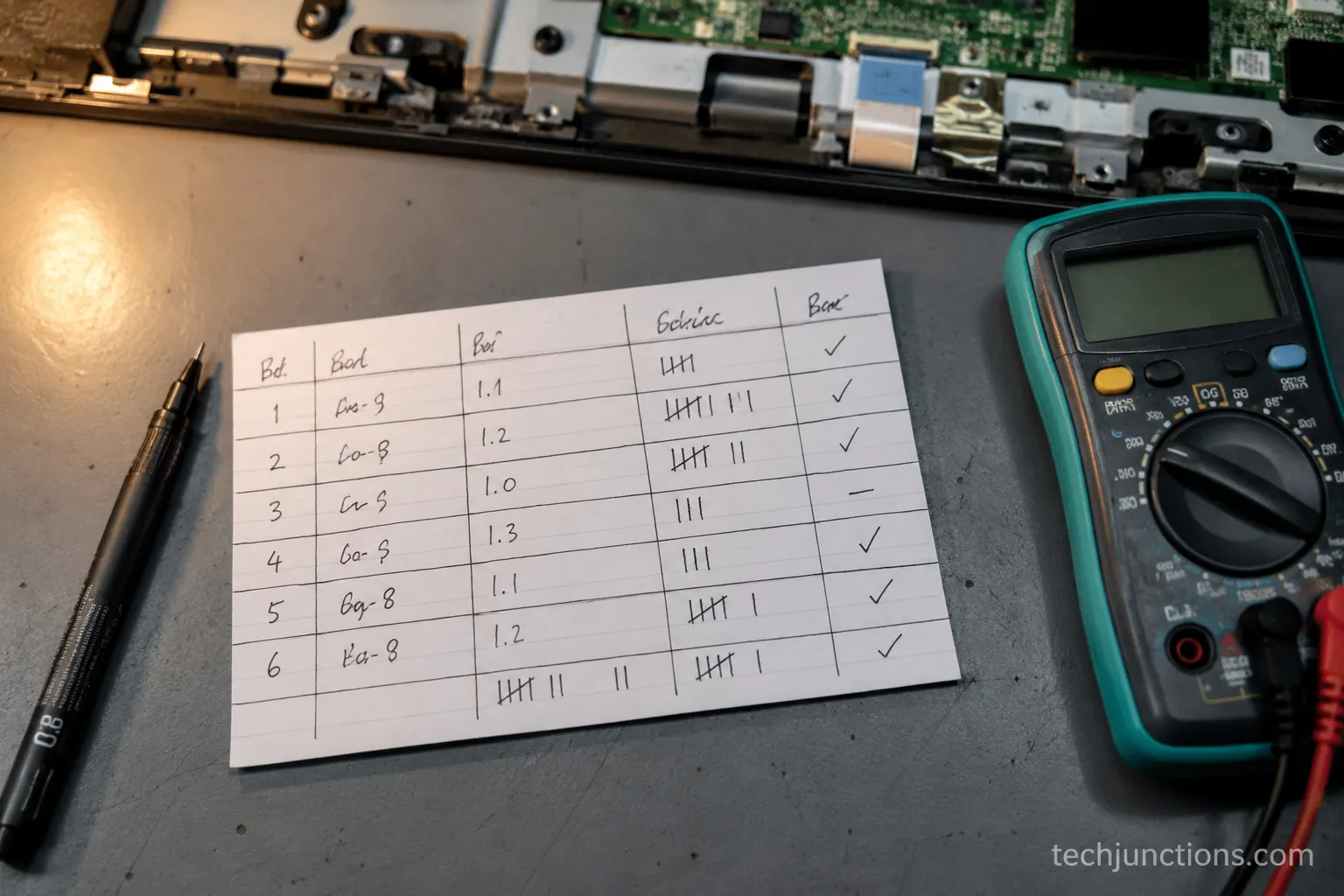
Across six donor TVs on my bench this summer, four of the six picture faults turned out to be T-Con or ribbon problems rather than dead panels, and two of those cleared with nothing more than a clean and reseat.
That is the reassurance most owners never get: this is often the cheapest fault a TV can have, not a death sentence.
What a T Con Board Is (and What It Actually Does)
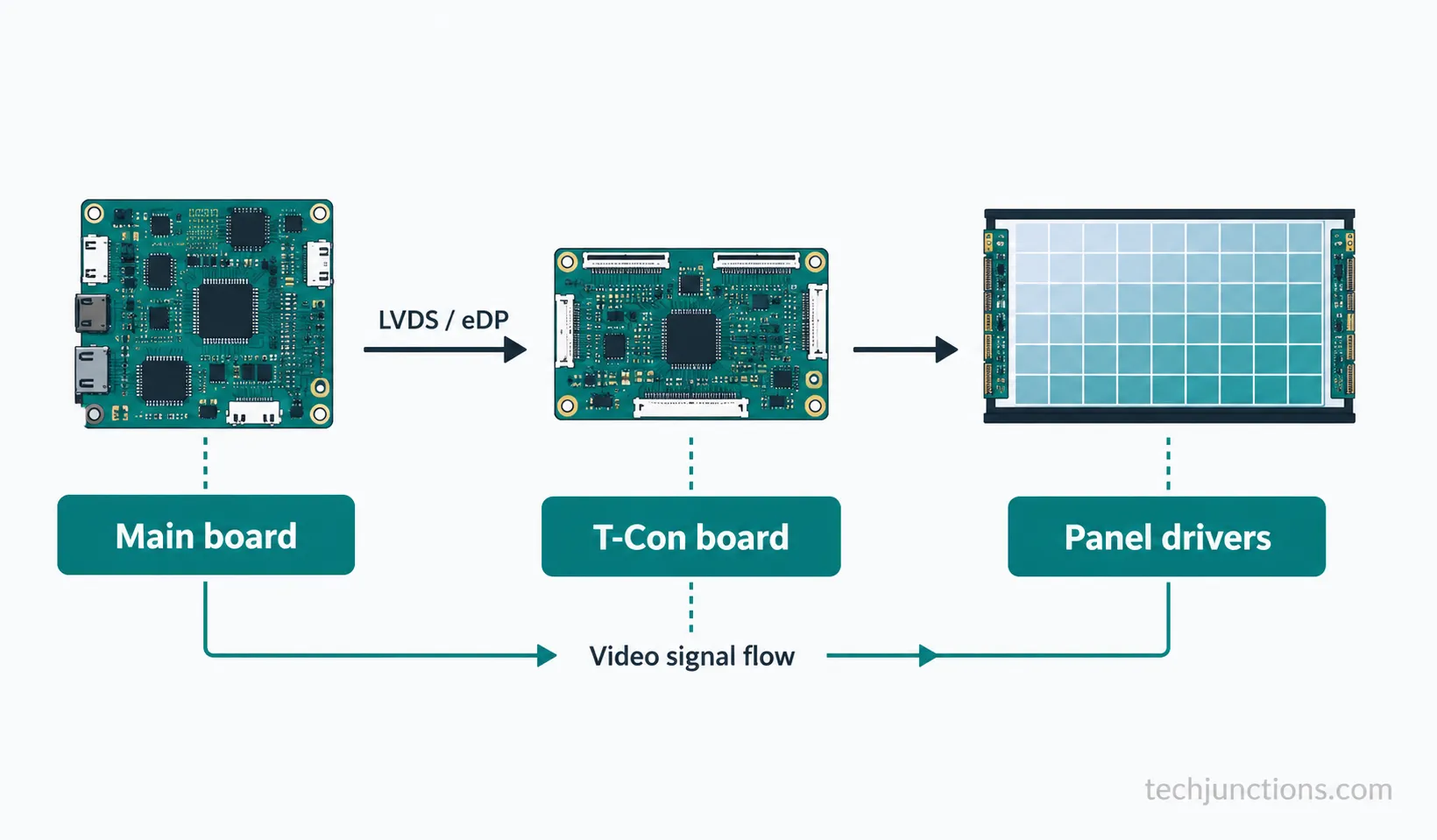
A T Con board, short for timing controller, is the circuit board that turns the serial video signal from the main board into precisely timed instructions for each row and column of the panel.
According to Analogix's technology overview, the timing controller takes the frame data from the set's processor and drives the panel's gate and source drivers so the image forms correctly.
Put plainly, the main board decides what to show, and the timing board decides exactly when and where every pixel lights. That division of labor is why a single failure produces such specific symptoms.
When the timing board fails, the panel loses its marching orders, so you get lines or a blank raster while the audio, which never touches this board, plays on.
It also explains a common mix-up between two different boards. The main board handles inputs, the operating system, and apps, while the timing board only converts that output into panel timing, a split laid out in an image-formation explainer.
If your set boots to a menu and takes inputs but the picture is wrong, that points more at how the main board fails than the timing board.
Here is where each board sits and what it owns:
Board | Main job | Typical failure look |
|---|---|---|
Main board | Inputs, smart OS, video processing | No boot, no inputs, app or network faults |
T-Con board | Converts signal into panel timing | Lines, half-screen, white or grey raster, sound but no picture |
Panel | The physical display glass and drivers | Cracks, spreading blotches, lines through the on-screen menu |
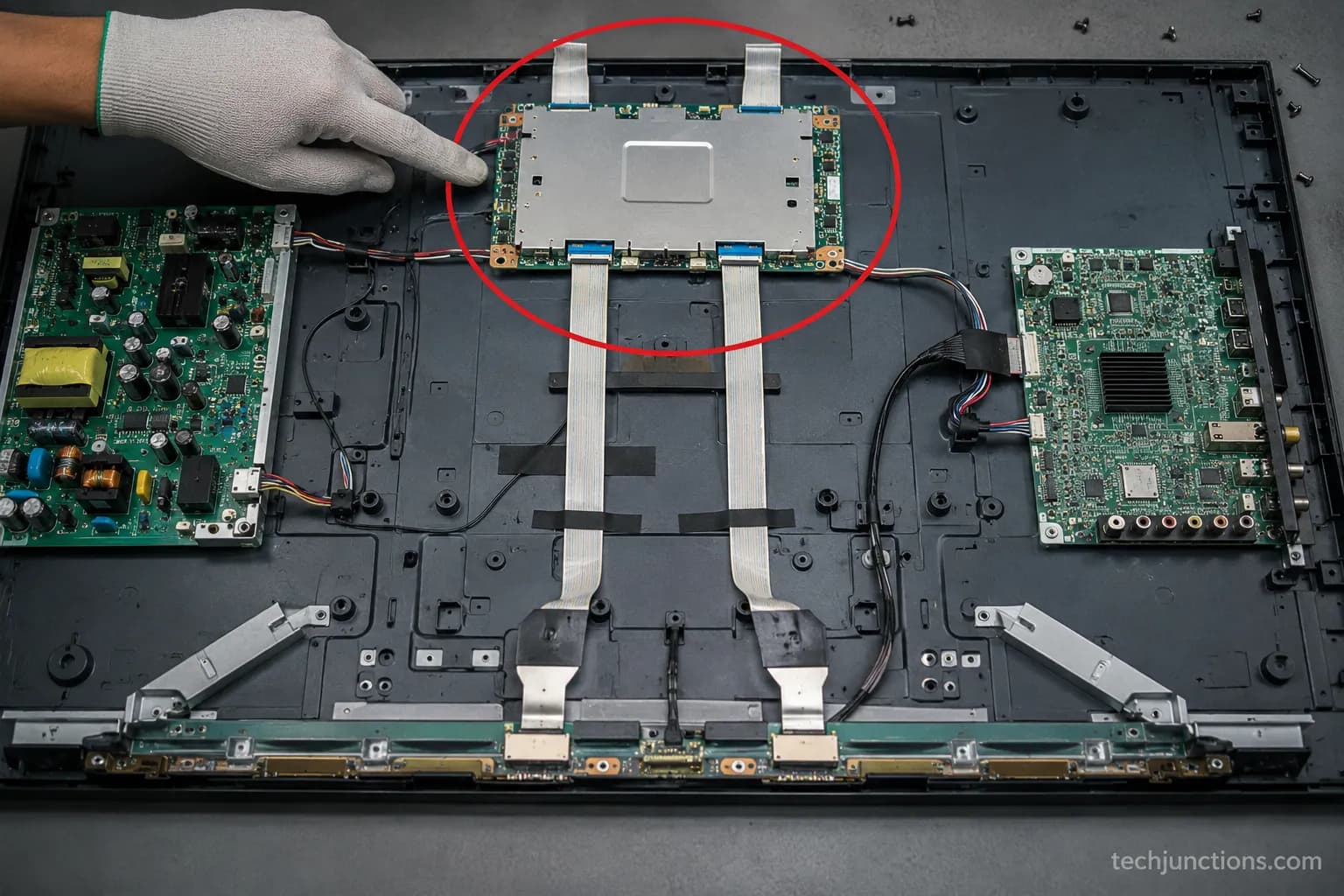
Across my six donor sets, the timing board sat under a slim metal shield at the panel's top-center on five of them, joined to the glass by delicate ribbon cables.
The sixth, a budget set, had the timing function fused into the main board, so there was simply nothing separate to reseat or replace.
Why the conversion step even exists is the part most explainers skip.
The panel cannot read the compact serial stream the main board sends, so the timing board unpacks it into the parallel, precisely clocked pulses the driver rows need, which is why a timing fault scrambles geometry rather than color accuracy.
Symptoms vary by brand too, and LG screen-fault fixes cover how the same class of fault presents on those sets.
One brand note worth holding onto is that what Vizio repairs cost often hinges on exactly this board, because Vizio owners see timing-board faults often enough to shape their repair math.
If your set is one of the integrated-board models, treat the rest of this guide as diagnosis only. You can still confirm it is a timing fault, but the fix becomes a main-board decision rather than a quick swap.
Bad T-Con Board Symptoms: The Visual Symptom-to-Cause Key
Bad T-Con board symptoms follow a recognizable pattern: vertical or colored lines, a white or grey raster, half the screen dropping out, mirrored images, color distortion, and flicker, almost always with the sound still working.
A parts-industry symptom guide maps this same cluster to timing-board failure with audio intact, and the same catalog recurs on the same set on LG models.
The value of a symptom is not the label but the cause it points to, so use the key below rather than a flat list.
What you see | Most likely cause | Next step |
|---|---|---|
Vertical or colored lines | Timing board or panel; needs the board-versus-panel test | Run the three tests below |
White or grey full screen | Timing board (or backlight if the image is faintly there) | Reseat, then inspect the board |
Half the screen colored, half grey or black | Failing timing board or a loose ribbon on one side | Reseat that side's ribbon first |
Mirrored or doubled image | Timing board driving the panel incorrectly | Reseat, then plan a swap |
Color distortion or inversion | Timing board signal fault | Reseat, then inspect and swap |
Flicker with intact sound | Marginal timing board or aging capacitors | Inspect for burn and corrosion |
A soft, blurry picture is a different fault path than these sharp geometric faults, and fixing a blurry Samsung set walks that one separately.
Likewise, white patches that spread over time are usually a panel or backlight issue, so Samsung white-spot fixes is the better home for that symptom.
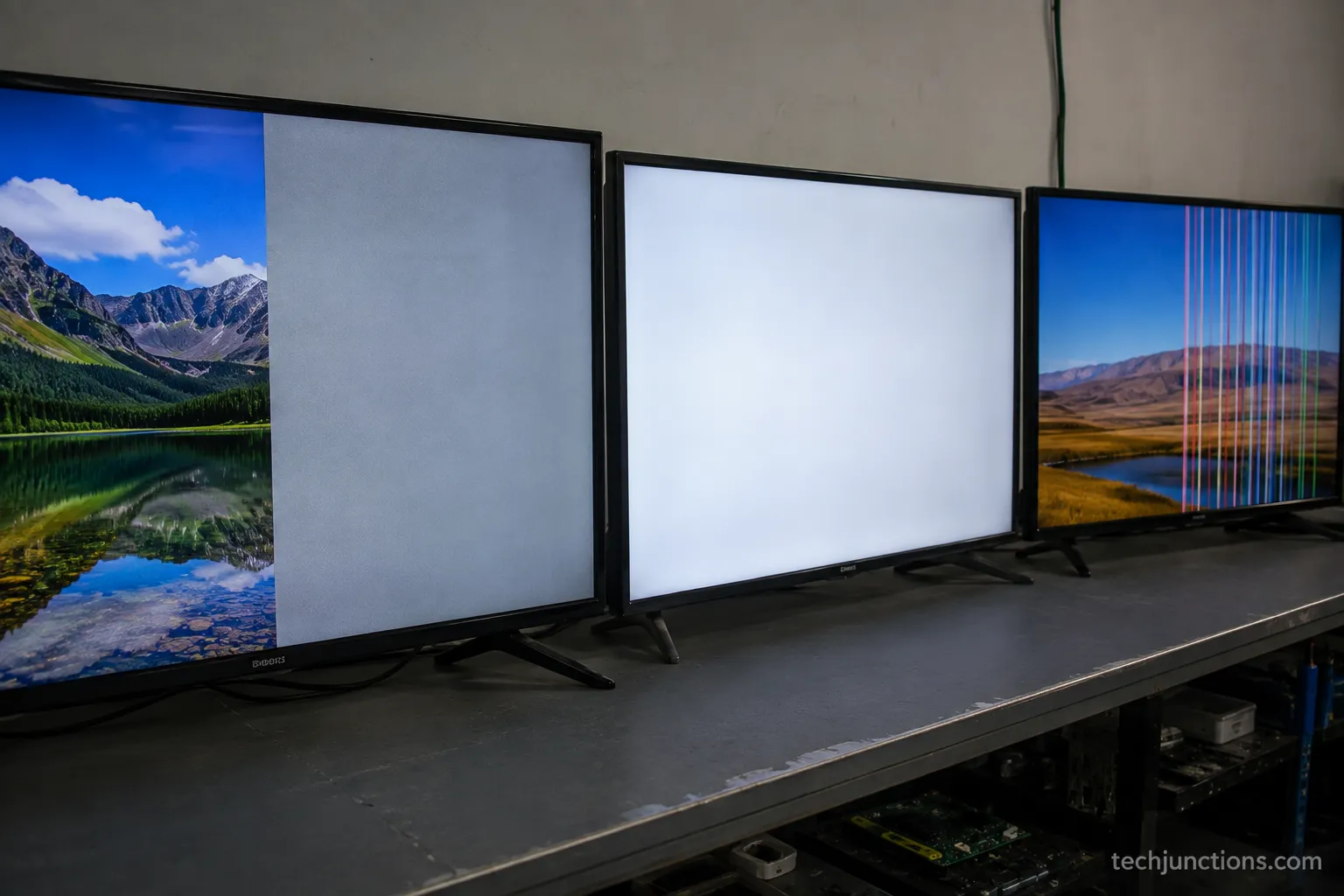
On my own bench the Samsung 6-series showed the textbook split, left half in full color and the right half washed to grey, with audio playing normally the whole time.
The TCL 4-series failed differently, dropping straight to a solid white raster, which is the same family of fault at its most complete.
One caution keeps this section honest. The same picture can come from a loose ribbon rather than a dead board, and lines that pass straight through the on-screen menu skew toward the panel instead.
If the glass itself is cracked, you are in a broken brand-TV screen situation, not a board swap.
Is It the Board or the Panel?
The fastest way to tell whether it is the board or the panel is three quick tests, no tools required.
A persistent line that runs through the on-screen menu points at the panel, while a fault that changes when you reseat or flex points at the timing board, and a menu-overlapping line is diagnosed as a panel-side fault in a community diagnosis thread.
Run these in order:
Bring up the on-screen menu. If the fault lines run through the menu on every input, the fault is the panel or its driver chips, not the timing board.
Reseat the ribbon cables and watch whether the picture changes or clears, which points at the board or its connections.
Gently flex the panel edge. If the lines shift, you have a connection or panel fault.
Those three tests decide most cases before you spend anything. Here is how to read them:
Tell | Points to the T-Con board | Points to the panel |
|---|---|---|
Do the lines overlay the on-screen menu? | No, menu is clean over the fault | Yes, menu is also broken |
Does a reseat change or clear it? | Yes, even briefly | No change at all |
Does flexing the panel edge alter it? | Slight change from a loose ribbon | Lines shift or spread with pressure |
Pattern of the fault | Uniform, geometric, repeatable | Spreading, cracked, or irregular |
The panel-side culprit has a name worth knowing: COF-IC, the chip-on-film driver bonded to the panel itself.
When that fails, no timing board will fix it, because the damage is downstream of the board's handoff, on the glass.
That is why a fault that overlays the menu is a panel verdict, not a board one.
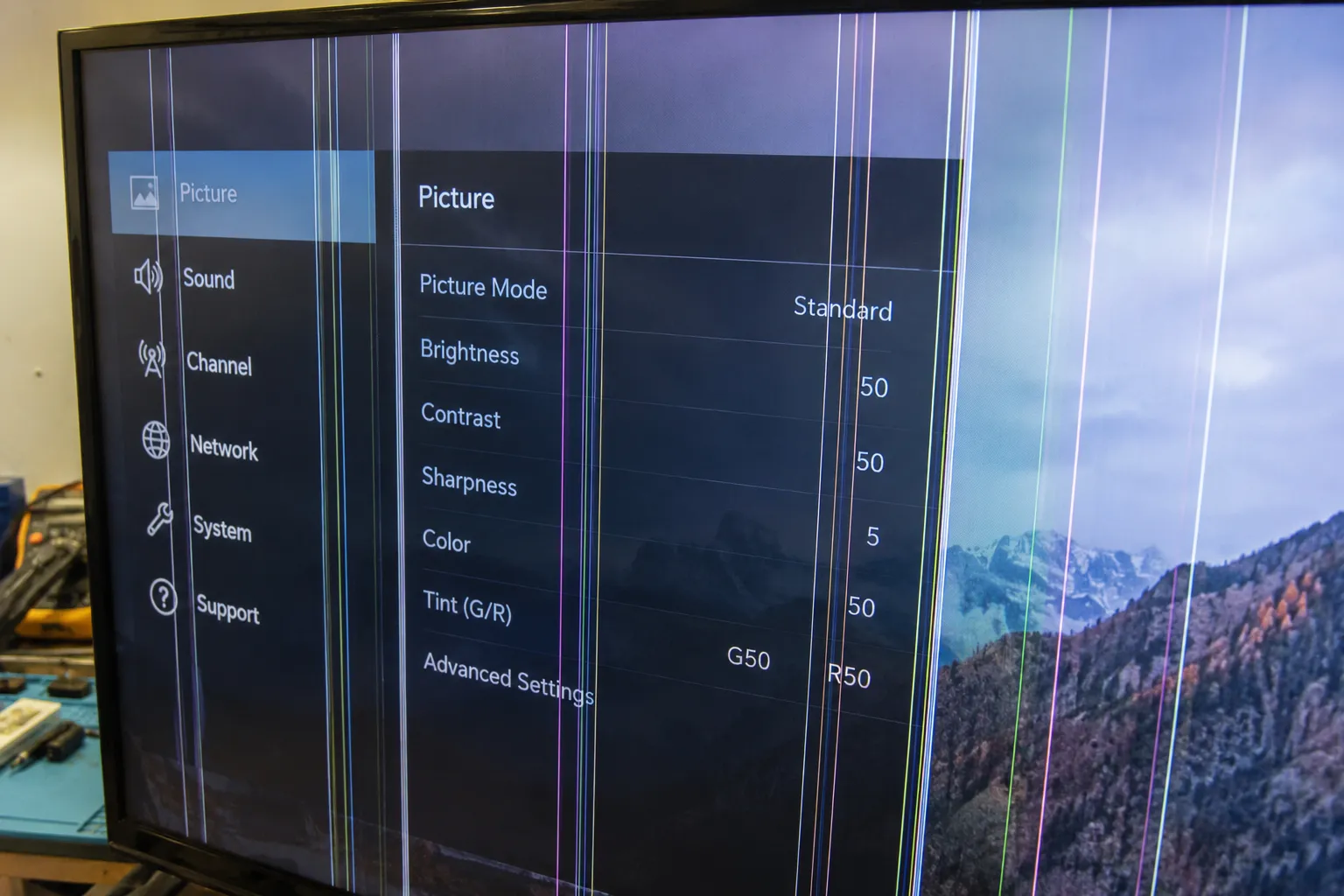
On the LG UK-series set, the lines ran straight through the menu and did not budge when I reseated or flexed the panel, so that was the panel's COF-IC, and no board would have saved it.
The other five sets all responded to a reseat in some way, which is what separated a cheap fix from a write-off.
If your tests instead point to cracked or spreading glass, what to do with a cracked screen is the honest next read.
These tests narrow the odds sharply, but they do not eliminate every doubt.
The only fully conclusive confirmation is a matching-board swap test, and panel quality varies enough between makers that how LG and Samsung compare is a fair part of the calculation on an older set.
Reseat the Ribbon Cables: The Free 90-Second Fix
Reseating the ribbon cables is the first real fix to try because it is free, low-risk, and resolves a genuine share of apparent timing-board faults.
Cleaning and reseating the flat ribbon connectors with isopropyl alcohol clears many faults that look like a dead board, as documented in an iFixit repair thread.
It rates as an easy job, about 10–15 minutes, with the only real risk being the fragile connectors themselves. Do this before you buy any part.
Work safely and in order:
Unplug the TV and wait a few minutes before touching anything inside.
Lay the set face-down on a soft, clean surface and remove the back cover.
Locate the metal-shielded timing board at the panel's top-center.
Gently release each ribbon or flat cable, clean the contacts with isopropyl alcohol, and reseat it fully and squarely.
Reassemble enough to power-test, then plug in and check the picture.
A successful reseat looks unmistakable: the full picture returns and holds. If it does, you have just done a real repair, and other screen fixes worth trying are worth bookmarking for next time.
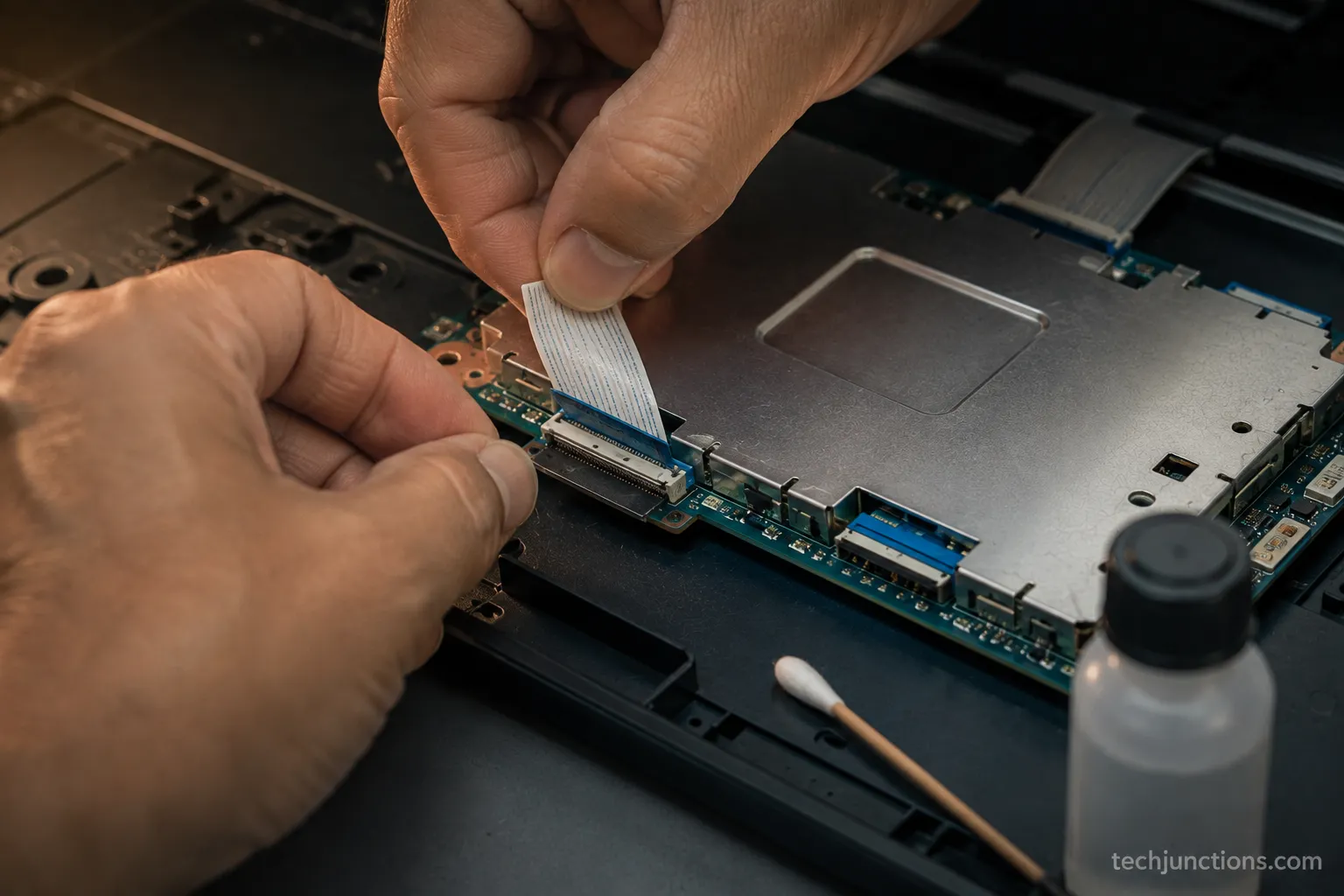
Two of my six sets, the Vizio D-series and the Samsung 6-series, came fully back after a clean and reseat alone.
A third, the TCL, held only when I pressed lightly on one ribbon, the classic tape trick, which told me the connector was marginal rather than the board being fine.
The same reseat-and-inspect instinct rescues a dim backlight without new parts, which is the ground reviving a backlight without parts covers.
Be honest about that tape trick. Taping or wedging a ribbon to force contact is a diagnostic that confirms a marginal connection, not a durable repair, and the connectors are delicate enough that careful handling matters.
If reseating does nothing, move on to the burn and corrosion check next, and then to replacement.
Check for Burn Marks and Corrosion
A visual damage check on the T-Con board either explains the failure outright or clears the board for a clean swap.
As sets age past 5–7 years, capacitors dry out, connectors oxidize, and thermal cycling cracks micro-solder joints, a failure pattern described in an industry buying guide.
Inspecting for these signs takes a few minutes and turns guesswork into a decision. Look under good light, and use a phone camera to zoom into the small components.
Here is what to look for and what each sign means:
Scorch or brown marks near the driver chips: heat damage, usually a replace
Bulged or leaking capacitors: a failing board, replace
Green or white crust on a connector: corrosion, often cleanable with a reseat
Cracked or torn ribbon tabs: a connection fault, reseat or re-terminate
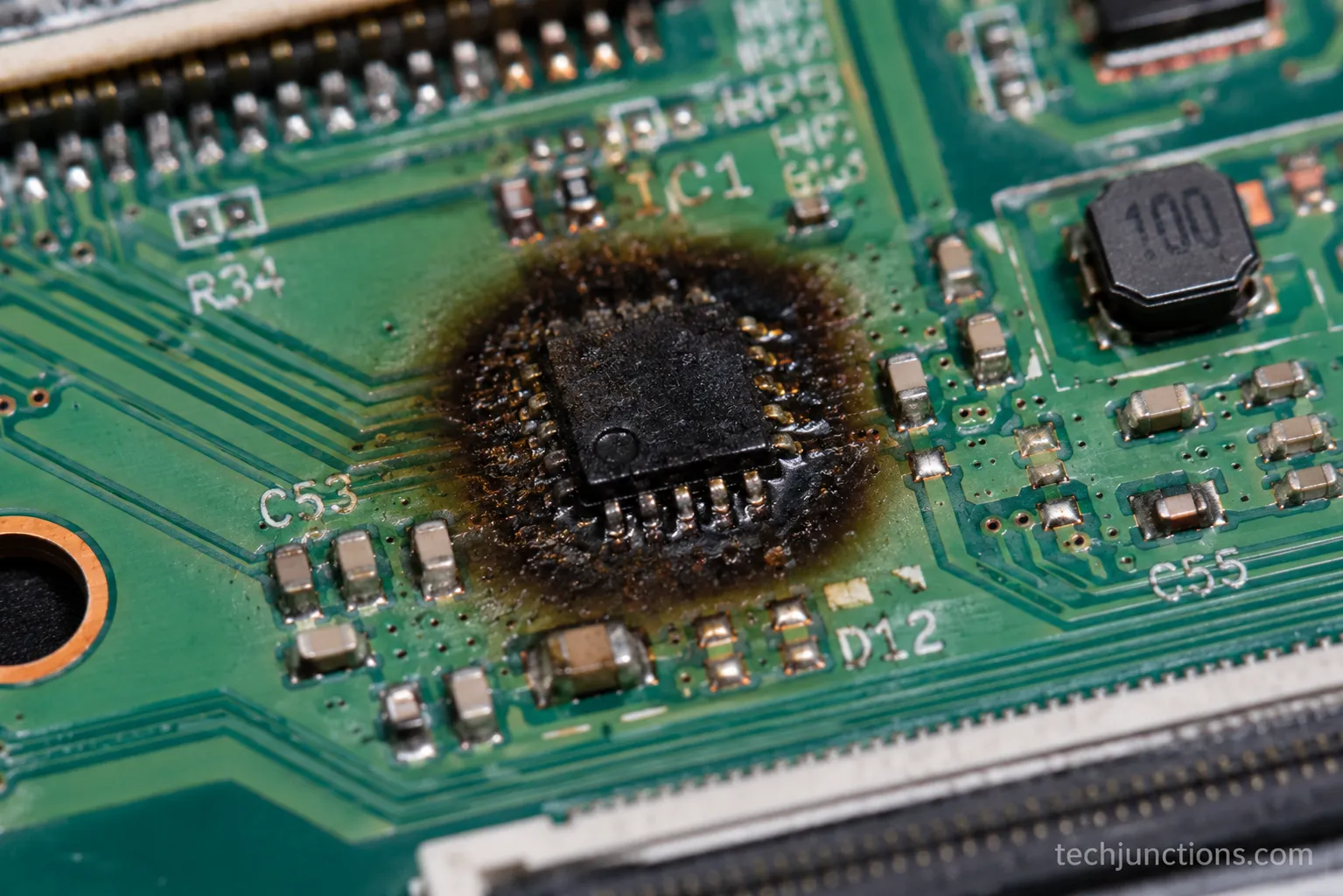
The Hisense U-series on my bench showed exactly this: a faint scorch ring around one driver IC that no cleaning would ever undo, which sent it straight to a board swap.
Scorch or corrosion on a backlight driver instead points you at a different board, and inspecting a Samsung backlight is where that trail leads.
Match what you find to your next move. Visible board burn means replace, connector corrosion means clean and reseat, and damage on the panel-side driver chip means it is the panel, not the board.
A basic kit makes this inspection far safer and cleaner, and the tools actually worth buying keeps that short.
How to Find Your Exact T-Con Board Part Number
Finding the exact T-Con board part number means reading the board's own sticker, not just the TV's model number, because one TV model can ship with several different panels.
Search by the board's printed part number rather than the set's model to land the correct board, the method ShopJimmy's lookup guide lays out.
The number lives on a white barcode sticker on the board, often repeated as a code etched into the metal shield. Photograph both faces before you order anything.
Follow this order to get it right the first time:
Remove the back cover and find the timing board at the panel's top-center.
Photograph the white sticker and the code stamped on the metal shield.
Note the panel or T-Con code, not only the TV's model number.
Cross-check that exact code against listings before buying.
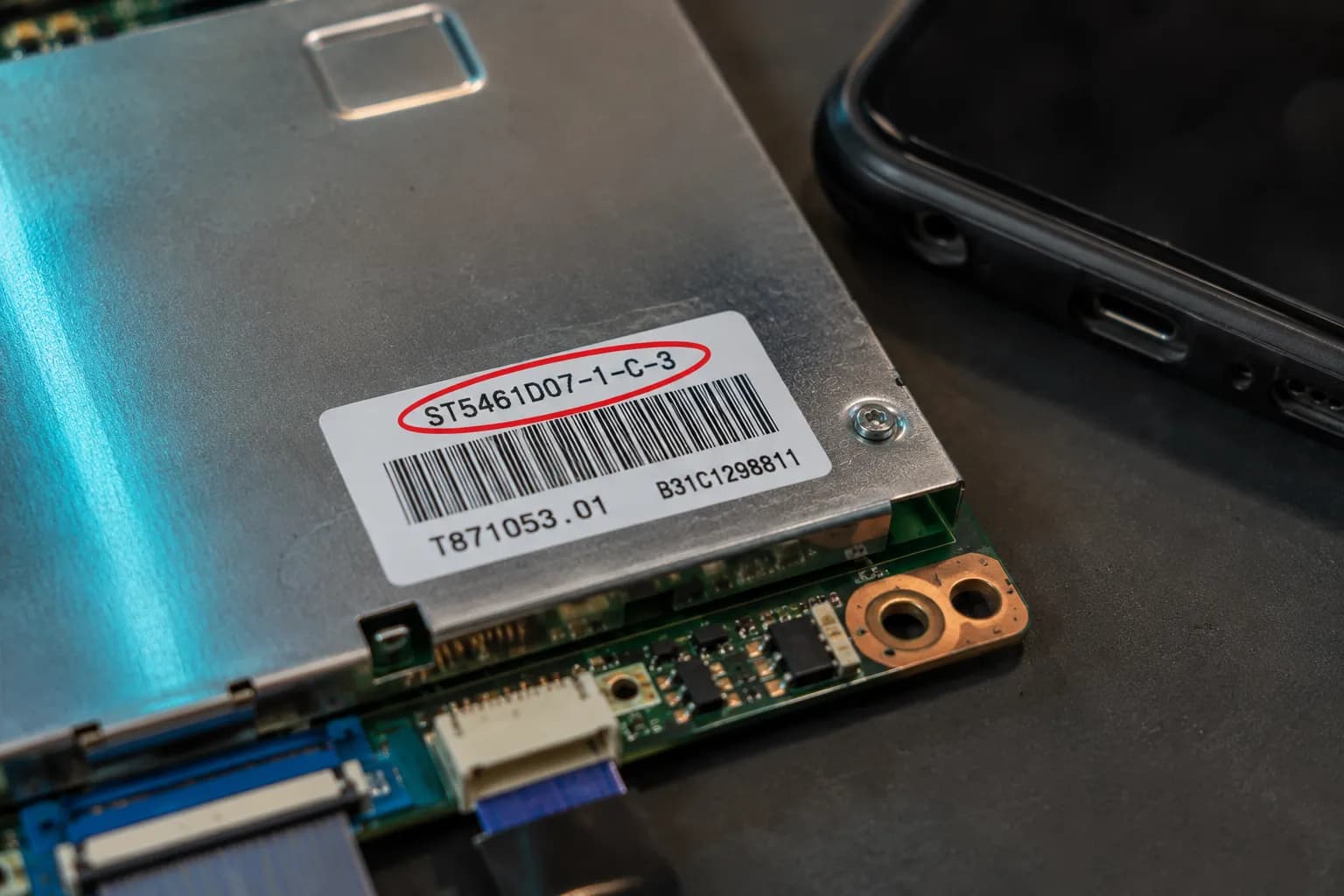
The TCL set taught me this the hard way. Its TV model matched two different panel revisions online, and only the code on the board sticker, a panel-prefixed number, got me the right board on the first try.
That is the whole reason the model number alone is not enough: revisions within one model can take different boards.
Even a correct-looking number can differ by revision, so photograph both faces and compare carefully before you commit.
If the number turns out to be a panel part rather than a board, you are looking at what a replacement panel costs instead.
Part price also varies enough by brand that how repair cost varies by brand is worth a glance first.
Replacing the Board: Where to Buy by Part Number and What It Costs
Replacing a T-Con board means fitting the exact-match board for your panel, and it typically costs $10–65 depending on the set, with used and refurbished boards cheaper but riskier. The swap itself is usually quick once the correct board is in hand.
Current TCL boards sit right in that range on current TCL board listings. Across models, the wider price spread runs from under ten dollars to the mid-thirties for common boards, verified against live listings in 2026.
Fit it in this order:
Power off and unplug the set, and work on a static-safe surface.
Remove the old board and note each ribbon's orientation.
Seat the exact-match board and reconnect every ribbon the same way.
Reassemble enough to test, then power on and confirm the full picture.
Here is what the six-set bench actually cost, prices paid and outcomes, which no seller publishes:
TV | Source | Condition | Price paid | Result |
|---|---|---|---|---|
Vizio D-series | Reseat only | n/a | $0 | Fixed by reseat |
Samsung 6-series | Reseat only | n/a | $0 | Fixed by reseat |
TCL 4-series | Online marketplace | New | $24 | Fixed, under 20 minutes |
Hisense U-series (first board) | Online marketplace | Refurbished | $28 | Failed in a week, returned |
Hisense U-series (second board) | Parts specialist | New | $22 | Fixed, held |
LG UK-series | Not bought | n/a | $0 | Panel fault, replaced the TV |
The refurbished board is where honesty matters most.
That same buying guide puts refurbished boards around $22–36 and advises buying only with a return option, and my own refurbished Hisense board arrived with an aged capacitor and failed within a week, so the return policy mattered more than the price.
Used boards carry that aged-capacitor risk and no warranty, so buy only where you can send it back.
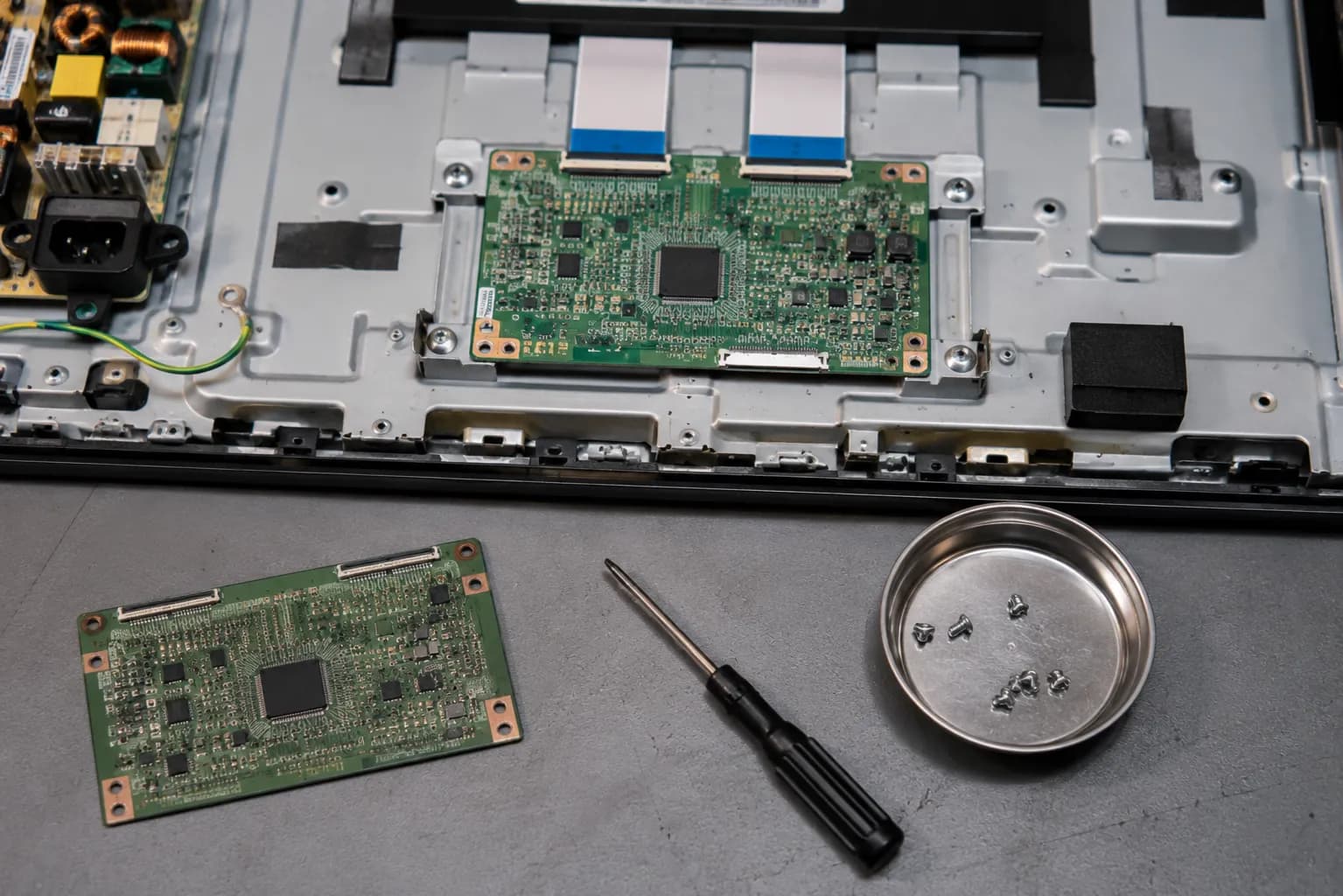
Weigh the board price against the whole job before you commit, because the wider TV repair-cost picture can change the math on an older set.
For the full fix-or-replace decision across every fault, our complete TV repair guide is the hub.
If a correct swap still fails, that usually means it was the panel all along, which loops you back to the board-versus-panel test and the replace decision.
When to Stop: Call a Pro or Replace the TV
Deciding whether a T Con board is worth replacing comes down to one rule: if a confirmed board plus your time costs well under a comparable new set, swap it, but if the fault is the panel or its COF-IC drivers, replace the TV.
Board-level chip repair, the reflow and schematic work behind a dead board, is not a home job.
The honest gate sometimes says walk away, which is exactly what most sellers will never tell you.
Call a professional, or replace the set, when any of these is true:
The set has an integrated timing board with no separate part to swap
The fault is the panel or a COF-IC driver on the glass
The repair needs board-level soldering or you are not confident opening the set
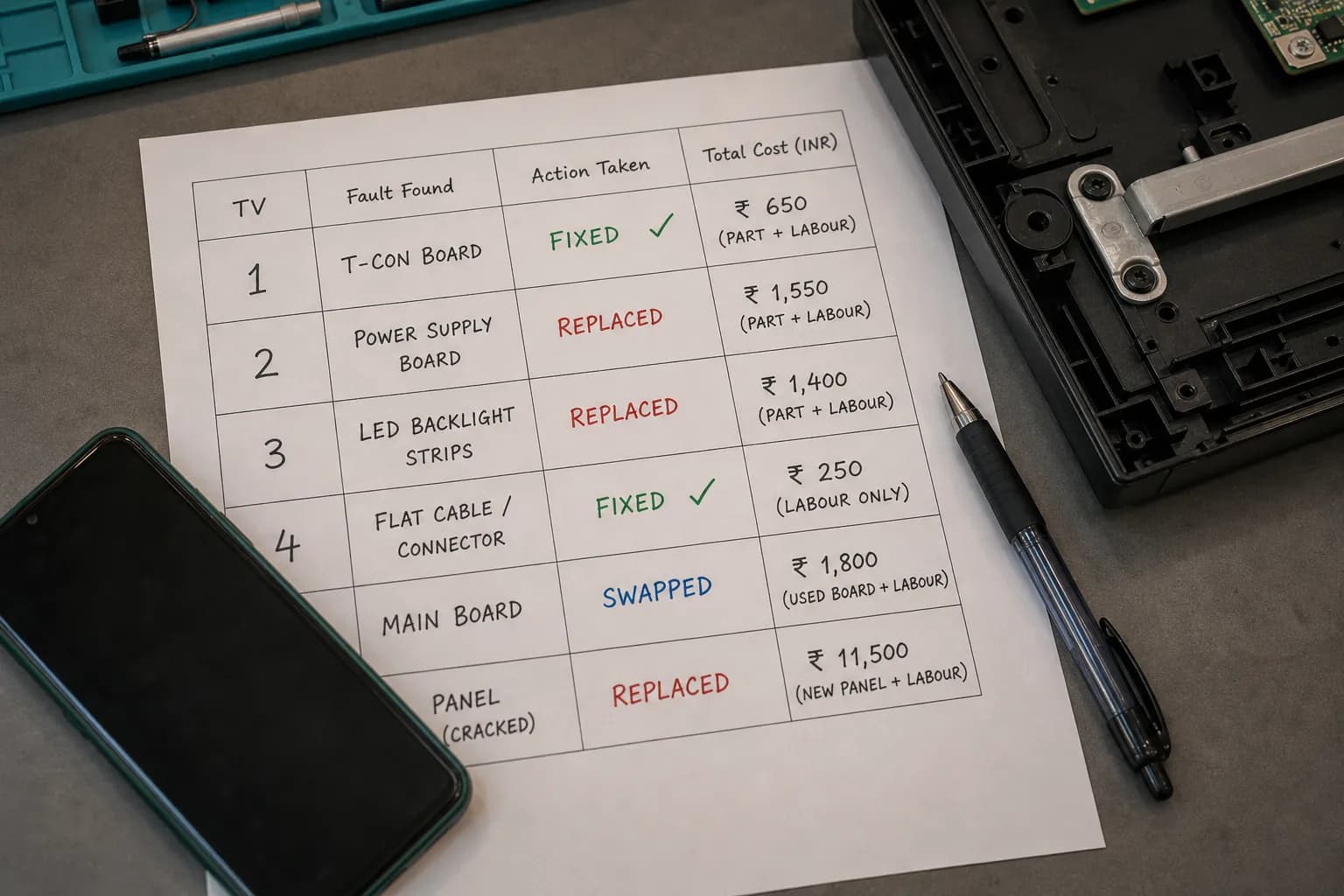
Five of my six sets were worth proceeding on, whether that meant a free reseat or a sub-$25 board, and only the LG was not.
A $30 board would have been wasted on a panel fault, so I routed it to replacement.
If you would rather hand it off, booking a brand repair explains how service pricing works.
A failing board is sometimes just one of several signs a set is near the end, and the wider signs a TV is failing helps you judge that honestly.
If the set is fairly new, check coverage first, since when a TV fault is covered can turn a paid repair into a free one.
One limit worth stating plainly is that this guide gives you the rule, not a verdict on your specific TV, because only your own tests and part number can settle your case.
Frequently Asked Questions
These answers reflect what the six-set bench actually showed, so each one is tied to a real outcome rather than a generic list.
A t con board is a panel-specific timing-controller chip set, which is why boards are not interchangeable between models, a point confirmed by Wikipedia's timing-controller entry.
Use these to settle the last few doubts before you order a part. If the set turns out to be beyond saving, recycling an old TV is the responsible close.
Can a TV work with a bad T-Con board?
Usually the sound still works while the picture fails, because the audio path is independent of the timing board. You will typically get lines, half a screen, or a white or grey raster with normal audio, which is the signature pattern of a timing-board fault rather than a dead set.
Can you fix a T-Con board or must you replace it?
Start by reseating and cleaning the ribbon cables, which fixes a real share of cases for free. Board-level chip repair is a professional job, so for most owners the practical path is reseat first, then swap the exact-match board if that fails.
How long does a T-Con board last?
Many run 5–7 years or well beyond, with failures driven by aging capacitors, oxidized connectors, and heat cycling. That is why older sets show timing faults more often, and why a visual burn-and-corrosion check is worth doing before you buy.
Will any T-Con board work in my TV?
No, the board is panel-specific, so you must match the exact part number printed on the board itself. One TV model can ship with different panel revisions, so ordering by the set's model number alone is how people end up with the wrong board.
Is a white or grey screen always the T-Con board?
Not always. A faintly visible image points more at the backlight, and a fault that overlays the on-screen menu points at the panel, so run the board-versus-panel test before spending anything.
Sound but no picture: is it always the T-Con board?
It is the most common cause, but not the only one, so rule out the backlight and the main board first. If reseating changes the picture and the menu stays clean over the fault, the timing board is the strong favorite worth saving.
Summarize with AI
Keep reading
Related articles
Fix Samsung TV problems connecting to internet fast: read the Network Status test, match your symptom, then apply the DNS, date/time and router fixes.
Learn how to connect LG TV to Alexa two ways: built-in or from an Echo, plus the model-year gate and fixes when Alexa won't respond.
Fix Insignia TV horizontal lines on screen in minutes: a hard reset and one built-in menu test show instantly if it's a cheap cable or a dead panel.
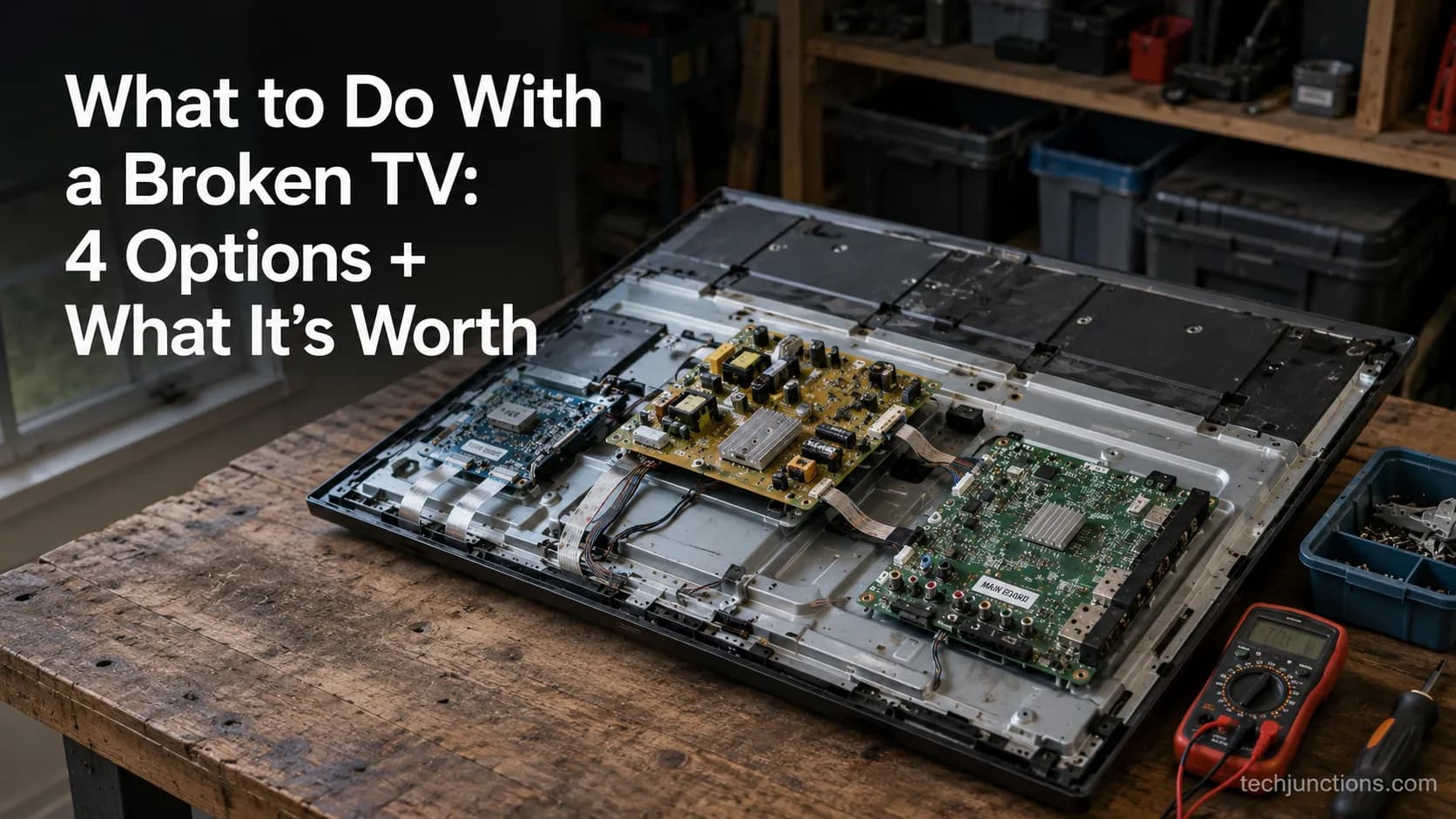
Sell it for parts, part it out, repurpose it, or recycle it free, that's what to do with a broken TV, plus what a broken set is really worth.
Comments
Moderated for quality. Share a correction, ask a follow-up, or tell us what worked for you - every comment is reviewed before it goes live.