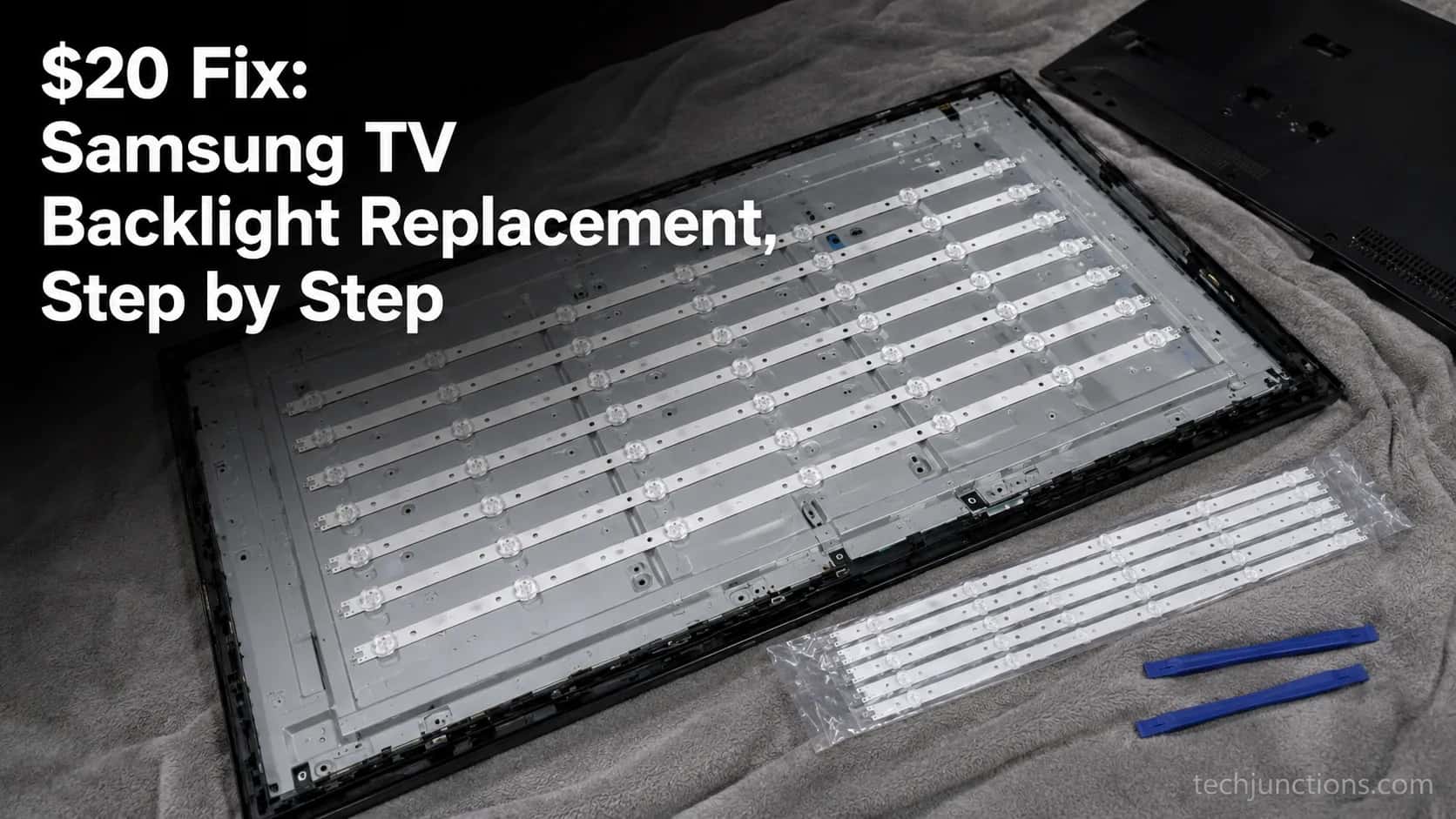
$20 Fix: Samsung TV Backlight Replacement, Step by Step
Confirm your Samsung TV backlight replacement with a flashlight test, match the BN96 LED strips to your panel, and swap them for $16–75 in parts.
Written by Derek WhitfieldReviewed by Marcus Whitfield
Last updated on September 2, 2026
When you buy through links on our site, we may earn a commission at no extra cost to you. It never changes what we recommend. Learn more.
Summarize with AI
A Samsung TV backlight replacement means swapping the LED strips behind the panel, and the part costs just $16–75.
If your set plays sound but shows no picture, or only a faint image under a flashlight, the backlight has failed, not the panel.
Confirm it with the flashlight test before buying anything. A confident do-it-yourselfer finishes in an evening, while a shop charges $150–350.
Samsung TV Backlight Replacement: Cost, Steps, and Whether It's Worth It
Samsung TV backlight replacement is one of the cheapest repairs a modern television can need, because the failed part is almost always a set of LED strips behind the panel, not the panel itself.
A genuine strip set runs $16–75, while a repair shop charges $150–350 for the same job, since teardown labor rather than the part drives the bill.
The one catch is confirmation, because several unrelated faults darken a screen the same way, so you prove it is the backlight before spending a cent.
The verdict: Sound but no picture usually means a dead backlight, not a dead TV.
Run the flashlight test first, because a failed timing board or power board can look identical from the couch.
For the record, the set I bought for my 55-inch Samsung UN55NU7100 was $23. A local repair shop quoted $300 for the same swap.
That gap is the entire reason this guide exists. iFixit's backlight community reaches the same conclusion, noting that full strip kits sit in a low double-digit to sixty-dollar range and that you replace every strip, not only the dark one.
This guide is for the owner who is comfortable opening a television and working slowly.
If reaching inside a TV makes you uneasy, skip to the cost math and the worth-it call, then hand the job to a pro.
The Flashlight Test: Is It Really the Backlight?
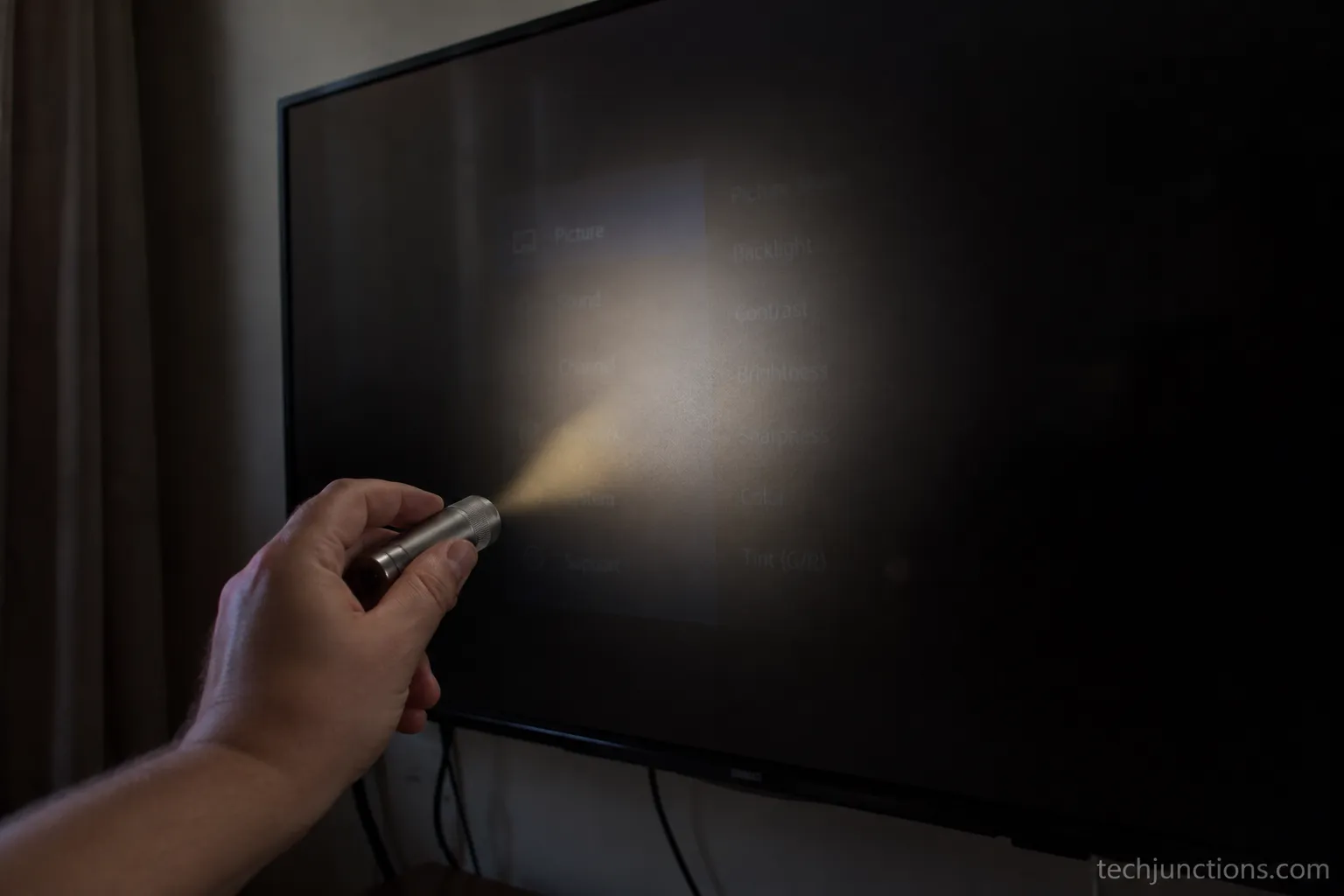
To confirm a Samsung TV backlight failure, darken the room, power the television on, and shine a bright flashlight at a low angle across the screen from about two inches away.
If you can make out a faint menu or image in the beam, the LCD panel and main board are fine and only the backlight has died, which is the specific Samsung TV backlight issue this guide fixes.
TV Parts Today documents the same symptoms for series-wired LED backlights, where one dim strip can pull down a whole zone.
Run the confirmation like this:
Move to a dark room and switch off other light sources.
Power the TV on and open the menu or a bright input.
Hold a flashlight one to two inches from the screen, angled across it.
Look for a faint image. If it is there, the backlight is out.
The real value of this step is ruling out the look-alikes, so match what you see to the table before you buy a single part.
What you see or hear | Most likely cause | Where to go next |
|---|---|---|
Faint image under flashlight, sound works | Backlight LED strips | Match and replace strips (this guide) |
Thin vertical lines or a lit half-screen | Timing (T-Con) board | Diagnose the timing board |
No standby light, or a clicking sound | Power board | Test or replace the power board |
Cloudy bright patches only in the corners | Backlight bleed (cosmetic) | Nothing to fix |
Spider-web crack under the flashlight | Cracked panel | Assess panel damage |
Total black, no faint image at all | Different Samsung fault | Trace the black-screen cause |
Sound But No Picture: Is It Always the Backlight?
Not always, though it is the classic backlight signature. A failed timing board can also kill the picture while the audio keeps playing.
Thin vertical lines or a lit half-screen point away from the strips and toward a failing timing board instead.
If the flashlight reveals a spider-web fracture rather than a clean faint image, you are handling a cracked panel, not a strip fault.
And a completely black screen with no faint image at all can be a fully black Samsung screen caused by something else entirely.
Cloudy bright patches only in the corners are backlight bleed, a cosmetic trait of edge-lit panels, not a strip failure. Do not order strips for bleed.
On my UN55NU7100, the flashlight showed a clear faint menu, so the backlight was confirmed. The standby light stayed steady, which ruled out the power board before I opened anything.
A note on certainty: A faint image makes the backlight the likely cause, not a guarantee.
A failing timing board can occasionally mimic it, so treat the flashlight test as strong evidence rather than final proof.
What a Samsung Backlight Replacement Costs (DIY vs Pro)
A Samsung backlight replacement costs $16–75 in parts if you do the work yourself, since the repair is essentially one LED strip set, while a professional shop charges $150–350 installed because labor and teardown time dominate the bill.
On a 65-inch set expect the higher end of both ranges, and Fixr pegs professional repairs of this kind near $210 on average.
TV size | DIY parts (strip set) | Pro, installed | New budget TV (reference) |
|---|---|---|---|
32–43 in | $16–35 | $130–220 | ~$150–250 |
50–55 in | $20–45 | $150–280 | ~$280–400 |
60–65 in | $30–75 | $200–350 | ~$400–550 |
70 in and up | $40–90 | $250–450 | ~$550–800 |
That labor gap is why the route you choose matters so much.
HomeAdvisor puts installed LED-strip work around $150–250, and a shop usually adds a $50–100 diagnostic fee before any work starts.
My own all-in do-it-yourself cost was $31: $23 for the strip set plus an $8 plastic pry-and-spudger kit I did not already own.
The nearest shop quoted $300 for the same 55-inch job, roughly ten times the parts cost.
Item | Detail | Cost | Date |
|---|---|---|---|
Strip set | BN96-45635A (eBay) | $23 | June 2026 |
Pry-and-spudger kit (includes basic cups) | Plastic hand tools | $8 | June 2026 |
DIY all-in | Parts plus tools | $31 | June 2026 |
Shop quote | Local shop, same 55-inch job | $300 | June 2026 |
A simple rule keeps the decision clean: when a shop quote reaches roughly half the price of a comparable new TV, replacing is the smarter buy.
If the quote instead climbs toward a new-panel price, it helps to know what a replacement panel runs by size.
Backlight is only one line on the wider cost picture of TV faults, so treat this figure as one data point, not the whole budget.
Searching for a backlight repair near you will surface independent shops alongside Samsung's own service.
Independents usually beat Samsung's quote, and if you would rather hand it off, here is how booking a Samsung repair actually works.
Watch the edges: Older, larger, and QLED sets cost more, and their strips grow scarce as models age.
Budget extra time and money if your panel is unusual or discontinued.
Match the Right LED Strips to Your Samsung (BN96 Part Numbers)
To match Samsung TV backlight replacement parts correctly, order by the panel code printed inside the TV, never by the model number on the box, because the same model can ship with different strip sets from different panel suppliers.
Samsung strip sets carry a BN96 part number and the panel a LM41 code, and iFixit's repair community is blunt that matching the panel, not the model, is what prevents a wrong order.
Find your exact code before you shop:
Remove the back cover, which is held by four to twelve screws.
Find the white or silver label glued to the metal panel, separate from the model sticker.
Read the LM41 panel code and any BN96 number printed on the strips themselves.
Search that BN96 number, plus your screen size, at a parts supplier.
Real examples make the pattern obvious, including for a Samsung 65 inch TV backlight replacement, where the set simply carries more strips.
TV size | Example panel code | Example strip set (BN96) | Strips in set |
|---|---|---|---|
43 in | LM41-00423A | BN96-43470A | 3 |
50 in | LM41-00553A | BN96-46866A | 5 |
55 in | LM41-00614A | BN96-45635A | 6 |
65 in | LM41-00631A | BN96-46866B | 8 |
When I searched my TV's model number, three different BN96 sets came up. Only the panel label inside, LM41-00614A leading to BN96-45635A, matched what was actually behind my screen.

Buy from suppliers that verify fit, such as ShopJimmy, Encompass, Amazon, or eBay listings with a confirmed-fit filter.
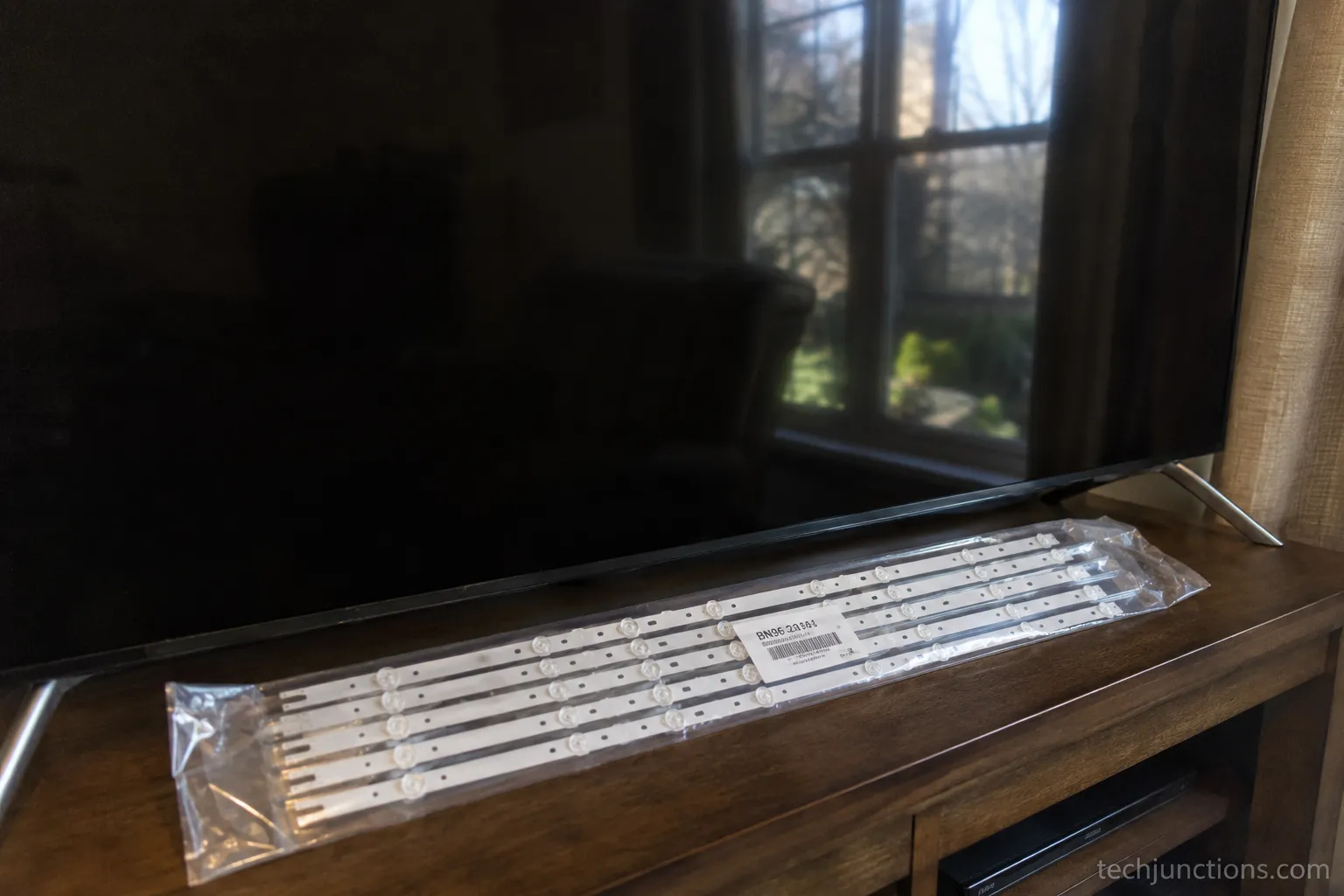
Genuine Samsung sets, like this BN96-51713A strip set, always carry the BN96 prefix, while universal or unbranded strips rarely fit a Samsung panel cleanly.
If only a single LED or diffuser lens is at fault, you may not need a whole new set, and fixing the backlight without a full swap can be enough.
If the panel itself is cracked rather than the strips, you are replacing the Samsung panel, which is a different and pricier job. Part-matching is really one slice of the broader repair decision every owner faces.
The same match-first discipline applies to most at-home screen fixes people attempt, so confirm the exact part before you order anything.
OEM versus third-party: Third-party strips cost less but can run dimmer or fail sooner than genuine Samsung sets. Weigh the small saving against a possible second teardown.
How to Replace the Backlight Strips, Step by Step
To replace Samsung TV backlight strips, unplug the television and wait at least 30 minutes for the internal capacitors to discharge, then lay it face-down on a soft surface, remove the back cover, and photograph every board and cable before disconnecting anything.
Free the panel with suction cups because the LCD cracks easily, swap all the strips rather than only the dead one, and power the set on to verify before you reassemble.
Safety first: Unplug the TV and wait at least 30 minutes before opening it.
The power board holds capacitors that can carry a dangerous charge even when unplugged, so avoid touching them.
Wear an anti-static strap, and stop immediately if the panel begins to flex or crack, because a cracked panel ends the repair.
If your set is wall-mounted, start by taking a wall-mounted set down and tidying the cables so nothing snags mid-teardown.
Unplug and wait 30+ minutes, then confirm there is no standby light.
Lay the TV face-down on a blanket and remove the back-cover screws.
Photograph every board, ribbon, and connector before you touch them.
Disconnect the boards and unclip the ribbon cables until the panel frame is exposed.
Free the bezel and lift the LCD panel with suction cups, expecting it to feel alarmingly thin.
Expose the LED strips underneath and note how each one clips in.
Replace all the strips, not just the dark one, seating each flat.
Reconnect the boards loosely and power on to verify every strip lights.
Once the strips light evenly, power off and reassemble fully.
This is the core of any samsung tv backlight replacement: the strips come out, the new set goes in, and the panel survives the handling.
Two habits save a second teardown, namely discharging before you touch anything and testing before you close.
The swap took me about three hours the first time. The tensest moment was lifting the panel, because I used two suction cups and still felt it flex as it separated from the frame.

iFixit's Samsung teardown guide shows the same back-cover-to-panel sequence on a comparable model, which is worth a look for the exact connector layout.
When you power on to verify, use the remote, and if it will not respond at all, that points to a remote that won't respond as a separate issue rather than a failed repair.
A dead remote at test time is often just tired remote batteries rather than anything you did inside. After a long teardown the remote sometimes needs re-pairing to the set before it responds again.
If the screen is still dark after the swap, suspect the backlight driver or power board rather than the strips. If it flickers, reseat the strip connector, and if you see lines, revisit the timing board.
Is Replacing the Backlight Worth It on Your Samsung?
Replacing a Samsung TV backlight is worth it when the repair costs well under half the price of a comparable new TV and the set is otherwise healthy, typically a model under five or six years old with good picture, working apps, and no other faults.
When a shop quote nears half a new TV, or the panel is also damaged, replacing the set is the better spend, though a $16–75 do-it-yourself swap tilts the math strongly toward repair.
Your situation | Lean repair | Lean replace |
|---|---|---|
TV age | Under 5–6 years | Older than 6–7 years |
Repair route available | DIY at $16–75 | Only a $250+ shop quote |
Panel condition | Intact | Cracked or failing |
Quote versus new TV | Under 50% of new | At or above 50% of new |
My 55-inch (2018) | $31 DIY: yes | $300 quote: no |
Repair shops commonly apply a 50% rule, as cost guides like Fixr describe, replacing once a fix passes half a new unit's price.
For my seven-year-old 55-inch, the $31 DIY made clear sense, and I would have skipped a $300 shop bill because a new 55-inch now starts near $300.
A failing backlight is often one of several signs a set is wearing out, so weigh the whole picture, not just this fault.
If the failure looks like a defect rather than accidental damage, it is worth checking whether a warranty covers it before you open anything.
Honest limitation: Even a fresh strip set cannot rejuvenate an aging panel or tired boards.
A repaired old TV is still an old TV, and its strips can fail again within a few years.
Tools and Parts You'll Need
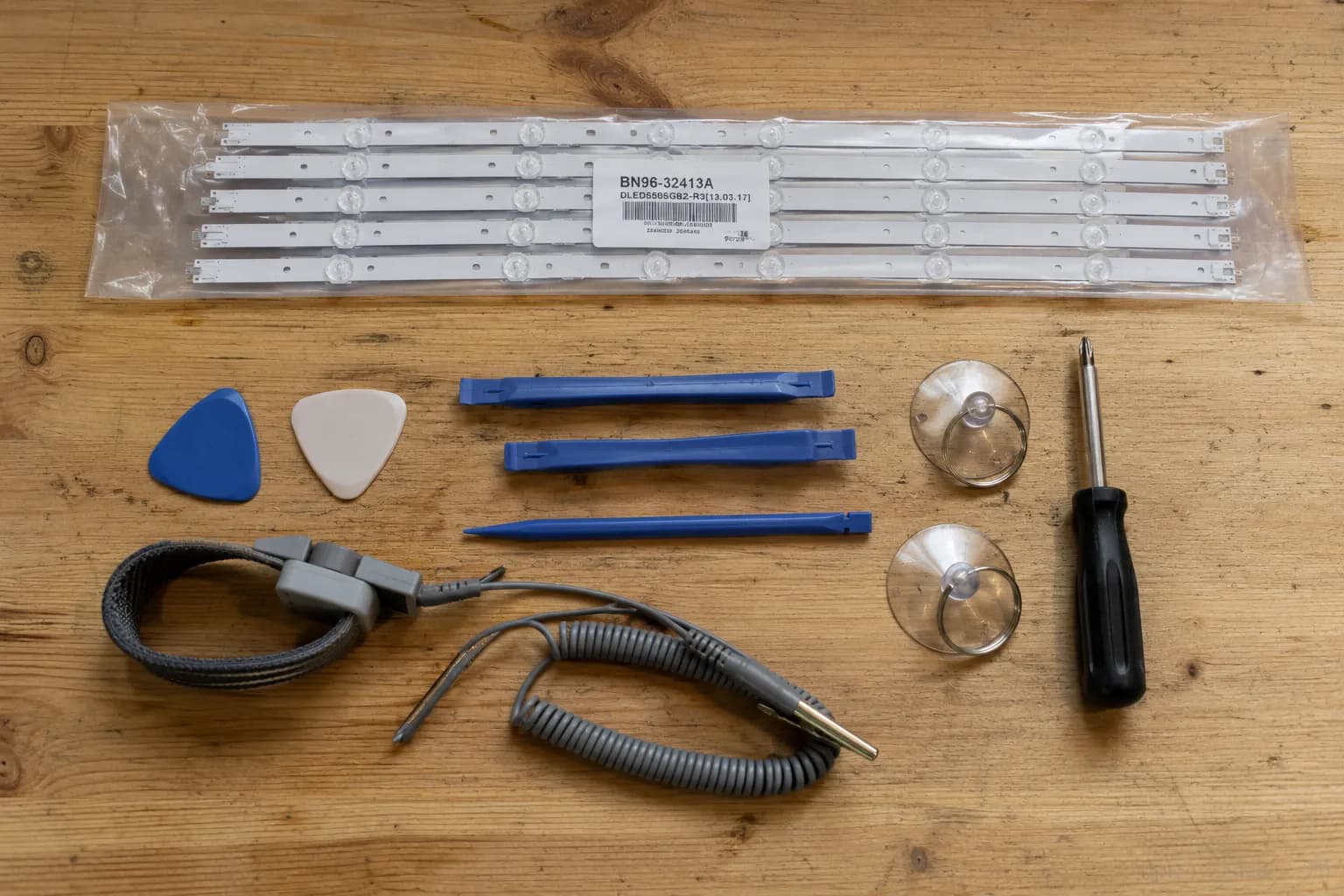
A Samsung TV backlight replacement kit is more than the strips: you want the matched BN96 LED strip set, a plastic pry-and-spudger kit, suction cups to lift the panel, a #2 Phillips screwdriver, and an anti-static wrist strap.
A backlight tester tool, around $25, lets you confirm a dead strip without fully opening the TV, and you should buy the strip set only after matching your panel code.
Essential items:
Matched BN96 LED strip set, purchased after confirming the panel code
Plastic pry-and-spudger kit, about $8, with some kits including basic suction cups
Suction cups, about $6 if not already in the kit, to lift the panel safely
A #2 Phillips screwdriver for the back-cover screws
An anti-static wrist strap to protect the boards
Optional but useful:
A backlight tester tool, around $25, that energizes a strip on the bench so you can see which one is dead
A digital multimeter for tracing power to the strips
The only tools I had to buy were the $8 pry-and-spudger kit, which came with basic suction cups and saved a separate $6 purchase. A tester tool would have spared me one full teardown.
If your set turns out not to be worth the parts, there are responsible ways to move an old set on rather than letting it gather dust.
Skip the universal kits: Generic "universal" strip kits rarely fit Samsung panels, and a mismatch means another order and another teardown.
Frequently Asked Questions
Do I Replace All the Strips or Just the Dead One?
Replace all of them. The strips are wired in series and age together, so a single failed LED usually means the others are close behind. iFixit's backlight guide recommends replacing the full set, and since a set costs $16–75, doing them all at once avoids a second teardown within months.
How Long Do Samsung TV LED Strips Last?
Samsung LED backlight strips are typically rated for 40,000 to 60,000 hours, but real-world failures often appear in three to seven years, especially in warm cabinets or with heavy daily use. TV Parts Today reports the same series-wiring wear pattern, where one aging LED drags a whole strip down with it.
Is There a Samsung Backlight Repair Near Me?
Most areas have independent electronics repair shops that handle backlight work, and they usually quote less than Samsung's own service, which tends to price close to a new set. Ask specifically whether they replace the full strip set, and what the diagnostic fee is, before you book.
Can I Fix the Backlight Without Replacing the Strips?
Sometimes. If a single LED or a diffuser lens is the culprit, a targeted repair can work, though it is fiddlier and less durable than a full set. When only one small area is dark, that route is worth considering before a complete swap.
My Remote Won't Work After the Repair. How Do I Control the TV?
A remote that goes quiet after a teardown is usually unrelated to the repair itself. You can still change channels without a remote using the set's own buttons.
The same buttons let you adjust the volume without a remote until a working one is back in hand. Some owners simply move to a voice-control remote once the picture returns.
Is a 65-Inch Harder or Pricier to Fix?
Yes, on both counts. A 65-inch Samsung uses more backlight strips, so the set costs more, often $30–75, and the larger panel is heavier and easier to crack when you lift it. Give a big panel two people and extra suction cups.
The Bottom Line
A samsung tv backlight replacement rewards patience more than skill. The failed part is cheap, the flashlight test proves what you are dealing with in under a minute, and matching the BN96 strip set to your panel code is the step that keeps you from ordering the wrong thing twice.
What decides the job is not the $16–75 in parts but whether your television is worth a careful evening and a fragile-panel lift.
On a healthy set under six years old, a $31 do-it-yourself fix beats a $300 shop bill and a landfill trip without much argument.
On an older set with other faults, the same math points the other way, and that is a perfectly good answer too. Confirm first, match carefully, replace every strip, and test before you close.
Do those four things and a dark Samsung usually comes back to life for the price of a takeout dinner.
Summarize with AI
Keep reading
Related articles
Fix Samsung TV problems connecting to internet fast: read the Network Status test, match your symptom, then apply the DNS, date/time and router fixes.
Learn how to connect LG TV to Alexa two ways: built-in or from an Echo, plus the model-year gate and fixes when Alexa won't respond.
Fix Insignia TV horizontal lines on screen in minutes: a hard reset and one built-in menu test show instantly if it's a cheap cable or a dead panel.
Sell it for parts, part it out, repurpose it, or recycle it free, that's what to do with a broken TV, plus what a broken set is really worth.
Comments
Moderated for quality. Share a correction, ask a follow-up, or tell us what worked for you - every comment is reviewed before it goes live.