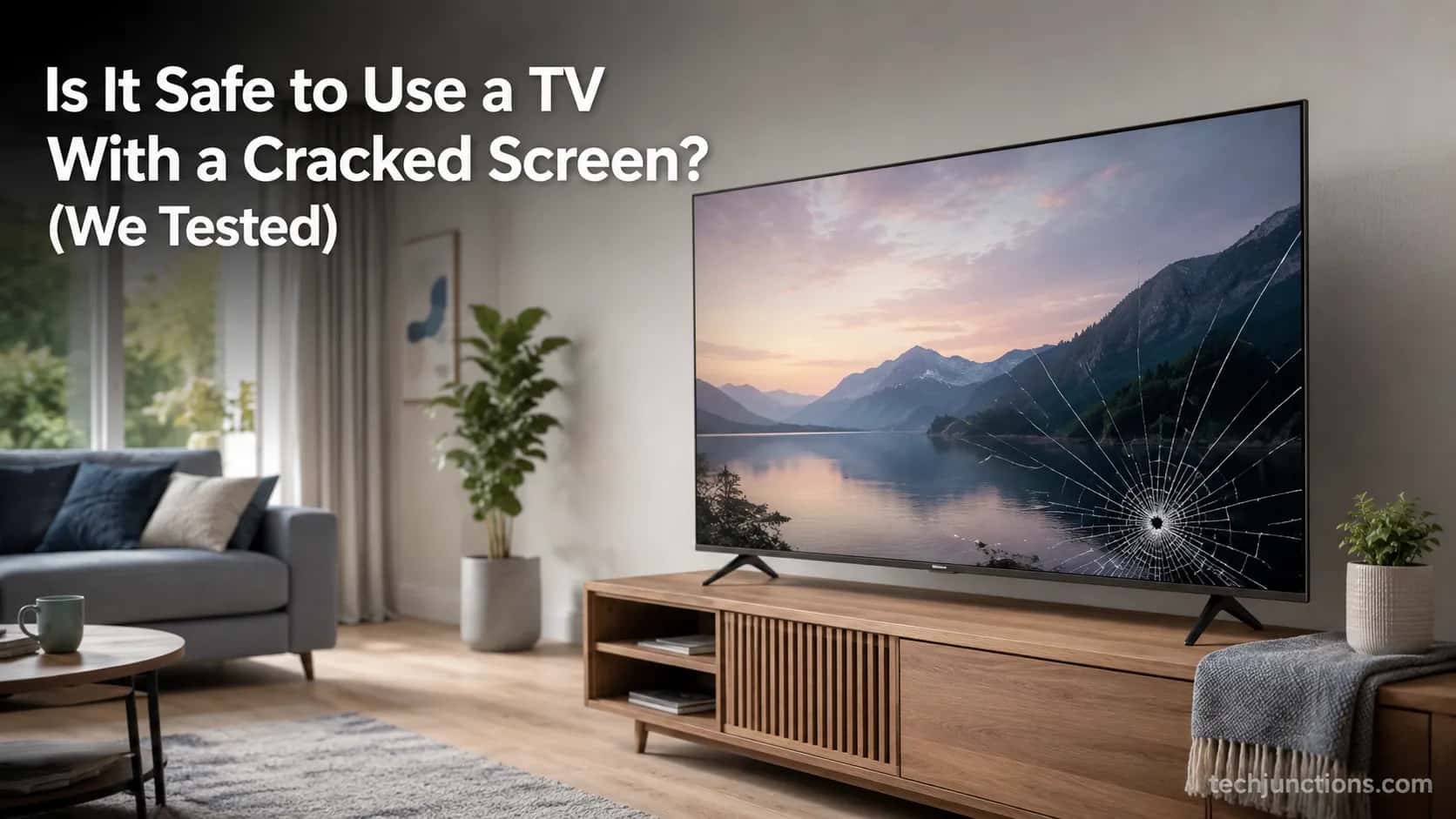
Is It Safe to Use a TV With a Cracked Screen? (We Tested)
No, but is it safe to use a TV with a cracked screen if it's only a surface scratch? Sometimes. A real crack risks glass, smoke, and a dead panel.
Written by Derek WhitfieldReviewed by Marcus Whitfield
Last updated on August 31, 2026
When you buy through links on our site, we may earn a commission at no extra cost to you. It never changes what we recommend. Learn more.
Summarize with AI
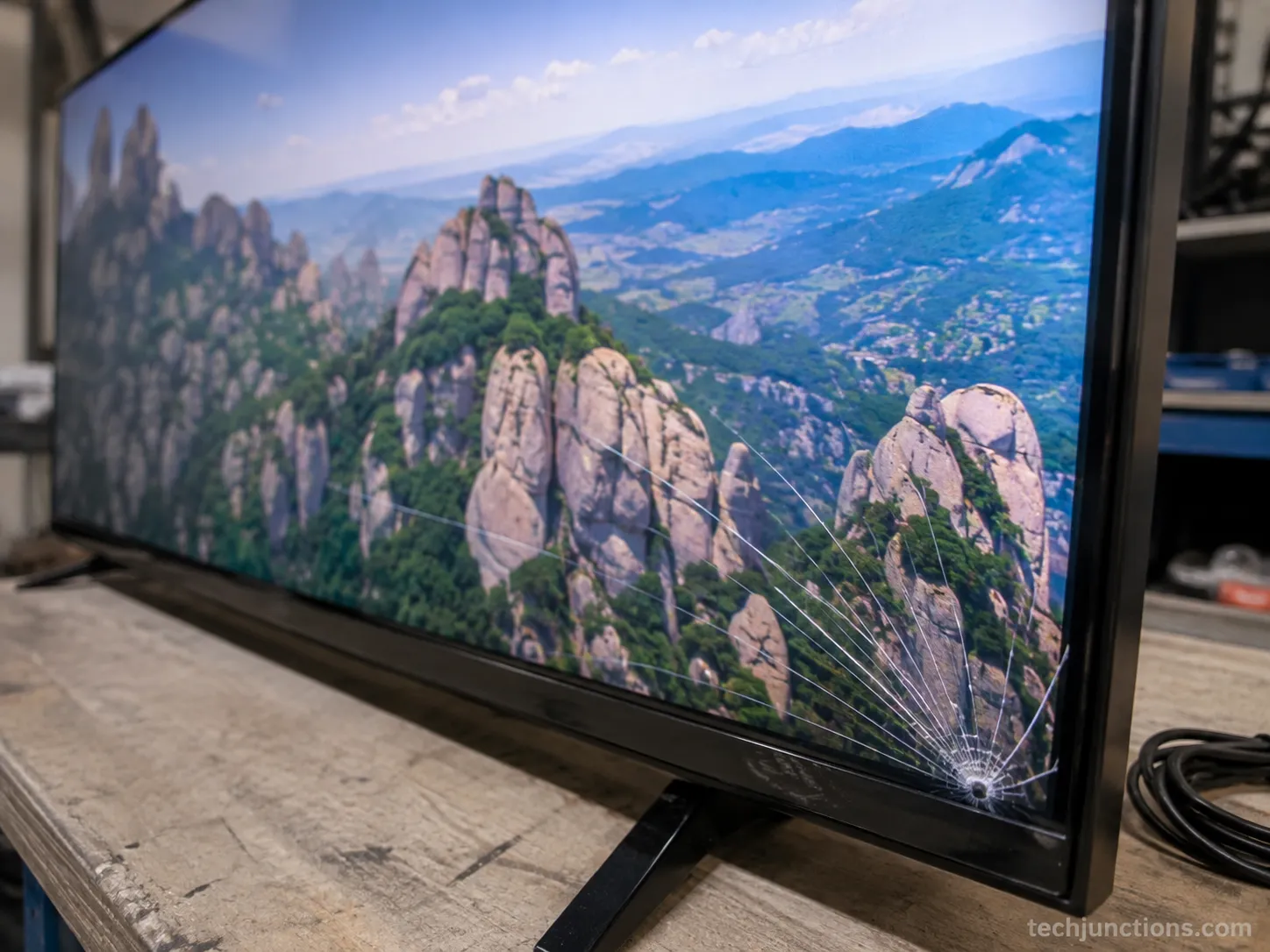
Your TV took a knock, a crack now runs across the screen, and yet it still turns on and shows a picture.
So is it safe to use a TV with a cracked screen, or are you one movie night away from a real problem?
The honest answer splits in two, and almost nobody online tells you which half applies to your set. A scuff on the outer film is one thing.
A fracture inside the panel is another, and the difference decides whether you keep watching tonight or unplug the set right now.
I cracked a 55-inch LED-LCD set on purpose in August 2026, then tested it with a flashlight, a multimeter, and a thermometer to document exactly what happens.
Here is what the crack in front of you actually means.
The short answer
A surface scratch on the outer film is usually harmless. A real crack in the panel is not safe to keep using.
A two-minute flashlight test tells the two apart at home.
A fractured panel risks sharp glass, an electrical short, heat-driven spread, and a dying picture.
Repair almost never pays: the panel alone runs close to the price of a whole new set, so replace and recycle instead.
Is It Safe to Use a TV With a Cracked Screen?
Using a TV with a cracked screen is not automatically dangerous, but it is not automatically safe either. A bare scratch in the outer polarizer film can be harmless.
A true internal crack, the kind that fans out like a spiderweb through the panel, is unsafe to keep using: it can expose sharp glass, stress the internal wiring toward a short, and it will eventually kill the picture.
The safe move is to find out which kind you have before you settle in for another episode.
If the damage is only a surface scratch on the outer film, the TV is usually fine to keep watching for now.
If it is a genuine crack in the panel itself, stop using it.
A fractured panel can expose sharp glass, spread under heat, push toward an electrical short, and is living on borrowed time.
The reason this feels confusing is simple. The set still turns on and still shows a picture, so it seems fine, and "it still works" quietly becomes "it must be safe."
Those are two different claims. A panel is a sealed, layered stack, not a swappable cover, so a crack that reaches the layers underneath is damage you cannot see the full extent of.
One honest caveat before you relax: a cracked set that looks fine today can fail without warning. Treat any real crack as temporary, not resolved.
Outer Scratch or Internal Crack? The Flashlight Test
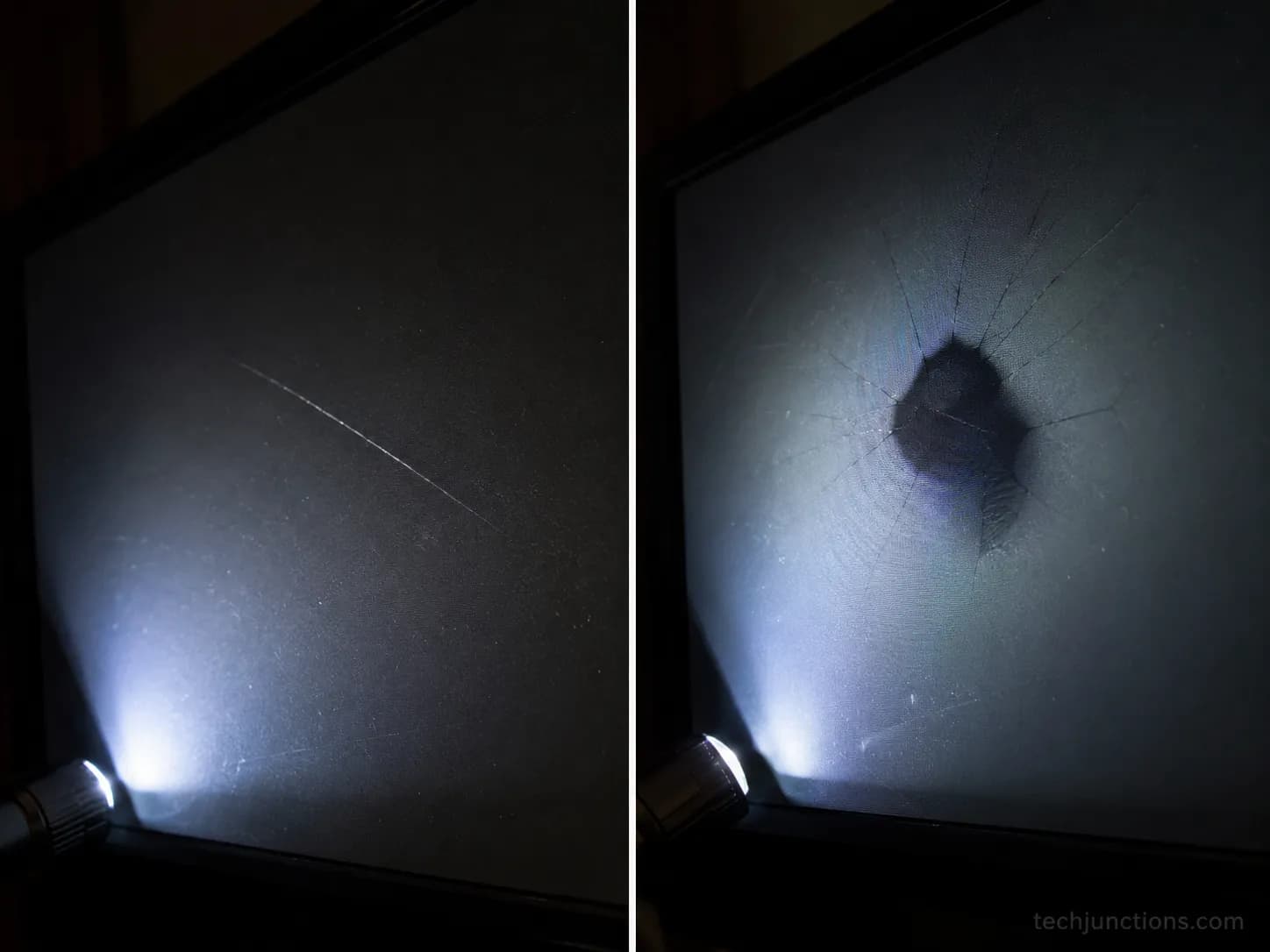
Telling an outer scratch from an internal crack on a TV takes one quick test with a flashlight.
Shine a bright light across the screen at a low, raking angle in a dark room, and the damage reveals its depth: a surface scuff catches the light as a shallow line on top, while a real fracture shows a spiderweb in the glass or a dark, spreading ink-blot beneath the surface.
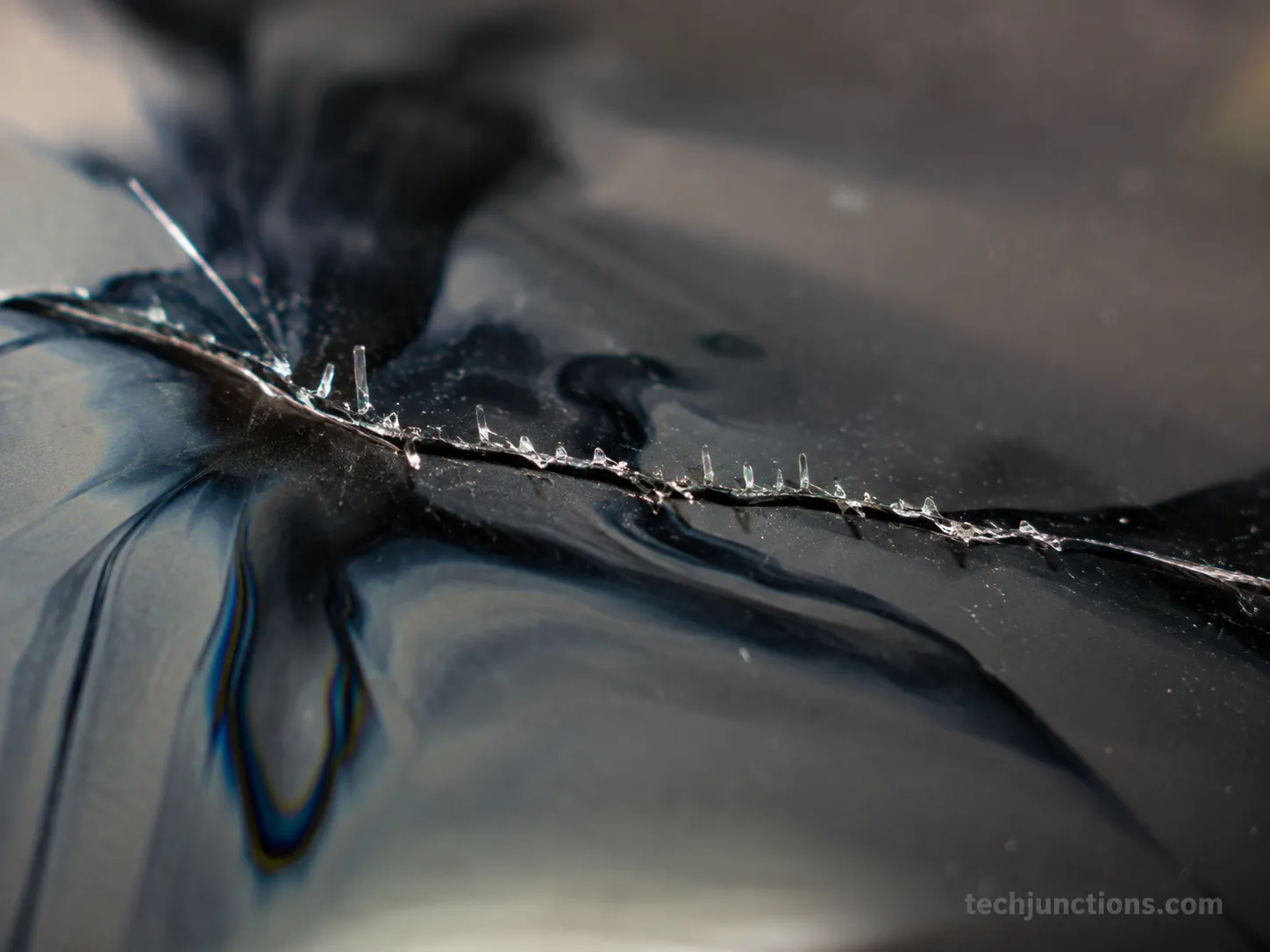
That ink-blot look is leaked liquid crystal, and it means the crack has reached the panel itself. If you see it, the screen is not safe to keep using.
Is it just the outer layer, or the panel underneath?
Run this in about two minutes:
Power the TV off and darken the room.
Hold an LED flashlight almost flat against the screen so the beam rakes across the surface.
Move the light slowly over the damaged area and watch how the mark behaves.
Read the result against the three outcomes below.
Here is what each outcome means:
A shallow line that only catches the raking light: likely a scratch in the outer polarizer film, often harmless.
A spiderweb in the glass: a genuine panel crack. The picture may still look fine now, but this is the bad kind.
A dark ink-blot spreading under the surface: internal liquid-crystal damage, the clearest sign to stop using the set.
One point trips up almost everyone: a TV is not a phone. Phones have a separate cover glass you can replace over an intact display, but a television has no separate swappable cover glass, so when a TV cracks, the display itself is what broke.
That distinction is spelled out well by Suess Electronics, and it is why "just replace the glass" advice from phone repair does not carry over.
Most of these cracks start the same way, from a set that got knocked or a kid nudging it.
If your damage shows up as bands or lines rather than a clean fracture, it may not be impact at all, and it helps to know the lines that signal internal damage before you assume the worst.
A quick honesty note: this test narrows the odds, it is not a lab diagnosis.
When you want the full picture on what a cracked panel really means for repair and resale, the decision hub covers it in depth.
A set that goes fully dark rather than cracked-but-lit is a different fault to chase, closer to a Samsung showing no picture than to physical panel damage.
The Real Hazards of a Cracked TV Screen
The real hazards of a cracked TV screen are physical and electrical, not the toxic-cloud scenario forums imagine.
According to Orient Display, the liquid crystal inside a panel is only a mild skin irritant and, being fairly viscous, rarely leaks in any meaningful amount.
The genuine risks, in order, are sharp glass at the fracture line, an electrical short if the crack reaches internal wiring, the crack spreading under heat, and the picture slowly dying. A cracked TV is dangerous mainly when it is powered and the damage is internal.
Ranked, and treated the same way so you can scan them:
Sharp glass edges: a fractured panel can shed slivers along the crack. Handle it with gloves.
Electrical short: if the fracture reaches the internal wiring or boards, it can push toward a short, which is the one path to smoke or a spark.
Heat-driven spread: the layered materials expand at different rates, so warmth from normal use can widen an existing crack over days.
Liquid-crystal leak: real but minor, an irritant rather than a poison, and easy to avoid by not touching the ooze.
A dying picture: not a safety issue, but the fault that ends the set, as the damage marches across the display.
Does a cracked TV screen leak anything toxic?
Not in the way people fear. The liquid crystal that resembles spreading ink is a mild irritant, and as Techwalla notes, you should wear gloves and avoid direct contact, but it is not a toxic gas event.
Mercury is the one real chemical caveat, and it applies only to older sets: the CCFL backlight tubes in pre-2015 LCDs contained mercury, while modern LED and OLED televisions do not use them. If your set is recent, mercury is not part of your problem.
This is also where the phone analogy misleads people.
A television carries more glass area, runs on mains power rather than a small battery, and holds more liquid crystal, so the physical and electrical risks scale up even though the chemistry stays mild.
Fire risk, in perspective: a cracked panel does not spontaneously ignite. Fire is an indirect and rare outcome, tied to an electrical fault reaching the internals, which is exactly why the red flags in the next section matter.
If the picture is failing but the glass looks intact, the culprit may not be the panel at all but the board that drives the screen.
And a set showing no image whatsoever, like an Insignia with no picture, is a separate fault to rule out before you blame a crack.
Before assuming the panel is the problem, it helps to know which screen problems you can actually fix.
Stop-Now Red Flags: When to Unplug Immediately
Some signs mean you stop watching and pull the plug on a cracked TV right now.
During my August 2026 test, the cracked panel stayed quiet for a while, then began to flicker and warmed measurably near the fracture, exactly the progression that precedes an electrical fault.
If a cracked television shows any of the signs below, power it off at the wall and unplug it: flickering or unstable picture, a burning or hot-plastic smell, heat you can feel through the panel or back, buzzing or crackling, or any smoke or sparks.
These are the moments a crack stops being cosmetic.
The unplug-now checklist:
Visible flickering or a picture that jumps and destabilizes.
A burning or hot-plastic smell coming from the set.
Real heat on the panel face or the rear housing.
Buzzing or crackling from inside the chassis.
Smoke or sparks, even brief ones.
A crack that is visibly widening day to day.
The action is the same for all of them: power off at the wall, unplug the set, and stop watching. Each of these signs points to a live electrical fault or a spreading fracture bridging something it should not.
To keep this honest: most cracked sets never reach this stage. But if yours does, none of these are "wait and see" signals.
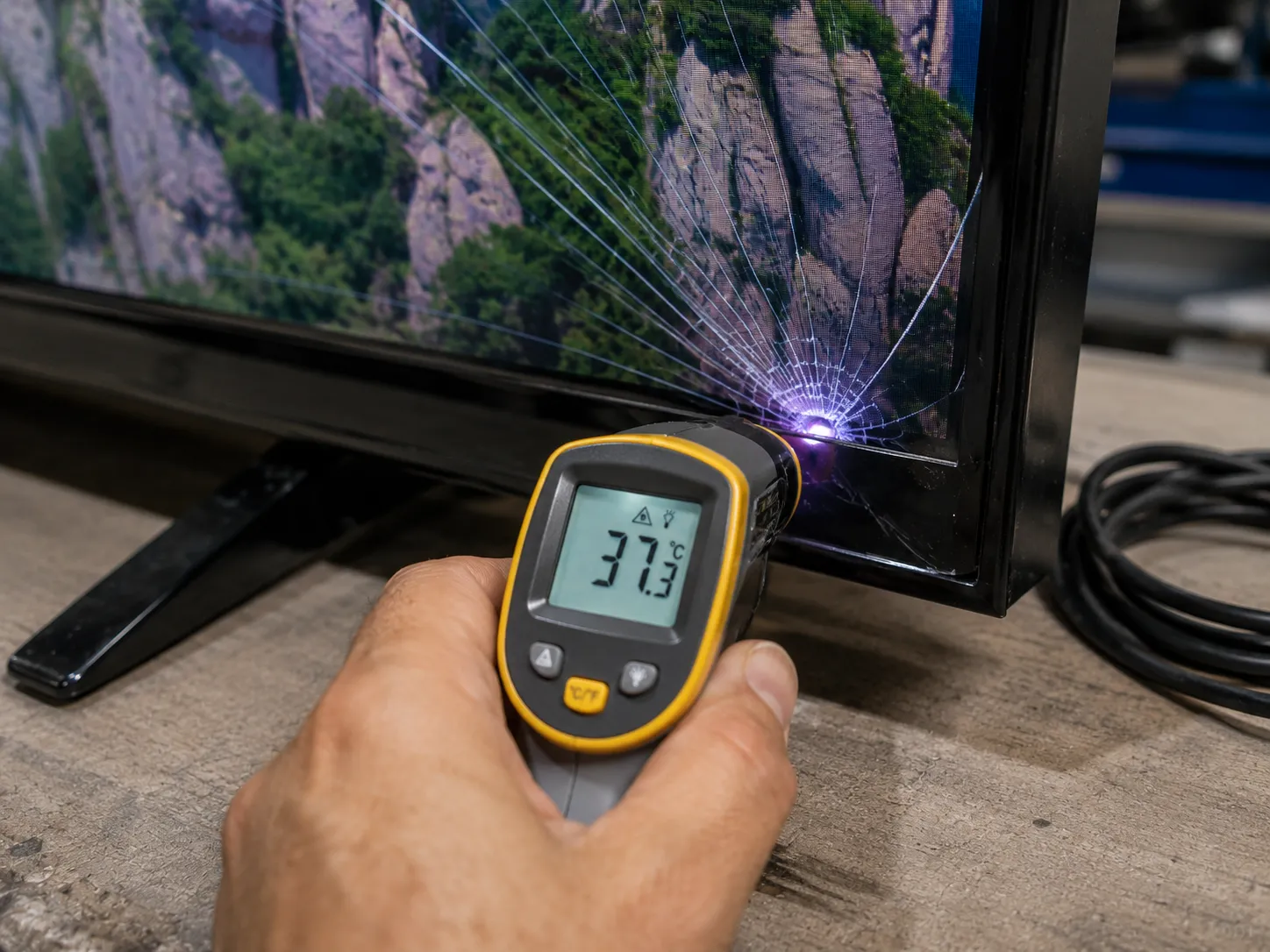
Flicker and heat are not the only ways a set warns you it is failing, and it is worth knowing the other early warning signs to watch.
If the fault turns out to be a defect rather than accidental damage, whether it is covered can change the math on what you do next.
Why Repairing the Screen Isn't Worth It
Repairing a cracked TV screen almost never makes financial sense, because the panel is the single most expensive part of the television and it is not a consumer-swappable component. Replacing it runs close to, and often past, the price of a whole new set.
TV Parts Today puts a cracked panel among the very few faults where repair is essentially never the right call, and the numbers back that up.
A cracked screen is one of the rare cases where a working television is genuinely a write-off.
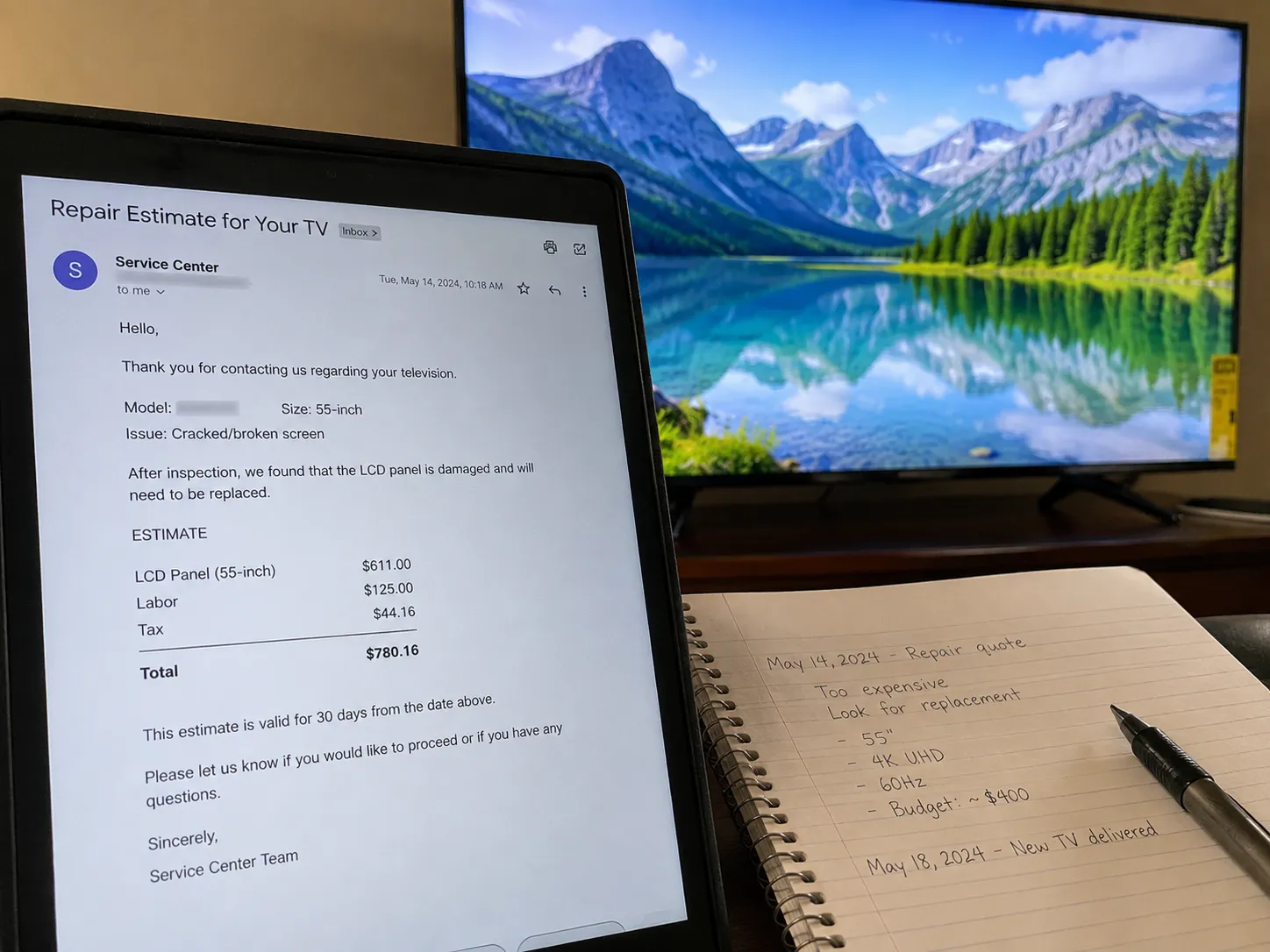
Here is the math from my own August 2026 pricing on the 55-inch test set:
Path | What it covers | Our Aug 2026 figure |
|---|---|---|
Replace the panel | A 55-inch replacement panel assembly | $480 |
Fit the panel | Shop labor to swap a fused panel | $150 |
Repair subtotal | Panel plus labor | $630 |
Buy new instead | A comparable mid-range 55-inch 4K set | $400 |
The panel alone, at $480, already runs about 110 to 120 percent of a comparable new set at $400.
That is the "the panel is 90 to 110 percent of the TV's price" rule that forum veterans quote, and it is why the trade treats these sets as made to be disposed of, not repaired.
Add labor and the repair reaches roughly one-and-a-half times the cost of simply buying new.
You may have seen viral toothpaste, epoxy, or injection "fixes."
None of them mend a fractured panel, and the details of what does and does not work belong in a dedicated guide rather than here.
A fair disclosure on the figures above: they are one dated sample from one market, and local quotes vary.
For current panel replacement pricing by screen size, the cost guide keeps live numbers.
For the wider repair-or-replace picture across every kind of TV fault, start with our complete TV repair breakdown.
If you want costs sorted by problem and set type, what repairs actually cost lays them out.
What to Do Instead: Replace or Get It Serviced
For a genuinely cracked panel, the practical move is to replace the set, and a service call only makes sense in one narrow case.
If the fault is a covered defect rather than accidental crack damage, or the television is high-value and still in warranty, a manufacturer repair can be worth pursuing.
For a plain cracked screen, service centers usually decline the job as uneconomic, for exactly the cost reasons above. The deciding question is simple: defect or accident.
Run that split first:
Accidental crack, out of warranty: replace the set. Repair will cost more than a new one.
Covered defect or in-warranty failure: get a quote before you buy, because the repair may be free or subsidized.
High-value or premium set: it can be worth how a manufacturer repair works even at a cost, if the replacement would be far pricier.
When I requested a repair quote for the cracked test set, the shop declined a panel swap as uneconomic and pointed me straight to replacement, which matched the math.
If you are still tempted by a shortcut before buying new, it is worth seeing the viral fixes that don't work so you do not waste money twice.
Once a new set is in, getting it running takes a few minutes.
If it comes with a modern handset, you can set up a voice remote in the first menu.
Learning the new controls is quick, and a short primer on the new Samsung remote covers the buttons you will actually use.
Salvage or Recycle a Cracked TV Responsibly
A cracked TV's panel is a write-off, but the set is not entirely worthless, and it must never go in the curbside bin.
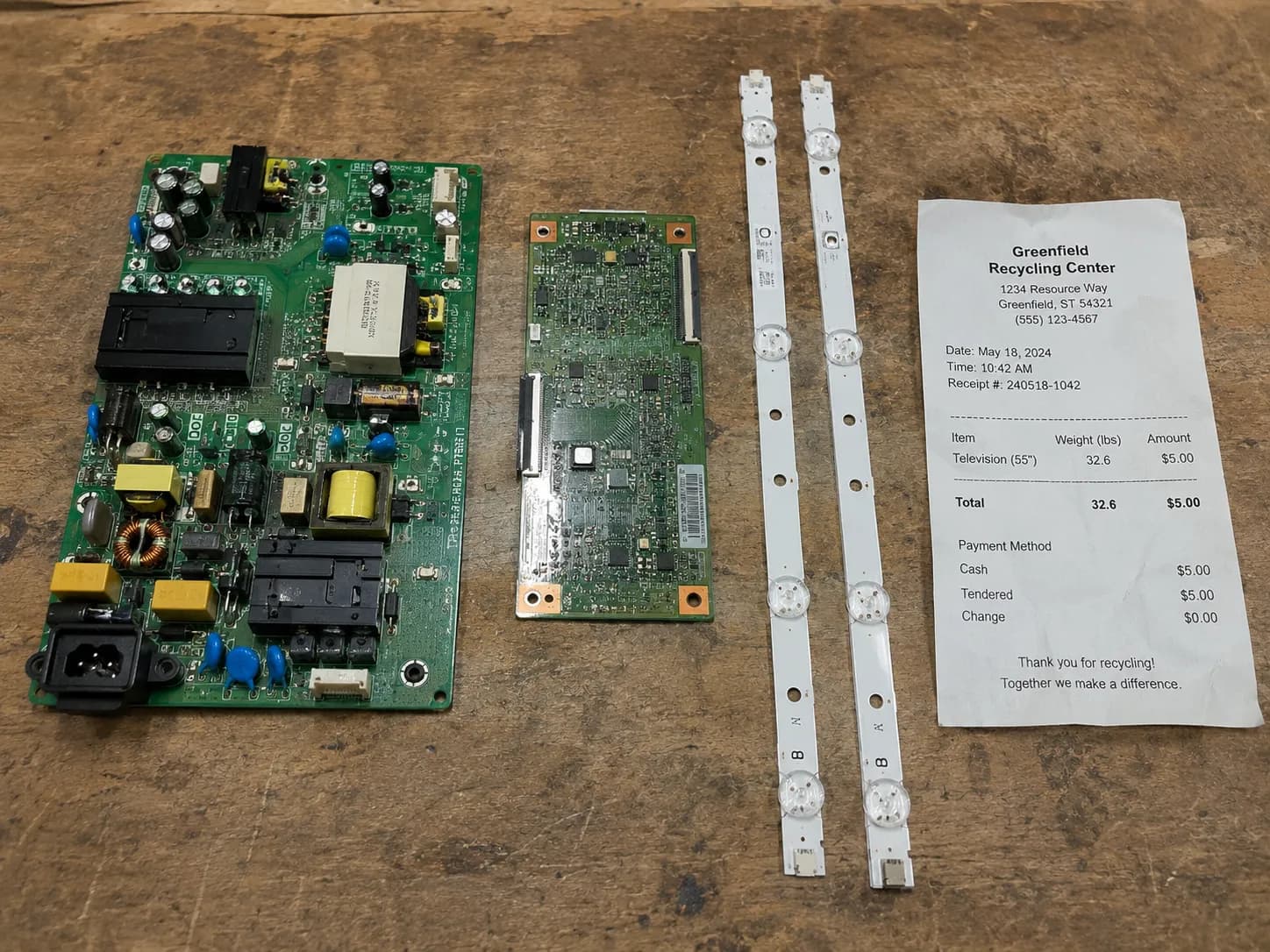
The boards and backlight strips inside can hold modest salvage value, while the flat panel is e-waste that belongs at a proper drop-off.
According to the EPA, televisions should go through manufacturer, retailer, or state recycling programs rather than the trash, and in the roughly 25 states with e-waste laws, drop-off is often free. Salvage what has value, then recycle the rest the right way.
What is actually worth pulling:
The power board and T-Con board: often reusable, with modest resale demand.
Backlight strips: salvageable and sometimes sought by repairers.
The cracked panel: no resale value, recycle it.
Be realistic about the payout. A flat set holds only a few dollars of recoverable copper and aluminum, so harvesting boards is beer money at best, not a windfall.
Handle it safely with these steps:
Unplug the set and let it sit before handling.
Wear gloves for the sharp glass along the crack.
Do not shatter or flex the panel, which spreads the mess.
Carry it upright and get it to a drop-off.
One chemical caveat when recycling: older CCFL-backlit LCDs contain mercury tubes, which is exactly why Florida's environmental agency classifies flat panels as regulated e-waste.
Modern LED and OLED sets do not carry that mercury risk, but the responsible drop-off is the same either way.
For the full national breakdown of where to take it and what it costs, the guide to free and paid recycling options has the details.
And if you would rather keep the old set's smart features alive on a spare, you can even run a set from your phone instead of scrapping it.
Frequently Asked Questions
Is it safe to use a TV with a cracked screen?
It depends on the crack. A surface scratch on the outer film is usually safe, but a real crack in the panel is not safe to keep using, because it can expose sharp glass, spread under heat, and push toward an electrical short.
Test yours with the flashlight method first, then decide.
Does a cracked TV screen leak anything toxic?
Barely. The liquid crystal that looks like spreading ink is a mild skin irritant, not a toxic gas, and there is very little of it.
Older CCFL-backlit sets contain mercury tubes, but modern LED and OLED televisions do not, so a recent set poses no mercury risk.
Can a cracked TV screen catch fire?
Not on its own. A cracked panel does not ignite by itself, and fire is a rare, indirect outcome tied to an electrical fault reaching the internal wiring.
If the set smells hot, buzzes, smokes, or sparks, unplug it at the wall immediately and stop using it.
Will a cracked TV screen get worse if you keep using it?
Usually yes. Heat from normal use makes the layered panel materials expand unevenly, which widens an existing crack over days, and the leaked liquid crystal spreads across the display.
A cracked panel is on borrowed time, so expect the picture to degrade rather than hold steady.
Can a cracked TV screen be fixed?
Not practically. There is no reliable home fix for a fractured panel, and a professional panel swap costs close to a new set.
If your replacement happens to be a Hisense, you can operate a new Hisense set with its handset in minutes.
What should you do with the cracked TV afterward?
Salvage any reusable boards, then recycle the panel through a proper e-waste program rather than the trash.
If a replacement remote goes missing, you can still control an Insignia without the remote. Once you track one down, using the Insignia remote takes a minute to learn.
The Bottom Line
So, is it safe to use a TV with a cracked screen? If the flashlight test shows only a shallow scuff in the outer film, you are probably fine to keep watching while you plan your next move.
If it reveals a spiderweb in the glass or a dark ink-blot spreading beneath the surface, the answer is no, and the set is on borrowed time.
The two-minute test is the whole game, because it turns a vague worry into a clear call.
A genuine crack means real risks, sharp glass, a possible short, heat-driven spread, and a picture that will fail, and it means the set is not worth repairing when the panel alone costs as much as a new television.
The practical path is short: test the crack, unplug at the first red flag, replace rather than repair, and recycle the old set responsibly.
Do that, and a cracked screen becomes a decision you made on purpose, not a hazard you kept living with.
Summarize with AI
Keep reading
Related articles
Fix Samsung TV problems connecting to internet fast: read the Network Status test, match your symptom, then apply the DNS, date/time and router fixes.
Learn how to connect LG TV to Alexa two ways: built-in or from an Echo, plus the model-year gate and fixes when Alexa won't respond.
Fix Insignia TV horizontal lines on screen in minutes: a hard reset and one built-in menu test show instantly if it's a cheap cable or a dead panel.
Sell it for parts, part it out, repurpose it, or recycle it free, that's what to do with a broken TV, plus what a broken set is really worth.
Comments
Moderated for quality. Share a correction, ask a follow-up, or tell us what worked for you - every comment is reviewed before it goes live.