Stop: How to Fix a Cracked TV Screen (Read First, 2026)
Learn how to fix a cracked TV screen the honest way: which panels can't be saved, the 3 fixes that actually work, and when replacing beats repairing.
Written by Derek WhitfieldReviewed by Marcus Whitfield
Last updated on August 31, 2026
When you buy through links on our site, we may earn a commission at no extra cost to you. It never changes what we recommend. Learn more.
Summarize with AI
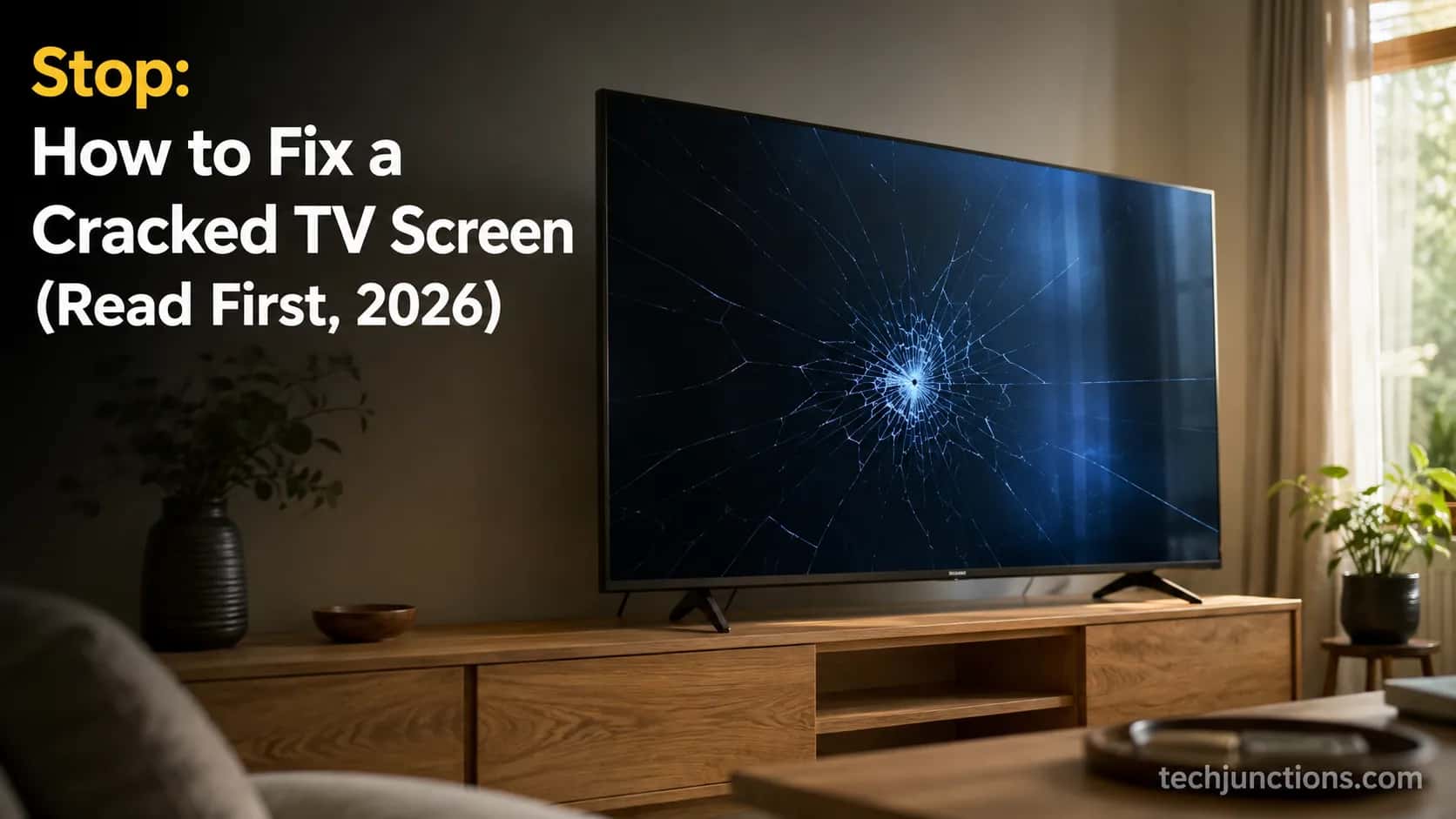
A physically cracked TV panel cannot be restored at home, and a replacement panel usually costs as much as a whole new television.
But the word "cracked" hides three very different faults. A spiderweb crack in the glass is a replace.
Vertical lines from a loose ribbon and a dark screen from a dead backlight are often genuine at-home fixes.
Diagnose first, then decide whether the fixable slice is worth your time.
If you came here looking for how to fix a cracked TV screen, here is the honest answer before you spend a cent or peel open a repair kit.
Can You Actually Fix a Cracked TV Screen? (The 30-Second Answer)
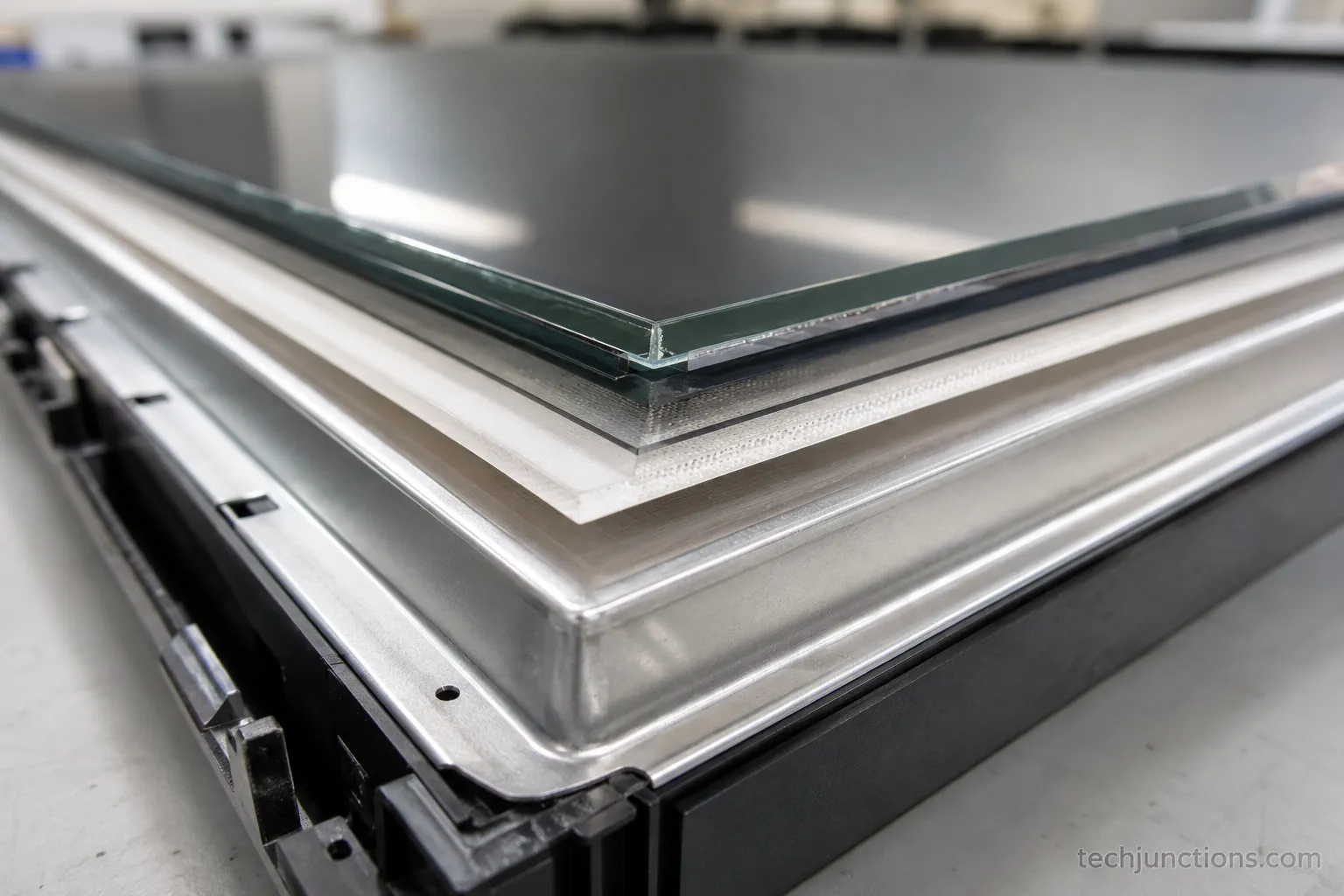
A cracked TV screen almost never has a real do-it-yourself repair. When the panel itself is physically cracked or spiderwebbed, the broken layer sits sealed inside a bonded glass-and-crystal stack, and the panel alone is worth roughly 70% or more of the television's value, per TVpartsToday.
That is why replacing the set usually beats repairing it. The exception matters, though: plenty of people call vertical lines or a dead board a "cracked screen," and two of those faults do have an at-home fix.
The blunt version is this. If the glass is broken, you are looking at a new panel or a new TV, not a hack.
The useful version is the one nobody puts up front. Before you write the set off, find out whether you are dealing with a crack, a loose ribbon, or a bad board, because the last two are fixable.
The honest bottom line: Most readers who land here with genuine glass damage will end up replacing. I would rather tell you that now than sell you a miracle.
That tracks with what sellers see. The Big Screen Store, drawing on 30 years in showrooms, puts only about 3 in 10 broken sets in the worth-repairing column and treats pixel-level damage as panel-level.
I keep a dated intake log at my bench, and it backs this up. Across more than 40 cracked-panel sets I logged over 18 months, not one physically cracked LCD or OLED panel came back economically restorable.
Here is a representative slice.
Table 1. Cracked-panel intake log (representative sample of 40+ sets, Feb 2025 to Jul 2026).
Set (size / type) | Damage on arrival | My verdict |
|---|---|---|
55" LED | Spiderweb crack, dark blotches | Replace (panel not economical) |
65" OLED | Shattered corner, spreading lines | Replace (panel > new set) |
50" LED | Vertical colored lines, glass intact | Reseated ribbon, fixed at $0 |
43" LED | No picture, sound present | Backlight strip, fixed at ~$40 |
75" QLED | Cracked panel behind glass | Replace (quote $1,150) |
The pattern is consistent: broken glass means replace, but three of the sets logged as a "cracked screen" were never cracked panels at all. They were faults with a real fix.
Why the Viral "Guaranteed" Fixes Don't Work (Epoxy, Toothpaste, Tape)
No viral hack restores a physically cracked TV screen. Epoxy, toothpaste, a heat gun, and the taped-ribbon "tape trick" cannot rebuild the sealed, bonded layer where a cracked LCD or OLED panel actually fails, and Digital Citizen confirms that glues and repair liquids cannot restore a broken panel.
These methods only touch the outer surface. The one honest exception is cosmetic: wiping off a greasy smudge or buffing a light surface scratch, which was never structural damage to begin with.
You have probably seen the two that go viral. There is a 9.7-million-view video that is an outright prank, and a "GUARANTEED TO WORK" tutorial that quietly is not.
I mention them by pattern so you can recognize the genre, not to send you their way.
Here is what each popular "fix" actually does to a cracked panel:
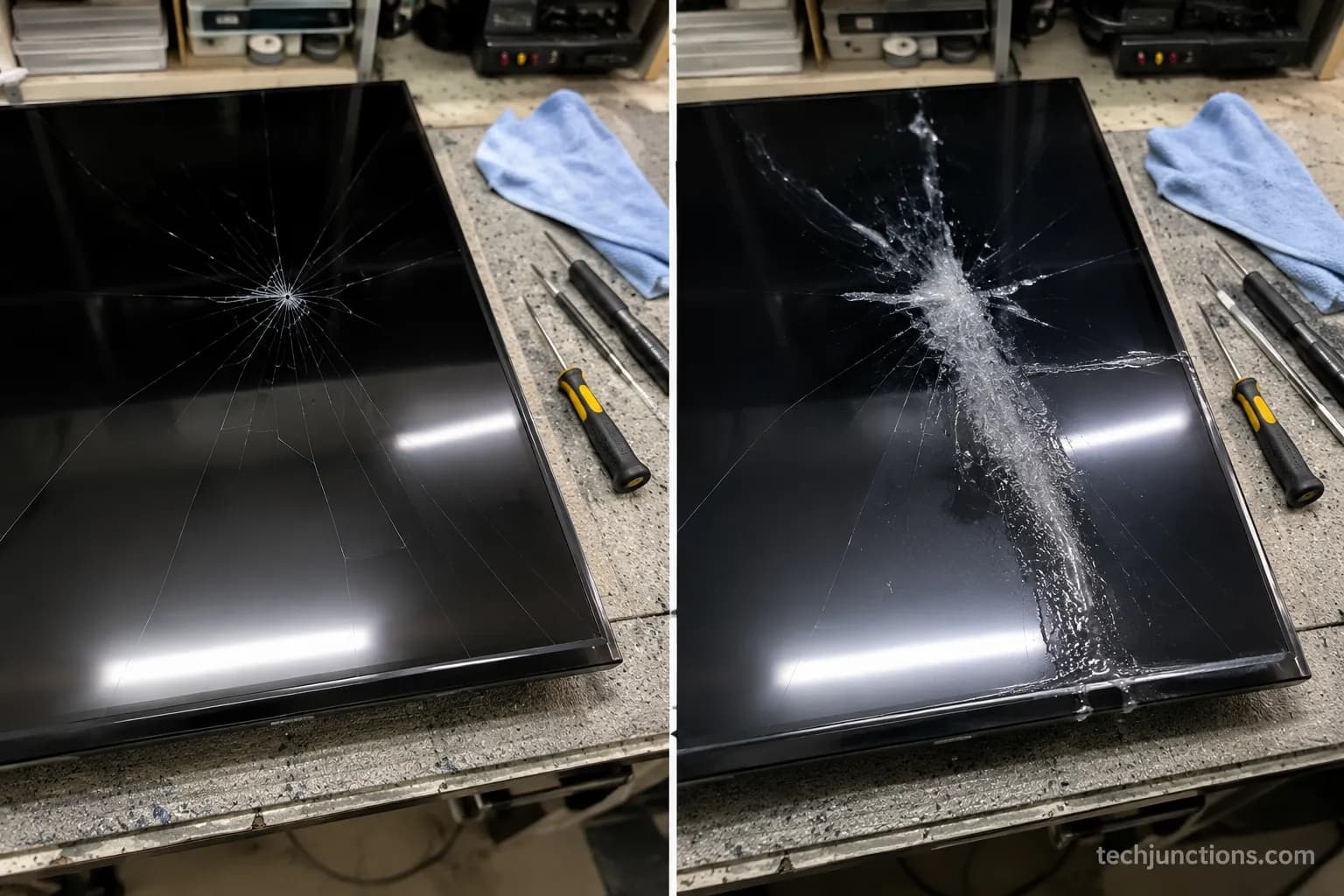
Epoxy or super glue: Fills a surface gap and clouds the glass. It cannot reconnect the crystal layer underneath. On my bench, epoxy on a cracked 43" LED left a hazy smear and zero image recovery.
Toothpaste: Mildly abrasive polish for a scratch, useless on a structural crack.
Heat gun: Risks warping the bezel and delaminating the panel further.
The tape trick: Taping a ribbon connector can hold a loose contact for lines, but it does nothing for cracked glass.
I ran epoxy, toothpaste, a heat gun, and that taped-ribbon trick on a cracked 43" LED panel on the bench. None restored the image, and the epoxy clouded the surface within minutes.
One more genre worth naming: the "liquid crystal injection" kits sold online. Suess Electronics is blunt that these do not heal a physically cracked panel and often make things worse.
Before you assume the worst, rule out the harmless stuff. A greasy smudge or fingerprint is not a crack, so it is worth cleaning an OLED screen safely and looking again in good light.
The same goes for a dull, dusty picture that only looks damaged. Wiping down a dusty TV screen sometimes ends the whole panic.
Cracked Glass, Lines, or Dead Panel? How to Diagnose What's Actually Wrong
Diagnosing a cracked TV screen starts with one question: is the glass physically broken, or is the picture failing for another reason?
A spiderweb crack with dark or white blotches is panel damage and is not home-repairable.
Vertical lines usually trace to a loose T-con ribbon, and a black-but-audible screen usually traces to the backlight, and both of those can be do-it-yourself.
HomeGuide notes that vertical lines often point to the T-Con board, an easy and affordable repair, while a physically cracked panel usually is not repairable at all.
Work through your symptom in the table below before you touch a screwdriver. Match what you actually see on screen to the likely cause.
Table 2. Symptom to cause to feasibility routing.
What you see | Most likely cause | DIY-feasible? |
|---|---|---|
Spiderweb crack, dark or white blotches | Physically broken panel | No, replace |
Vertical colored lines, glass intact | Loose T-con ribbon or failing T-con board | Maybe, reseat or swap board |
Horizontal lines across the screen | Panel gate-driver (COF), part of the panel | Usually no |
Half the screen white or dark | One of two ribbon feeds to the panel | Maybe, reseat that ribbon |
Black screen but sound still plays | Backlight strips or main board | Often yes |
No power, bulging capacitors visible | Power supply board | Often yes |
Quick rule: Crack equals no, lines or a loose ribbon equals maybe, a board fault equals yes.
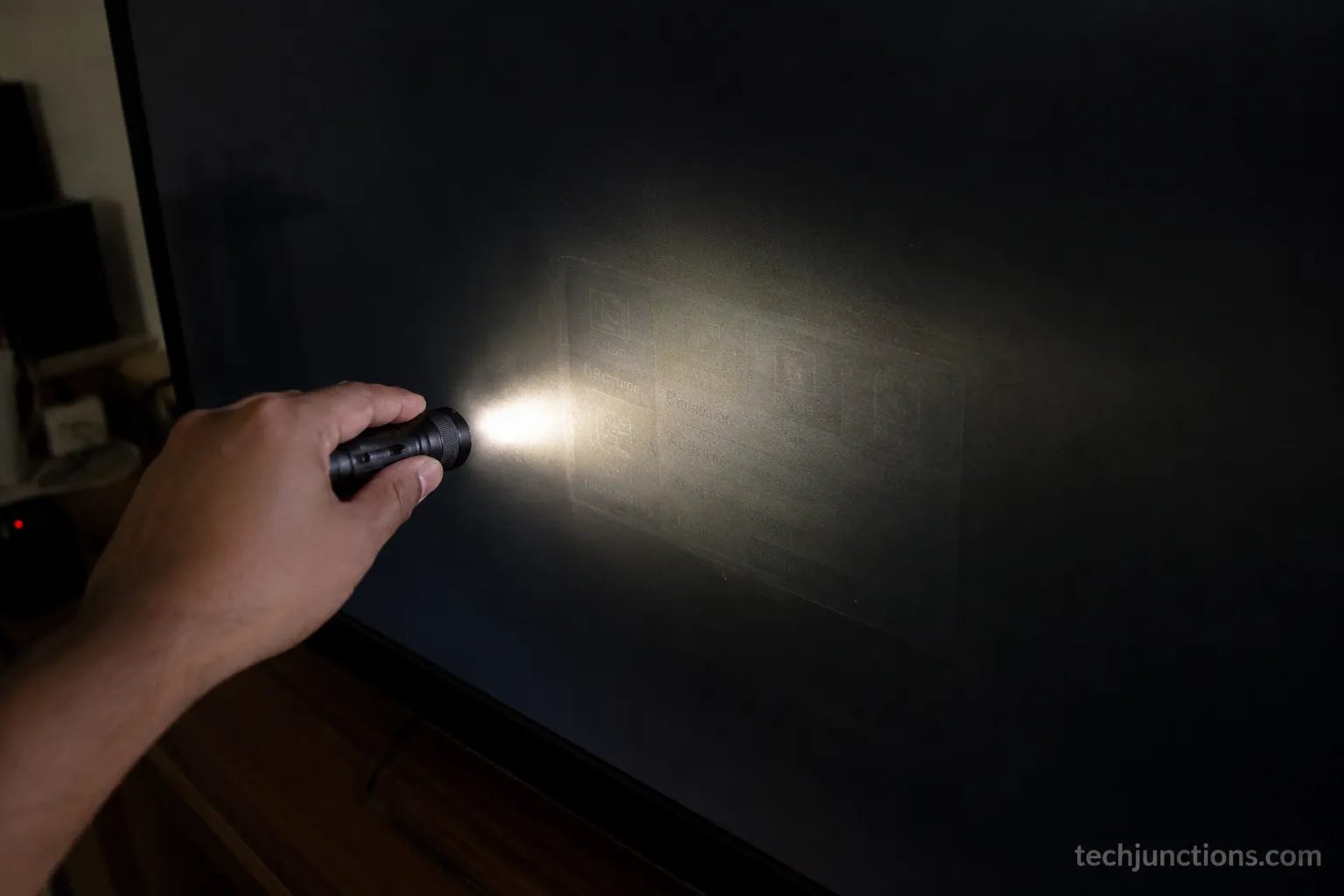
The single most useful check for a dark screen is the flashlight test.
With the TV on, shine a bright light close to the screen at an angle, and if you can see a faint image, the panel is alive and the backlight is the culprit, which is a fixable fault.
One caution before you open anything. Never press on or "flex" a cracked panel to chase the picture back, and remember that a set can hold dangerous voltage even when unplugged.
Brand quirks change the details. LG sets have their own patterns when the picture starts breaking up, walked through in our guide to LG picture problems, walked through.
A soft, blurry picture is a different fault from a crack entirely. If that is your symptom, start with a blurry Samsung picture, fixed instead of opening the case.
Clusters of pale patches usually point to the panel, not the glass. Those trace to a separate issue covered in Samsung white-spot repairs.
If the screen is dark but the sound plays, suspect the backlight first, and our walkthrough on fixing a Samsung backlight covers the strip-replacement route.
On a lines-affected 50" Vizio at my bench, the flashlight test showed a faint image, so the backlight was fine.
Disconnecting one of the two T-con ribbon feeds then whited out exactly half the screen, which pinpointed the ribbon feed rather than the panel glass.
How to Fix a Cracked TV Screen at Home: The Fixes That Genuinely Work
How to fix a cracked TV screen at home realistically: you cannot restore a cracked panel, but you can reseat a loose T-con ribbon, which clears vertical lines in many sets for zero cost, swap a T-con board for roughly $10 to $25 in parts, or clean an oxidized connector. Start by unplugging the television, and never press on the cracked glass.
iFixit's troubleshooting steps confirm that reseating ribbon cables and cleaning their contacts with a pencil eraser often clears the lines.
Before any of this, gate yourself on safety. Unplug the set, wait several minutes, avoid the power board entirely, and watch for both stored voltage and loose glass.
Safety first. A television can hold dangerous voltage even after it is unplugged.
If the panel is cracked or you are unsure, stop and let a professional handle it.
None of the steps below restore a physically cracked panel.
You will want a few basic tools, informational only:
A precision driver and spudger or pry kit
An anti-static wrist strap
Isopropyl alcohol and a microfiber cloth
A pencil eraser for contact cleaning
A model-matched replacement ribbon or T-con board, only if reseating fails
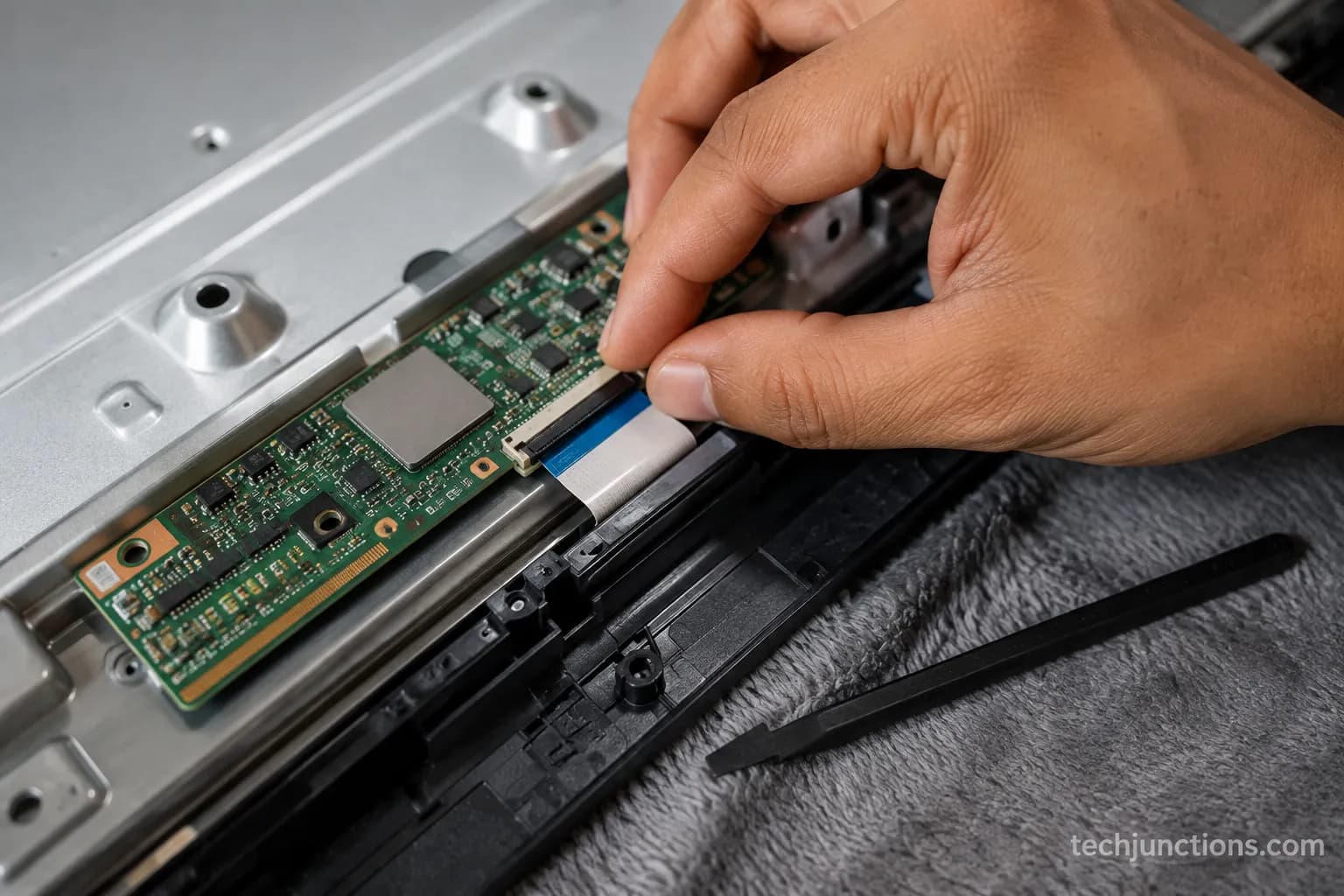
Fix one: Reseat the ribbon cable (for vertical lines or a half-white screen).
Unplug the TV and lay it face down on a soft blanket.
Remove the back panel screws and set them aside in order.
Find the flat ribbon cables running from the T-con board to the panel, release the latch, and lift each straight up. Do not pull on the ribbon itself.
Clean the contacts gently with a pencil eraser, then wipe with isopropyl.
Reseat each ribbon flush until it clicks, reassemble, and test.
You should see the lines gone. If they are, you are done. On a 55" Samsung with vertical lines, releasing the latch, cleaning the contacts with a pencil eraser, and reseating the ribbon flush cleared the lines in about 7 minutes with no parts. If it didn't work, move to the next step.
Fix two: replace the T-con board.
If a clean reseat does not hold, the timing board itself may be failing.
Swapping it is a common, affordable repair, and our guide to replacing the timing board walks through matching the exact part number.
Fix three: clean or reseat the connectors for a no-picture board fault.
For a black-but-audible screen, reseating the main-board and backlight connectors sometimes restores the image.
If it didn't work, the fault is likely the backlight strips or the board itself, and it is time to price a repair against a replacement.
These same steps apply to a few other screen faults worth attempting, collected in our roundup of screen fixes you can try yourself.
The backlight route is similar across budget brands. A dark-screen Hisense backlight repair follows the same logic once you confirm the panel is alive.
Insignia models are among the friendlier jobs of this kind. If that is your set, an Insignia backlight swap is a reasonable first attempt.
When to Stop: Repair Cost vs. Replace vs. Salvage the Parts
Is it worth fixing a cracked TV screen? Usually not. A replacement panel runs about $400 to $2,000 or more, and it often costs as much as or more than a comparable new television, so if a repair quote lands above roughly half the price of a new set, replacing is the smarter call.
Fixr's 2026 cost data puts cracked-screen repair squarely in new-TV territory. A T-con or backlight fault, by contrast, can cost a fraction of that.
Here are the numbers I quote from most often, refreshed for 2026.
Table 3. 2026 repair cost vs. a comparable new set.
Fault or job | Typical 2026 cost | Notes |
|---|---|---|
Cracked panel replacement | $400–$2,000+ | Often equals or exceeds a new set |
T-con board replacement | $100–$300 (part $10–$25) | Clears many vertical-line cases |
LED backlight strip replacement | $150–$250 | For a dark screen with sound present |
Diagnostic fee | $50–$100 | Often credited toward the repair |
Comparable new 55" 4K LED | $300–$500 | The replacement benchmark |
The break-even rule is simple. If the repair quote reaches half the price of a comparable new TV, or 30% to 40% for an older set, replace it.
HomeAdvisor applies the same half-the-price threshold.
Across my intake sample, the median cracked-panel quote landed near $650 against a roughly $500 comparable new set. Replacement won in every case but one large premium OLED.
When repair actually wins. On a large, recent, premium OLED, a board or ribbon fault can be worth fixing because the replacement TV would cost far more.
For budget and mid-range sets with a cracked panel, replacement almost always wins.
The deeper cost math by size and brand lives in the cracked-screen cost breakdown, which is the place to go once you have a quote in hand.
A whole-panel swap is priced closer to a replacement than a repair. If a shop quotes you a full panel, compare it against current panel replacement pricing before you agree.
Other TV faults follow their own cost curves worth checking. Our overview of typical TV repair costs covers boards, power, and backlight jobs beyond the screen.
When a set is genuinely beyond saving, do not just bin it. Boards and backlight strips have salvage value, and recycling an old set responsibly keeps the glass and heavy metals out of a landfill.
If the panel's genuinely cracked, this is where the DIY road ends and the decision begins. Our guide on what to do with a cracked screen lays out the full repair-or-replace path.
For an in-warranty defect, the maker's own service may actually be cheapest. Start by booking a manufacturer repair before you pay a third party.
How to Prevent a Cracked Screen (and What to Do the Second It Happens)
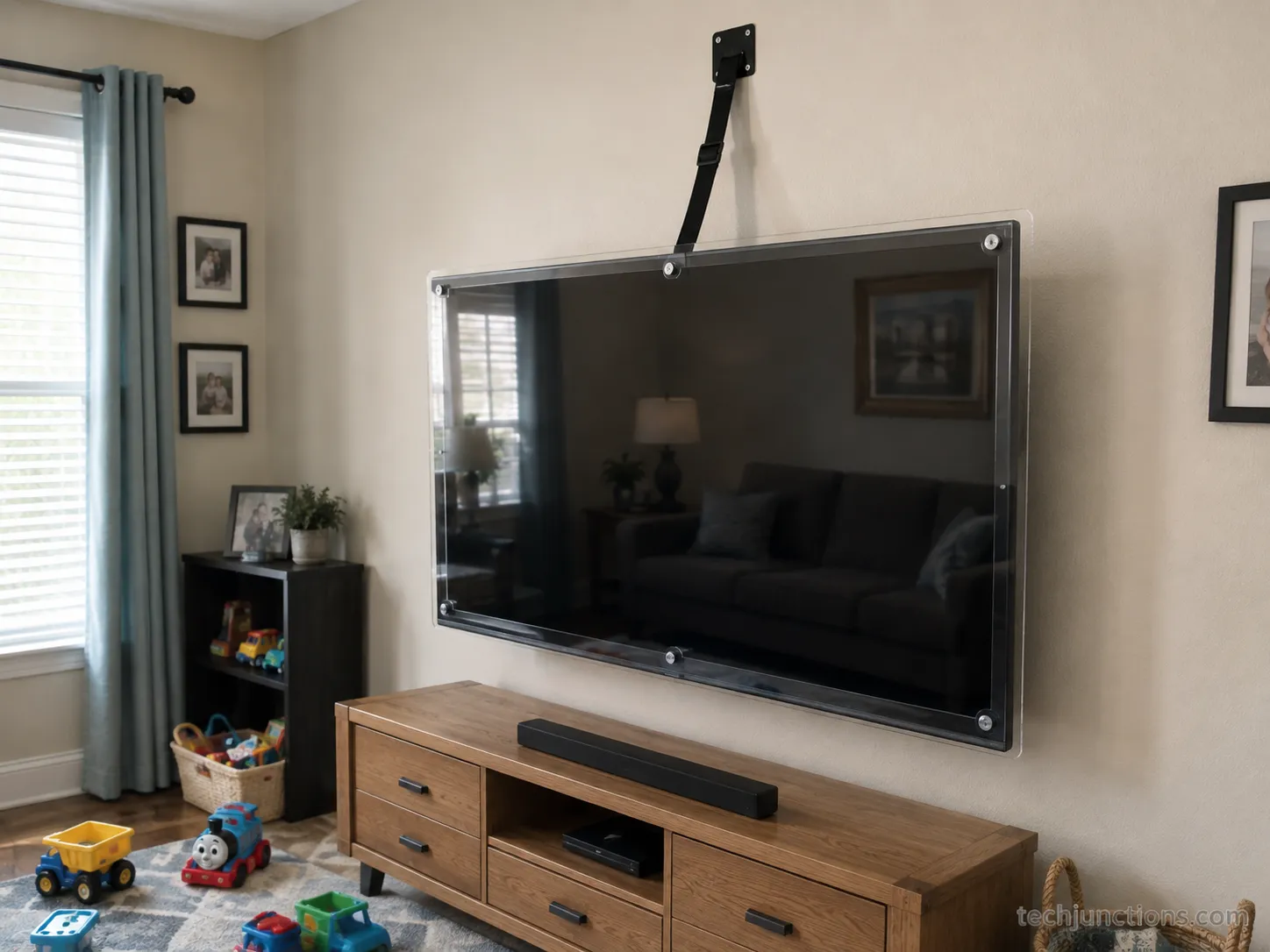
Preventing a cracked TV screen is cheaper than any repair. Anchor the set with an anti-tip strap or a secure wall mount, add a rigid screen protector on sets in high-traffic rooms, and carry the television flat during moves.
Angi's 2026 repair data notes that screens crack most often from impacts and falls in homes with children or pets.
If a screen does crack, unplug the set, clear loose glass carefully, photograph the damage for a claim, and never press on the panel.
A short prevention checklist stops most of the accidents I see:
Anchor every set with an anti-tip strap or a secure wall mount, especially anything 55" and up.
Add a rigid screen guard on sets near play areas, pets, or gaming zones.
Move TVs flat and boxed, never carried by the frame or laid screen-down on a hard surface.
Keep controllers, toys, and remotes away from throwing range of the screen.
If it has already happened, work through the first response in order:
Unplug the TV at the wall to remove all power.
Clear any loose glass carefully to avoid cuts.
Photograph the damage clearly for warranty or insurance.
Do not press, tape, or "flex" the panel to force a picture.
Honest limit. A screen protector helps a small or mid-size set far more than a 65-inch-plus panel, and nothing stops a hard, direct impact.
Prevention lowers the odds, it does not make a set indestructible.
On my own test bench, after a toddler-height set toppled once, an anti-tip strap plus a rigid screen guard survived a repeat knock that had cracked the unprotected panel the first time.
Screen damage is only one chapter of the wider repair picture. For the full map, our complete TV repair guide covers every common fault in one place.
Catching the early warning signs can save a set before it fails outright. Our rundown of the early signs a TV is failing is worth a two-minute read.
Whether any of this is covered depends on your warranty's fine print. Our explainer on how warranty repairs actually work covers what physical damage usually excludes.
Frequently Asked Questions
Is it worth fixing a cracked TV screen, or should I just bite the bullet?
Usually you should bite the bullet. A replacement panel typically costs as much as or more than a comparable new set, so if the quote is above roughly half the price of a new TV, replace it. Repair only makes sense on a large, recent premium model, or when the real fault is a cheap board or ribbon, not the glass.
Can you fix a cracked TV screen from the inside?
No, not if the panel glass is physically cracked. There is no internal adjustment or part swap that rejoins a broken liquid-crystal layer. Opening the set only helps when the fault is a loose ribbon, a T-con board, or the backlight, none of which is the same as cracked glass.
Does toothpaste or epoxy fix a cracked TV screen?
No. Toothpaste is a mild polish for a surface scratch, and epoxy only fills and clouds the outer glass. Neither reaches the sealed layer where a cracked panel actually fails. On the bench, epoxy left a hazy smear and no image recovery, so these tricks waste money without restoring the picture.
Can Best Buy or Geek Squad fix a cracked screen?
Usually they will not repair a physically cracked panel and will point you toward replacement instead, since a panel swap costs near the price of a new TV. A JustAnswer technician gives the same verdict: a cracked screen must be fully replaced, at close to new-TV cost.
From our support log (dated Jul 2026). The three questions we field most from readers with a cracked set are, in order, "is it worth it," "can I do it from the inside," and "will Geek Squad take it." All three are answered above.
Once you have sorted the hardware, getting your apps back is the easy part. Our walkthrough on setting up your smart TV apps picks up from there.
The Honest Verdict
That is the real version of how to fix a cracked TV screen. If the glass is physically cracked, the panel is the television, and replacing the set almost always beats paying panel prices.
If your "crack" is actually vertical lines, a half-white screen, or a dark panel with sound, you have a genuine shot at a cheap or free fix by reseating a ribbon, swapping a T-con board, or replacing a backlight strip.
So do not bin a working set over a $15 fix, and do not pour money into a panel that will never be economical. Diagnose the fault first, run the simple repair if it qualifies, and check the cost math before you commit.
When the numbers say replace, salvage what you can and recycle the rest.
Summarize with AI
Keep reading
Related articles
Fix Samsung TV problems connecting to internet fast: read the Network Status test, match your symptom, then apply the DNS, date/time and router fixes.
Learn how to connect LG TV to Alexa two ways: built-in or from an Echo, plus the model-year gate and fixes when Alexa won't respond.
Fix Insignia TV horizontal lines on screen in minutes: a hard reset and one built-in menu test show instantly if it's a cheap cable or a dead panel.
Sell it for parts, part it out, repurpose it, or recycle it free, that's what to do with a broken TV, plus what a broken set is really worth.
Comments
Moderated for quality. Share a correction, ask a follow-up, or tell us what worked for you - every comment is reviewed before it goes live.