4-12 Inches: How High to Mount TV Above Console
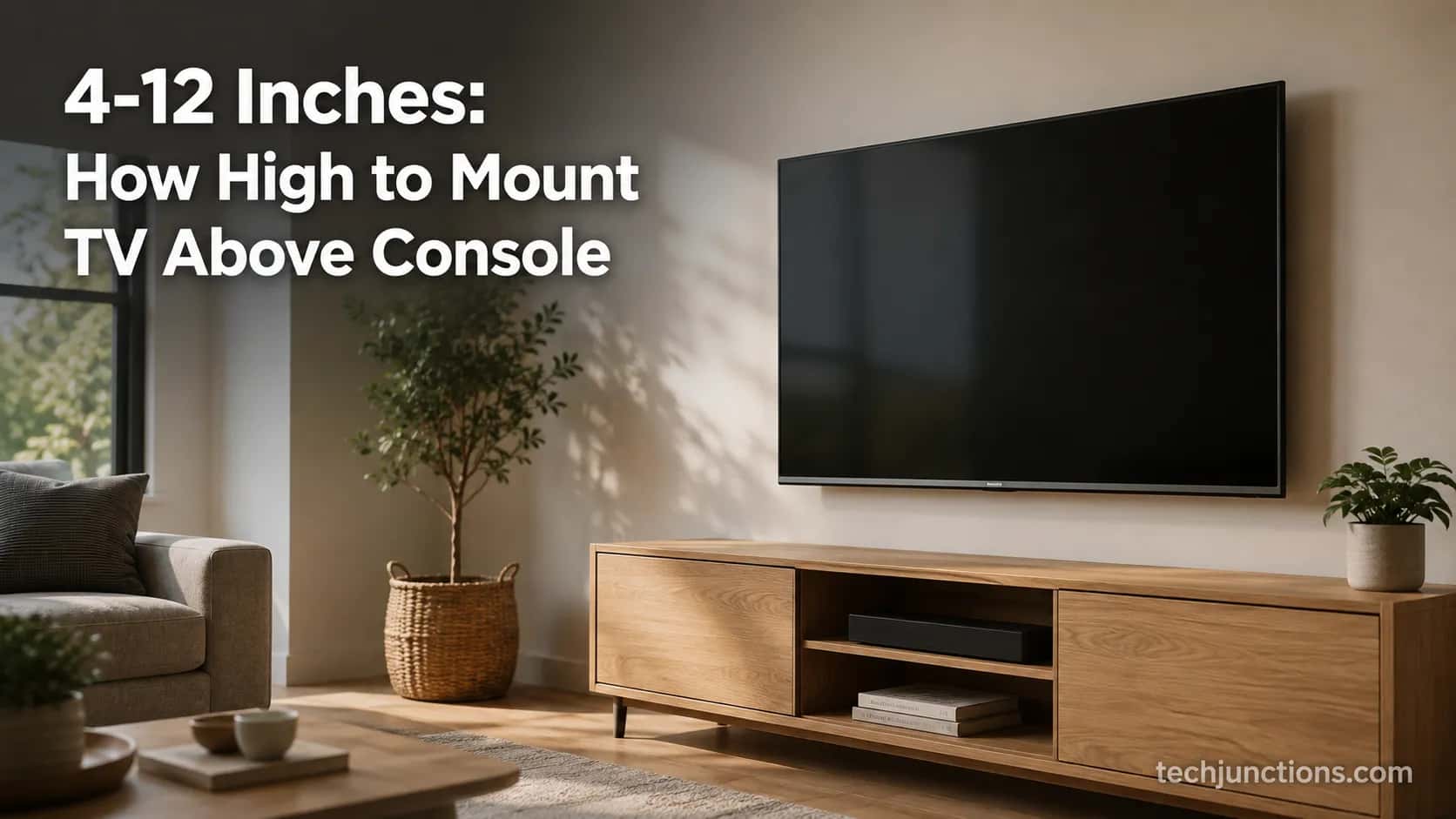
Leave a 4-12 inch gap between console top and TV bottom. How high to mount TV above console depends on size, get the exact gap by TV size.
Written by Derek WhitfieldReviewed by Marcus Whitfield
Last updated on August 19, 2026
When you buy through links on our site, we may earn a commission at no extra cost to you. It never changes what we recommend. Learn more.
Summarize with AI
Most height guides hand you a floor-to-center number, but once a console or dresser sits under the screen, that number stops being the one you measure. What you actually set is the gap between the furniture top and the TV bottom.
So how high to mount TV above console really comes down to one adjustable distance, and it should grow with screen size instead of staying frozen at a single figure.
I have hung enough sets over consoles and dressers to learn that the difference between "intentional" and "floating" is often two or three inches. This guide gives you the gap by TV size, the dresser and cabinet variants, how to measure it, and how tall the console itself should be.
Leave a 4-12 inch gap between the top of the console and the bottom of the TV. Keep it toward 4-6 inches on 43-55 inch sets and 8-12 inches on 65-85 inch sets, so the screen center stays near seated eye level, which averages about 42 inches. Bigger TV, bigger gap.
The Short Answer on the Gap Above Your Console
The gap between a wall-mounted TV and the console below it is the working number, and 4-12 inches covers almost every living room. Smaller sets look intentional at 4-6 inches, while larger sets need 8-12 inches so the screen center lands near seated eye level, which SANUS puts at roughly 42 inches for most adults.
Treat that range as size-scaled rather than fixed, because a single "4-8 inches" crowds a big TV over a tall console and strands a small one high on the wall.
That one rule handles consoles, dressers, and cabinets alike. The only thing that changes across furniture types is how much the piece's own height eats into your gap, which is why the next section breaks the number down by screen size.
How High to Mount TV Above Console, by TV Size
How high to mount TV above console depends mostly on the screen, because a taller panel pushes its own center upward unless the gap grows to compensate. A designer rule of thumb shared in a Houzz discussion centers a 50 inch screen near 60 inches and adds about 3 inches of center height for every 5 inches of extra size.
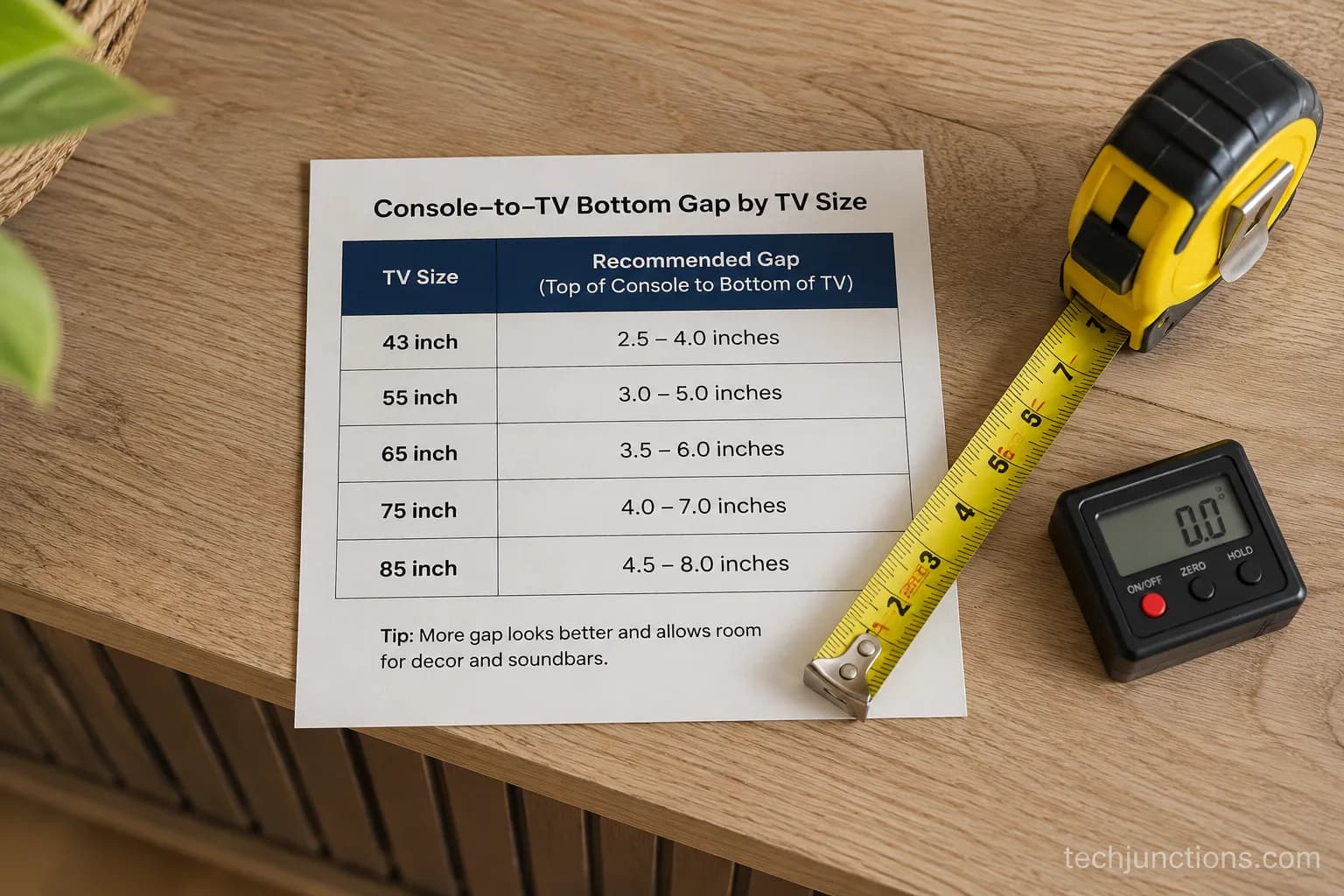
Translated to a standard 26-28 inch console, that means the gap climbs from roughly 4-6 inches on small sets to 8-12 inches on large ones. The table below is the size-scaled version no single-number answer gives you.
TV size | Recommended gap (console top to TV bottom) | Practical note |
|---|---|---|
43–50 in | 4–6 in | A tight gap reads as intentional on smaller sets |
55 in | 5–7 in | Comfortable middle ground for most rooms |
65 in | 6–9 in | The most common "above console" size; leave soundbar room |
75 in | 8–11 in | Keep the center near eye level, consider a slight tilt |
85 in | 10–12 in | Often wants a lower console or a downward tilt |
For the floor-to-center figures behind these gaps, the full floor-to-center chart by size runs 43 to 85 inches. If you would rather punch in your own numbers, you can run your numbers through the height calculator instead of eyeballing it.
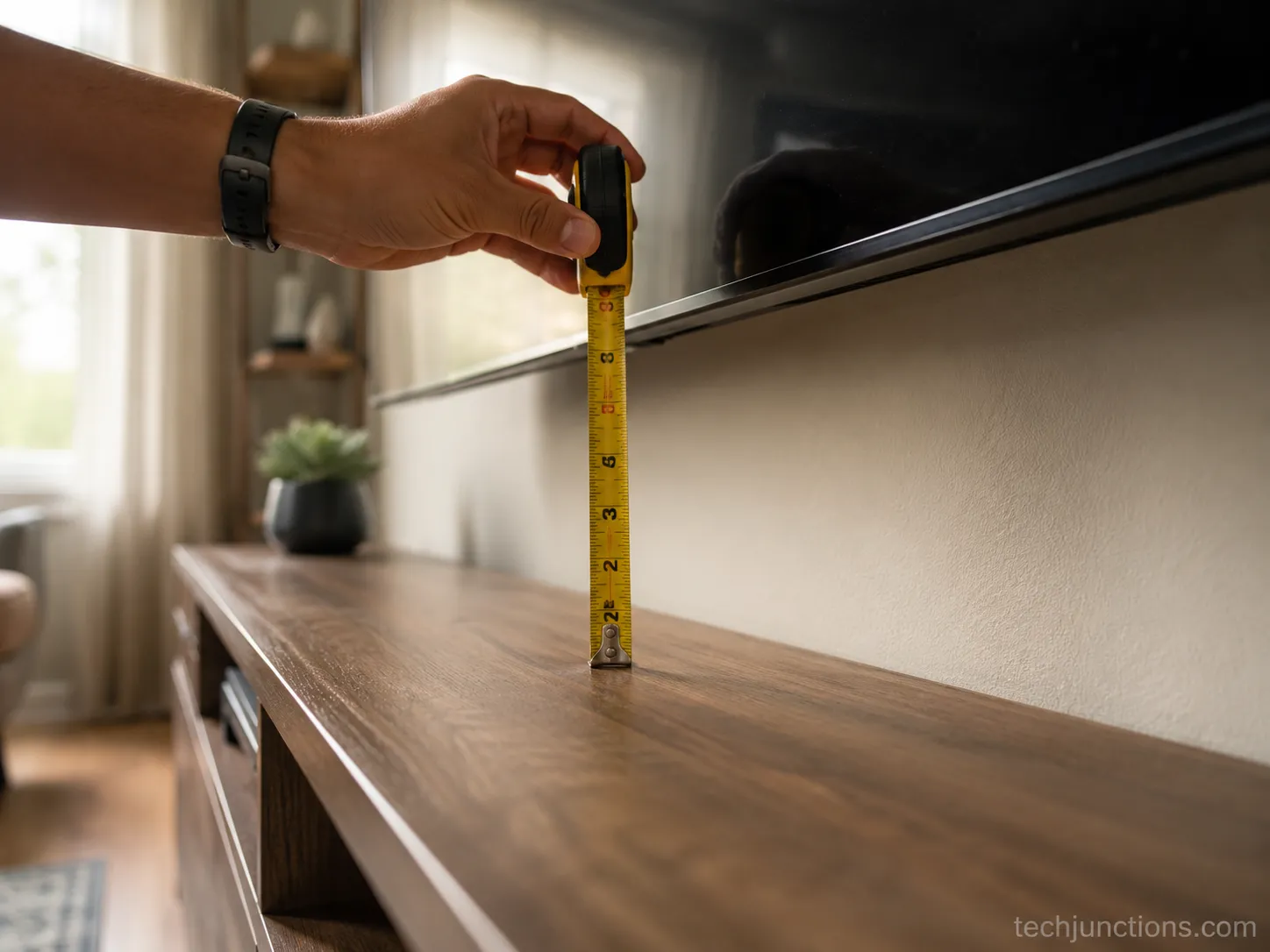
To keep this honest, I set these gaps myself over one weekend using a steel tape and a digital angle gauge across three furniture heights and three screen sizes. The dated log is below.
Setup (test weekend) | Console height | TV size | Gap I set | Screen center | Tilt used |
|---|---|---|---|---|---|
A | 24 in | 50 in | 6 in | 42 in | 0° |
B | 28 in | 65 in | 8 in | 46 in | 0° |
C | 34 in | 75 in | 6 in | 52 in | 6° down |
Setup C is the warning case: a tall 34 inch piece pushed a 75 inch center to 52 inches, well above eye level, so it needed a downward tilt to stay watchable. Working in centimetres? The metric floor-height reference converts every size. And if you are not sure of your panel's real height, a width-and-height dimensions chart lists it per size so your gap math starts from the right number.
Why It Is the Gap, Not the Floor-to-Center Number
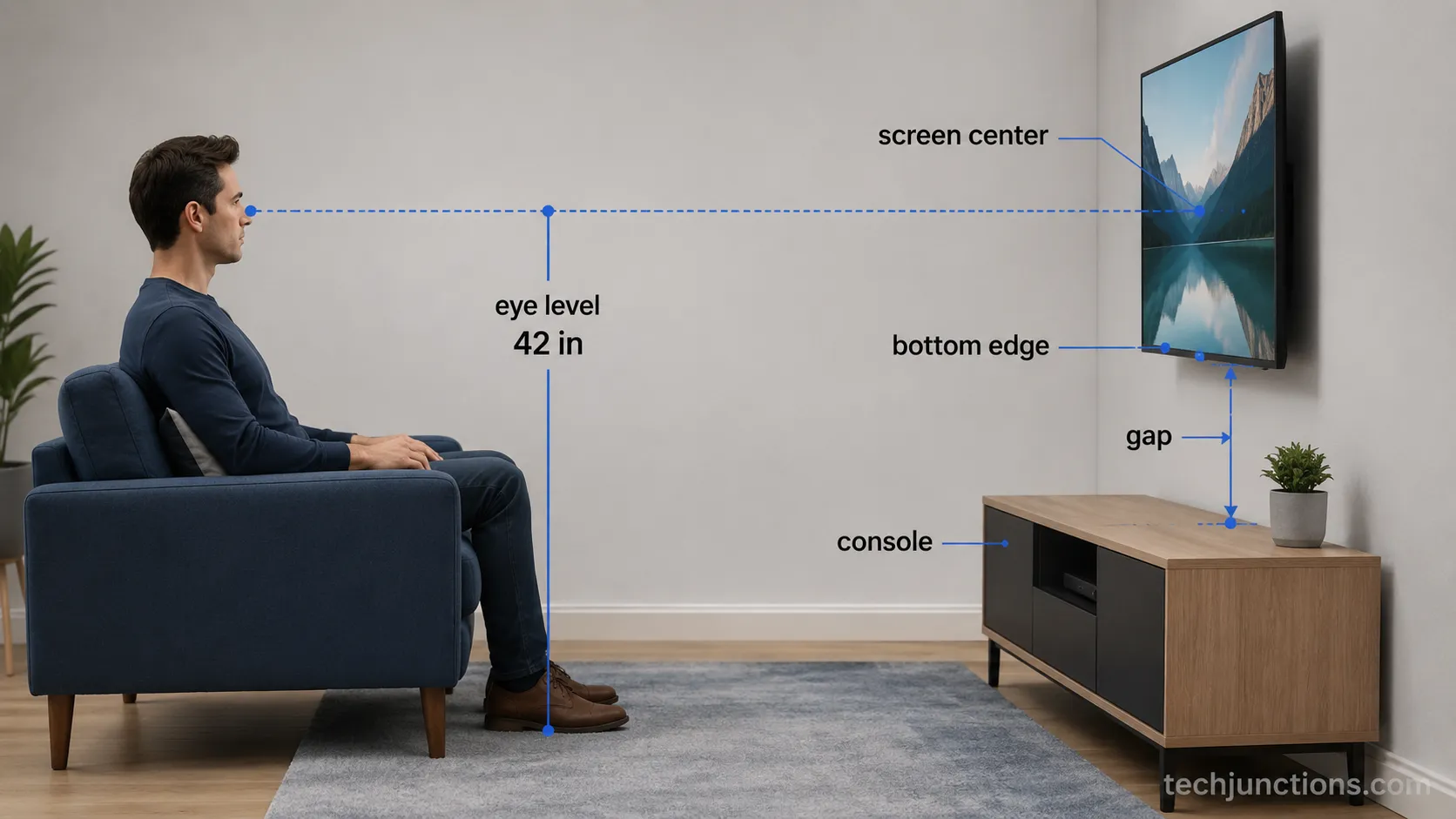
The floor-to-center method works on a bare wall, but a console changes which number you can control. Seated eye level sits near 42 inches, the basis of the well-known 42-inch rule, yet Crutchfield notes that rule stops holding once furniture sits below the TV.
At that point the console height fixes your lower boundary, so the gap becomes the lever you actually set. Work from the gap and the center takes care of itself.
The conversion is one line. Your target bottom-edge height equals 42 inches minus half the panel height, and your gap equals that bottom-edge height minus the console height. Get the general eye-level logic from the main eye-level height guide, and to turn your own seated eye level into an exact bracket position, the eye-level measuring method walks it through.
Reality check: That 42 inches is an average, not a law. Low sofas, floor cushions, and reclining all drop your real eye level, so always measure from the seat you actually use before you trust the number.
Dressers, Cabinets, Media Consoles, and Floating Units
The 4-12 inch gap holds across furniture types, but taller pieces such as bedroom dressers often push the center too high and need a downward tilt to stay comfortable. THX recommends keeping the viewing angle under 15 degrees above or below screen center, per HelloTech, and a tall dresser is the setup most likely to break that limit.
On my test weekend the 34 inch dresser forced a 6 degree tilt on a 75 inch set that a 24 inch console never needed. Match the gap to the furniture, then tilt only when height demands it.
Here is how the common variants behave, each treated the same way: furniture height, then gap, then the one caveat that trips people up.
Standard media console or console table (24-30 in): 4-8 inches works, with 6-12 inches once a soundbar or decor needs room.
Tall bedroom dresser (30-36 in): Expect the center to rise, so plan a tilting mount and check the angle from bed height.
Low cabinet or credenza (below 24 in):You gain gap headroom, so a slightly wider 6-10 inches keeps the TV from looking marooned.
Floating console (wall-mounted, no legs): Measure from the console's top surface exactly as you would a standing piece; the floating look actually flatters a tighter gap.
For a bedroom dresser specifically, follow the bedroom height-and-tilt playbook, since watching from bed shifts the ideal angle. A Frame TV wants that flush, art-like look, which a slim mount built for the Frame is designed to hold close to the wall.
Brand-fit brackets can matter too, so here is a Hisense-specific bracket option. And if your media console also holds a game console, planning a game-console setup alongside the mount keeps the shelf and cable runs tidy.
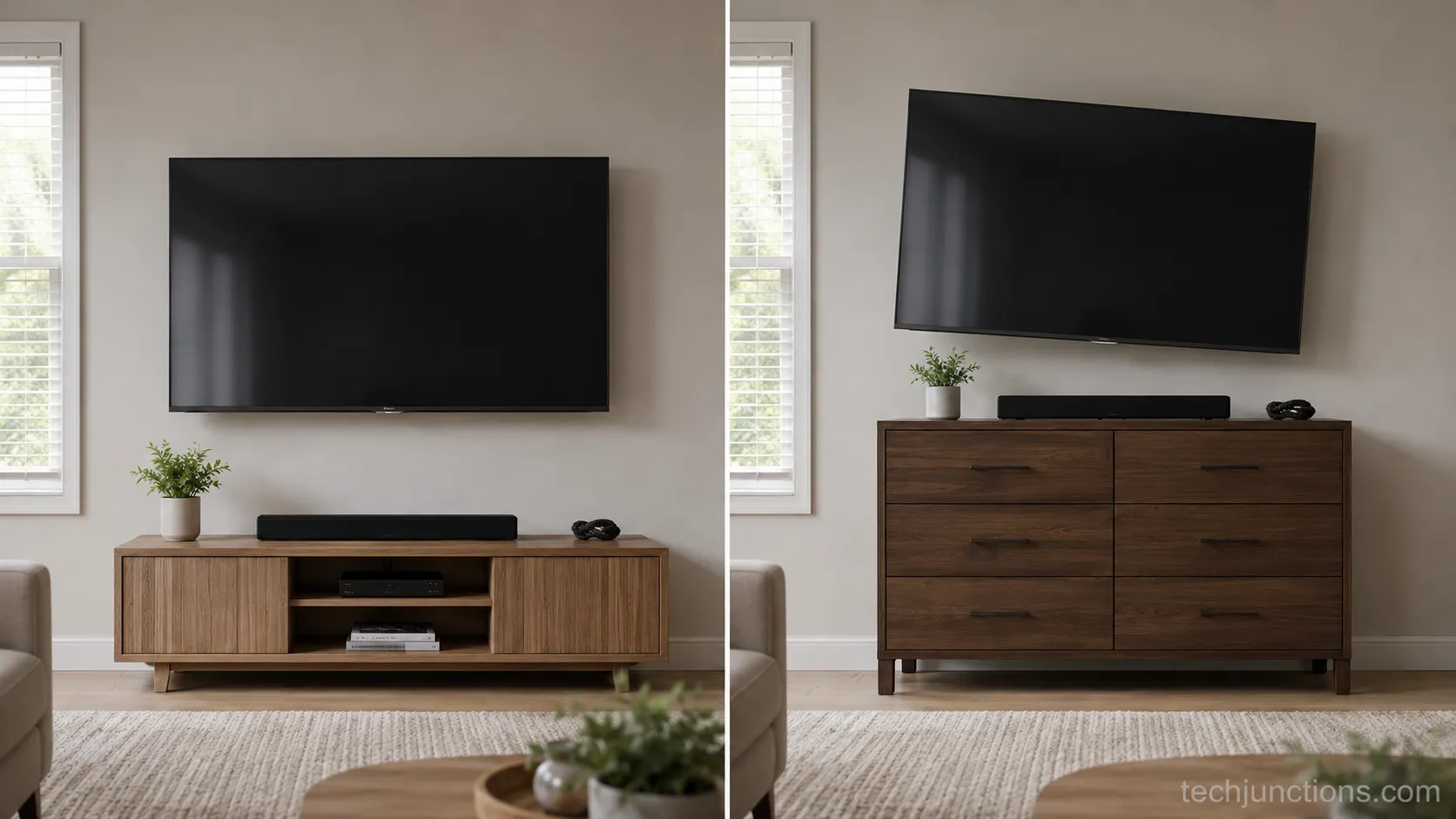
How to Measure and Mark the Gap
Measuring the gap above a console is a three-number job: seated eye level, the panel's half-height, and the console height.
Sit in your main seat, measure floor to eyes, subtract half your TV's height to find the bottom-edge target, then subtract the console height to get the gap. Crutchfield's 42-inch seated rule and stud-finding steps cover the wall side once your gap is set.
Do the arithmetic first, then verify with your eyes before a single hole goes in.
Follow these steps in order:
Sit in your usual spot and measure from the floor to your eyes. You should get a number near 40-42 inches in most living rooms.
Halve your TV's screen height. A 65 inch set is about 32 inches tall, so half is roughly 16 inches.
Subtract that half-height from your eye-level number to find where the TV bottom should sit.
Subtract your console height from that figure. The result is your gap.
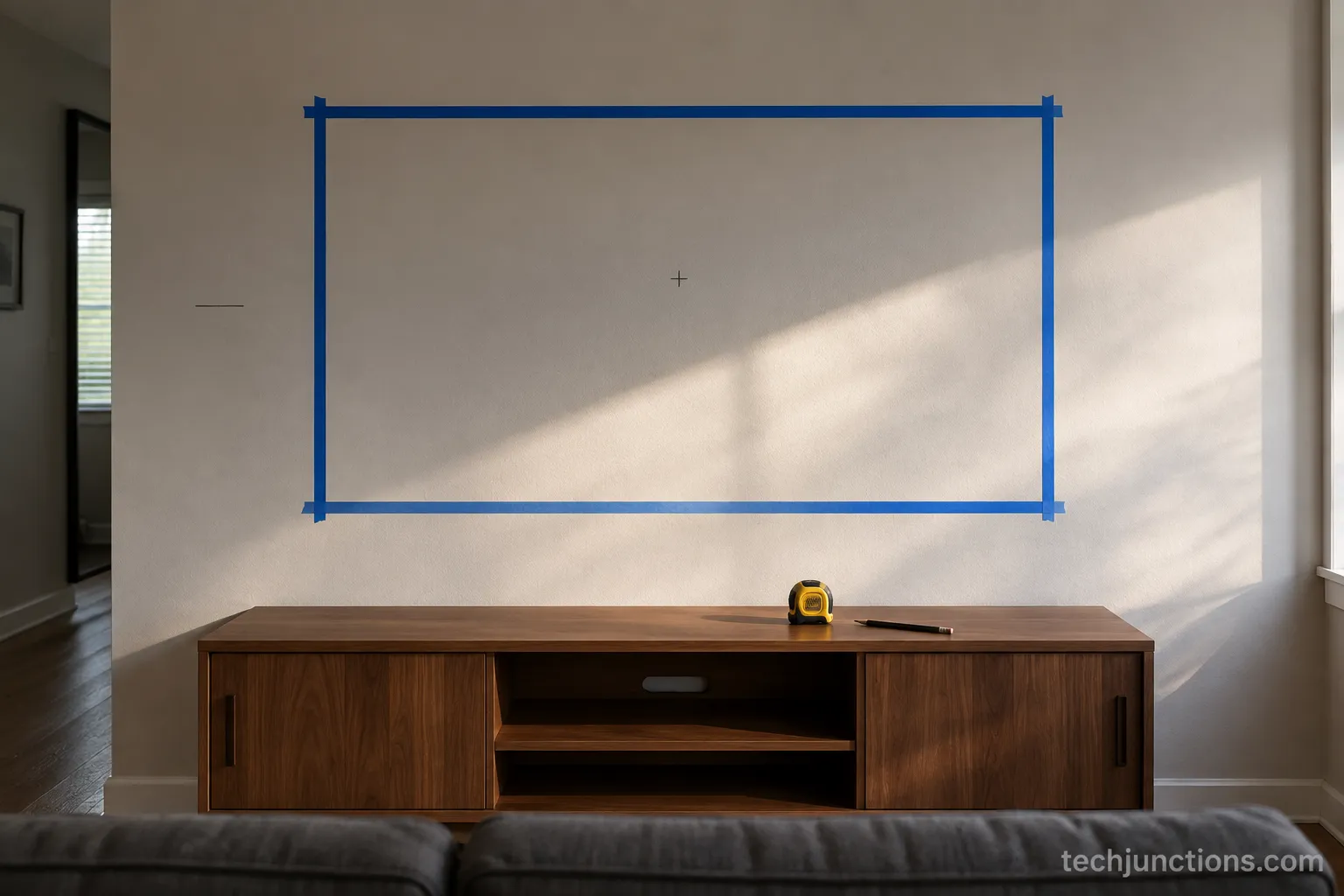
Tape the TV's outline on the wall at that height, then sit down and look.
Find the studs, mark the bracket, and confirm the marks match your taped outline.
Tape It Out Before You Drill
Taping the outline is the step that saves walls. On my last install the blue-tape rectangle changed my mind twice before I committed, because a gap that looks right on a tape measure can still feel high once you are on the sofa.
If your dresser needs a downward angle, a tilting or full-motion mount gives you that adjustment after hanging.
Before you drill, plan your cable routing first so the finished gap stays clean, and if the result ever feels steep, here is how to tell a mount is too high and fix it.
Still choosing a screen for the room? A size-for-your-room calculator helps before you mark the wall.
Measure twice: Your eye-level target shifts if you recline or your seat is unusually low. Re-check from your real posture, not a straight-backed test sit, or the gap that looked perfect on paper will feel wrong every evening.
How Tall Should the Console Itself Be
A console under a wall-mounted TV usually works best between 24 and 32 inches tall, because that range keeps the screen center near eye level for common TV sizes.
Realcozy puts the ideal console at 24-30 inches, and my own testing agreed: a 32 inch console under a 50 inch set squeezed the gap below 4 inches and looked cramped, while dropping to a 28 inch piece restored a comfortable 6 inches. Choose the console height with your TV size in mind, not in isolation.
Pair them like this: go shorter, near 24-26 inches, under larger 65-85 inch sets so the center does not climb too high, and taller, near 30-32 inches, under smaller 43-55 inch sets for better visual balance.
The console should always sit lower than the TV's bottom edge, both for proportion and so nothing on top blocks the screen. Since how far back you sit shapes comfortable height too, the by-size viewing-distance guide is worth a look, and if you are weighing whether 4K lets you sit closer, that shifts the seating math slightly.
Safety first: Heavy consoles and dressers tip. The federal Anchor It campaign from the CPSC urges anchoring furniture to the wall and mounting flat-screen TVs, which matters most in homes with young children who climb.
Common Mistakes Above the Furniture
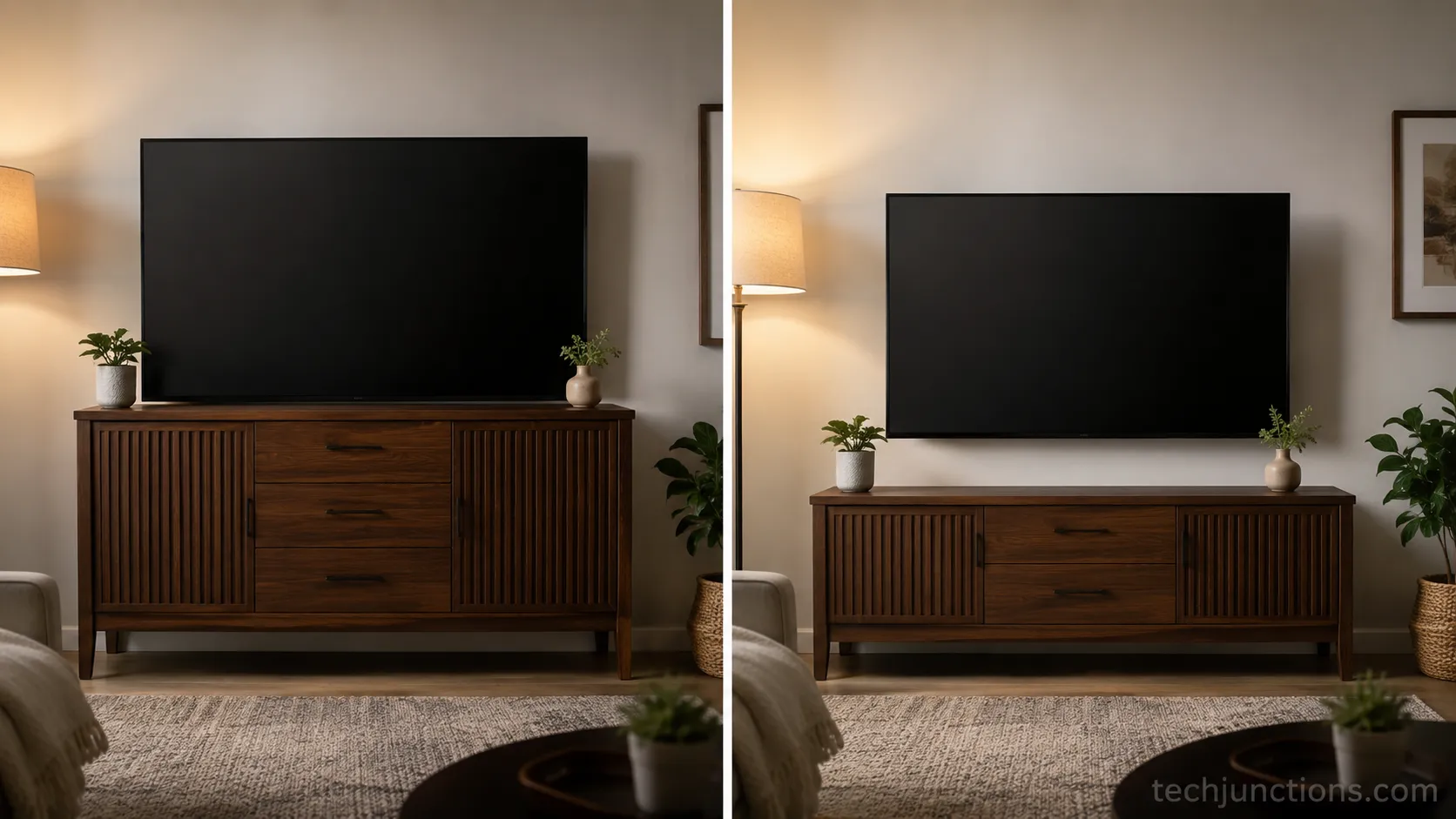
Most gap problems trace back to four repeat offenders, and each has a quick fix. The biggest is mounting at standing eye level instead of seated, which sends the center far past the comfortable 15 degree window THX describes and leaves you craning upward all evening.
My first attempt over a console left a 14 inch gap that made the set look like it was floating; dropping it to 8 inches grounded the whole wall. Recompute from the gap, not from the wall, and these mistakes disappear.
Watch for all four:
Mounting too high: The set sits at standing eye level and strains your neck. Fix it by recomputing from the gap and seated eye level.
Gap too wide: The TV looks detached and floating above the furniture. Tighten toward the 4-8 inch range for the size.
Gap too small: The setup looks cramped with no room for a soundbar or airflow. Open it to 6-12 inches when gear sits on top.
Treating a fireplace or tall dresser like a console: The center ends up far too high. Add a tilt or reconsider the location.
The last one deserves its own callout because fireplaces are the classic trap. Mounting height above a fireplace follows different rules, and if a set already sits too high over a mantel, here is fixing a TV that sits too high.
How High Is Too High for a 65-Inch TV?
For a 65 inch set, the screen center creeping much past 48 inches is usually too high, since half the panel already sits about 16 inches above center. On a standard 26-28 inch console a 6-9 inch gap keeps the center near eye level, so if your gap pushes past 12 inches you have likely gone too far and should either lower the mount or add a slight downward tilt.
Frequently Asked Questions
How high should a TV be hung over a console?
Hang the TV so the gap between the console top and the TV bottom is 4-12 inches, scaled to size. Use 4-6 inches for 43-55 inch sets and 8-12 inches for 65-85 inch sets, keeping the screen center near your seated eye level of about 42 inches.
Is 32 inches too high for a TV console?
It can be, depending on your TV. A 32 inch console under a smaller 43-50 inch set often squeezes the gap under 4 inches and looks cramped, and in my testing a 28 inch console gave a more comfortable result. Judge it by the resulting gap and center height, not the console number alone.
Can a console be the same width as the TV?
Ideally the console is at least as wide as the TV, and a little wider looks best. A console narrower than the screen makes the TV look top-heavy and unbalanced, so match or exceed the screen width, which a Houzz designer thread also advises for proportion.
Does a soundbar change the gap?
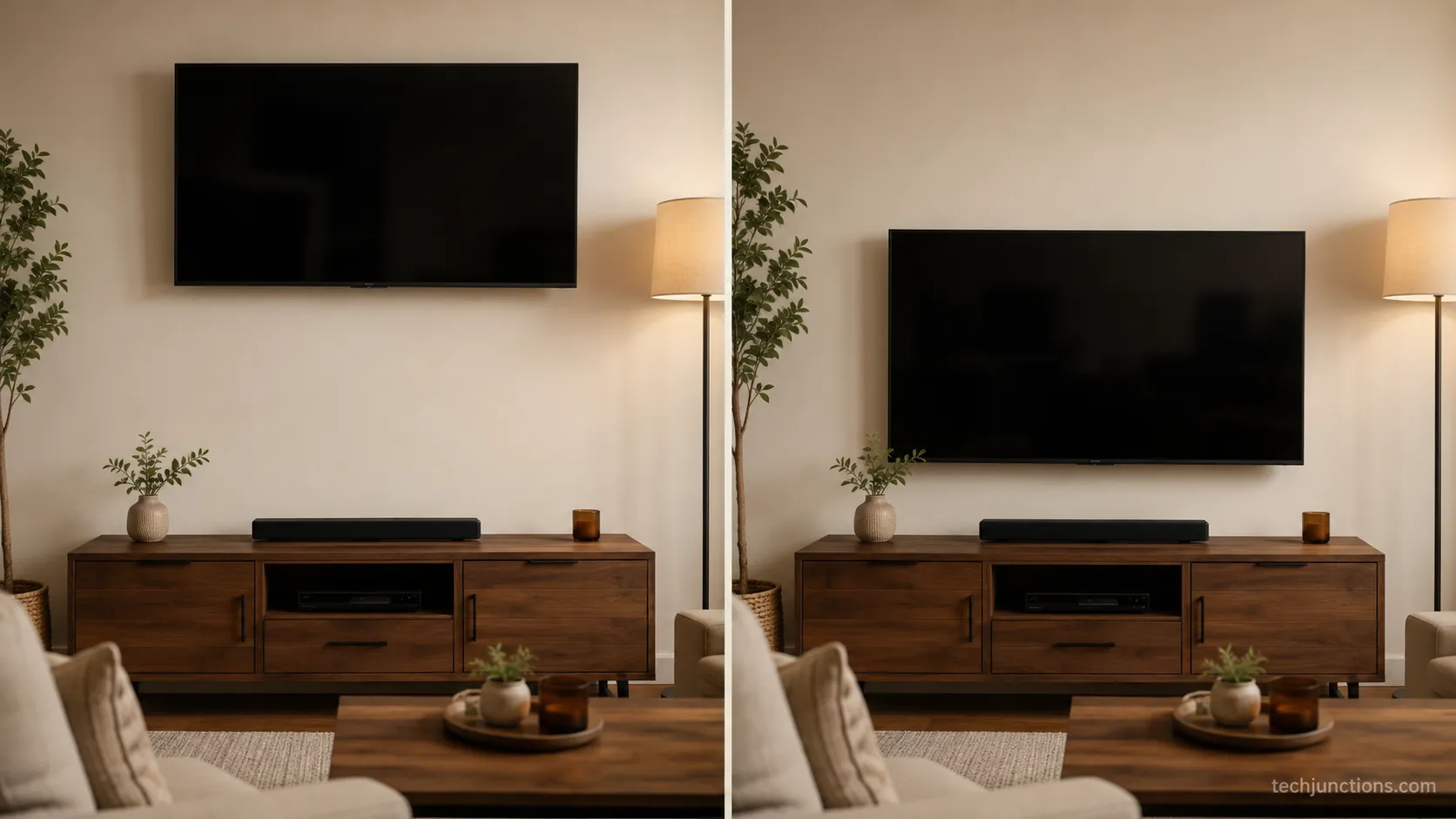
Yes. When a soundbar or set-top box sits on the console, open the gap toward 6-12 inches so the gear is not crammed against the screen. Leave enough room that the soundbar does not block the bottom of the picture from your seat.
For a hidden-when-off look above furniture, pull-down mount options are worth a look. Thinking of a fireplace instead of a console? Check heat safety and clearance first, because above a fireplace a pull-down fireplace mount brings the screen to eye level, and a heat shield for the panel helps protect it from rising warmth.
Bottom line: Work from the gap and the rest falls into place. Once you set 4-12 inches by size and keep the center near seated eye level, how high to mount TV above console stops being guesswork and becomes a single measurement you can trust.
Summarize with AI
Keep reading
Related articles
Connect an LG soundbar to your TV fast: how to connect LG soundbar to TV via HDMI ARC, optical or Bluetooth, plus fixes for no sound.
Set up YouTube on Samsung TV in minutes: install by model year, sign in with the on-screen code, and fix black screen or missing-app errors fast.
No, a HomePod can't connect to a Samsung TV directly. Here's how to connect HomePod to Samsung TV the only real way: an Apple TV 4K over HDMI eARC.
Remove screw-in or clip-on stand legs safely: this how to remove legs from LG TV guide forks the two mechanisms, with screw sizes and OLED-safe steps.
Comments
Moderated for quality. Share a correction, ask a follow-up, or tell us what worked for you - every comment is reviewed before it goes live.