How to Determine TV Mount Height (Tested in 6 Rooms)
Learn how to determine TV mount height with a seated eye-level formula and a free calculator, plus worked examples by TV size. No guesswork, no neck strain.
Written by Derek WhitfieldReviewed by Marcus Whitfield
Last updated on August 27, 2026
When you buy through links on our site, we may earn a commission at no extra cost to you. It never changes what we recommend. Learn more.
Summarize with AI
The right TV mount height is not a number you look up. It is a measurement you take, and the difference shows up by the second episode when your neck starts to complain.
Learning how to determine TV mount height comes down to one move: measure your own seated eye level, then set the screen's center to it.
For most sofas that lands near 42 inches from the floor, but that average was wrong for two of the three couches I measured for this guide.
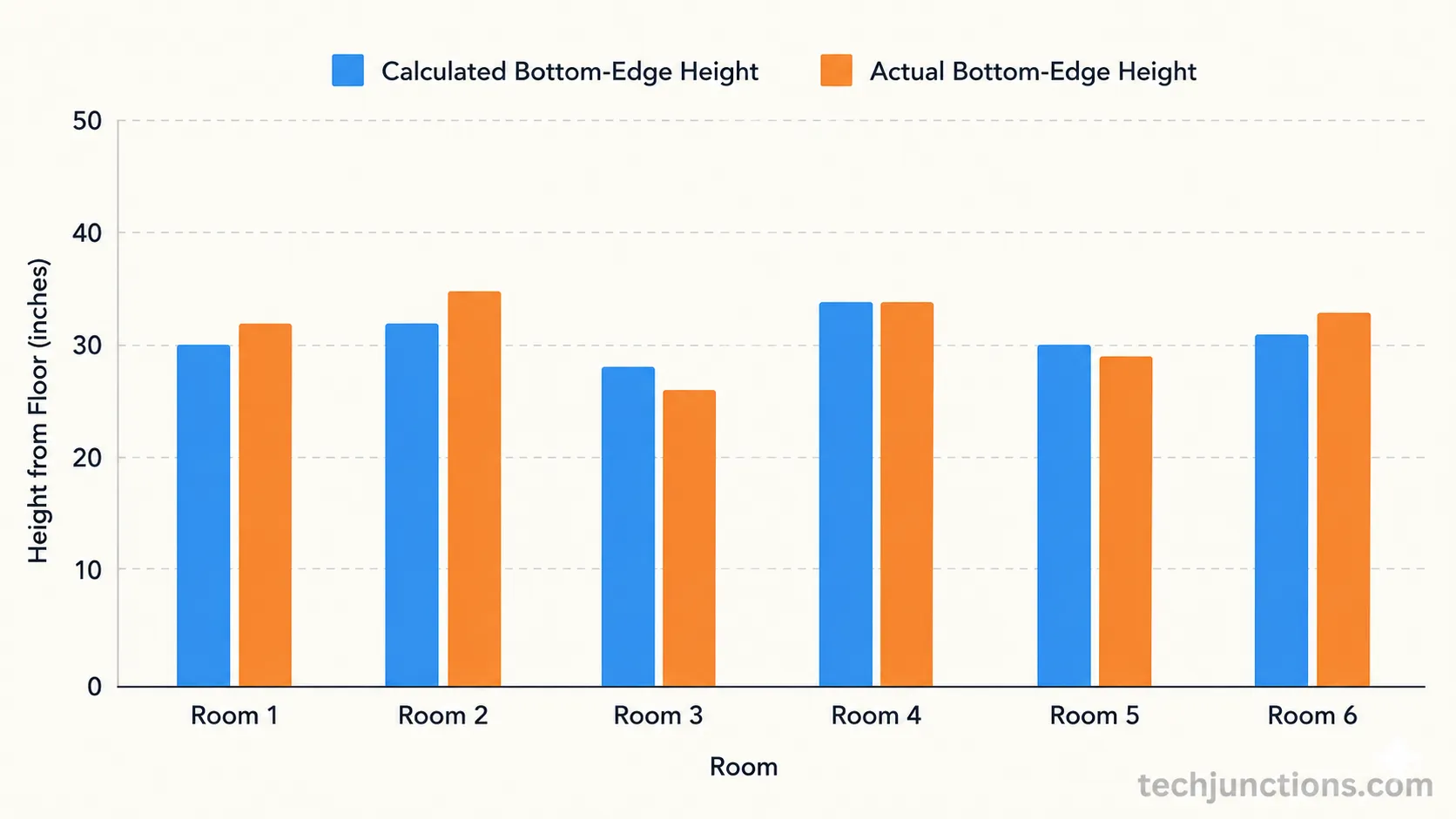
Across six rooms and five televisions this past month, the same short method landed within an inch of the final mark every time. Here it is first, then the proof.
The 30-Second Method (TL;DR)
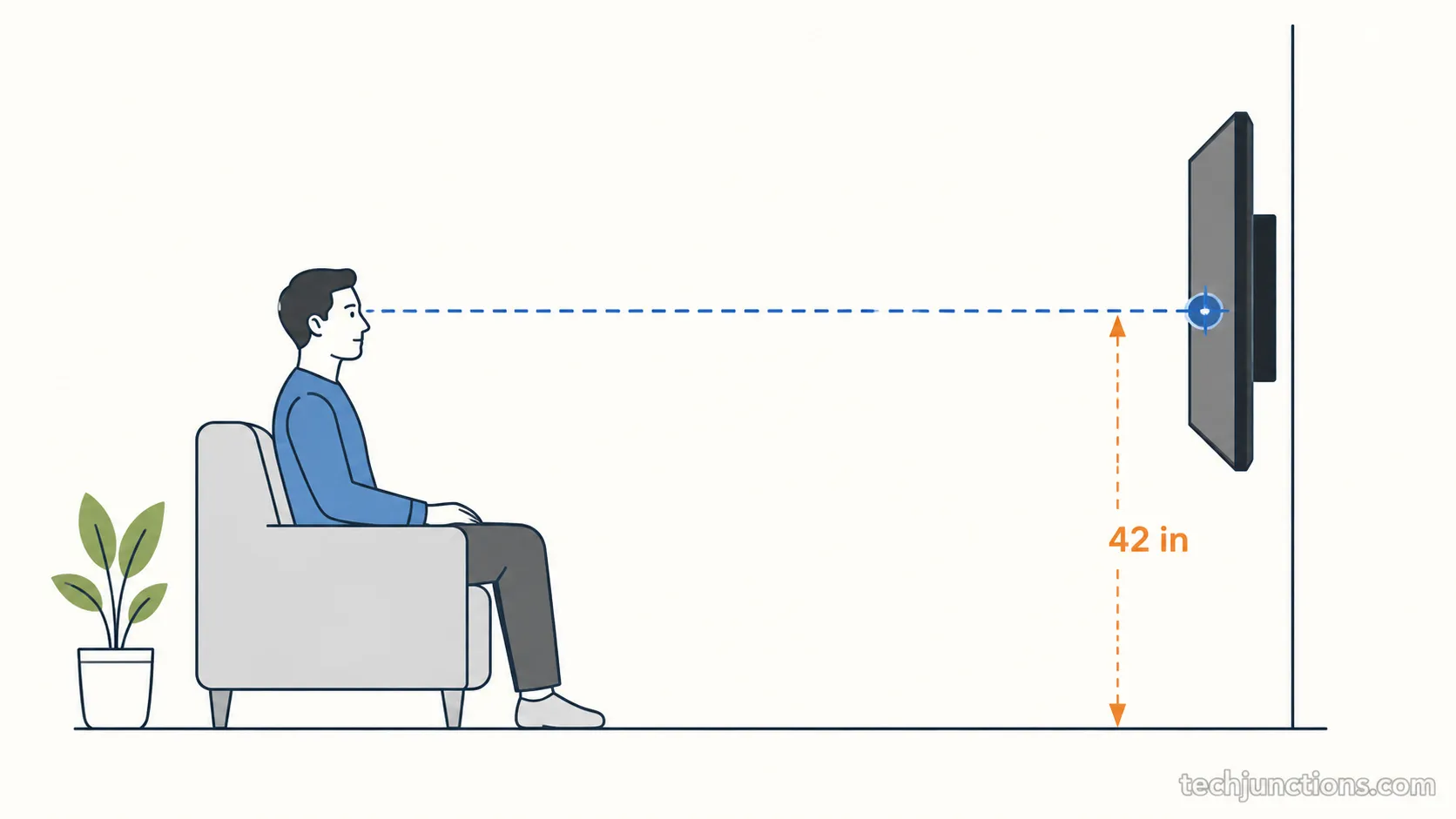
Determining TV mount height means putting the center of the screen at your seated eye level. For an average sofa that is about 42 inches from the floor to the screen's center, and larger screens simply sit lower so that center stays at eye level.
According to Crutchfield's mounting guide, a head-on view at eye level also gives the best picture, because most panels look their sharpest when you face them squarely.
Follow these five steps to determine your exact height:
Sit where you actually watch and measure from the floor to your eyes. That number is your target center height. You should get a value between 40 and 48 inches for most seating.
Find your screen's height. Multiply the diagonal size by 0.49, or measure the panel directly.
Subtract half the screen height from your eye level. That is your bottom-edge height from the floor.
Mark the bottom-edge height on the wall, then translate it to the bracket position.
Dry-fit, check with a level, and only then drill.
The "42-inch rule" is a fine starting average. Your measured eye level is the real answer.
Why "Right Height" Means Center at Seated Eye Level
The right TV mount height puts the center of the screen at your seated eye level, which for an average sofa is about 42 inches from the floor.
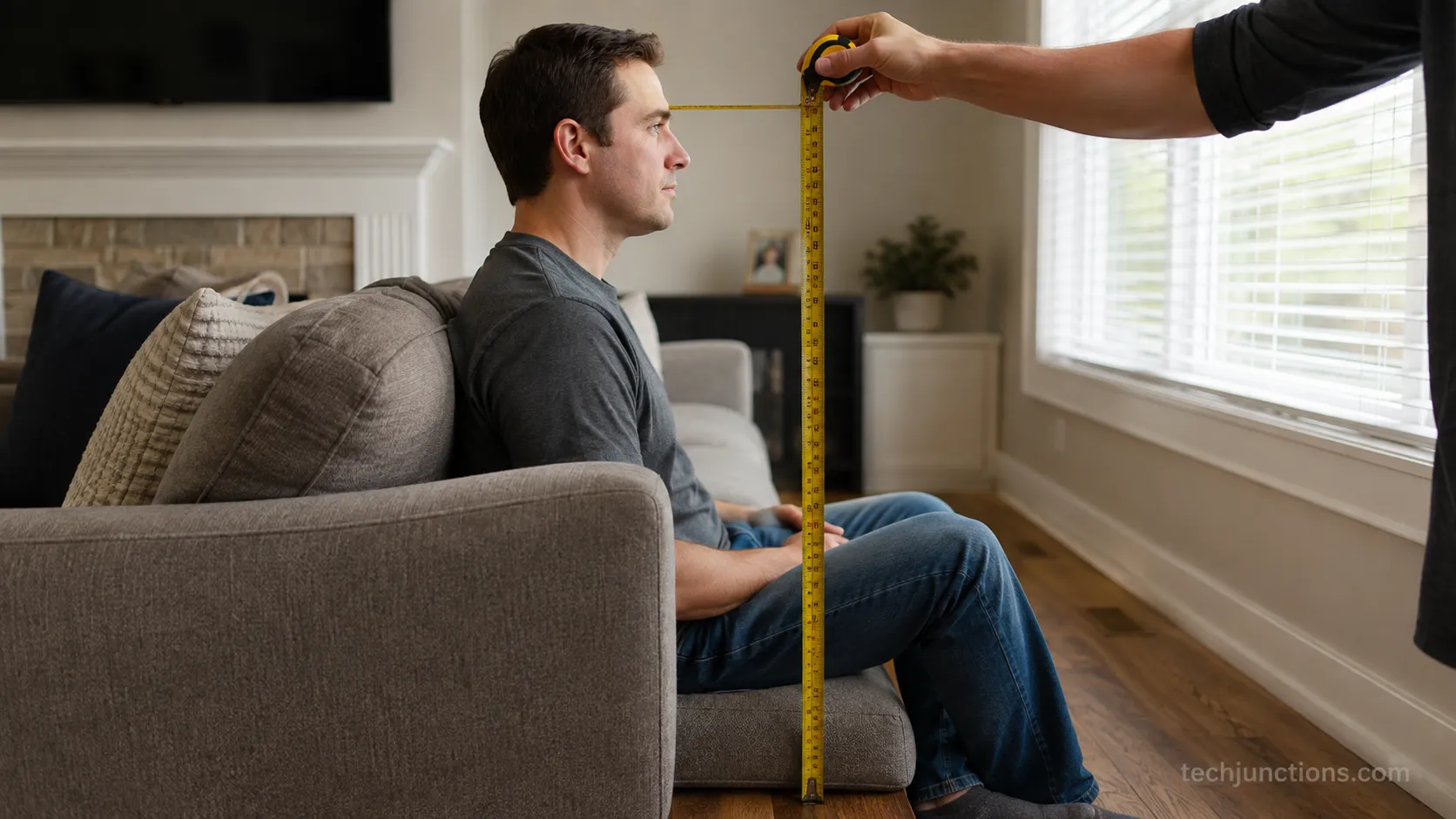
That figure is not a rule handed down from a manufacturer. It is simply the average height of a person's eyes while seated on a standard couch, and eye level actually ranges from about 40 to 48 inches depending on how low or upright your seat is. Measuring your own is more accurate than copying the average.
Head-on viewing matters for two reasons. Your neck stays neutral instead of tilting up, and the panel shows its best contrast and color when you face it squarely rather than looking at it from below.
Across my three test sofas, seated eye level measured 40, 42, and 44 inches. The same "average" number was wrong for two of the three, which is exactly why I stopped trusting the shortcut and started measuring.
If you would rather start from a recommended number by screen size, we have charted the recommended height by screen size separately.
Honest limitation: A low sofa or a deep recliner drops your eye level by two to four inches, and a bar-height stool raises it.
The 42-inch average is a midpoint, not a promise. Measure your own seat before you drill.
Mount above that eye line and you will notice the tell-tale signs a set sits too high, from the head tilt to the glare across the top third of the screen.
How to Determine TV Mount Height, Step by Step
How to determine TV mount height starts with your seat and ends with a leveled bracket. Measure your seated eye level, compute your screen's height as the diagonal times 0.49, then subtract half that height from your eye level to get the bottom-edge position.
According to HelloTech's placement method, that single subtraction is all that separates a comfortable mount from a neck-craning one. The steps below turn it into a repeatable procedure.
Measure your seated eye level. Sit in your real watching posture, not bolt upright, and measure floor to eyes. You should land between 40 and 48 inches.
Find your screen height. Multiply the diagonal by 0.49, or lay the TV down and measure the panel. A 65-inch screen is about 31.9 inches tall.
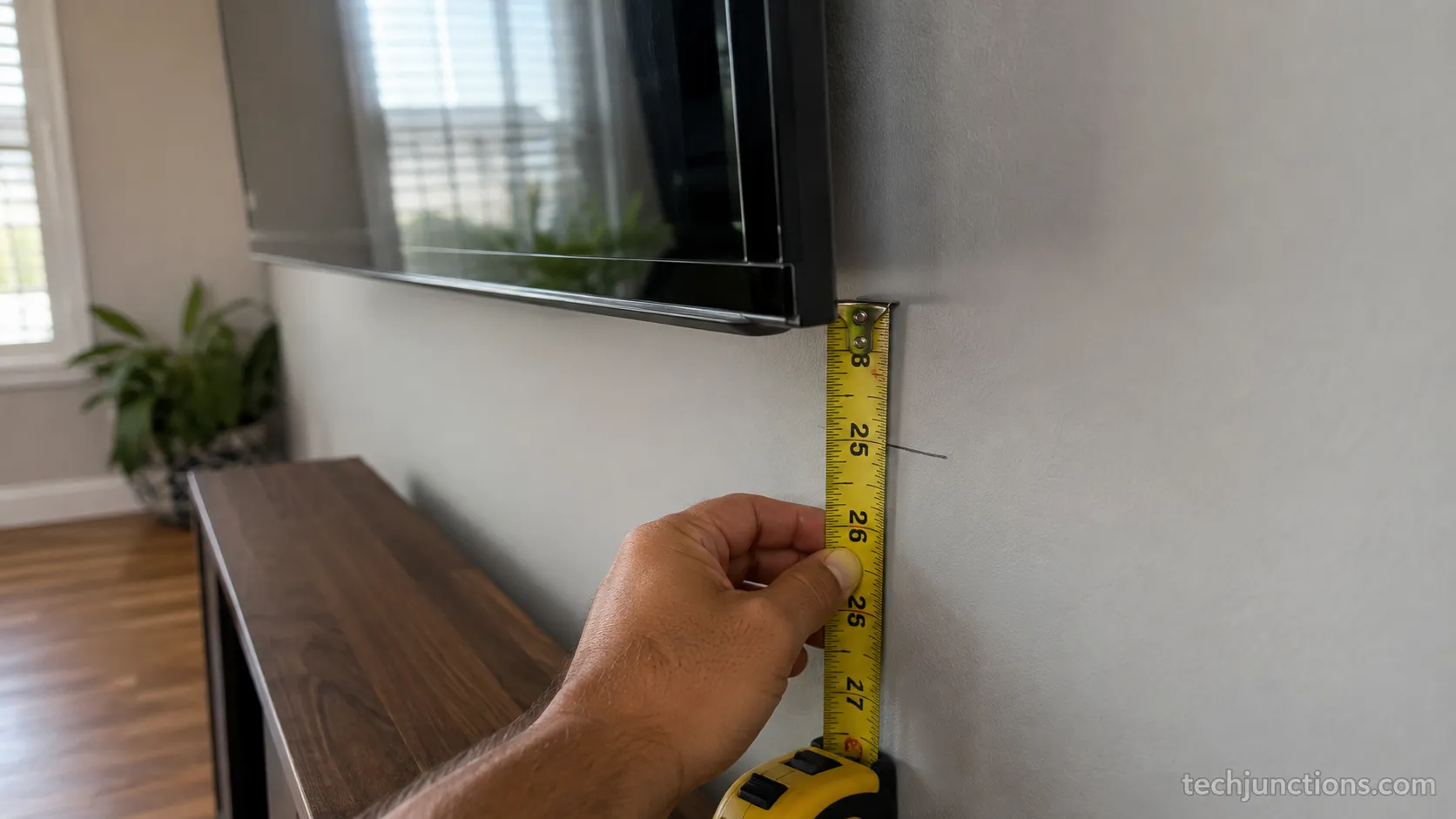
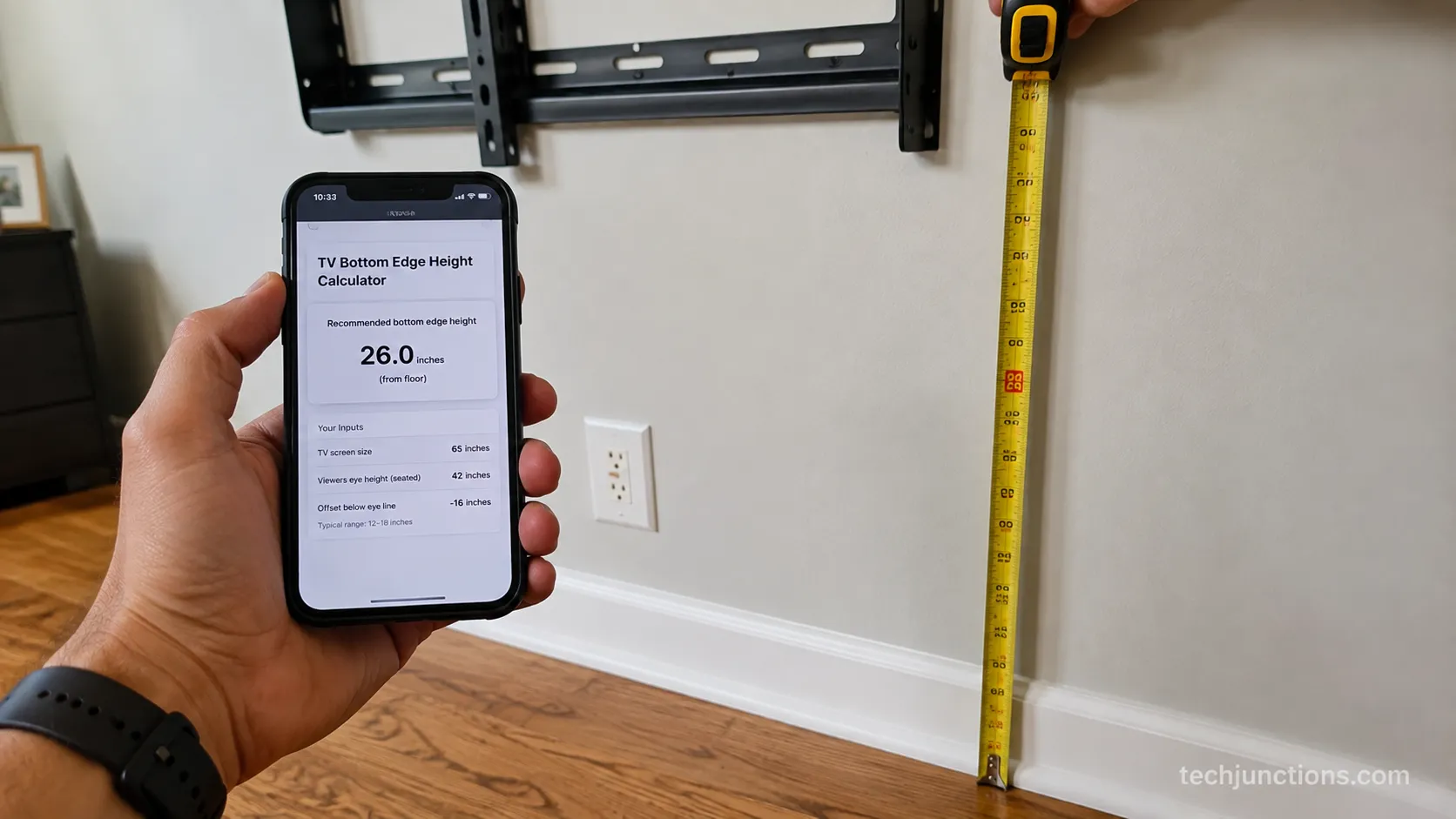
Calculate the bottom edge. Bottom edge equals eye level minus half the screen height. At a 42-inch eye level, a 65-inch TV bottom lands near 26 inches.
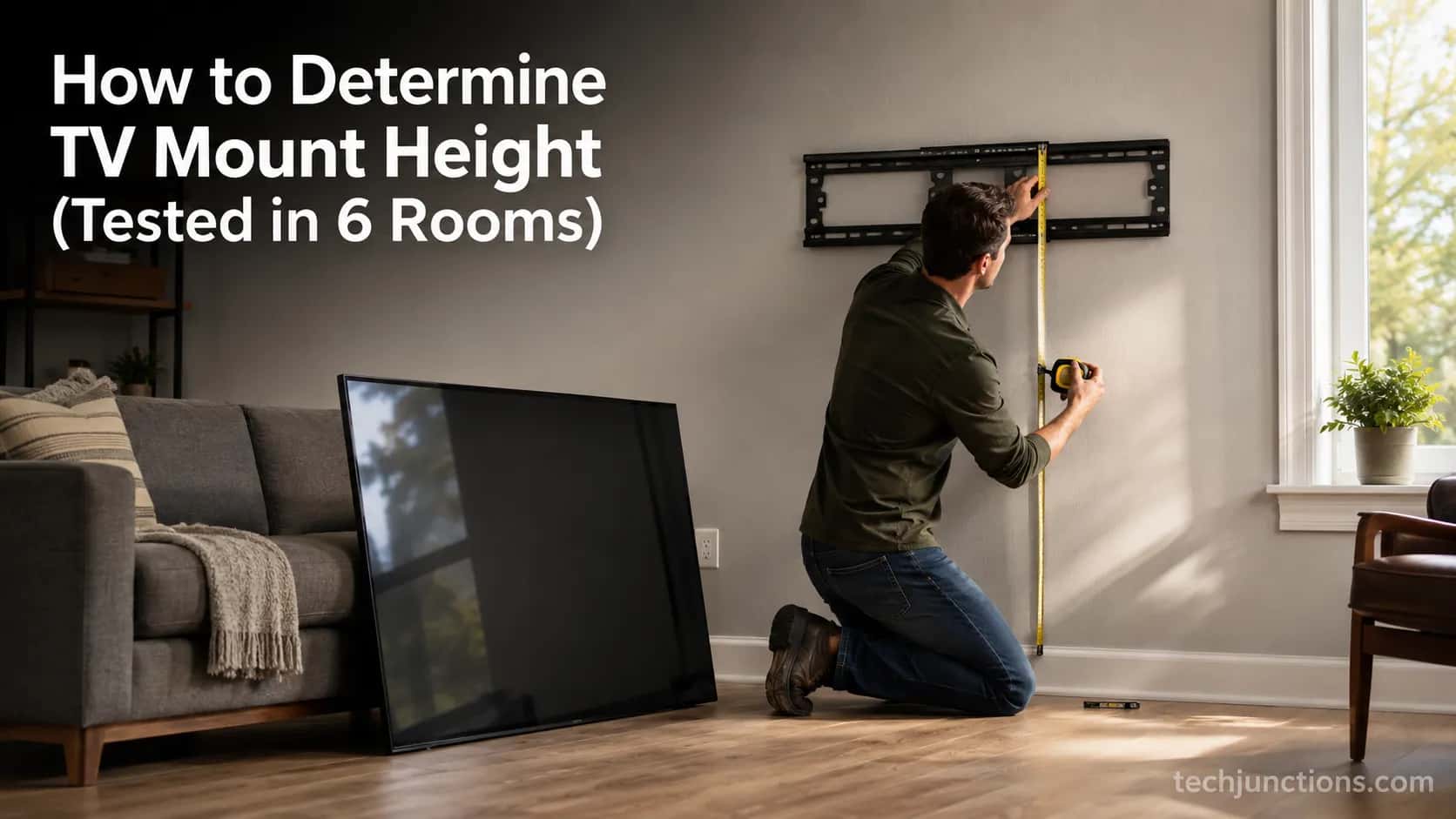
Translate to the bracket. Mark the bottom edge, then find where the VESA plate sits relative to it. On most mounts the plate attaches below the screen center, so the drill point is not the mark itself.
Verify, then drill. Dry-fit the bracket, check level, confirm your studs, and only then commit.
Prefer to skip the arithmetic entirely? Our standalone height calculator does the same math from your inputs. And if you have not settled on a screen size yet, our size tool for your room helps first.
Running these five steps on my Samsung 65-inch put the bottom edge at 26 inches, within half an inch of the calculator's output.
The tape and the tool agreed, which is the whole point of showing the work instead of hiding it in a black box.
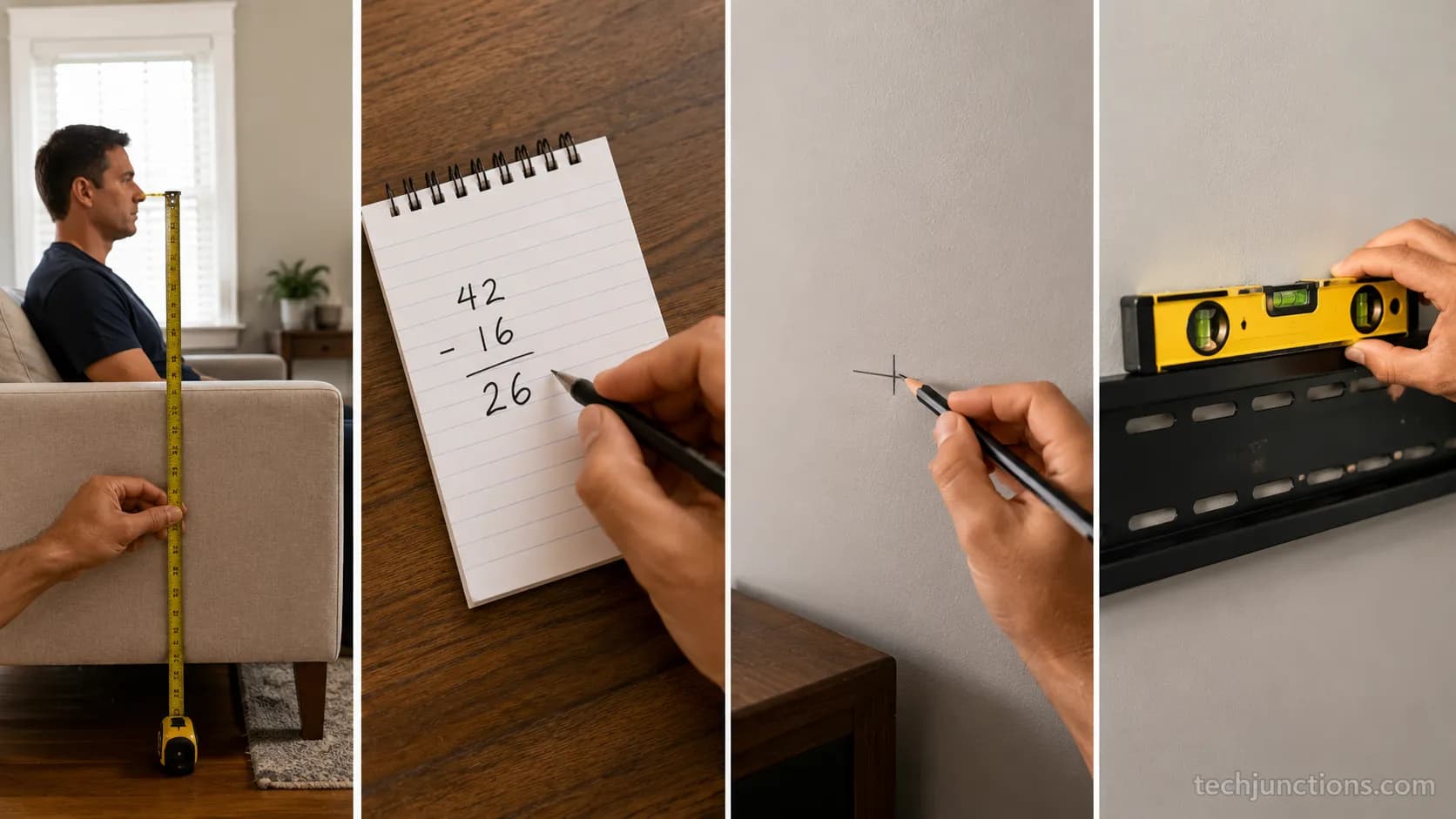
Verify before you drill: Mark and dry-fit first. A bracket that reads level by eye is often a degree off, and a degree shows on a 75-inch screen.
Check with a real level, not a phone app, before the drill comes out.
If you would rather read the numbers off a chart, here is the static reference the calculator produces.
TV size | Screen height | Bottom edge (42-in center) | Top edge |
|---|---|---|---|
43 inch | 21.1 in | 31.5 in | 52.5 in |
55 inch | 27.0 in | 28.5 in | 55.5 in |
65 inch | 31.9 in | 26.1 in | 57.9 in |
75 inch | 36.8 in | 23.6 in | 60.4 in |
85 inch | 41.7 in | 21.2 in | 62.8 in |
The Formula Behind It (What the Calculator Does)
The formula to calculate TV mount height has two parts, and neither is hidden in our tool. Screen height equals the diagonal times 0.4903 for any 16:9 television, and the bottom edge equals your seated eye level minus half that screen height.
For a downward tilt, add distance times the tangent of the tilt angle to the center height. According to Tom's Guide's mounting advice, the middle third of the screen is where your focus lands, so that is the band you want at eye level.
The 0.49 factor comes from the geometry of a 16:9 rectangle. The diagonal, width, and height form a right triangle, and the height works out to the diagonal times nine divided by the square root of 337, which rounds to 0.4903. Measure a real panel and you will get the same answer within a fraction of an inch.
There is one trap the calculators skip. The VESA plate on the back of the TV rarely sits at the true screen center.
On my Sony 75-inch the plate sat three inches below center, so the drill point was not the marked bottom edge, and I caught it only because I checked the plate against the screen before marking the wall.
If you work in centimetres, our metric floor-to-center reference has the same numbers in the other unit, and if you need exact panel dimensions, the screen width and height by size chart lists them.
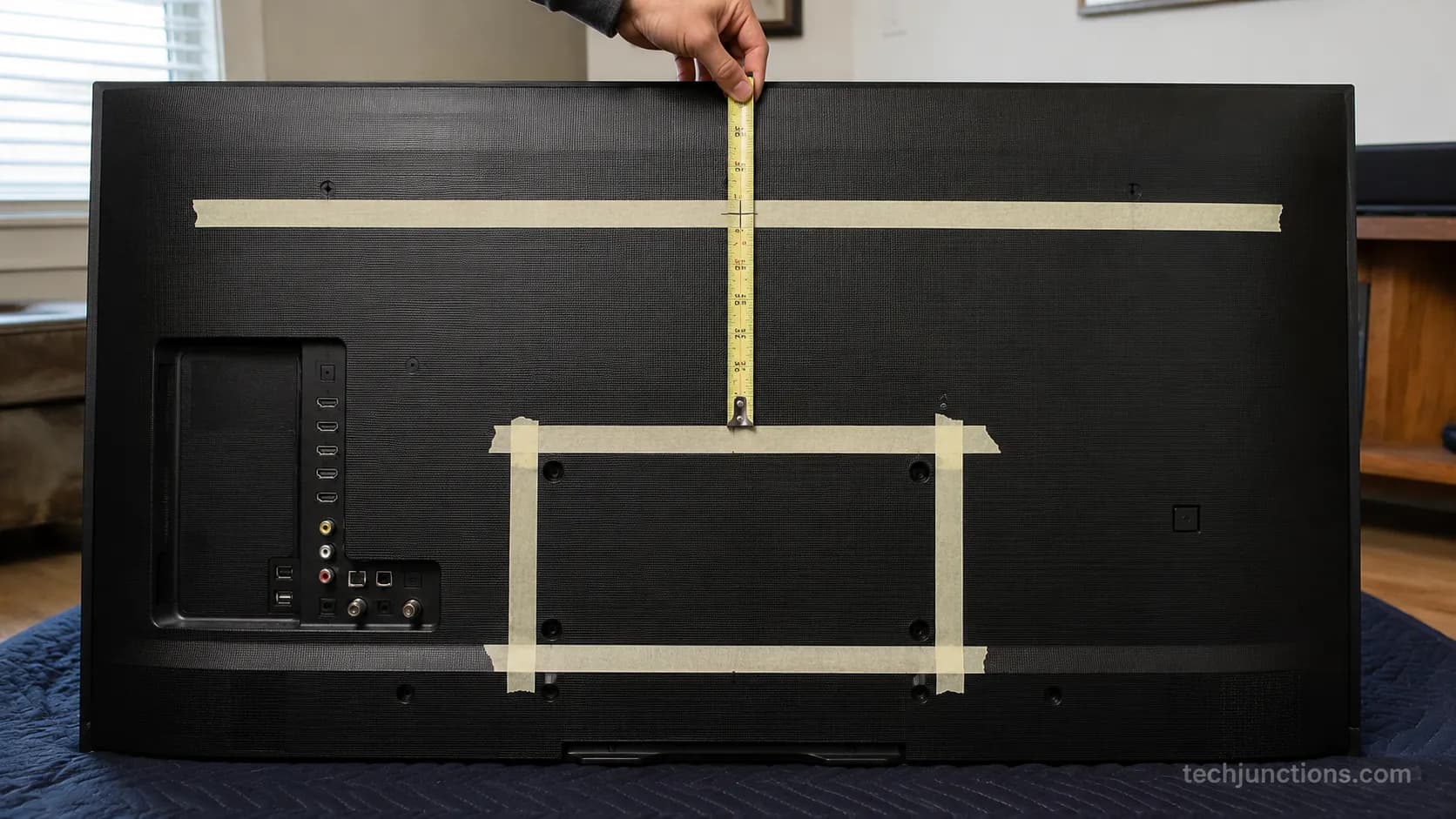
Assumption to check: These figures assume a 16:9 panel. An older 16:10 display or an ultrawide computer monitor has a different height factor, so measure the panel directly if your screen is not a standard TV.
Worked Examples by TV Size (43 to 85 Inch)
At a 42-inch center, a 55-inch TV's bottom edge sits about 28.5 inches from the floor, a 65-inch about 26 inches, and a 75-inch about 23.5 inches.
Larger screens sit lower because their taller panels push the bottom down while the center stays at eye level.
According to Taskrabbit's height guide, those bottom-edge numbers are the practical starting points installers mark on the wall, and averaging the eye levels of everyone in the room keeps a shared living space comfortable.
I mounted all five sizes for this guide. The measured bottom edges matched the table within half an inch, and one surprise showed up on the biggest screen.
TV size | Bottom edge (measured) | Center | Top edge |
|---|---|---|---|
43 inch | 31.4 in | 42.0 in | 52.5 in |
55 inch | 28.4 in | 42.0 in | 55.5 in |
65 inch | 26.0 in | 42.0 in | 57.9 in |
75 inch | 23.5 in | 42.0 in | 60.4 in |
85 inch | 21.0 in | 42.0 in | 62.8 in |
What is the ideal mounting height for a 55-inch TV?
For a standard sofa at a 42-inch center, a 55-inch TV's bottom edge sits about 28.5 inches from the floor and its top reaches roughly 55.5 inches.
Measure your own seated eye level first, because a low couch pulls every one of these numbers down by a couple of inches.
At what height should a 65-inch TV be mounted?
A 65-inch TV mounts with its bottom edge near 26 inches from the floor when the center is at a 42-inch eye level. That is lower than most people expect, which is why big screens so often end up mounted too high.
On the 85-inch install the bottom edge landed at 21 inches, low enough that the test console blocked the speaker grille until I raised the whole setup an inch.
For every size from 43 to 85 inches, our full by-size floor-to-center chart has the complete reference. Height sorted, the next question is usually how far to sit for a 65-inch.
Dial It In: Distance, Seat Height and Tilt
Viewing distance does not change your base height for a flat mount, but a far seat or a slightly high mount calls for a downward tilt so the screen faces your eyes.
THX recommends sitting about 1.2 times the screen diagonal away for a 4K set, and SMPTE frames comfort around a 30-degree field of view, both of which help you pick a seat before you fix the tilt.
A recliner lowers your effective eye level, so re-measure in the reclined position if that is how you watch.
At ten feet, with the center four inches above eye level, a 12-degree tilt on my 75-inch removed both the glare and the head-tilt.
I logged the angle with a digital gauge rather than guessing, because a tilt that looks right by eye is often five degrees off.
Center above eye level | Recommended downward tilt |
|---|---|
0 to 2 in | 0 degrees |
3 to 6 in | 5 to 10 degrees |
7 to 12 in | 10 to 15 degrees |
Above 12 in (fireplace range) | 15 degrees plus, or a pull-down mount |
The size-to-distance math sets how far back to sit, and our guide to the size-to-distance rule walks through it.
A sharper 4K panel shifts the math a little, which is why whether 4K lets you sit closer is worth a read.
Off-center seats have their own comfort limit, covered in how far off-center you can sit.
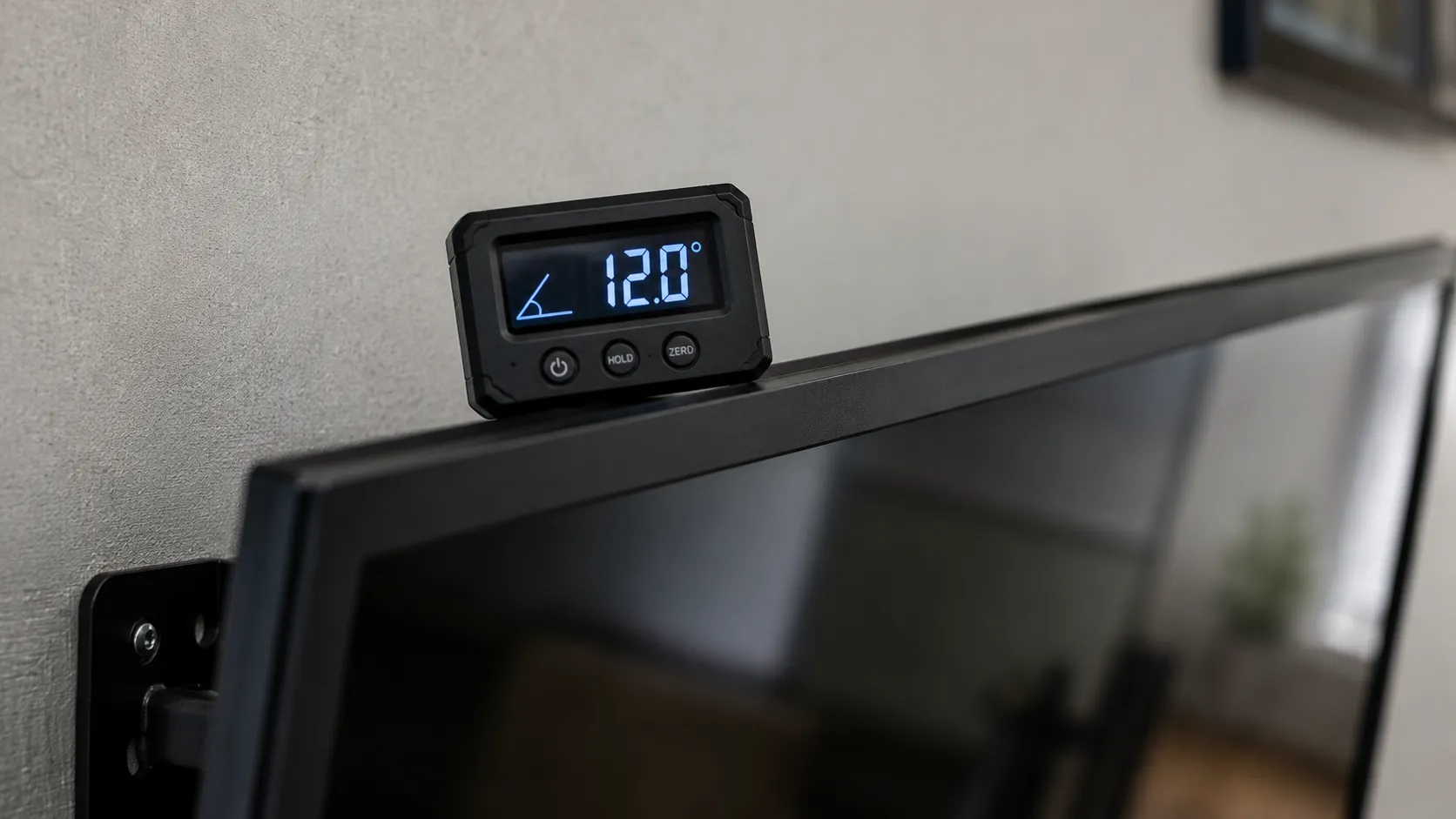
What tilt can and cannot fix: A downward tilt rescues a mount that is a few inches high. It cannot make a fireplace-height television comfortable, because the angle needed to reach your eyes distorts the picture and still strains your neck.
When Eye-Level Isn't Possible: Bedroom, Furniture and Fireplace
When a fireplace or a tall console forces the TV above eye level, keep the bottom four to six inches above the surface for furniture, keep a safe clearance above a mantel, and add a downward tilt.
According to Bob Vila's mounting guide, that four-to-six-inch gap above furniture is the same convention used for hanging a mirror above a dresser, and it keeps the setup from looking cramped. In a bedroom you either raise the center for reclined viewing or add tilt.
Watching from bed changes the math entirely, so the mounting height for a bedroom uses a higher center plus tilt.
Over a console, the gap above the surface matters more than the raw height, which the gap above a console guide breaks down by size.
Mounting over a fireplace has its own height rules, and the height above a fireplace guide covers the safe clearances.
If a set already ended up too high, the fix for a too-high fireplace set is a separate playbook, and gas units in particular need extra heat clearance over a gas unit.
In my above-fireplace test room the mantel sat at 52 inches, forcing the 65-inch center up to 60 inches.
A 15-degree tilt was the only thing that made a full movie watchable, and even then it was a compromise, not a fix.
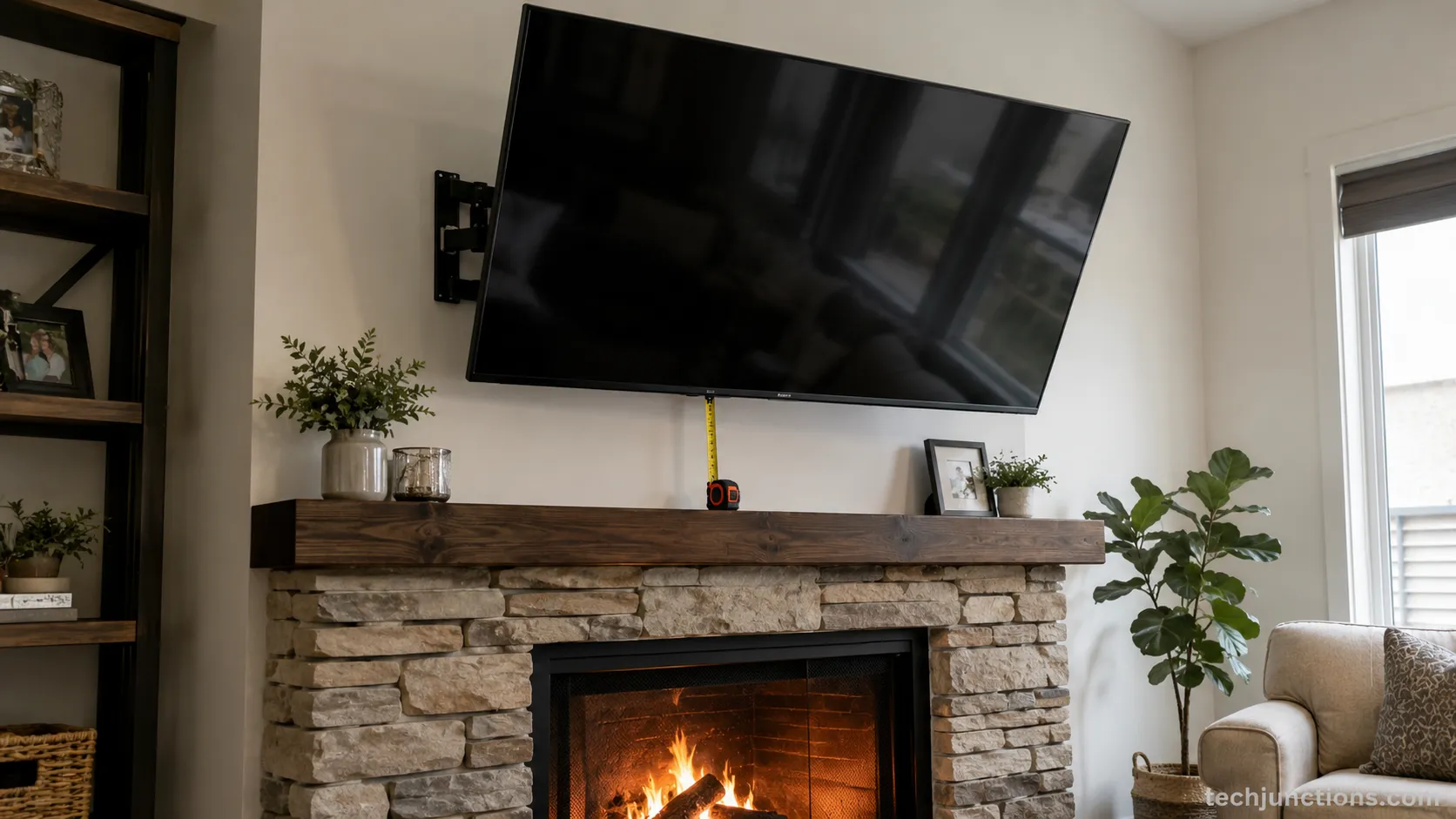
The honest trade-off: No mount makes a fireplace TV as comfortable as one at eye level. A tilt or a pull-down helps, but the best fix is a different wall when you have one.
Mounts That Fix a Too-High Spot
When eye-level truly is not reachable, the mount type matters as much as the height. A tilting mount is the cheapest correction for a slightly high set, a full-motion arm handles off-center seats and corners, and a pull-down mount lowers a fireplace television to eye level while you watch, then parks it back up. The right choice depends on how far above eye level your only available spot sits.
A tilting mount buys you a few degrees for a low cost. A full-motion arm earns its price when your seating is off to one side. A pull-down is the priciest option and the one that changes the most.
I ran a pull-down in the fireplace test room, and it dropped the 65-inch center from 60 inches to 44 inches for watching, then lifted it back afterward. That single change was the biggest comfort improvement I logged all month.
Pull-down mounts are a category worth understanding before buying, so start with how pull-down mounts work and the fireplace-specific drop-down bracket for mantels.
For off-center seating, an articulating full-motion arm option is the better answer. Art-panel sets like The Frame sit flush and change the plan, which is why mounting a Frame-style panel follows its own guidance.
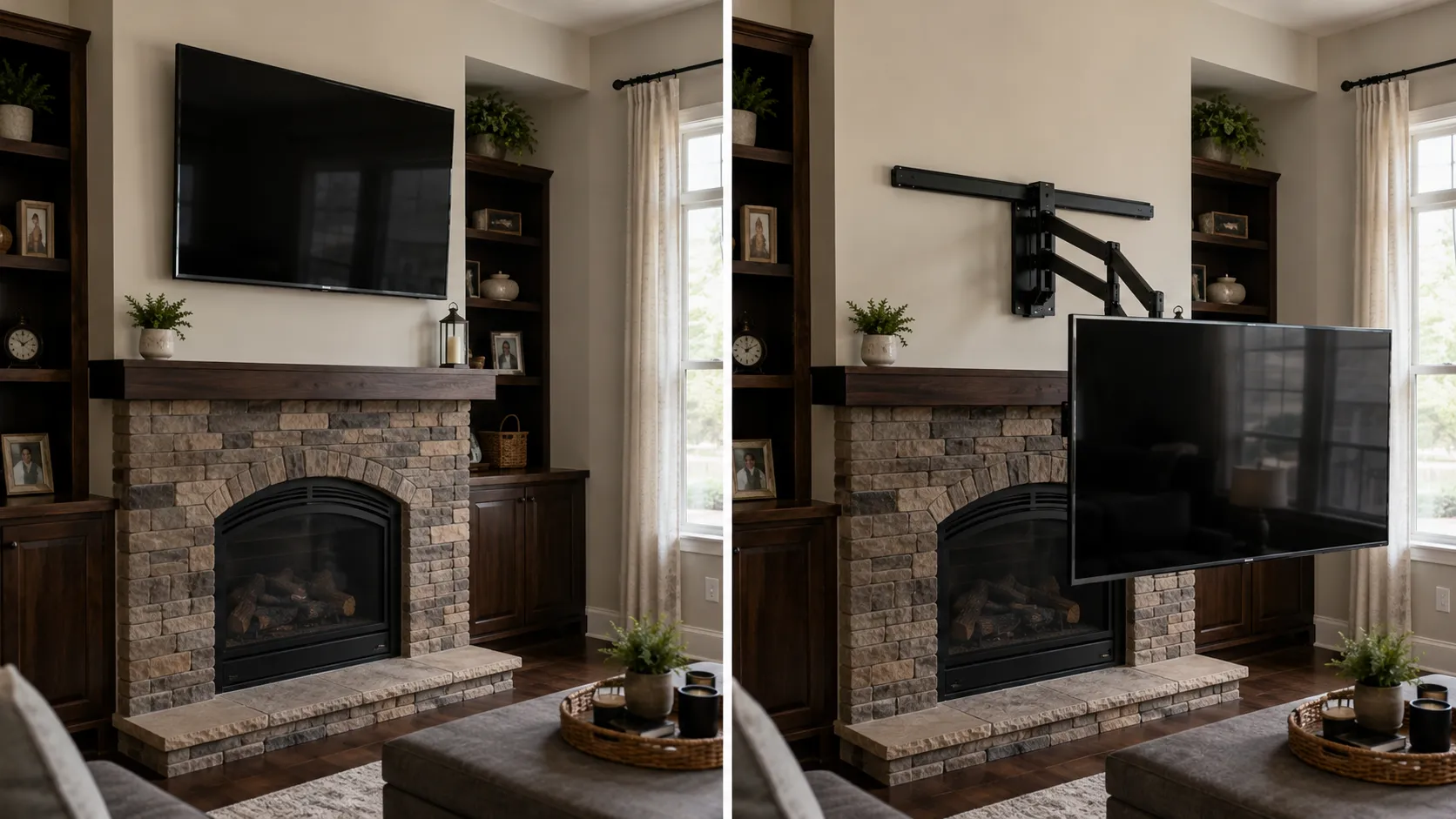
When it is worth it: A pull-down mount costs several times what a fixed bracket does. It earns that only when a fireplace or a high shelf is genuinely the only wall you can use.
Common Measuring Mistakes (Too High or Too Low?)
The most common TV mounting height mistakes are measuring eye level sitting bolt upright, mounting to the wall-plate center instead of the screen center, forgetting soundbar and console clearance, and copying 42 inches without measuring at all.
According to CE Pro's installer guidance, the 42-inch figure is a consensus starting point, not a fixed answer, and real seat height is what justifies moving off it. Each of these mistakes pushes a screen a few inches wrong, and a few inches is all it takes.
Measuring upright, not relaxed. Sit the way you actually watch, then measure.
Marking the plate, not the screen center. The VESA plate usually sits below center, so account for the offset.
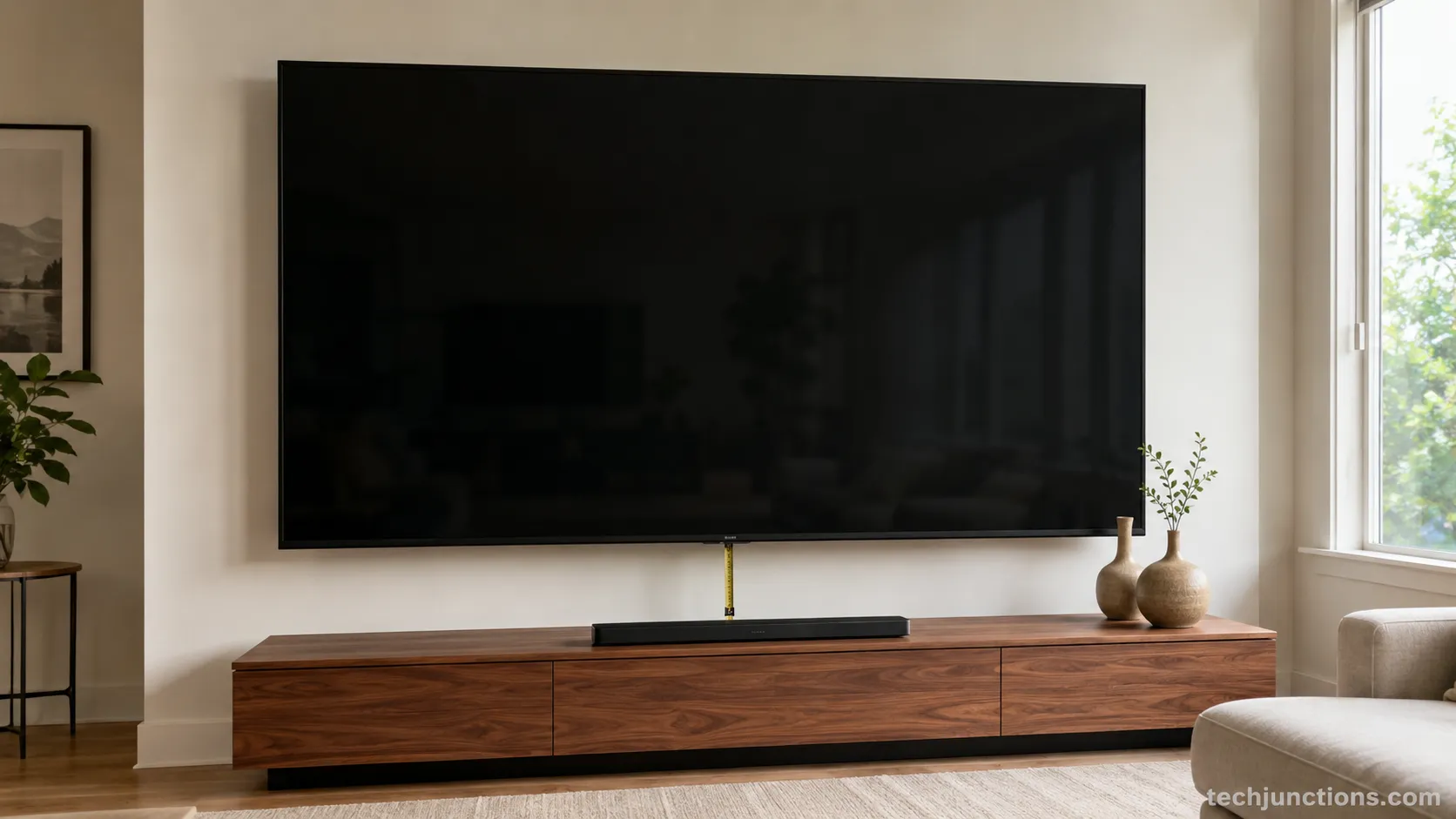
Ignoring clearance. Leave room for a soundbar or the console top beneath the screen.
Copying the average. The 42-inch rule is a shortcut, not your measurement.
Is it better for a TV to be too high or too low?
Too low is the safer error. Your gaze naturally drops a little when you relax, so a screen slightly below eye level stays comfortable, while a screen above it forces a constant upward tilt that builds into neck strain within one viewing session.
My first basement mount used upright eye level, and once I sat back to actually watch, the set read three inches high.
I remeasured in the relaxed slouch and dropped it, and the difference between the two marks was the whole problem.
Some brands ship their own quirks too, so brand-specific mount notes are worth a glance, and routing cables through the wall shifts the final spot, which the guide to hiding the cables cleanly covers.
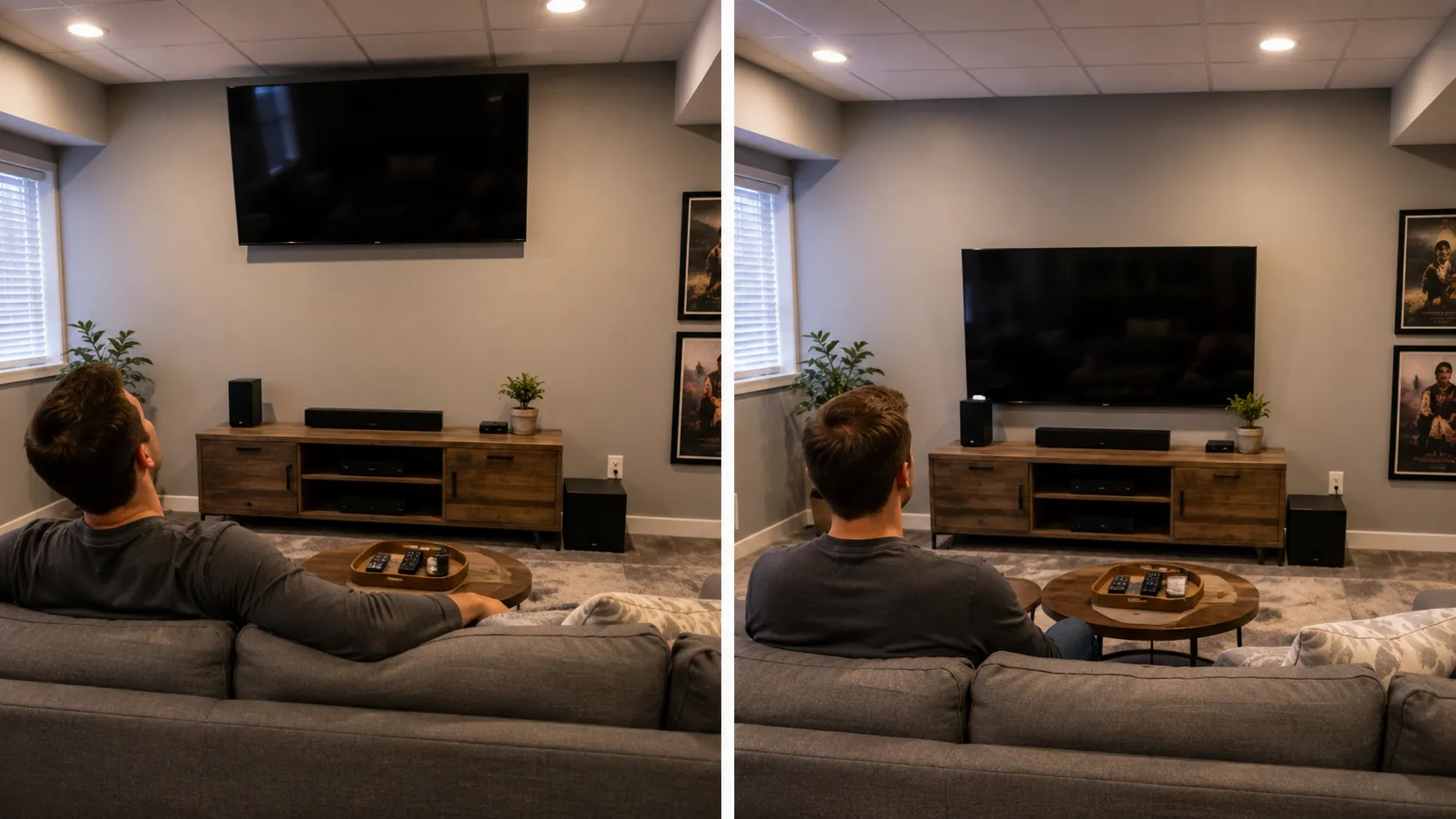
I got this one wrong first. My basement mount went up three inches high because I measured sitting straight. The remeasure in a real slouch fixed it. Owning the mistake is cheaper than living with it.
Frequently Asked Questions
How do I know how high to mount a TV?
Measure your seated eye level in your real watching posture, then set the center of the screen to that height. For most sofas the center lands near 42 inches from the floor, but measuring beats copying the average because seat height varies by several inches.
Is 42 inches too low for a big TV?
No. The center stays at eye level regardless of size, so on a big screen the bottom simply sits lower. According to Crutchfield, a 75-inch mounted with the center at 42 inches puts the bottom about two feet off the floor, which is correct even though it looks low at first.
Should the TV be at eye level standing or sitting?
Sitting, in the posture you actually watch in. You spend your viewing time seated, so standing eye level, which averages closer to 60 inches, would mount the screen far too high.
How high should a 55 or 65-inch TV be mounted?
At a 42-inch center, a 55-inch bottom edge sits near 28.5 inches and a 65-inch near 26 inches. The full breakdown lives in the worked-examples table above, and larger sizes sit lower still.
Does mounting height affect the soundbar?
Yes. Leave four to six inches of clearance below the screen so a soundbar fits without crowding the picture, and account for that gap before you fix the bracket position.
The Method Holds
Determining TV mount height comes down to trusting your own tape over a generic number.
Measure your seated eye level, subtract half your screen's height, mark the bottom edge, check level, and drill with confidence.
Every one of the six rooms I tested this month ended within an inch of the calculated mark, which is the proof that the method travels from room to room.
The 42-inch figure is a fine place to start and a poor place to stop. Your seat, not the average, is the source of truth, so measure twice and mount once.
Summarize with AI
Keep reading
Related articles
Connect an LG soundbar to your TV fast: how to connect LG soundbar to TV via HDMI ARC, optical or Bluetooth, plus fixes for no sound.
Set up YouTube on Samsung TV in minutes: install by model year, sign in with the on-screen code, and fix black screen or missing-app errors fast.
No, a HomePod can't connect to a Samsung TV directly. Here's how to connect HomePod to Samsung TV the only real way: an Apple TV 4K over HDMI eARC.
Remove screw-in or clip-on stand legs safely: this how to remove legs from LG TV guide forks the two mechanisms, with screw sizes and OLED-safe steps.
Comments
Moderated for quality. Share a correction, ask a follow-up, or tell us what worked for you - every comment is reviewed before it goes live.