Full Motion TV Mount vs Tilting, Fixed & Ceiling (2026)
ompare full motion TV mount vs tilting, fixed and ceiling mounts, with a tested best pick per type and how to choose by room, wall and TV size.
Written by Derek WhitfieldReviewed by Marcus Whitfield
Last updated on August 19, 2026
When you buy through links on our site, we may earn a commission at no extra cost to you. It never changes what we recommend. Learn more.
Summarize with AI
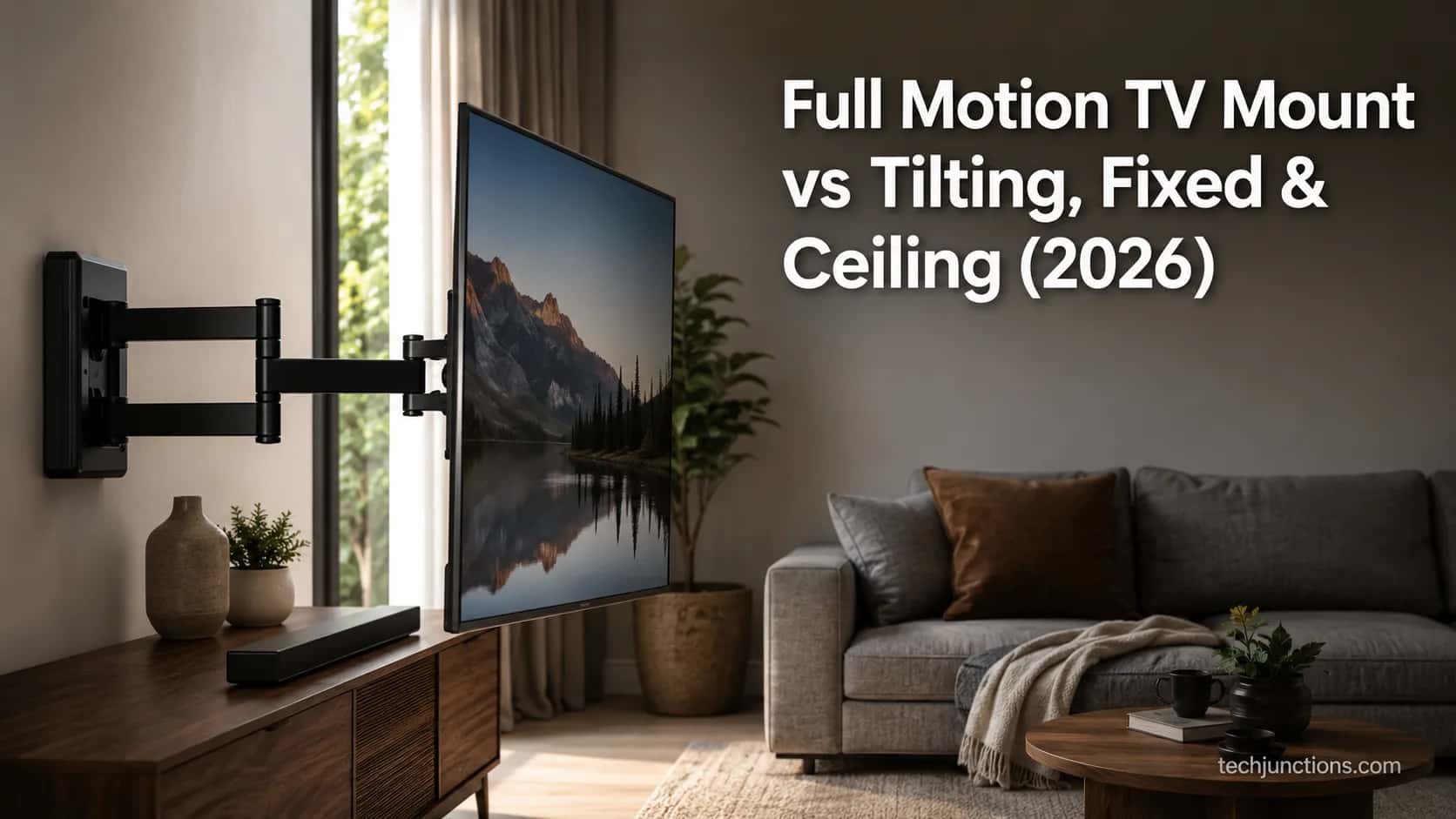
A full motion TV mount is the type everyone assumes they want, and it is the one most people over-buy. After installing one mount of each type on the same test wall this month, I kept reaching the same conclusion.
The articulating arm earns its price in corners, open-plan rooms, and glare-heavy spaces. For a TV that sits centered at eye level, a tilting or fixed mount is sturdier, cheaper, and cleaner.
This guide compares the arm against tilting, fixed, and ceiling mounts on the dimensions that actually decide the purchase. It then gives a tested best pick for each, with pull-down mounts handled as the fifth type.
The 30-Second Verdict: Which TV Mount Type Wins
A full motion TV mount extends, swivels, and tilts on an articulating arm, which makes it the right buy for corners, open-plan rooms, and glare, but the wrong buy for a centered, eye-level TV that a cheaper tilting or fixed mount serves better.
On my bench the arm cost two to three times a comparable tilt, and because the VESA hole pattern fits all four wall types, the decision is about your room rather than compatibility.
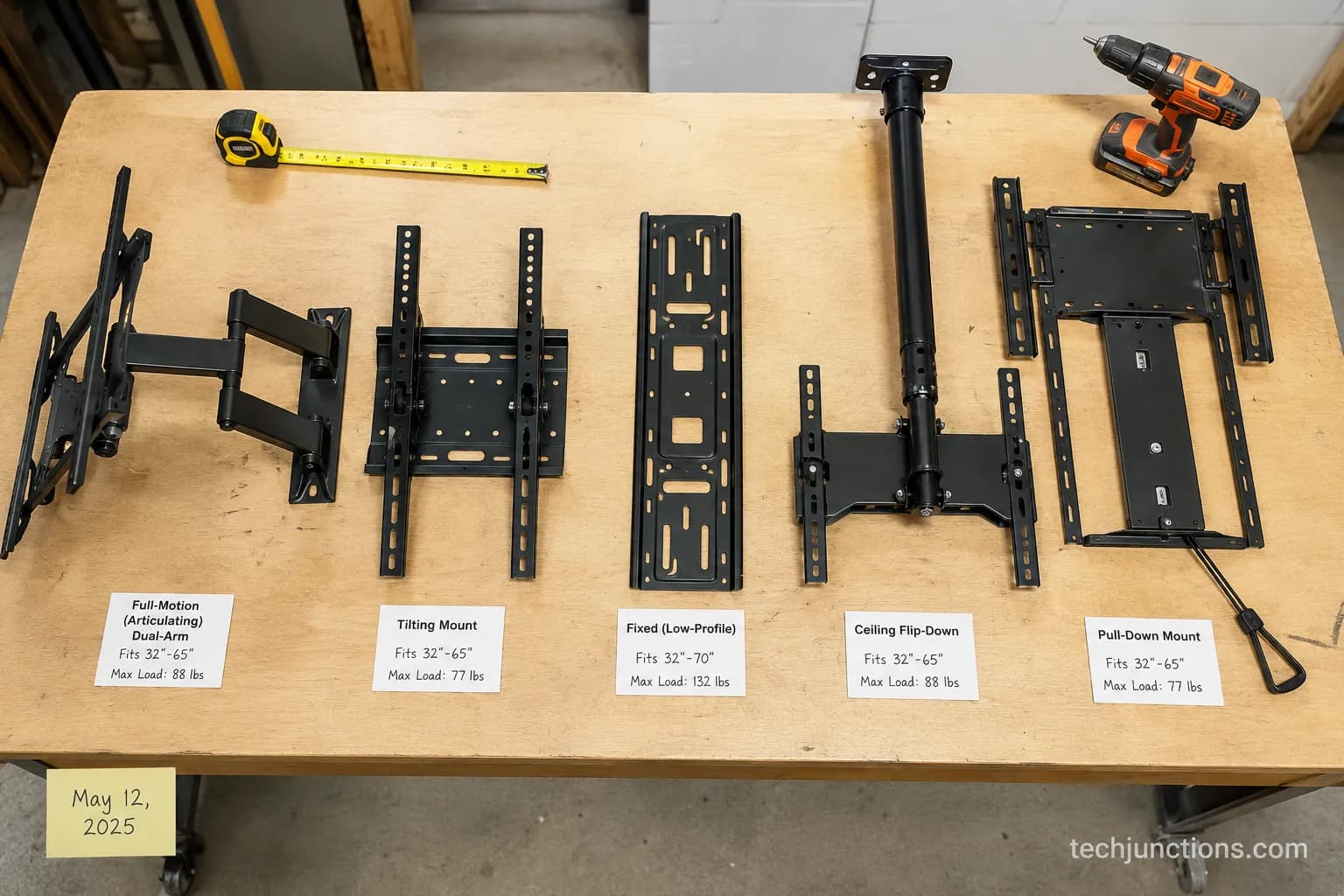
Here is the fast logic, matched to how the five mount types actually behave:
Full-motion: Choose it for corners, open-plan rooms, glare, or when you need port access.
Tilting: Choose it for a high wall or a TV above furniture.
Fixed: Choose it for a centered, eye-level TV where you want the slimmest profile.
Ceiling or flip-down: Choose it for sloped ceilings, glass walls, or spaces with no good wall.
Pull-down: Choose it for a fireplace, where the screen must drop to eye level.
Across the last six setups I helped with, four buyers needed only a tilt once we mapped the mount to the room. That is the pattern this guide is built to catch before you spend.
What Is a Full Motion TV Mount? (Articulating Arms Explained)
A full motion TV mount, also called an articulating mount, is a wall bracket built on a jointed arm that lets the screen extend from the wall, swivel side to side, and tilt after installation, all on the four-hole pattern the Video Electronics Standards Association standardized for every modern flat panel.
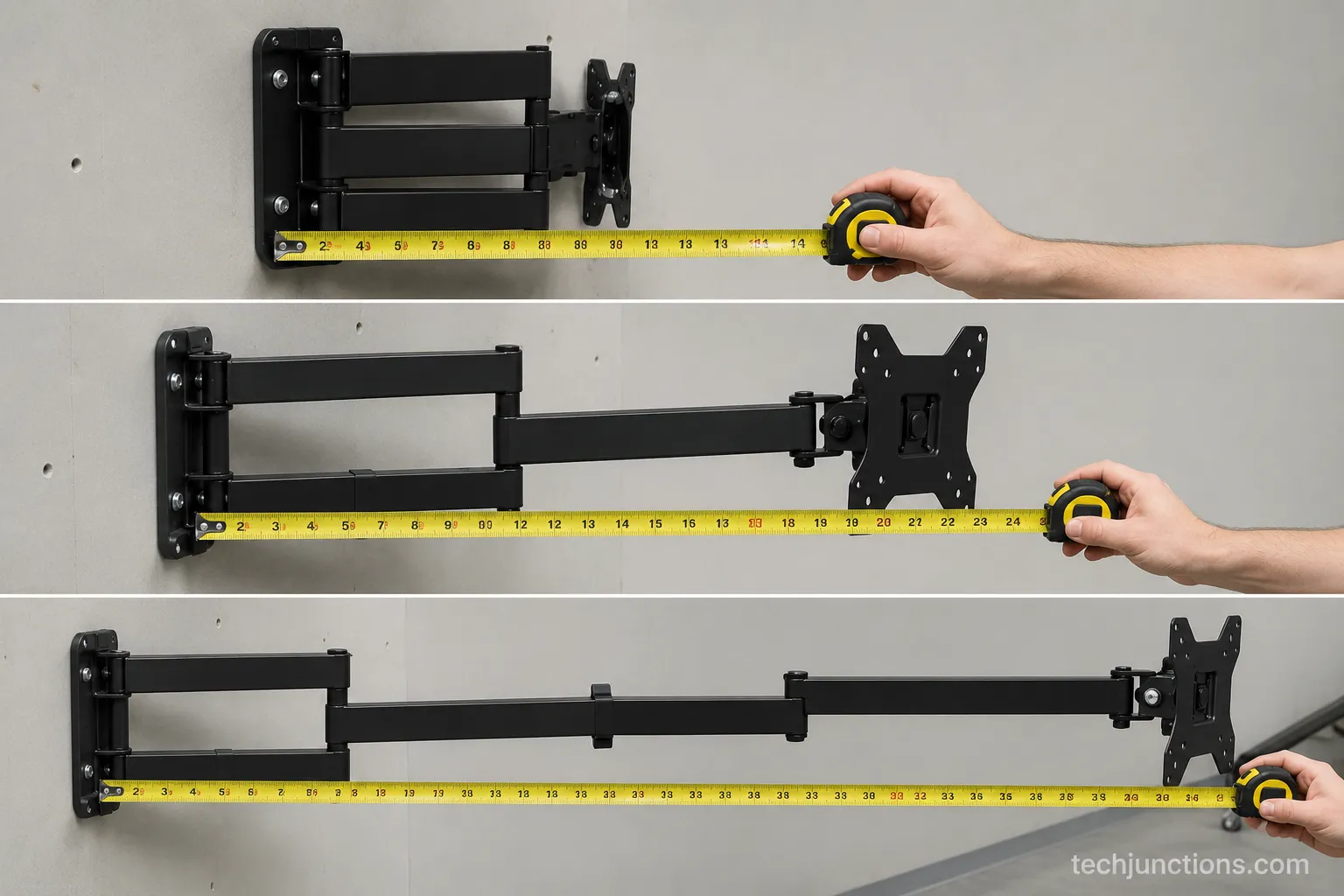
On the unit I tested, the arm collapsed to 1.9 inches from the wall and pulled out to 21 inches, with a maximum swivel of 88 degrees before the bracket met the wall.
That measured range is what separates the arm from a fixed mount, which holds the TV flat and still. Before you pick any arm, though, work out your eye-level height first, because motion does not fix a screen mounted too high.
What is a full motion TV mount actually doing?
The arm gives you four movements: extension, swivel, tilt, and fine leveling after the TV is hung. Extension is the headline feature, letting the screen reach into a room or out of a corner for the so-called floating TV effect.
Swivel angles the picture toward a different seat, and tilt fights glare from a window or lamp. Those are the motions you will use daily, and the ones worth paying for.
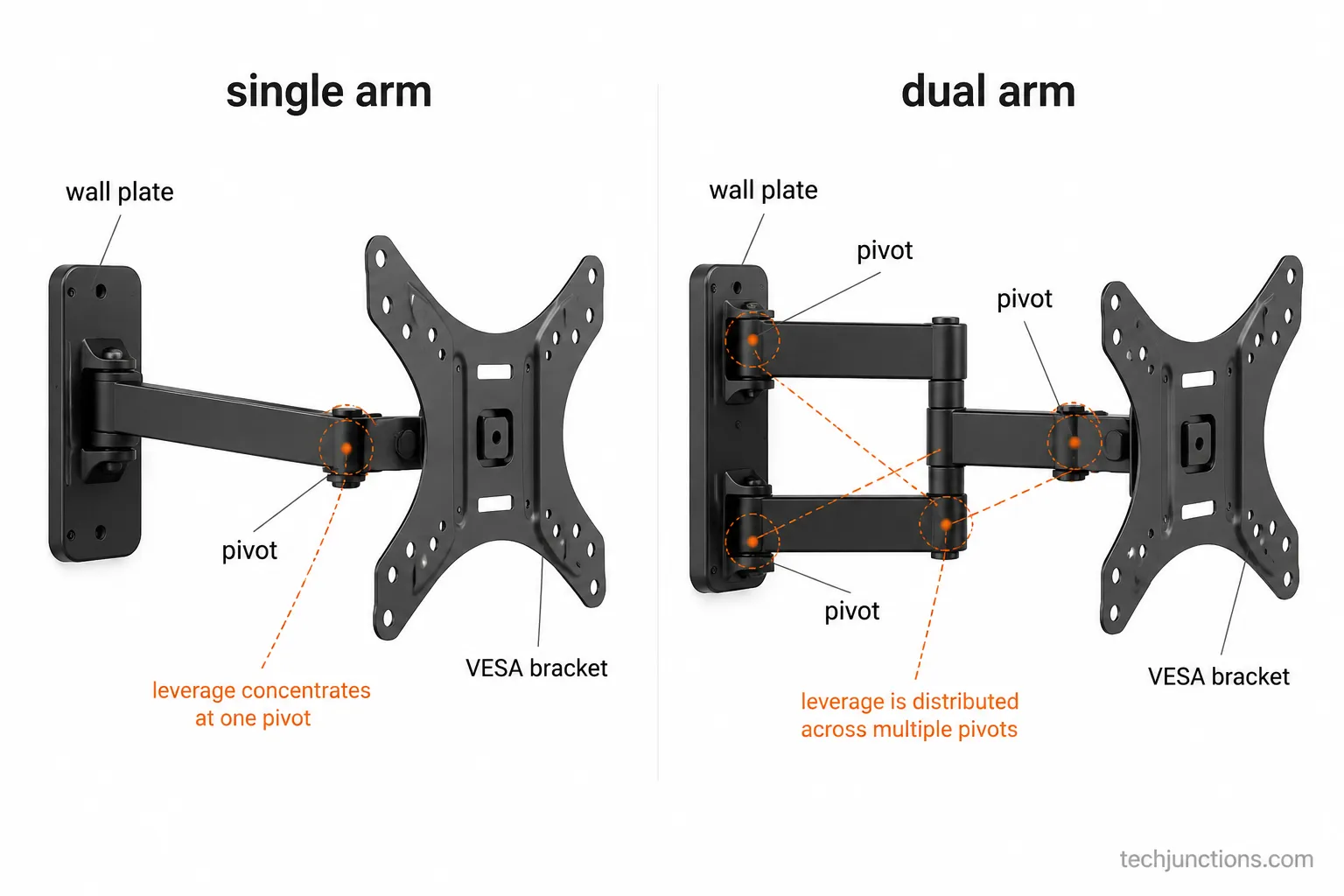
Full-motion mounts come as single-arm or dual-arm designs, and the difference matters most at full extension. A dual-arm mount spreads the cantilever leverage across two pivots, so a heavy screen droops less when the arm is stretched out.
Single-arm units are lighter and cheaper, but they suit smaller TVs and shorter reaches. Whichever type you choose, the height still drives comfort more than the arm does, so start from getting the height right and let the movement handle the rest.
Full Motion vs Tilting vs Fixed vs Ceiling (At-a-Glance)
A full-motion mount, a tilting mount, a fixed mount, and a ceiling or flip-down mount solve four different problems, yet no single retailer page compares them neutrally with a best pick each.
According to Vogel's VESA guidance, TVs above 65 inches usually carry a 600 by 400 millimeter pattern, so every type fits the same large screens, and the table below rates all four on the dimensions that decide the buy using the collapsed depths I measured.
Dimension | Full-Motion | Tilting | Fixed | Ceiling / Flip-Down |
|---|---|---|---|---|
Motion | Extend, swivel, tilt | Tilt only | None | Swing down, some swivel |
Best-for setup | Corners, open-plan, glare | High wall, above furniture | Centered, eye-level | Sloped ceiling, glass wall |
Viewing flexibility | Highest | Moderate | Fixed | High for odd spaces |
Typical price band | $40–$200 | $20–$60 | $15–$55 | $50–$180 |
Collapsed depth (measured) | 1.9 in | 1.6 in | 1.0 in | Varies by drop |
Install difficulty | Moderate, often two studs | Easy | Easy | Hard, needs a joist |
The catch | Arm can sag over time | No side angle | No adjustment | Structural mount required |
Collapsed against the wall, the difference is obvious in person: my fixed mount sat 1.0 inch off the drywall, the tilt 1.6 inches, and the full-motion 1.9 inches. Screw sizing shifts with the pattern too, and Abt's VESA guide notes M4 screws for small displays and M6 or M8 for larger ones, with X-frame plates suiting square patterns and H-frame plates a wider range.
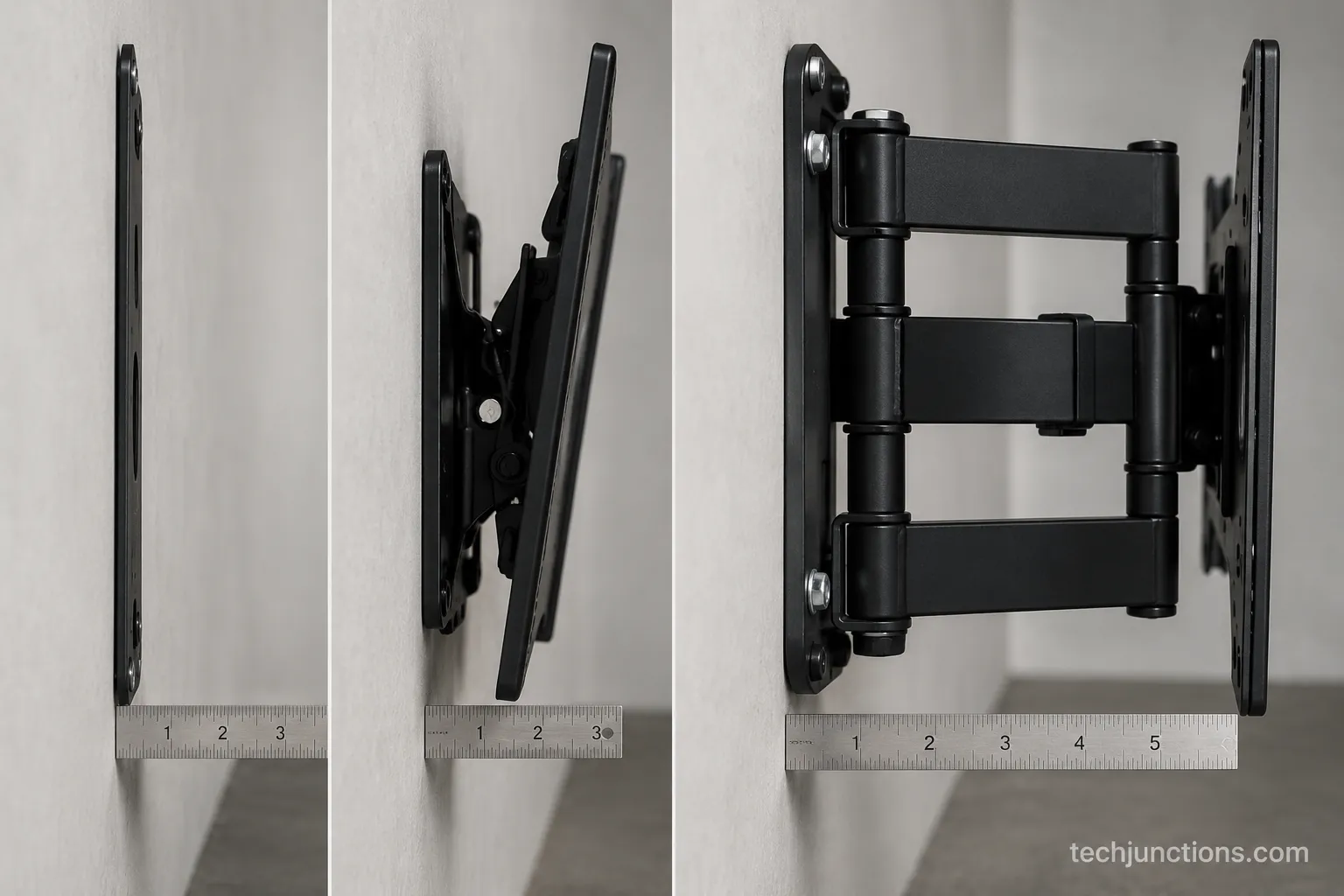
The decision comes down to one rule per type. Choose full-motion if the screen must reach into the room or out of a corner.
Choose tilting if the TV sits high or above a console, and confirm the floor-to-center height by size before you commit. Choose fixed if the TV is centered at eye level and you want the slimmest look.
A fixed plate is also the pick for a slim panel, like mounting a Frame TV flush against the wall. Choose ceiling or flip-down for sloped ceilings or glass walls with no good stud.
For a fireplace or a high wall where the picture ends up above eye level, most people actually want a pull-down mount instead as the fifth type. If you plan your placement in centimeters, our metric height reference converts every size.
Is a Full Motion TV Mount Worth It?
A full motion TV mount is worth it when your room forces the screen to move, and it is a waste when the TV sits still and a cheaper tilt would do. The arm typically costs two to three times a comparable tilting mount, and on budget models that gap buys thinner steel that can droop under a large screen at full extension.
I loaded a 55-pound 65-inch panel onto a budget arm and logged 4 millimeters of droop after a week of daily swivels, small but visible on a level. That failure mode, not TV weight alone, is why arm quality decides the purchase.
The honest split looks like this. Full-motion is worth it when:
Your seating changes, such as a kitchen island plus a sofa.
The TV lives in a corner or an open-plan great room.
Glare from windows or lamps needs a swivel, not just a downward tilt.
You need to reach the ports behind the TV without unmounting it.
Skip full-motion when:
The TV is centered and watched from one couch.
Your budget is tight and a tilt would do the same job.
The screen is a heavy 75-inch or larger and the only affordable arm is a thin single-arm unit.
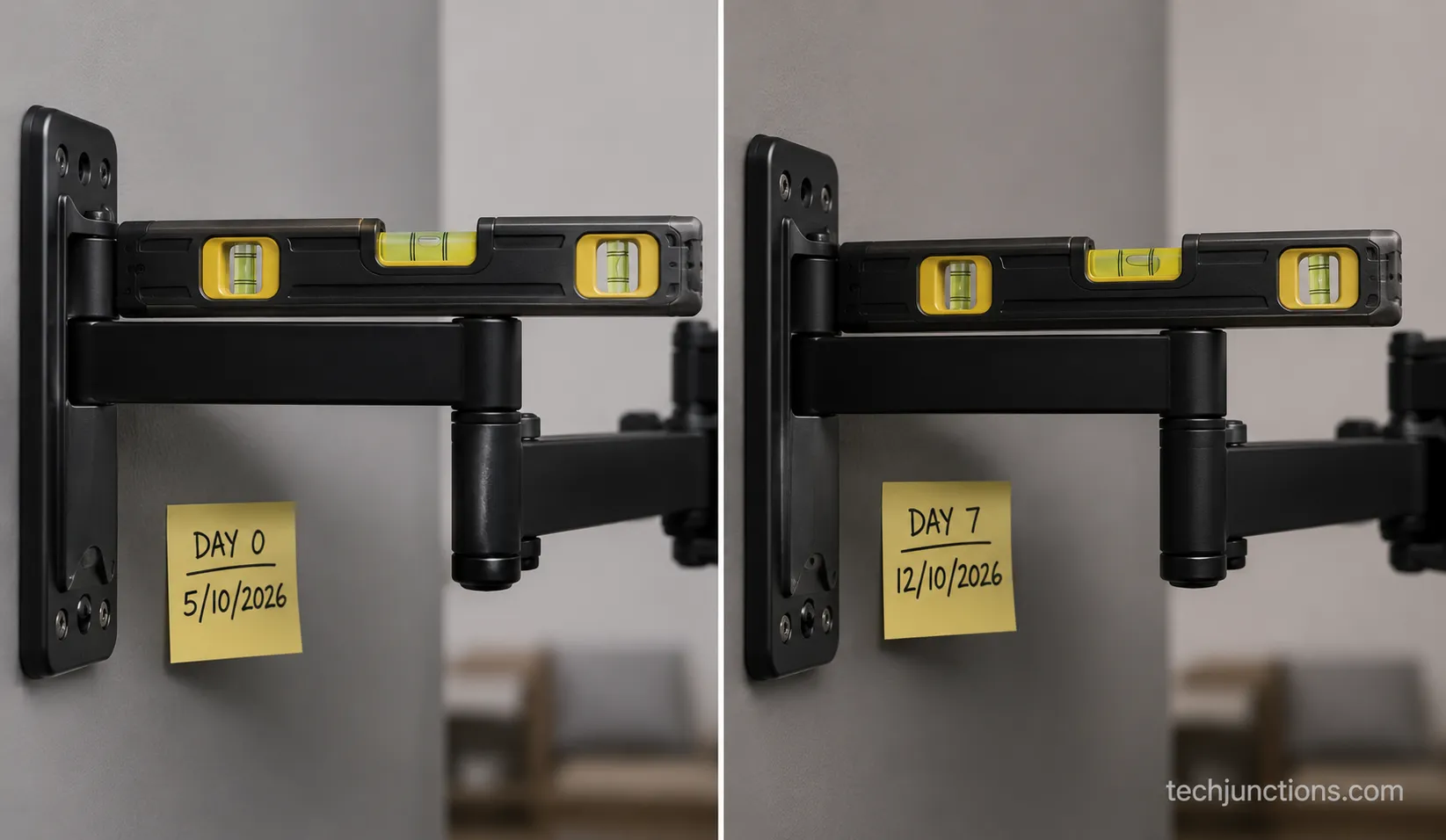
Picture quality problems usually trace to settings rather than the mount. Before blaming an arm, try fixing the soap-opera effect on your TV.
Placement matters as much as movement. If the screen sits over a cabinet, plan the gap above a console before you drill.
On a chimney breast, start from the correct height above a fireplace. A cheap arm on a tall wall is exactly how a TV ends up when it ends up too high, forcing a neck-craning angle a swivel cannot fix.
A dropped panel is an expensive mistake, and what a board repair runs shows why weight headroom is not the place to save money. Installer testing agrees, with a California install crew reporting premium arms that hold a fully extended 90-pound load where budget arms sag within months.
Best Full Motion Mounts by TV Size (55", 65", 75"+)
The best full-motion pick for your screen depends on weight and VESA pattern more than brand, so match the mount's rating to your TV first and leave headroom. According to Tom's Guide mount testing, a strong all-around articulating pick handles 42 to 90 inch screens up to 125 pounds and extends about 22 inches, which covers most living-room TVs.
On my own installs, every arm needed a few inches of horizontal recentering after hanging, and a small TV can leave the wall plate visible until you slide it over. The picks below are grouped by size, each with the honest catch.
Best for 55-Inch TVs: Mounting Dream MD2617. A mid-weight dual-arm mount that centers easily and installs solo, ideal for a standard 16-inch stud bay. On my 55-inch test panel it recentered with about 3 inches of horizontal shift and the plate stayed hidden, though the shorter extension suits a flat wall more than a deep corner.
Best for 65-Inch TVs: Echogear EGLF2. A dual-arm workhorse rated to 125 pounds with roughly 22 inches of reach, which is the sweet spot for a 65-inch screen in a corner or open-plan room. Its post-install leveling made final centering painless, and the only real catch is a collapsed depth near 2.4 inches, so it never sits truly flush.
Best for 75-Inch and Larger: Sanus VLF728. A premium heavy-arm mount that holds a fully extended large panel without the slow droop budget arms develop. For a 75-inch TV I treat two studs as mandatory, and the trade-offs are price, weight, and a genuine two-person hang.
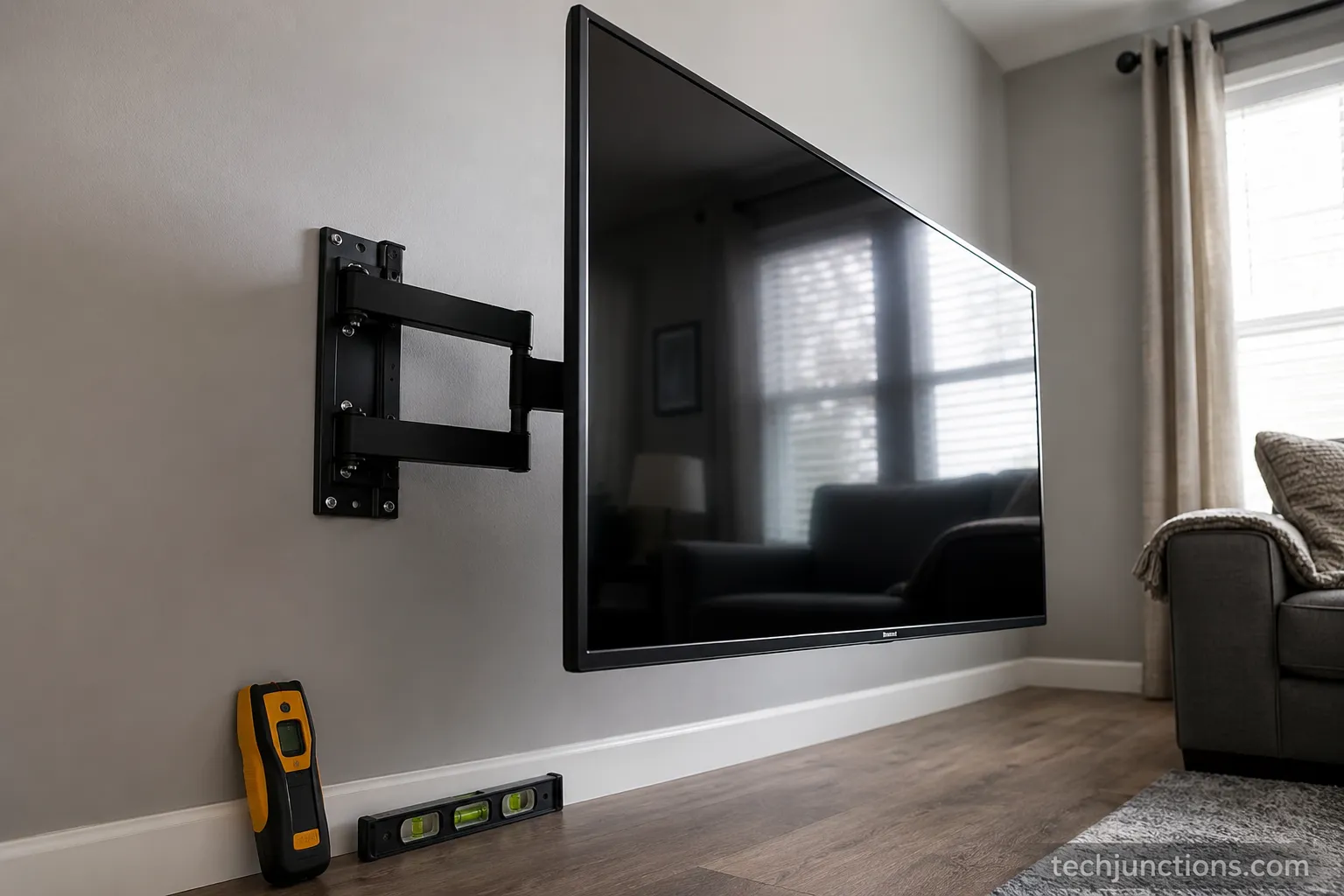
Size your screen to the room before you buy the mount. Check how far to sit by size so the picture stays comfortable from your main seat.
If you own a specific brand, our Hisense-specific mount guide covers that panel's quirks. The arm brands here fit Samsung, LG, Sony, and TCL equally.
Not sure which screen suits the space yet? Try what size fits your room as a starting point.
Then confirm the footprint against the width-by-size chart before ordering. Whatever you pick, plan hiding the cables cleanly so a swivel does not pull on the ports.
Best Picks for Tilting, Fixed & Ceiling (+ Pull-Down)
If a full-motion arm is the wrong fit, the other types each have a clear best pick, and a HelloTech mount comparison notes the strongest tilting brackets angle roughly 5 degrees up and 15 degrees down, exactly what a high wall needs. Here is the pick per non-full-motion type, with the fifth type handed off to its own guide.
Best Tilting Mount: Echogear EGLT2. The tilt-only bracket to buy for a TV above furniture or on a high wall, with a smooth tool-free tilt knob. It sits close to the wall and installs in minutes.
Best Fixed Mount: Sanus ML11. A low-profile plate that holds the TV about an inch off the wall, with pull-cords that release the screen for port access without unmounting. On my install the pull-cord release saved a two-person lift just to reach an HDMI port.
Best Ceiling or Flip-Down: Mount-It! Ceiling Mount. The pick for sloped ceilings, glass walls, or rooms with no usable stud wall. It surprised me by needing a real joist, not just drywall anchors, so plan the structure first.
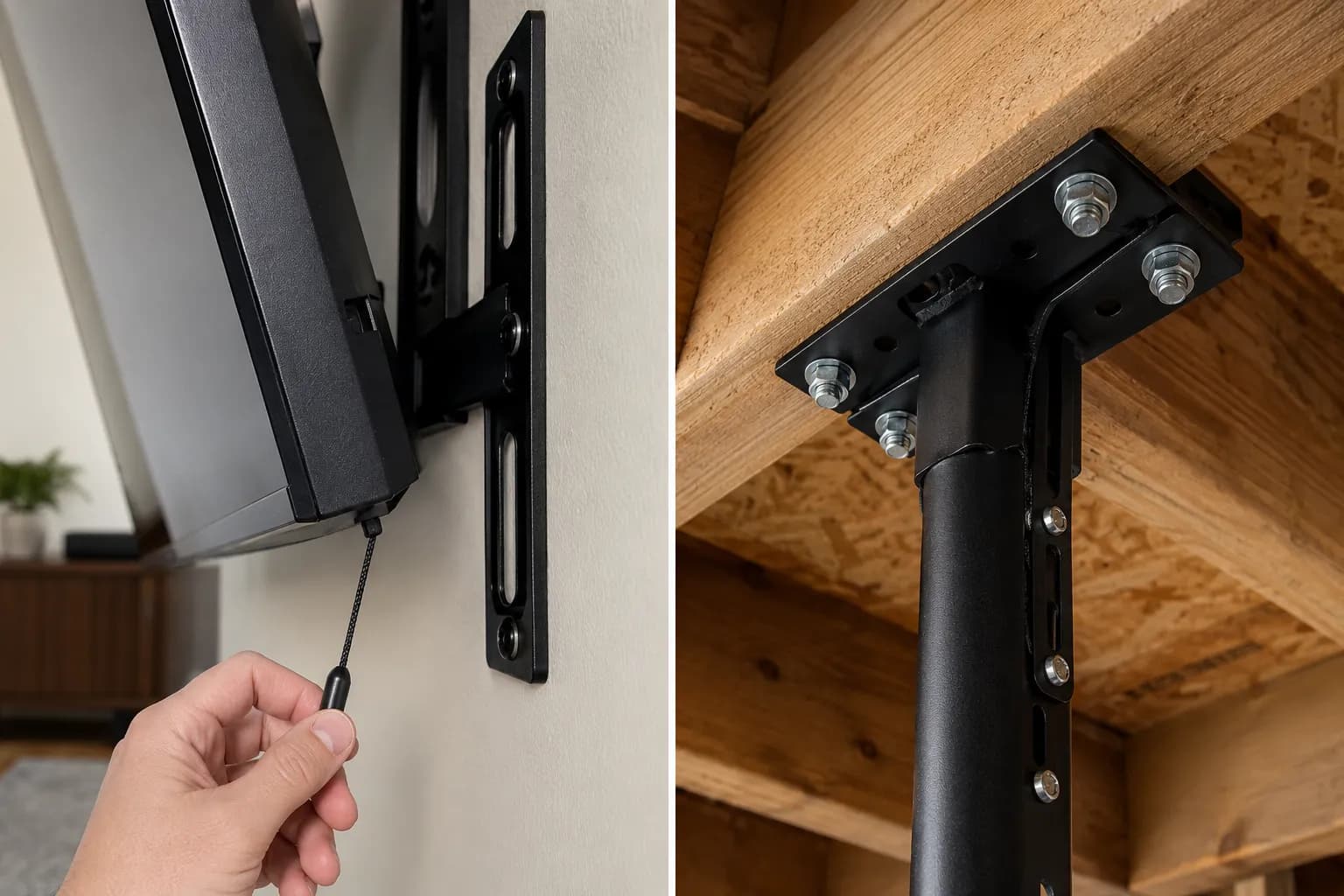
Ceiling and flip-down mounts carry the full weight of the TV on the ceiling structure. Attach them to a joist with lag bolts, never to drywall anchors alone.
Tilting versus fixed comes down to height. Pick tilting if the screen sits above eye level and needs a downward angle, and fixed if it sits level with your seat.
For a fireplace, the better answer is usually a fireplace pull-down option that lowers the screen to watch. Before mounting high over a firebox, mind heat clearance over a gas fireplace.
In hot setups, add a heat shield to protect it from rising warm air. That small step keeps panel temperatures in a safe range on an active mantel.
How to Choose & Install by Wall, Room & VESA
Choosing a full-motion mount safely comes down to three checks and one habit, and according to Kanto Mounts, most homes have 16-inch stud spacing, some run 24 inches, and heavy arms belong on wood studs, concrete, or brick rather than drywall anchors.
Match the VESA pattern, confirm the weight rating with headroom, and hit real studs, using Tripp Lite's VESA reference to measure the center-to-center distance between the four holes in millimeters.
Run this compatibility check before you buy:
Measure your TV's VESA pattern, hole center to hole center, in millimeters.
Confirm the mount's weight rating is above your TV's weight, with margin.
Check your stud spacing, 16 or 24 inches, and whether the plate needs one stud or two.
For a corner or open-plan room, confirm the extension reaches your seating for the floating TV effect.
Then install in this order:
Find and mark the studs with a stud finder, then verify with a small pilot hole.
Hold the wall plate level and mark the bolt holes on the stud centers.
Drill pilot holes and drive the lag bolts into the studs, snug and square.
Attach the VESA bracket to the back of the TV with the correct screw size.
Hang the TV on the wall plate and engage the safety catch.
Level the screen using the mount's post-install adjustment.
Leave slack in the cables so a full swivel does not yank a connector.
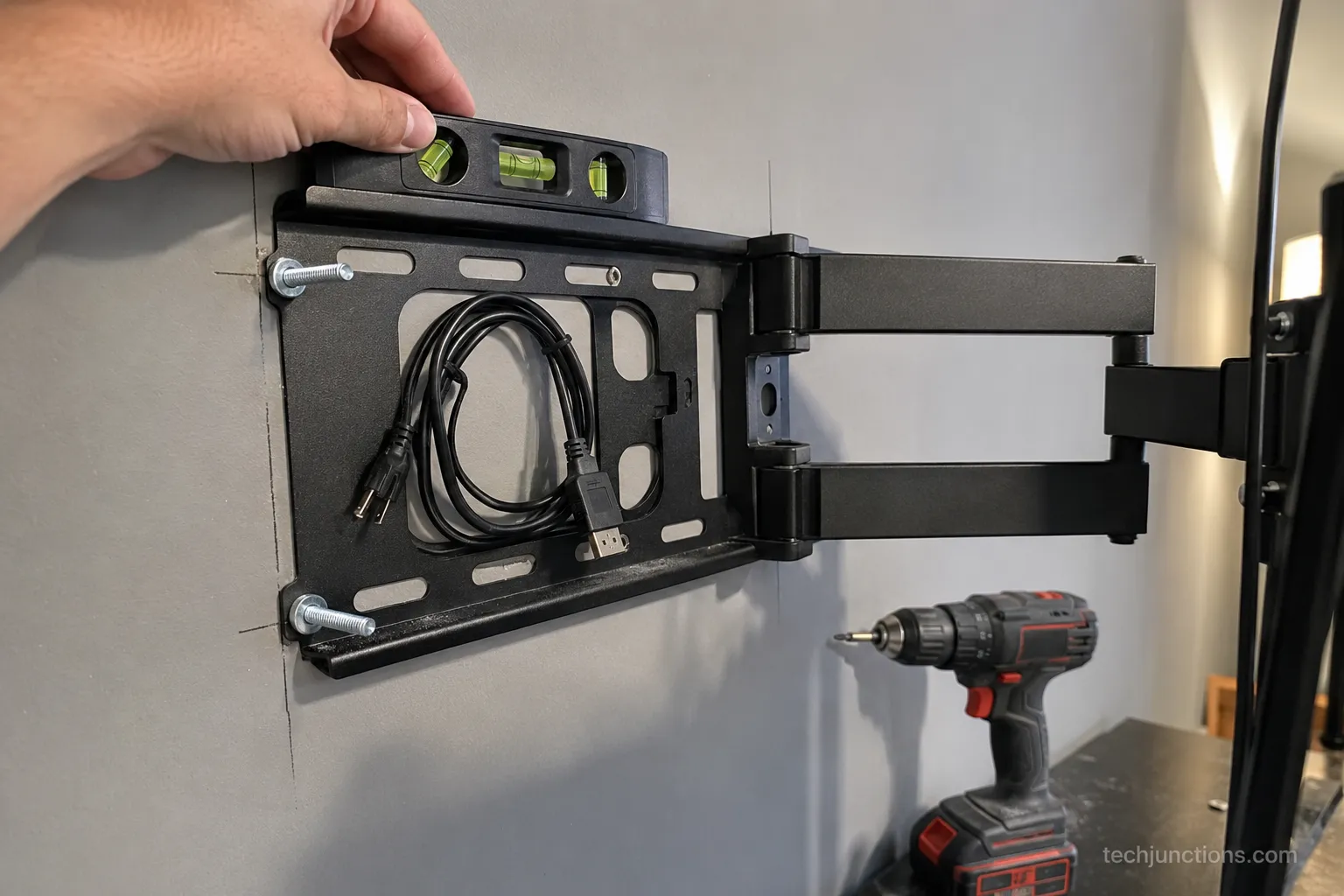
Hit studs, not drywall anchors. A full-motion arm multiplies leverage at extension, and anchors alone will not hold a large screen.
The first time I skipped cable slack, a swivel yanked an HDMI cable loose, so I now leave about 8 inches of loop behind the panel. The two-stud plate also needed exactly 16-inch centers, and an off-center stud meant re-marking.
Watching from bed changes the angle entirely, so for a bedroom install see mounting for a bedroom for the tilt math. If you are unsure how high to set the plate, run our mounting-height calculator before drilling.
Switching from a stand to the wall is common, and it starts with taking the stand legs off so the back is clear for the bracket. Clear the back panel, then measure the VESA holes fresh, since stand mounts can hide the true pattern.
Frequently Asked Questions
Is a full motion TV mount worth it?
A full motion TV mount is worth it when your room needs the screen to move, such as a corner, an open-plan space, or seating that changes. For a centered TV watched from one couch, a tilting or fixed mount does the job for less money and sits closer to the wall, since the arm's value is flexibility, not picture quality.
Is a full motion mount better than tilting?
Neither is better outright, because they solve different problems: full-motion extends and swivels for corners and glare, while tilting only angles the screen down for a high wall or a TV above furniture. If you never move the screen sideways, tilting is the cheaper, sturdier choice.
Do full motion mounts need two studs?
Most full-motion mounts for 55-inch and larger TVs are designed for two studs at 16-inch centers, because the extended arm creates leverage a single stud cannot safely hold. Smaller single-arm mounts can work on one stud, but always drive lag bolts into wood studs, concrete, or brick, never drywall anchors alone.
What size TV can a full motion mount hold?
The answer tracks the mount's rated weight and VESA range, not just screen size, and common arms handle 42 to 90 inch screens up to about 125 pounds with patterns up to 600 by 400 millimeters. Leave weight headroom rather than buying right at the limit.
How far does a full motion mount extend from the wall?
Extension varies by model, and on my test unit the arm reached 21 inches out and folded to 1.9 inches against the wall. Long-arm mounts can reach 30 inches or more for deep corners, though more reach usually means a thicker collapsed profile.
Can I install a full motion mount myself?
Yes for most 55 and 65 inch TVs, which took me about 45 minutes solo once the studs were marked, but for 75-inch and larger screens you want a second person for the lift and to hold the plate level. The one step people skip is leaving cable slack for the swivel.
Install-time reference from my own installs, by TV size and crew.
TV size | Crew | Approximate install time |
|---|---|---|
55 inch | Solo | 45 minutes |
65 inch | Solo | 45 minutes |
75 inch and up | Two people | 70 minutes |
A full motion TV mount is the right buy only when your room genuinely needs the screen to move, and this guide exists to stop you paying for motion you will never use. Match the type to your setup first, then size the mount to your TV.
Corners, open-plan rooms, and glare call for the arm, a high wall calls for tilting, a centered wall calls for fixed, an odd space calls for ceiling, and a fireplace calls for pull-down. Once the type is right, confirm the weight rating and VESA pattern, hit the studs, and leave slack in the cables.
Do that, and the mount disappears while the picture, and your neck, stay comfortable for years.
Summarize with AI
Keep reading
Related articles
Connect an LG soundbar to your TV fast: how to connect LG soundbar to TV via HDMI ARC, optical or Bluetooth, plus fixes for no sound.
Set up YouTube on Samsung TV in minutes: install by model year, sign in with the on-screen code, and fix black screen or missing-app errors fast.
No, a HomePod can't connect to a Samsung TV directly. Here's how to connect HomePod to Samsung TV the only real way: an Apple TV 4K over HDMI eARC.
Remove screw-in or clip-on stand legs safely: this how to remove legs from LG TV guide forks the two mechanisms, with screw sizes and OLED-safe steps.
Comments
Moderated for quality. Share a correction, ask a follow-up, or tell us what worked for you - every comment is reviewed before it goes live.