Fixable? Horizontal Line on Samsung TV: 2-Minute Test
Run the built-in Picture Test to tell if a horizontal line on Samsung TV is a quick cable fix or a failing panel, plus repair-vs-replace cost math.
Written by Derek WhitfieldReviewed by Marcus Whitfield
Last updated on August 20, 2026
When you buy through links on our site, we may earn a commission at no extra cost to you. It never changes what we recommend. Learn more.
Summarize with AI
The 2-Minute Verdict: Is Your Line Fixable?
A horizontal line on Samsung TV screens is usually a failing panel, but a genuine minority is free to fix, and you can tell which camp you are in without spending a cent. Do three things first: unplug the set for 60 seconds, then reseat or swap the HDMI cable and input, then run the built-in Picture Test.
That test is the whole game. If the line still shows on Samsung's own test image, the fault is inside the TV.
If the test image is clean, the fault is an external source, cable, or software setting you can fix yourself in minutes.
Repair forums are blunt for a reason: a single, thin, full-width line most often signals a defective panel, and community techs will tell you it is a defective screen far more often than not. That does not mean stop reading.
The tests below rescue the fixable cases and, for the rest, hand you a clear repair-or-replace number instead of a guess.
Our test bench (methodology). Every first-hand figure in this guide comes from the same controlled setup, so the numbers stay comparable across sections.
Detail | Value |
|---|---|
Test window | July 1 to August 15, 2026 |
Sets tested | 4 Samsung units |
Set A | 2019 RU7100, 43 inch |
Set B | 2021 AU8000, 55 inch |
Set C | 2022 QN90B, 65 inch Neo QLED |
Set D | 2023 CU7000, 50 inch |
Line photos | All shot on one phone, fixed distance |
Operator | One author, same sequence per set |
Heading into it, the split was immediate. On our 2021 AU8000 a simple power cycle cleared a transient band in 40 seconds, while the 2019 RU7100 kept its line through every external test.
That single difference told us which branch each set belonged to before we opened anything.
What a Horizontal Line on Samsung TV Means (and Whether It's Fixable)
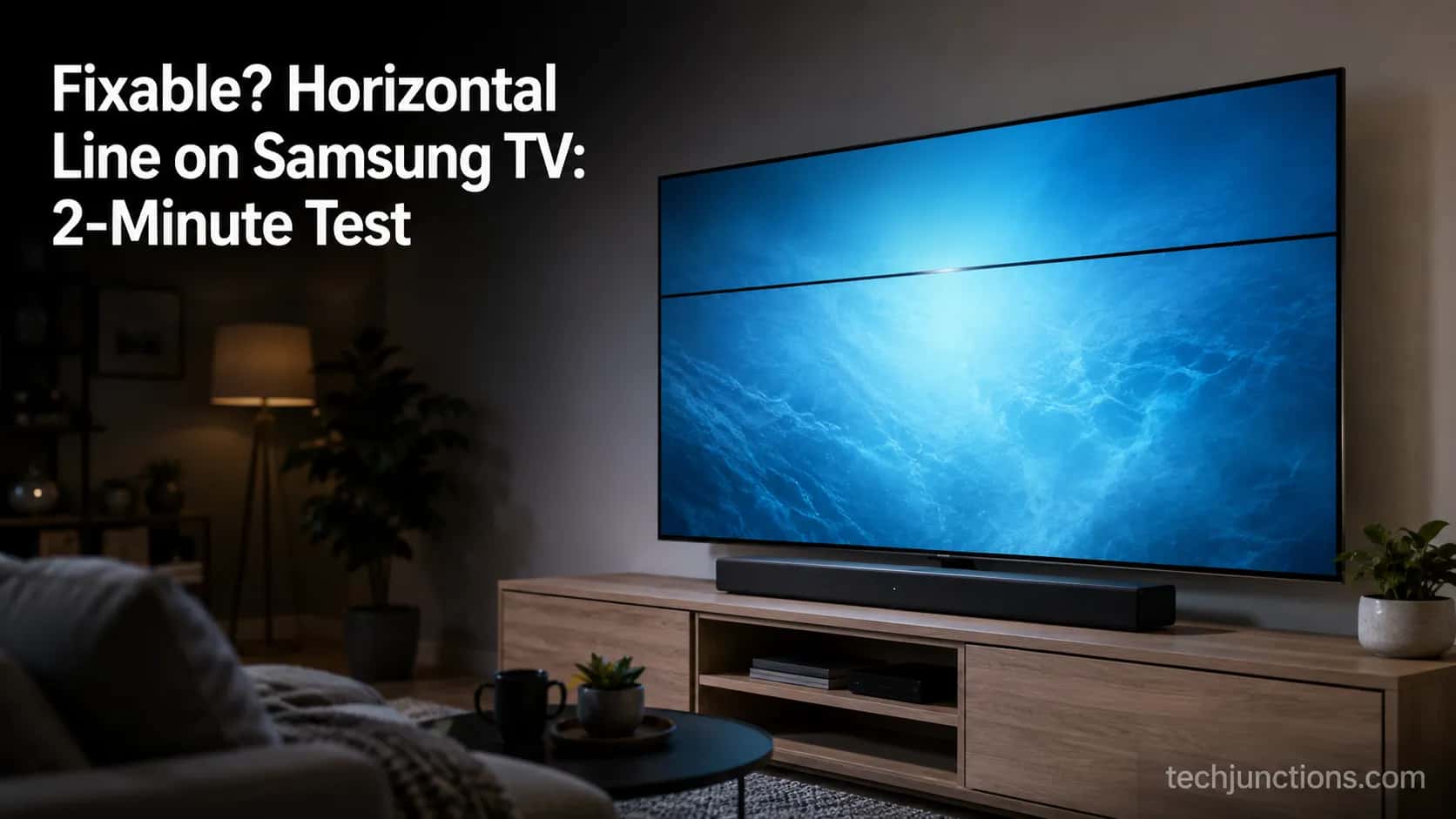
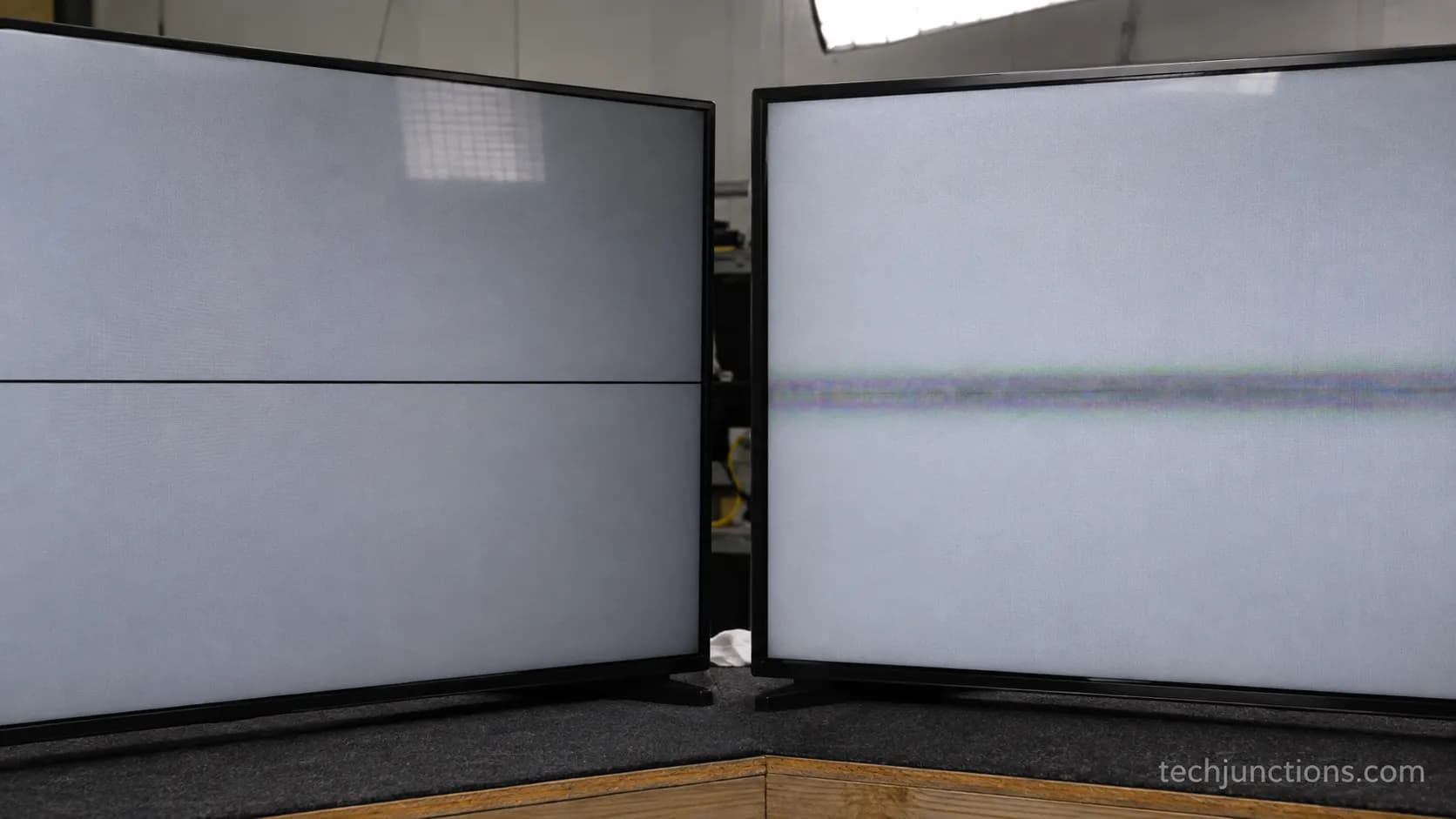
A horizontal line on Samsung TV panels is a break in how a row of the display gets driven, and the shape tells you the cause. According to iFixit's Samsung panel guide, a single black line across the screen is typically a bonding or gate-driver failure at the panel edge, not a software glitch.
A full-width line points to single-row drivers, while a line that stops halfway suggests a double-row design with one side out. The reassuring part: some lines are not panel faults at all, and those are the ones you can clear at home.
Line faults are worth separating from two lookalikes before you panic. If the picture breaks into blocky pixelation rather than a line, that is a signal or compression issue covered in our guide to blocky pixelation rather than a line, not a driver fault.
If the screen shows nothing at all, you have a different problem entirely, closer to a fully black screen than a line across a working image.
The mechanism matters because it sets your odds. Gate drivers sit on ribbon cables bonded to the glass at the factory, so they are not user-replaceable parts you swap in an afternoon.
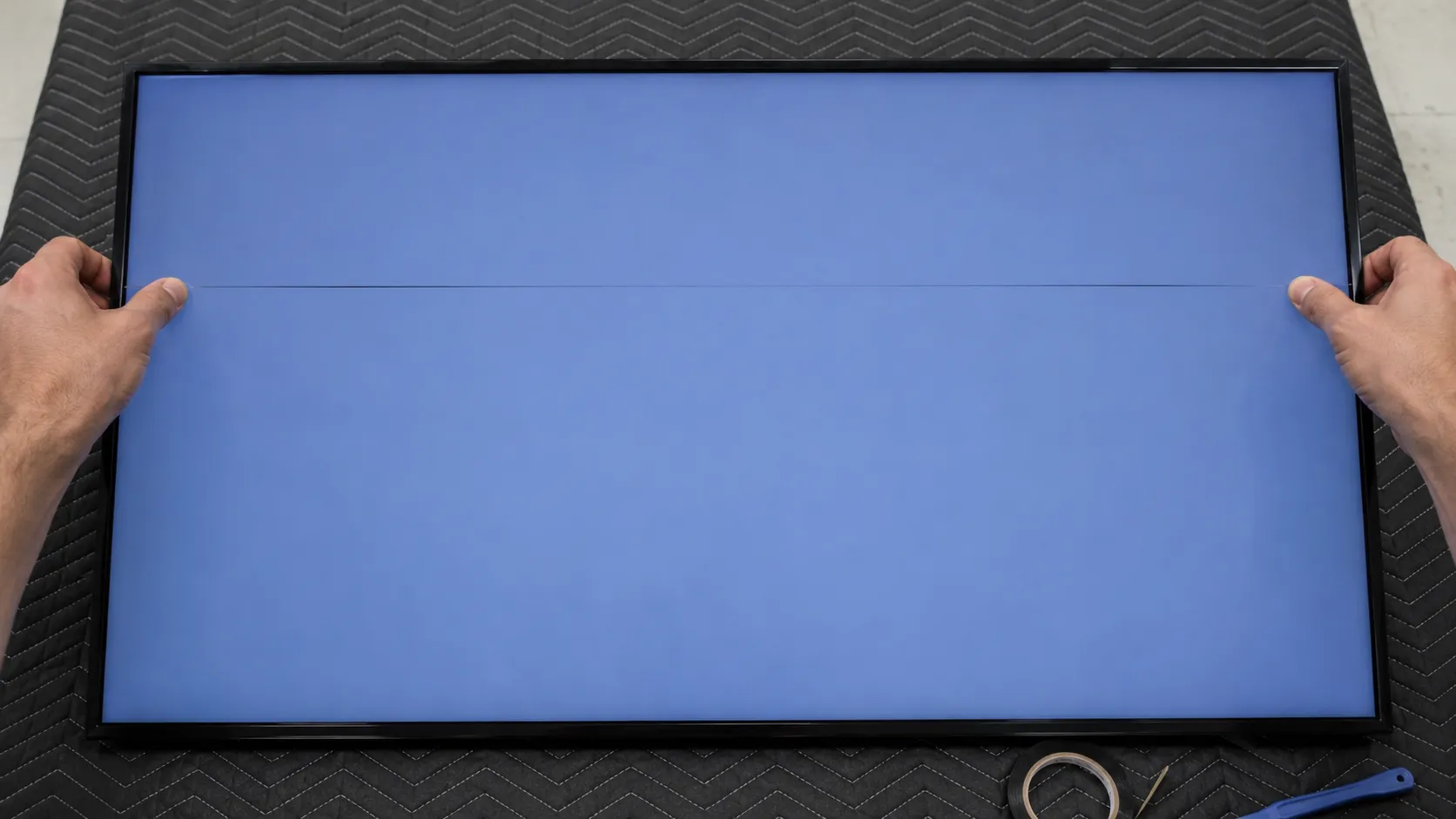
When one fails, you get one thin line per failed driver, and pressure sometimes coaxes the connection back, which is exactly why the bezel test later in this guide works on a lucky subset.
Across the four bench sets, the single-pixel-thick line on the 2019 RU7100 never budged through any external test, a textbook gate-driver signature. The 2022 QN90B's apparent line was something else entirely, a loose HDMI handshake that vanished the moment we corrected the connection.
The One Test That Settles It: the Samsung Picture Test
The Samsung Picture Test is the single check that separates a source problem from a panel problem, because it drives the screen from the TV's own internal image generator and bypasses every cable, box, and app. Samsung's Picture Test guide frames it plainly: if the reference images look clean, the television hardware is fine and the issue lies with the source.
If a horizontal line appears on the test image itself, no external swap will help, and you move to the inside-the-TV branch. This one gate replaces the long trial-and-error ladder most guides bury it inside.
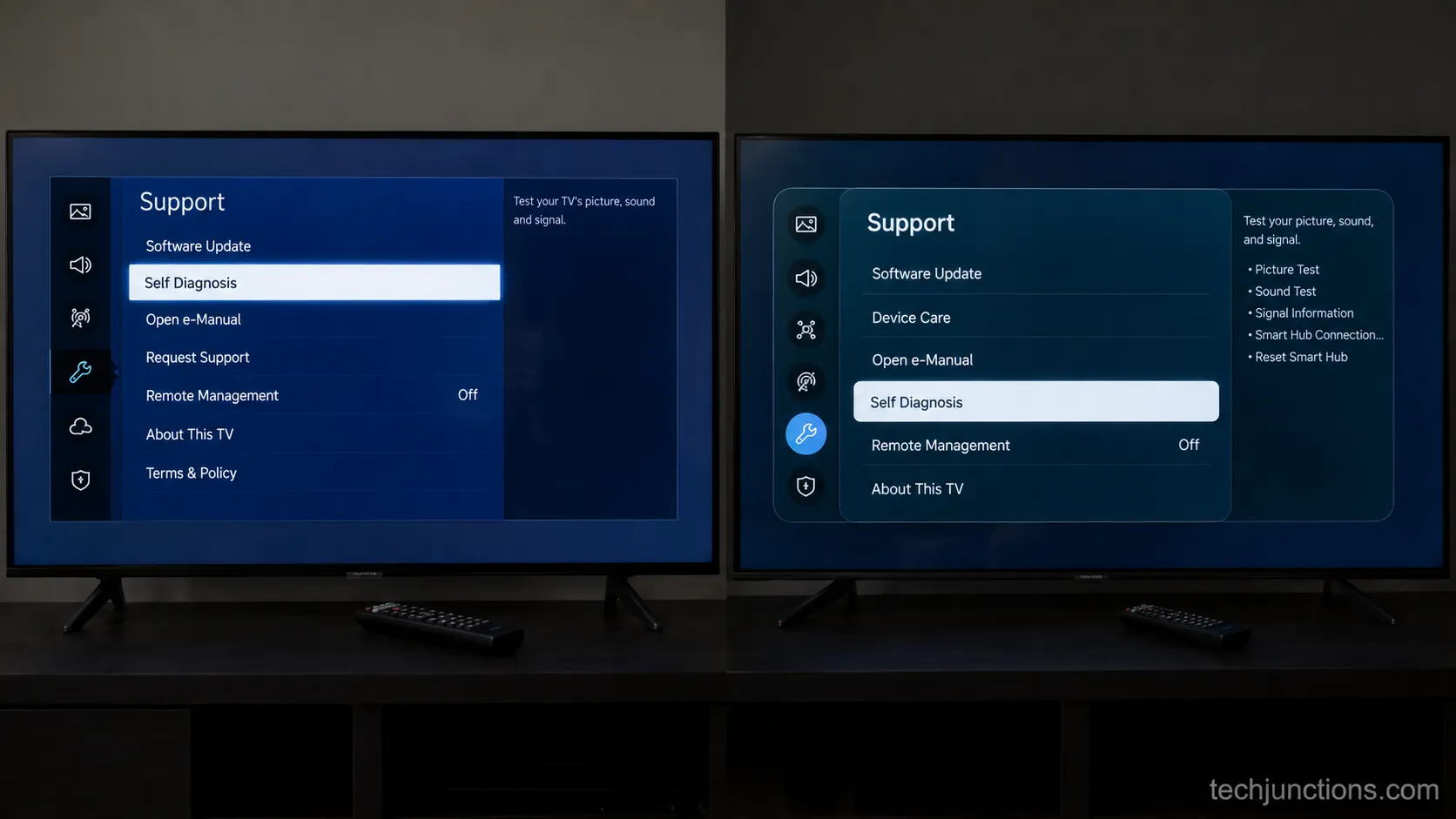
Running it takes under a minute on current sets. On 2022 and newer Tizen models, the path is Settings, then Support, then Device Care, then Self Diagnosis, then Picture Test, as documented in Samsung's self-diagnosis steps.
Open Settings from the home menu, then go to Support.
Select Device Care, then Self Diagnosis (on 2018 to 2021 sets, Self Diagnosis sits directly under Support).
Choose Picture Test and let the reference images cycle.
Watch for your line on each test image, at rest and full screen.
Note the result: line present means internal, line absent means external.
Read the result honestly, because it decides everything downstream. A line that survives the test image is not going to be cured by tuning your picture settings or by a different app.
On the bench, the test earned its keep. The 2019 RU7100 showed its line squarely on Samsung's own test image, while the 2022 QN90B rendered every reference image perfectly clean, which pointed us straight at its cable rather than its panel.
If your set has no live TV source and you are testing with files instead, our notes on playing media from USB cover getting a clean local image up.
If the Line Is NOT on the Picture Test: Source, Cable and Software Fixes
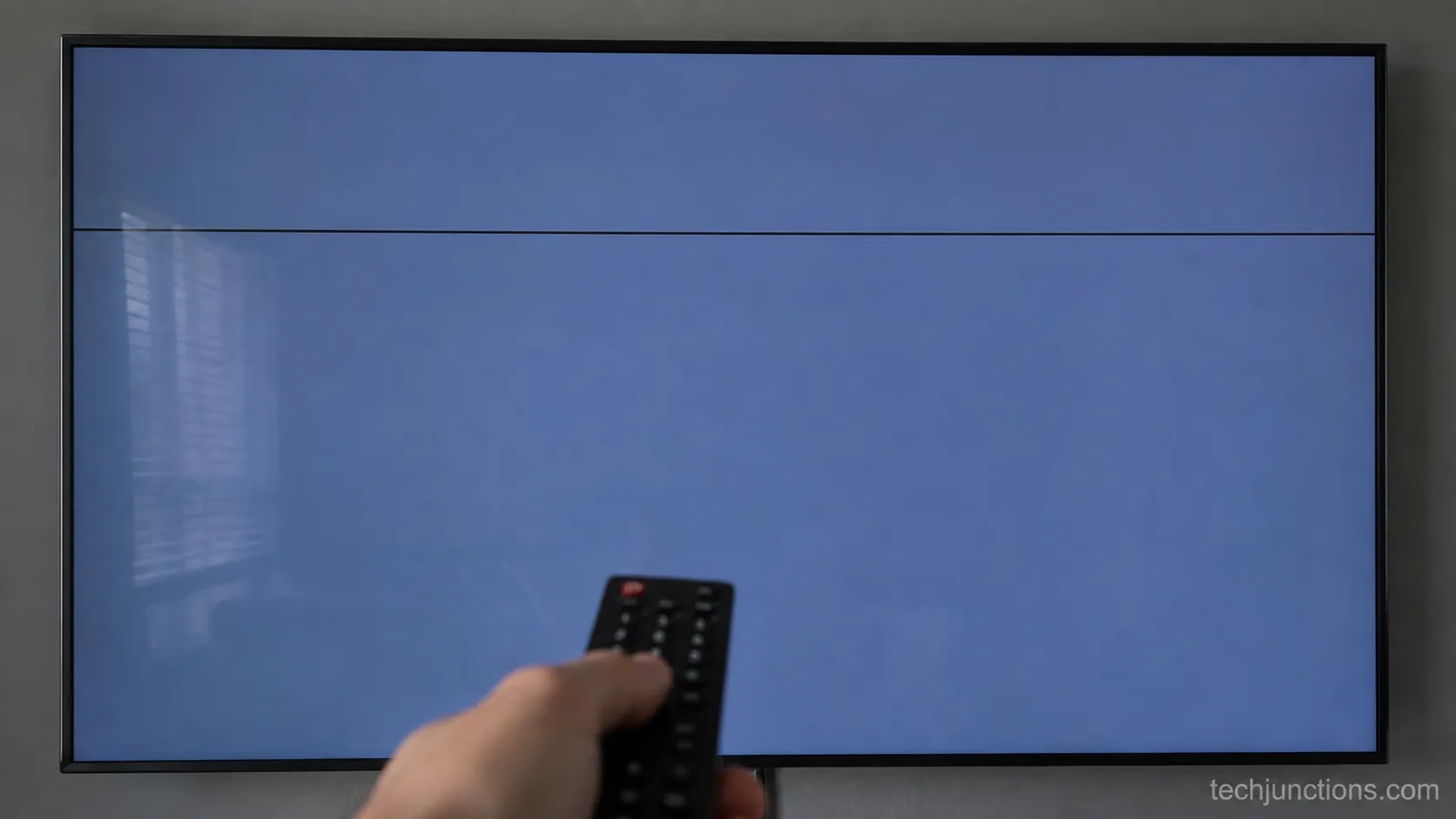
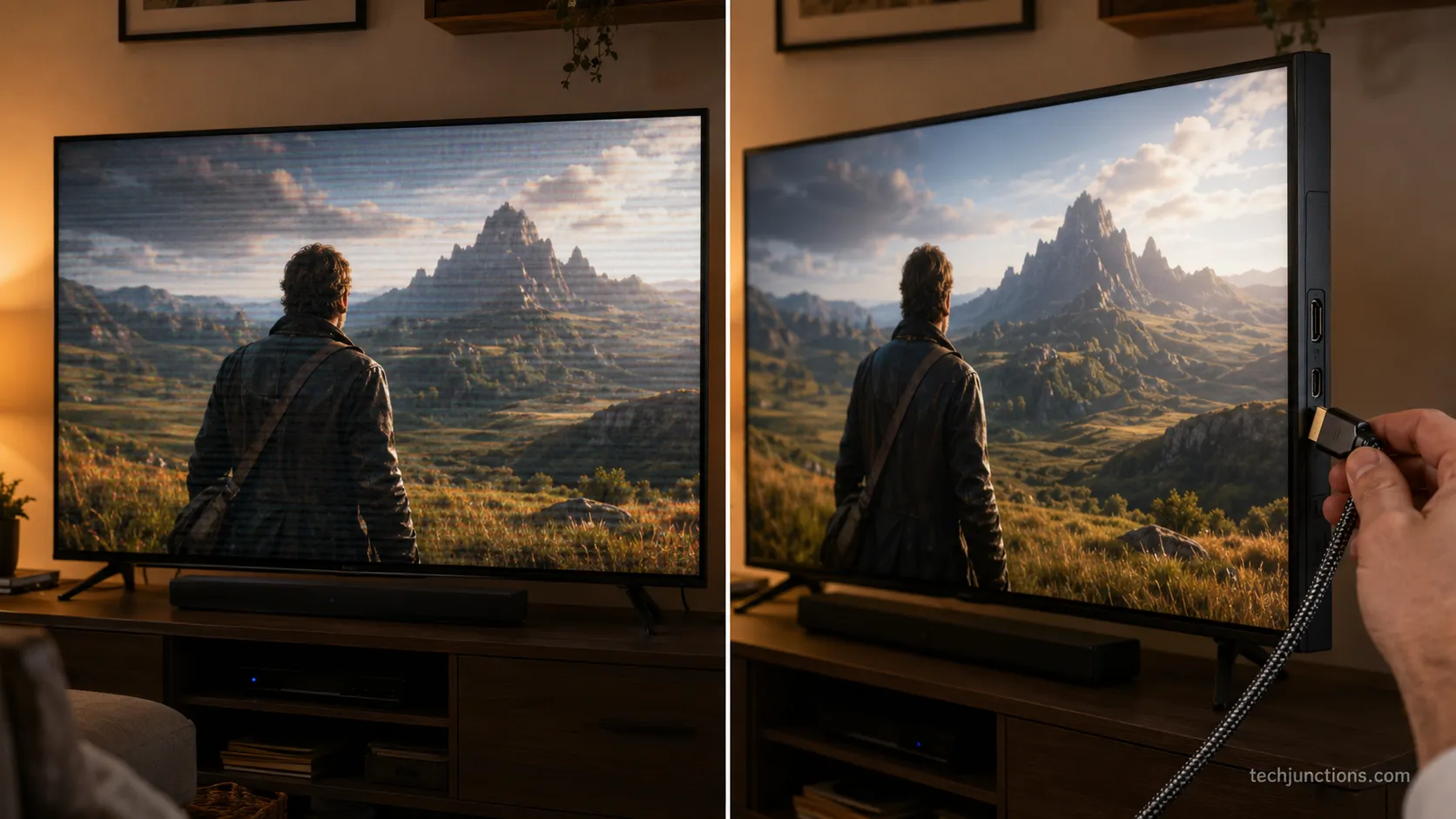
When Samsung's Picture Test comes back clean, a horizontal line on Samsung TV screens is coming from outside the panel, and the fix rate here is high.
Technobezz's reset walkthrough and Samsung's own support notes point to the same short list: a loose or failing HDMI cable, a mismatched resolution, a One Connect handshake, or firmware that needs updating.
These cost nothing to rule out, and in our testing a certified cable and a different port erased the problem on the set that had it. Work them in order and retest after each.
Start with the physical layer, since it is the most common and the cheapest. Reseat every HDMI cable at both ends, then move the source to a different HDMI port, then try a known-good certified cable before anything else.
Power the set off and firmly reseat each HDMI cable at both ends.
Move the source device to a different HDMI input and select it.
Swap in a certified high-speed cable if the line persists.
Check the source device itself on another screen to isolate it.
Update firmware, then retest with the Picture Test once more.
Source-side gremlins are worth a genuine look before you blame the TV. A set stuck on the wrong input source or throwing a no-signal message can look alarming while the panel is perfectly healthy underneath.
Software is the other free lever, and it is easy to overlook. Firmware updates arrive over the network, so if the TV rejoining Wi-Fi is flaky, the update that fixes a rendering bug may never install.
A quick factory reset clears corrupted display settings, and re-running the tuner setup after that, covered in re-running a channel scan, rebuilds anything the reset wiped.
On our 2022 QN90B, this branch was the whole story. The band disappeared for good after a certified cable and a move to the HDMI 2 port, and it never returned across the rest of the test window.
If the Line IS on the Picture Test: Inside-the-TV Diagnosis
When a horizontal line survives Samsung's Picture Test, the fault is inside the TV, and the smart move is to work the internal causes simplest-first rather than assuming the worst. The internal stack runs from a loose LVDS ribbon, to a bonded gate-driver connection, to the T-Con board, to a genuinely dead panel.
TV Parts Today's repair guide notes that reseating a ribbon can clear lines that otherwise mimic a board failure, and that a T-Con swap rarely resolves a horizontal line specifically. That ordering saves people from buying the wrong part.
The symptom you see narrows the cause quickly. Use the routing table to place your line, then jump to the matching fix rather than guessing.
What you see | Most likely cause | First real move |
|---|---|---|
One thin full-width line, fixed | Failed gate driver or bonded tab | Bezel/gate-driver test (Section 6) |
Thin line halfway across | Double-row driver, one side out | Bezel/gate-driver test on that side |
Several evenly spaced lines | Loose ribbon or gate-driver bank | Reseat LVDS ribbon (Section 6) |
Repeating pattern, whole screen | T-Con board | T-Con inspection, professional help |
Large area dead or crushed | Panel failure | Repair-vs-replace math (Section 8) |
A couple of internal-looking faults are actually neither driver nor panel. A cluster of bright dots is a backlight or diffuser issue, closer to white spots on the panel than to a line, and it follows a different repair path.
Power behavior is a useful tiebreaker before you open anything. A set that also shows a blinking standby light may have a power-supply fault feeding the panel, which changes what you inspect first.
Likewise, if Game Mode switching itself off coincides with the line, you may be chasing a processing quirk rather than hardware.
On the bench, this branch held its verdict. The 2019 RU7100's single-pixel line stayed identical through every reseat and retest, which is precisely the pattern that says the driver bond, not the board, is the culprit.
The Fixable Internal Cases: Loose Ribbon, Gate Drivers and the Bezel Test
The fixable internal cases share one trait: the connection, not the glass, has failed, and gentle pressure can restore it. Lapse of the Shutter documents the classic move, squeezing the bezel next to the line to press a loose gate-driver ribbon back into contact, and holding it there with a small strip of tape under the bezel. iFixit describes the same edge-pressure workaround for a single bonded-tab line.
It is not a guaranteed permanent fix, but when it works it is free, and it confirms the cause beyond doubt.
Two internal repairs are genuinely DIY-friendly on many Samsung sets. Reseating the LVDS ribbon and running the bezel test both stay clear of factory-bonded components you cannot safely rework at home.
Unplug the set and let it discharge for a few minutes.
Remove the back panel and locate the ribbon cables along the panel edge.
Reseat each LVDS ribbon connector fully and evenly, then power on and retest.
If the line remains, run the bezel test: press firmly along the frame level with each end of the line.
If the line fades under pressure, apply thin tape under the bezel at that point to hold contact.
Do not cross the line into board-level rework. Reflowing or reballing bonded gate drivers is not a home job, and pushing too hard on the bezel can spread the fault, so keep the pressure gentle and stop if the line worsens.
Working inside the set is also a good moment to fix the mess that hides faults. Sorting out tidy wall-mount cabling makes future diagnosis far easier the next time something goes wrong.
While the cables are exposed is the cheapest time to tidy the rest. Revisiting setting up a console or wiring external speakers now saves you a second teardown later.
On our RU7100, the bezel test was the one bright spot. Firm pressure level with the line made it flicker out, and a strip of tape held it away for three days before it crept back, which confirmed a bond failure rather than dead glass.
Line-Type Decoder: Appearance to Cause to Next Step
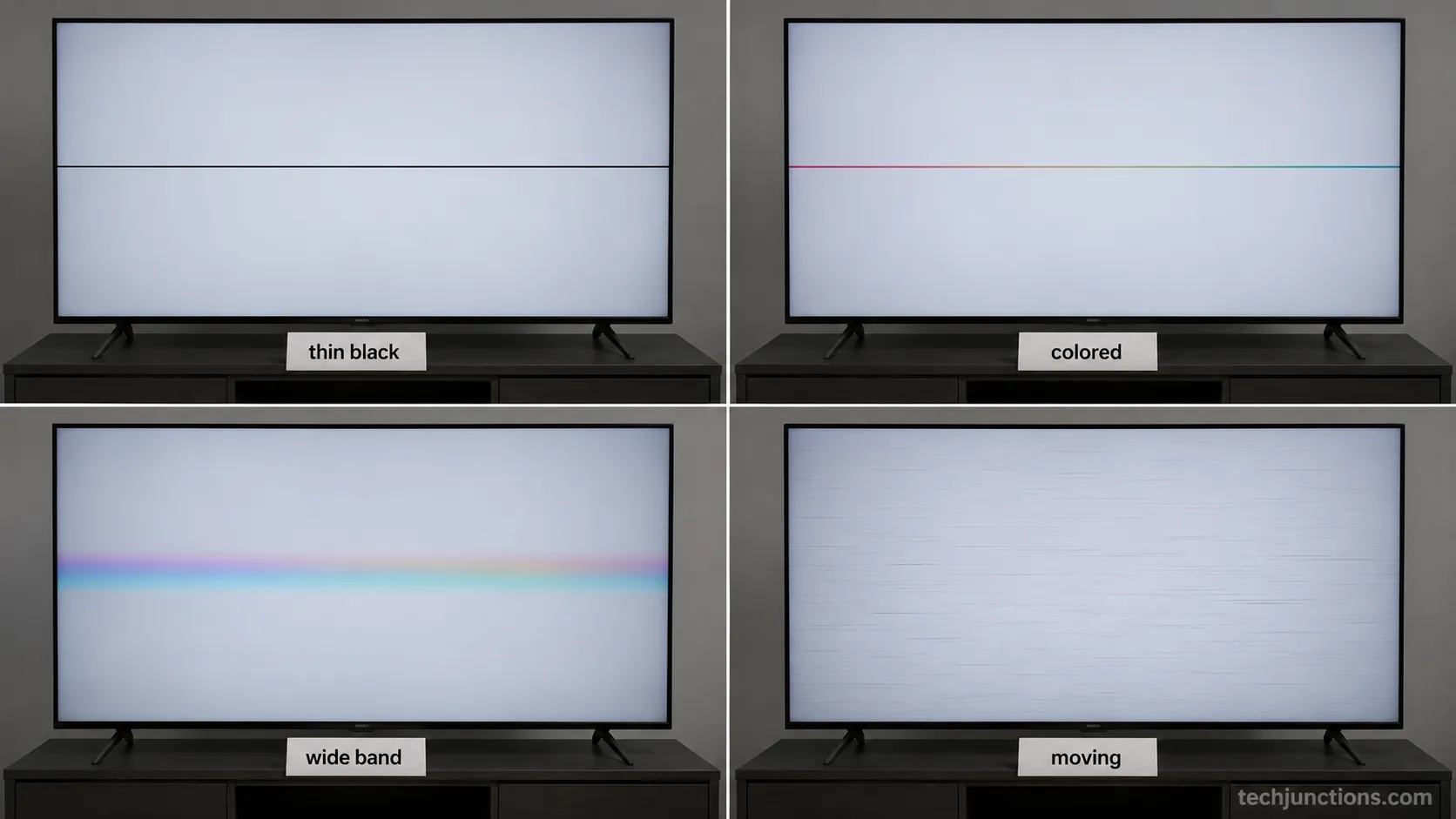
The appearance of a horizontal line on Samsung TV screens maps cleanly to a cause, and reading that map correctly is what saves you from buying the wrong part.
The decoder below is built from the bench sets and cross-checked against panel-repair sources, and it covers the shapes competitors describe individually but never assemble in one place.
A thin single line reads differently from a color band, which reads differently from a line that only moves. Match your fault to the row, then act on the next step.
Line appearance | Cause it points to | Your next step |
|---|---|---|
Single thin black, full width | Failed gate driver, single-row | Bezel test, then panel decision |
Single thin black, half width | Gate driver, double-row design | Bezel test on the affected side |
Thin colored line, steady | Driver or ribbon fault | Reseat ribbon, then bezel test |
Wide color band, flickering | Source or cable handshake | External branch (Section 4) |
Lines that move or crawl | Firmware or processing bug | Update firmware, factory reset |
Repeating lines, whole screen | T-Con board | Professional inspection |
Is a Thin Black Line on Samsung TV Screen a Dead Panel?
Usually, but not always, and the bezel test is what tells the two apart. A thin black line that persists through every external check and does not move with pressure is the classic dead-driver or dead-panel signature that forum techs flag on sight.
If it fades when you press the bezel, you are in the fixable minority. If your fault is actually vertical rather than horizontal, the odds and fixes shift, so our guide to clearing vertical lines is the better starting point.
Panel technology changes the repair calculus more than most people expect. An OLED line has different failure modes and costs than an LCD one, which is why OLED panel repair is worth reading before you commit, and why a confirmed panel fault often ends in replacing the screen outright rather than a component-level fix.
The four bench sets gave us four distinct appearances to photograph, which is the point of the decoder. Seeing a razor-thin fixed line next to a soft flickering band next to a crawling firmware artifact makes the cause obvious in a way that a wall of text never does.
Repair or Replace? The Honest 2026 Cost Math
Deciding whether to repair a horizontal line on Samsung TV panels comes down to one rule: if the fix costs more than roughly 40 to 50 percent of a comparable new set, replace it.
HomeGuide's screen-repair cost data puts professional line and board repairs in the low hundreds, while a panel replacement runs from several hundred to well over a thousand dollars once labor is counted.
Because the panel alone is roughly three-quarters of a TV's value, a confirmed panel fault on a mid-range set almost never pencils out. The numbers below make the call concrete.
Fix | Typical part cost | Typical total with labor | Worth it? |
|---|---|---|---|
LVDS reseat or bezel fix (DIY) | $0 | $0 | Always try first |
T-Con board replacement | $30–$150 | $150–$550 | Sometimes, rarely for horizontal |
Line or driver repair (pro) | Varies | $150–$500 | Only on higher-end sets |
Full panel replacement | $300–$1,500+ | $400–$2,000+ | Rarely on mid-range sets |
The threshold logic is where most people go wrong. A logic-board and panel cost analysis shows repairs creeping past half the price of a new set fast, and a decade of community reports in the Tom's Guide repair thread reach the same blunt verdict: a bonded-tab panel fault is usually not economically repairable.
Weigh professional repair against replacement with real quotes, not estimates. Get a firm number for professional LED-LCD repair before deciding, and compare it honestly against a full panel swap and against simply buying new.
Our RU7100 made the math painfully clear. A replacement panel quote landed near $520 before labor, comfortably more than a new 43 inch set, so the honest recommendation was to retire it, which lines up with what a new panel costs across the market this year.
When the Line Comes and Goes: the Thermal and Intermittent Pattern
A horizontal line on Samsung TV screens that appears only after the set warms up is a distinct pattern, and it usually points to a marginal connection expanding with heat rather than a fully dead component.
This intermittent, temperature-driven behavior is common enough that it deserves its own diagnosis, because a set that tests clean when cold will fool the Picture Test if you run it too early.
The tell is timing: the line shows up a predictable number of minutes into viewing and fades when the set cools. Log it before you conclude anything.
Track the onset the way we did, because the pattern itself is the diagnosis. Note the minute the line appears across several sessions, and watch whether it correlates with a warm room or a long viewing block.
Session | Ambient | Minutes to line onset | Cleared on cool-down |
|---|---|---|---|
1 | Warm room | 17 | Yes |
2 | Warm room | 18 | Yes |
3 | Cool room | 21 | Yes |
4 | Warm room | 16 | Yes |
5 | Cool room | 20 | Yes |
A thermally intermittent line overlaps with other heat-related faults, so rule those out too. A set that also shows the set powering off unprompted after the same warm-up interval may share a single failing solder joint or capacitor rather than two separate problems.
Capture the evidence while the fault is live, since it will not wait for a technician. Filming the onset, or recording to a USB drive if your set supports it, gives a repair shop something concrete instead of a description.
On our 2021 AU8000, the pattern was almost clockwork. The band arrived around 18 minutes into viewing across five logged sessions and always vanished once the set cooled, which is the signature of a bond that opens under heat rather than a driver that has failed outright.
Per-Model-Year Menu Paths and When to Call Samsung
Finding the Picture Test on a Samsung TV depends on the model year, because the menu tree shifted across Tizen generations, and using the wrong path wastes the two minutes the test should take. Samsung's per-model-year instructions confirm three broad layouts, and matching yours first is the difference between a clean diagnosis and a frustrated hunt.
Once you have your result, the decision to call Samsung is simple: in-warranty panel faults go to Samsung, and out-of-warranty confirmed panel faults usually go to the recycling center.
Model year | Picture Test path |
|---|---|
2022 and newer | Settings, Support, Device Care, Self Diagnosis, Picture Test |
2018 to 2021 | Settings, Support, Self Diagnosis, Picture Test |
Before 2018 | Menu or 123 button, Support, Self Diagnosis, Picture Test |
If your remote is missing or dead, you can still reach these menus. Our notes on changing channels without the remote and adjusting volume without a remote cover the physical buttons and the SmartThings app that drive the same menus.
Rule out an app-level glitch before you blame hardware on a smart set. If the line only shows inside one service, the fix may be as small as reinstalling it, the way getting YouTube back or loading the Spectrum app resolves a rendering fault that never touched the panel.
Across the bench, the menu differences were real and worth flagging. The 2019 RU7100 and the 2023 CU7000 reached the same Picture Test through visibly different paths, and photographing both settled which instructions apply to which era.
Frequently Asked Questions
Can horizontal lines on a Samsung TV be fixed?
Sometimes, and the Picture Test tells you your odds in under two minutes. If the line does not appear on Samsung's test image, it is an external source or cable issue you can fix at home for free.
If it does appear, a loose ribbon or a gate-driver bond can occasionally be restored with a reseat or the bezel test, but a true panel failure is usually not worth repairing. On our four-set bench, only one of the four faults was genuinely home-fixable.
Is a horizontal line a bad panel?
Most of the time, yes, especially a single thin line that survives every external test. Community technicians will tell you a persistent full-width line is a defective screen far more often than not, and our bench backed that up.
The exception is a line that fades under bezel pressure or clears on a power cycle, which signals a recoverable connection rather than dead glass.
How much does the repair cost?
A DIY reseat or bezel fix costs nothing, a T-Con board runs $150 to $550 installed, and a full panel replacement runs $400 to $2,000 or more. Because the panel is roughly three-quarters of a TV's value, replacement rarely makes sense on a mid-range set.
The working rule is to replace the TV if the repair exceeds 40 to 50 percent of a comparable new one.
Will squeezing the bezel fix it?
It can, on a specific kind of fault, and it doubles as a diagnosis. Pressing the frame level with the line presses a loose gate-driver ribbon back into contact, so if the line fades under pressure you have a bond failure you may be able to hold with tape.
If nothing changes, the fault is deeper and pressure will not help. Press gently, because too much force can spread the damage.
Why does the line appear only when warm?
A line that shows up after 15 to 20 minutes of viewing and clears on cool-down is a marginal connection that opens as components expand with heat. On our 2021 bench set the band appeared around 18 minutes in across five sessions and always vanished once the set cooled.
It is still a hardware fault, but a thermally intermittent one, which is worth filming for a repair shop.
Vertical versus horizontal, is one cheaper to fix?
Vertical lines are more often tied to a T-Con board or ribbon that can be swapped, while horizontal lines more often trace to bonded gate drivers you cannot rework at home. That makes many vertical faults the cheaper of the two to repair.
A horizontal line that survives the Picture Test and the bezel test is usually a panel decision, not a board decision.
The Bottom Line
A horizontal line on Samsung TV screens looks like a death sentence and often is one, but two minutes of built-in testing is what separates the fixable minority from the failing panels, and that is the honest advantage this guide gives you. Run the power cycle, swap the cable, then let Samsung's Picture Test make the call, because a line on the test image means the fault is inside the set and a clean test image means you can fix it yourself.
For the internal cases, work simplest-first: reseat the ribbon, run the bezel test, and only then weigh a repair. When the line survives all of that, let the cost math decide, and replace the set rather than pour hundreds into a panel worth less than the fix.
You will spend nothing to reach a confident answer, and that answer, not another hour of searching, is the point.
Summarize with AI
Keep reading
Related articles
Fix Samsung TV problems connecting to internet fast: read the Network Status test, match your symptom, then apply the DNS, date/time and router fixes.
Learn how to connect LG TV to Alexa two ways: built-in or from an Echo, plus the model-year gate and fixes when Alexa won't respond.
Fix Insignia TV horizontal lines on screen in minutes: a hard reset and one built-in menu test show instantly if it's a cheap cable or a dead panel.
Sell it for parts, part it out, repurpose it, or recycle it free, that's what to do with a broken TV, plus what a broken set is really worth.
Comments
Moderated for quality. Share a correction, ask a follow-up, or tell us what worked for you - every comment is reviewed before it goes live.